Table of Content
- The Faceless Video Gold Rush And Why Your Tool Choice Matters
- Wava AI: The Honest Picture
- What Wava AI Gets Right
- Where Wava AI Falls Short
- Alternative 1: InVideo AI
- Alternative 2: Pictory
- Alternative 3: Opus Clip
- Alternative 4: Synthesia
- Alternative 5: CapCut AI
- The Decision Framework
- Final Thoughts: Beyond the "Set and Forget" Fantasy
The Faceless Video Gold Rush And Why Your Tool Choice Matters
Let's be honest: the promise of "go viral without showing your face" is compelling. TikTok channels pulling in millions of views from AI-narrated Reddit stories, faceless YouTube Shorts monetising before the creator has a thousand subscribers, Instagram Reels running on autopilot. The category is real, the opportunity is real and the tool you pick to chase it matters more than most creators realise.
Wava AI rode this wave early. It offered a browser-based, no-skills-required shortcut to the faceless video format, and for a certain type of creator at a certain stage of growth, it genuinely worked. But the market has evolved fast. What felt innovative in 2023 is increasingly table stakes in 2026, and Wava AI has struggled to keep pace with platforms that iterate faster, voice better, and automate deeper.
This blog isn't a takedown. We'll walk through what Wava AI actually does well and there are genuine strengths worth acknowledging. But we'll also be direct about where it falls short, and then spend the bulk of our time on five alternatives that cover the gaps: for the solo creator, the social media manager, the content repurposer, the enterprise marketer, and the casual experimenter.
2B+ Short-Form Videos Viewed Daily across TikTok & YT Shorts | 70% Wava Workflow Automated Still needs manual fine-tuning | 2/5 User Trust Rating Avg. across independent reviews | 5 Alternatives Reviewed Ranked by real creator needs |
Wava AI: The Honest Picture
Before looking at alternatives, it's worth understanding what you're actually comparing. Wava AI is a browser-based, AI-powered video creation platform built specifically for short-form, faceless content the kind that dominates TikTok, Instagram Reels, and YouTube Shorts. You give it a script (or it writes one), and it outputs a finished video complete with an AI voiceover, background stock footage, and auto-captions.
The platform's key formats text story videos, split-screen clips, and narrative story videos mirror the most popular and replicated formats on short-form social right now. For someone with zero editing experience who wants to be posting consistently within the hour, that's genuinely valuable.
What Wava AI Gets Right
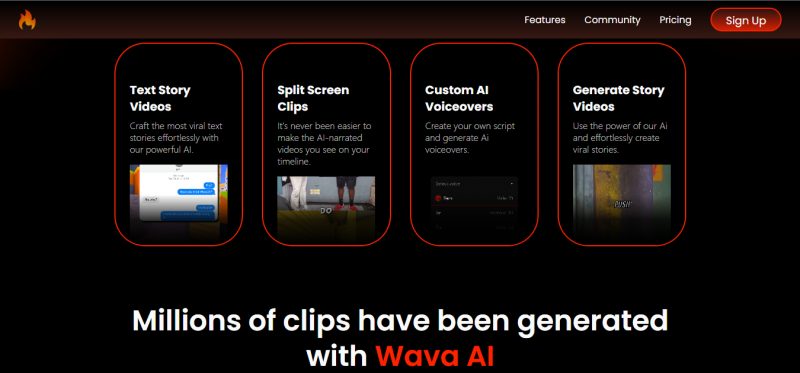
The ElevenLabs integration is Wava's strongest asset. ElevenLabs is among the most respected text-to-speech providers on the market, and using it gives Wava's voiceovers a quality ceiling that outpaces most budget competitors. Custom voice import the ability to bring in your own cloned or recorded voice extends this further, letting channels maintain an audio identity even within the faceless format.
The production speed is also legitimate. From a rough idea to an exported, platform-ready video in minutes is exactly what high-frequency content machines need. The split-screen format in particular two stacked video streams with narration is assembled automatically, saving what would otherwise be fiddly manual work in a traditional editor.
Where Wava AI Falls Short
The criticisms cluster into three areas, and they're consistent across independent reviews, user forums, and creator communities. First: the template ceiling. Wava's pre-built formats accelerate early production, but they become restrictive quickly. There's limited ability to adjust pacing, modify scene transitions, or build genuinely distinctive visual identity — the output can feel interchangeable with every other Wava-made channel.
Second: the billing and support experience. This is the most consistent thread across negative user reviews — difficulty cancelling subscriptions, unexpected charges, and customer support that doesn't match the "24/7" promise on the marketing page. For a subscription tool, trust in the billing process is foundational, and Wava has a genuine problem here.
Third: platform coverage and automation depth. Wava doesn't auto-generate multi-format versions for different platforms, it lacks RSS or Reddit scraping for content ingestion, and it has no built-in analytics to track which formats or hooks actually drive results.
| What It Does Well | Where It Falls Short |
| ElevenLabs integration produces natural-sounding voices | Billing complaints are the most consistent user concern |
| Custom voice import maintains brand audio identity | Templates feel restrictive after early use |
| Browser-based — no software downloads required | No cross-platform auto-formatting (9:16, 16:9, 1:1) |
| Split-screen and text story formats ready out of the box | No built-in analytics or virality tracking |
| Free tier to test before committing | Rendered content can feel generic and hard to differentiate |
“Wava AI gets you 70-80% of the way there. The remaining 20% - brand distinctiveness, format flexibility, trust in the platform - is where it consistently lets creators down.”
Alternative 1: InVideo AI
Best for: Versatile creators who want depth, templates, and scale in one platform
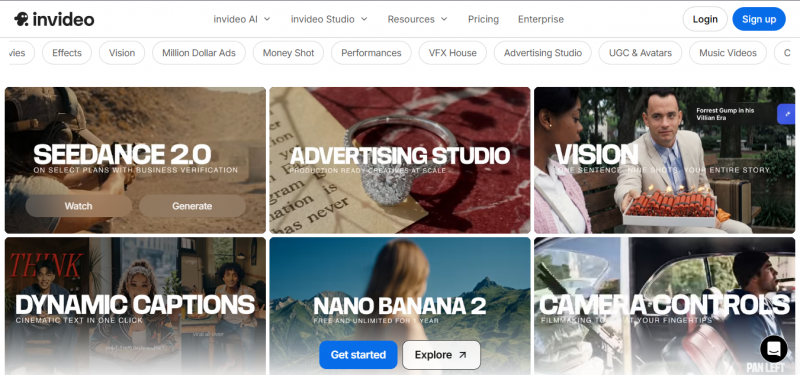
If Wava AI is a one-trick pony that executes its trick reasonably well, InVideo AI is closer to a full creative department. With over 5,000 templates and more than 50 million users globally, InVideo has become the default recommendation for creators who want genuine versatility without the complexity of professional editing software.
The core workflow is prompt-to-video: you describe what you want, InVideo drafts a complete video with script, visuals from the iStock and Storyblocks libraries, voiceover, and transitions. You iterate in natural language "make the intro more energetic," “swap the background footage in the second scene” and the AI adjusts accordingly. This conversational editing paradigm is meaningfully different from the template-filling approach Wava uses.
What InVideo Does Better Than Wava AI
• The prompt-to-video workflow is genuinely more flexible, you steer the output through conversation, not templates
• iStock + Storyblocks integration gives access to a premium stock library Wava cannot match
• Multi-format export covers YouTube, TikTok, Instagram, and Facebook without manual resizing
• The platform is stable, well-established, and has a clean billing track record with over 50M users
• Collaboration features support teams, not just solo creators
Where InVideo Still Falls Short
• Rendering can be slow - some users report 20-30 minutes per video for complex outputs
• The free plan carries a watermark and limited exports, making it less useful for testing at scale
• The template library, while vast, can feel overwhelming without a clear starting point
• Batch automation for faceless channels is not InVideo's primary design focus
InVideo AI — Quick Stats • Pricing: Free (watermarked); Plus from $28/month; Max at $50/month • Best formats: Faceless channels, explainer videos, social media ads, product promos • Voice: Premium neural TTS; multiple languages and accents supported • Standout feature: Conversational AI editing - revise by describing changes in plain language |
Alternative 2: Pictory
Best for: Content repurposers turning written content and long-form video into social clips
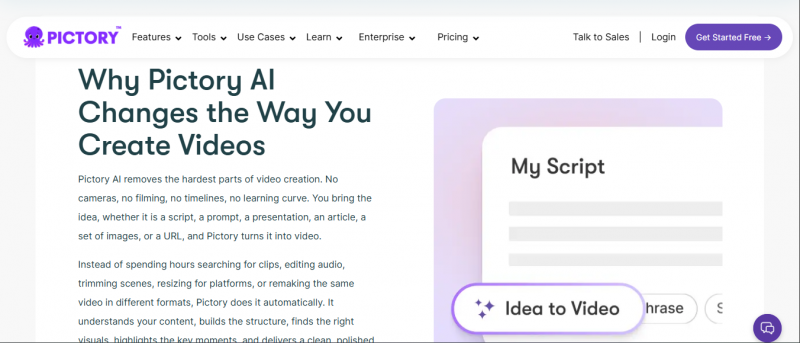
Pictory carved out a specific and very defensible niche: the platform is unusually good at taking existing content a blog post, a YouTube video, a webinar recording, a podcast episode - and transforming it into short-form clips optimised for social distribution. If your content strategy involves repurposing, Pictory is likely the strongest specialised tool available.
The URL-to-video feature is genuinely impressive. You paste a webpage link a blog post, a product page, an article and Pictory summarises it, selects relevant visuals from its 3-million-asset library, and generates a complete video. The text-based editing approach means you adjust the script directly in a text document and the video updates automatically a workflow that makes revision fast and intuitive.
What Pictory Does Better Than Wava AI
• The content repurposing workflow (blog, podcast, webinar to video) is the strongest in the category
• URL-to-video and script-to-video are both genuinely accurate and time-saving
• Text-based video editing - modify the transcript, the video updates - is uniquely efficient
• ElevenLabs integration for premium voiceovers; solid multi-language support
• Auto-highlight extraction from long-form video identifies the most shareable moments
Where Pictory Still Falls Short
• No strong "create from scratch" mode - Pictory shines brightest when it has content to work from
• The free plan offers very limited access; watermarked output makes testing frustrating
• Not purpose-built for the text-story and split-screen formats that dominate TikTok
• Analytics are limited - it creates well but doesn't help you understand what's performing
Pictory — Quick Stats • Pricing: Starter from $19/month (annual billing); higher tiers up to $99/month for teams • Best formats: Blog-to-video, script-to-video, long-form to Shorts repurposing • Voice: ElevenLabs integration; 3M+ stock asset library • Standout feature: URL-to-video - paste a webpage, get a finished short in minutes |
Alternative 3: Opus Clip
Best for: Creators with existing long-form content who want intelligent clip extraction
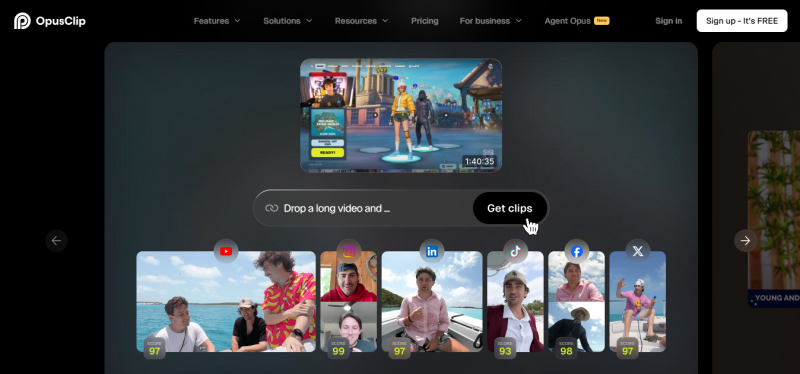
Opus Clip takes a fundamentally different approach to faceless video than Wava AI. Rather than generating new content from a script, it analyses footage you already have a podcast episode, a YouTube video, a webinar, a talking-head interview and extracts the most engaging moments, turning them into platform-ready vertical clips. The AI predicts which segments are most likely to perform well, and ranks them accordingly.
This makes Opus Clip useless if you're starting from zero without source footage. But if you have a library of existing content - which most established creators, podcasters, educators, and businesses do. Opus Clip effectively multiplies that content without additional filming or writing. One 60-minute podcast episode might yield 15 to 20 optimised clips, each with auto-captions, b-roll suggestions, and a virality score.
What Opus Clip Does Better Than Wava AI
• The virality scoring system provides data-backed guidance on which clips are most likely to perform
• "ClipAnything" model handles diverse video genres - vlogs, gaming, podcasts, interviews with equal fluency
• AI speaker tracking keeps faces centred in vertical format automatically - essential for talking-head content
• Caption styling is tuned for viral social aesthetics, not just accuracy
• Solid free tier with 60 credits monthly - more generous than Wava's free access
Where Opus Clip Still Falls Short
• Completely dependent on existing footage - cannot create original videos from text or scripts
• Credit-based pricing can become costly for creators repurposing content at high volume
• Less useful for niche faceless formats like Reddit narration or split-screen text stories
• No scheduling or direct cross-platform posting built in
Opus Clip — Quick Stats • Pricing: Free (60 credits/mo, watermarked); Starter $15/month; Pro $29/month • Best formats: Podcast clips, webinar highlights, interview shorts, YouTube Shorts from long-form • Voice: Works with existing audio — no separate TTS generation • Standout feature: Virality scoring — AI predicts each clip's performance potential before you post |
Alternative 4: Synthesia
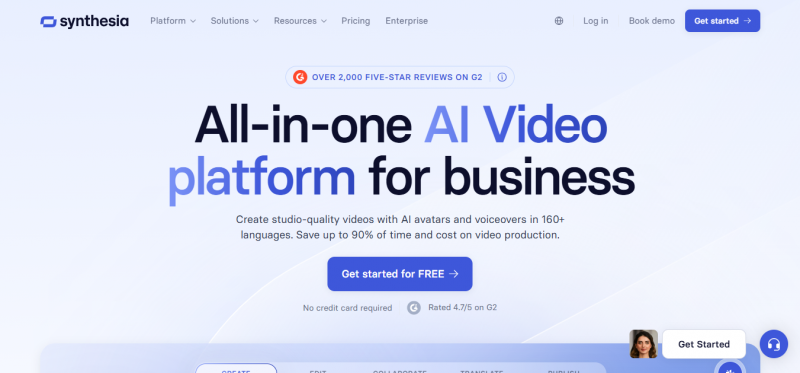
Best for: Enterprises and professionals who need polished, avatar-led video at scale
Synthesia occupies an entirely different market position from Wava AI. While Wava targets solo creators chasing virality, Synthesia's customer is the enterprise marketing team, the L&D department, the corporate communications manager. The product is built around hyper-realistic AI avatars - digital presenters who read your script in over 140 languages with natural lip-sync and human-convincing delivery.
The output looks nothing like a TikTok-native faceless video. It looks like a polished, professionally-produced corporate video - the kind that would previously have required a studio, a camera crew, and a day of filming. For explainer videos, onboarding content, training materials, product demos, and internal communications, Synthesia is in a category of its own.
What Synthesia Does Better Than Wava AI
• AI avatar quality is the most realistic in the market - human-convincing lip-sync across 140+ languages
• 140+ language and accent support makes it the clear choice for global enterprises
• Custom avatar creation lets companies deploy a branded digital spokesperson
• Enterprise-grade security, compliance, and team collaboration features
• Consistent, professional output that scales without quality variance
Where Synthesia Still Falls Short
• Pricing starts at $29/month and scales steeply - not built for solo creators or small budgets
• Not designed for viral social content - the output looks corporate, not TikTok-native
• Limited creative flexibility for creators who want visual storytelling beyond avatar-and-slide formats
• No faceless channel automation or Reddit/social thread ingestion features
Synthesia — Quick Stats • Pricing: Starter from $29/month; Creator $89/month; Enterprise custom pricing • Best formats: Corporate training, product explainers, multilingual communications, onboarding • Voice: 140+ languages with natural AI avatars; custom branded avatar option • Standout feature: Human-quality AI avatar presenters - the most realistic digital spokespeople available |
Alternative 5: CapCut AI
Best for: Budget-conscious creators who want real editing power with AI assistance
CapCut started as ByteDance's free video editing app and has evolved into something much more interesting: a genuinely capable AI-enhanced editor that handles everything from basic cutting to automated script-to-video generation, all on a free tier with no watermark for basic use. For creators who feel constrained by Wava's templates, CapCut offers the freedom of a real editor with AI scaffolding underneath.
The AI script-to-video feature takes a text prompt and assembles a video with stock footage, captions, and music automatically - covering similar ground to Wava. But because CapCut is fundamentally an editor first, you can then manipulate every element of the output freely. Change the font. Recut the clips. Add your own footage. Apply effects. Wava's output is a finished product; CapCut's is a starting point you can genuinely own.
What CapCut AI Does Better Than Wava AI
• The free tier is the most generous in the category - full editing suite, no watermark, no credit limits on basic features
• Because it's a real editor, you have granular control over every visual and audio element
• AI auto-captions are highly accurate and stylistically polished for social media
• Text-to-video, background removal, and smart crop features all included in the base product
• Massive creator community produces tutorials for every use case imaginable
Where CapCut AI Still Falls Short
• Requires more manual effort - this is an editor, not a fully automated pipeline
• Not optimised for high-volume faceless channel production the way dedicated tools are
• Background AI features are solid but not best-in-class compared to specialised voice tools
• Advanced features and commercial licensing require paid plans
CapCut AI — Quick Stats • Pricing: Free core features; CapCut Pro from $8/month for premium templates and exports • Best formats: Viral short-form content, faceless clips, influencer content, social ads • Voice: AI voiceover with multiple voices; solid accent support • Standout feature: The free tier is the best value in the category - a full AI-powered editor at no cost |
The Decision Framework
Rather than picking a "winner," think in terms of your primary constraint and your primary use case. The answers map cleanly to the tools above:
• Budget-first: You want the cheapest path to decent faceless videos - CapCut AI (free) or Wava AI (basic tier).
• Content repurposer: You have a blog, podcast, or video library to repurpose - Pictory is purpose-built for this exact problem.
• Long-form library: You create long-form content and want more from it - Opus Clip's virality scoring and clip extraction are unmatched.
• Enterprise team: You need multilingual, professional-quality video for enterprise use - Synthesia is the only credible option.
• Flexible creator: You want maximum creative control without being a professional editor - InVideo AI's conversational workflow is the balance point.
Final Thoughts: Beyond the "Set and Forget" Fantasy
Wava AI tapped into a real desire: the wish to produce consistent, engaging video content without spending hours every day doing it. That desire is legitimate. The faceless video category is real, profitable, and growing. The problem is that Wava AI despite some genuine strengths in voice quality and format coverage has not kept pace with a market that moved faster than it did.
The five alternatives above each occupy a specific, defensible position in that market. None of them are perfect. Pictory won't help you if you have no existing content to repurpose. Synthesia is overkill if you're a solo creator. Opus Clip is useless without source footage. CapCut requires more effort than a fully automated pipeline. InVideo AI can be slow. But each of them outperforms Wava AI in the specific dimension that matters most to a defined type of creator.
The smarter move for most content creators in 2026 isn't picking one tool and defending it. it's understanding which tool solves which problem. Use Opus Clip to squeeze more from your long-form content. Use Pictory to breathe new life into old blog posts. Use CapCut when you want to produce something with a genuine creative stamp. Use InVideo when you need something polished and platform-ready in an hour.
“The best AI video tool isn't the one with the most features. It's the one that removes the specific friction standing between your idea and your audience.”
Wava AI may improve. It may fix its billing issues, deepen its automation, and build out the analytics it currently lacks. But right now, in April 2026, the alternatives in this guide are doing the job better — and for most creators, the switch is worth making.
Post Comment
Share your thoughts about this article.
Be the first to post a comment!





