The Reels Reality in 2026
A Reel is decided in the first 1.5 seconds. Watch-time data from Sprout Social shows that videos with a strong three-second hold rate, above 60 percent, outperform weak holds by between five and ten times in total reach. That single number explains the entire AI tooling boom inside short-form video. Production speed used to gate output, while the hook decided distribution. AI flips both bottlenecks at once, generating openers, captions, and B-roll in minutes instead of hours.
Instagram has rebuilt its algorithm around the format. Reels now account for 45 percent of feed posts, draw 50 percent of total time on the app, and reach an average of 2.1 times more non-followers than carousels or photos. Engagement sits at 4.2 to 7.1 percent for Reels against 2.1 to 3.2 percent for static posts, which is roughly double. The tools below are evaluated against that reality.
5 to 10x more reach for Reels with a strong three-second hold | 85% of social videos are watched without sound, so captions are not optional | 2.1x more non-follower reach than carousels or photos |
What Actually Moves a Reel
Before picking a tool, the levers worth pulling deserve a quick look. Four interventions account for almost all of the engagement and reach lift documented in 2026 benchmarks, and every tool below is best evaluated by how cleanly it activates these four levers rather than by feature counts.
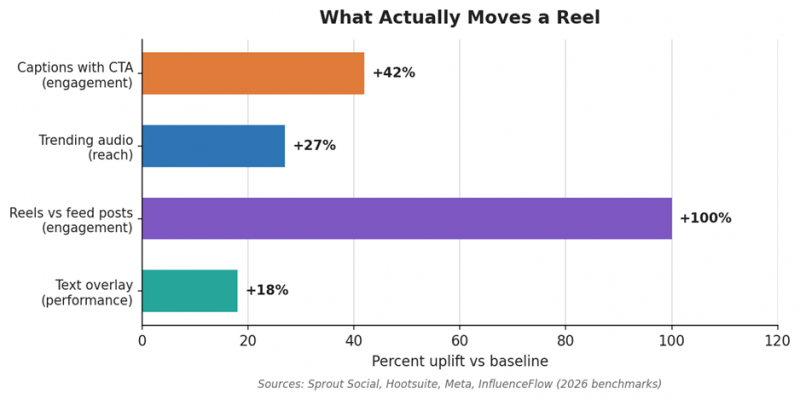
Figure 1. Percent uplift on engagement or reach attributable to each feature. Captions with a clear call to action and the Reels format itself produce the largest gains.
The Reels Creation Workflow
Asking which AI tool is best for Reels is the wrong question. A Reel passes through four distinct stages, and the right tool depends on where the bottleneck actually sits. Generate covers raw video from prompts or avatars. Repurpose cuts long-form material into short clips. Edit and Caption adds the hooks, animated subtitles, B-roll, and pacing that hold attention. Publish and Track schedules the post and feeds performance data back into the next idea. Most working creators run two or three tools across this chain rather than forcing one platform to do everything.
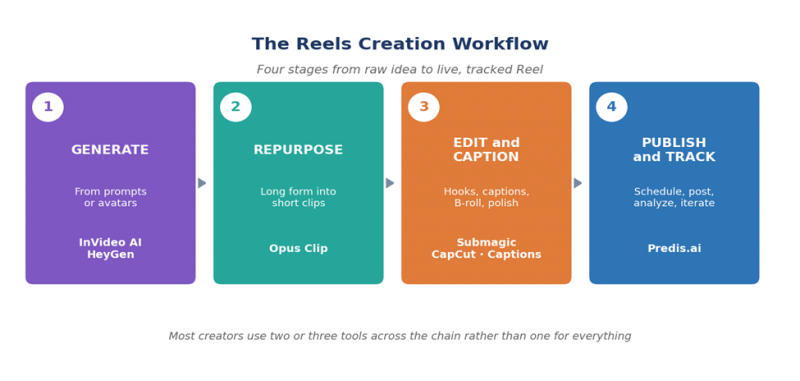
Figure 2. The four-stage workflow that organizes this guide. Each tool below is mapped to the stage it serves best.
Best Tool for Each Stage
Seven tools earned a place after testing across talking-head, faceless, and repurposed Reel workflows. The Scroll-Stop scores under each name come from a six-factor rubric explained later in the article.
InVideo AI
| STAGE 1 · GENERATE Score 47/60 Best for: Text-to-Reel for marketers and faceless niches |
InVideo AI accepts a single text prompt and returns a draft Reel with stock footage, voiceover, transitions, and captions assembled in vertical format. Its stock library is one of the largest in the category, which matters because faceless niches such as finance, wellness, and travel rely heavily on B-roll variety. Output quality on the first draft has improved through 2026, though pacing still benefits from manual review, and the brand voice can drift across multiple Reels in a series.
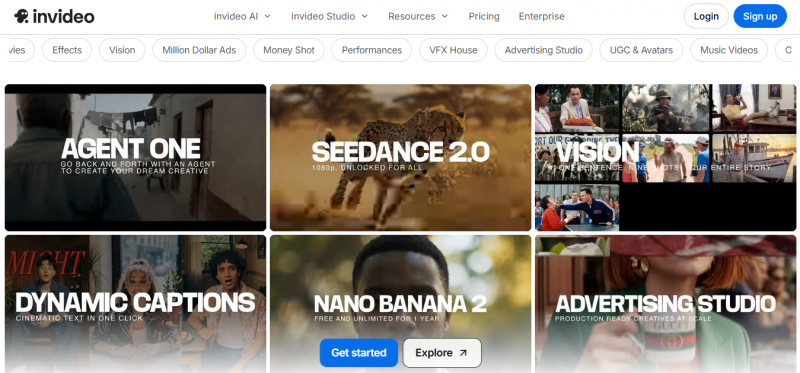
Wins Massive stock library, voiceover, and captions assembled from one prompt in vertical format.
Watch-outs First-draft pacing needs tightening, and tone consistency across batches takes manual review.
| Editor's Take. The fastest route to a faceless Reel when a creator has no footage to start from. |
HeyGen
| STAGE 1 · GENERATE Score 41/60 Best for: AI avatars for creators who avoid the camera |
HeyGen produces realistic talking-head video from typed scripts using more than a hundred avatars and lip-sync that has cleared the uncanny-valley threshold for most viewers. After seeing many reviews of Heygen, the platform suits founders, course creators, and educators who want to publish consistently without filming. Translation into dozens of languages opens international audiences without rerecording. The tradeoffs are real: avatar fatigue sets in across a feed where every Reel features the same digital host, and credit-based pricing climbs quickly for daily publishers.
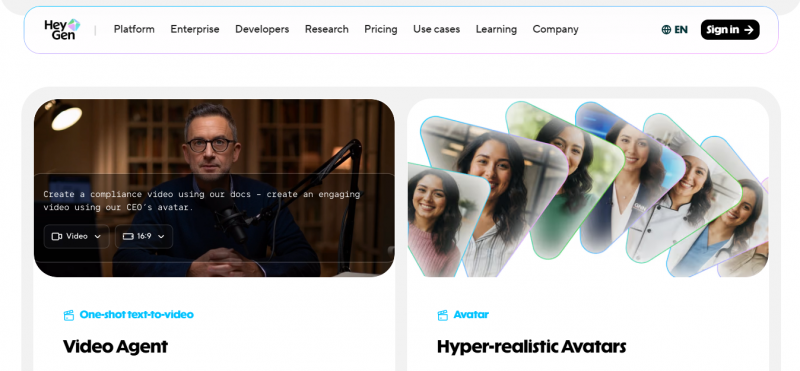
Wins Realistic avatars, multilingual dubbing, and consistent on-camera output without a camera.
Watch-outs Avatar repetition flattens a feed, and per-minute pricing punishes high publishing volume.
| Editor's Take. The right pick for the no-camera creator, used in moderation rather than as the only voice on a feed. |
Opus Clip
| STAGE 2 · REPURPOSE Score 46/60 Best for: Turning podcasts, webinars, and long videos into Reels |
Opus Clip ingests a long-form video and uses its proprietary Virality Score to surface the moments most likely to perform as standalone Reels. The output arrives already reframed to 9:16, captioned, and ready to post or schedule. The category that gains the most are podcasters and YouTubers, since a single one-hour episode can yield more than twenty short clips in a single pass. Caption customization trails specialist tools, and the Virality Score, while useful, occasionally favors energetic delivery over content depth.
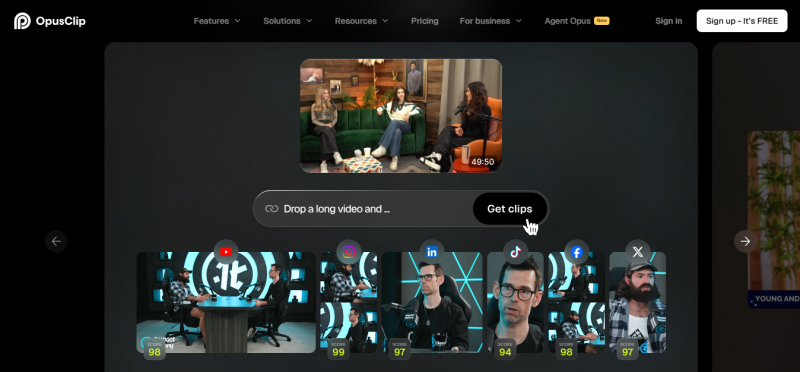
Wins Best-in-class clip detection from long videos, auto-reframe to vertical, captions, and direct posting.
Watch-outs Caption styling is less flexible than dedicated tools, and clip selection can lean toward energy over substance.
| Editor's Take. The first tool to add when existing long-form content is the goldmine waiting to be mined. |
Submagic
| STAGE 3 · EDIT AND CAPTION Score 53/60 Best for: Finishing a clip with captions, B-roll, and hooks |
Submagic finishes a clip the way a top creator would. Caption accuracy lands at 99 percent across 48 languages, more than a dozen animated styles sync word-by-word to speech, and the platform auto-inserts B-roll, GIFs, and stock visuals at relevant moments. AI hook generation, Magic Zoom transitions, filler-word removal, and a Brand Kit for fonts and colors make it the most complete finishing layer tested. Pricing climbs at the Pro and Business tiers, and only one social account per platform can be connected at once, which limits multi-client agencies.
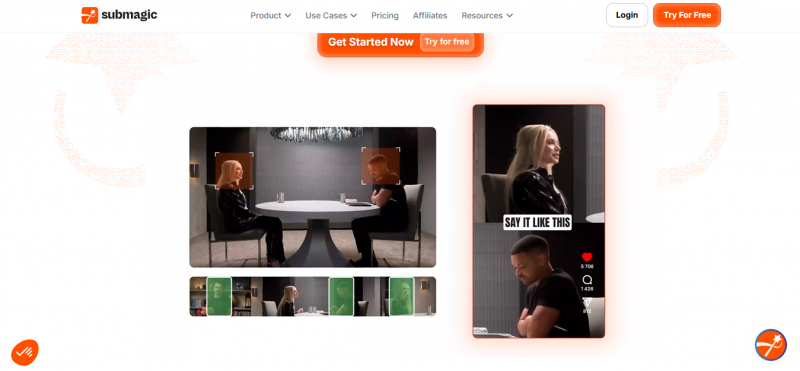
Wins Industry-leading caption accuracy, automatic B-roll, hook generation, Brand Kit, and multi-platform export.
Watch-outs Pro and Business tiers cost more than the base, and single-account-per-platform connections constrain agencies.
| Editor's Take. The default finishing tool for any creator who treats captions and hooks as the difference between a Reel and a viewed Reel. |
CapCut
| STAGE 3 · EDIT AND CAPTION Score 51/60 Best for: A genuinely free all-in-one editor |
CapCut packs a full mobile and desktop editor, an AI script generator, dozens of visual styles, AI avatars, voiceovers, and auto-generated subtitles into a free product with no watermark on basic edits. The conversational AI workflow added in 2026 takes a prompt to a complete vertical draft. The catch sits in the fine print: the ByteDance terms of service grant a perpetual license to uploaded content, which is a privacy tradeoff some brands cannot accept. Pro tier removes limits on effects and unlocks heavier AI features.
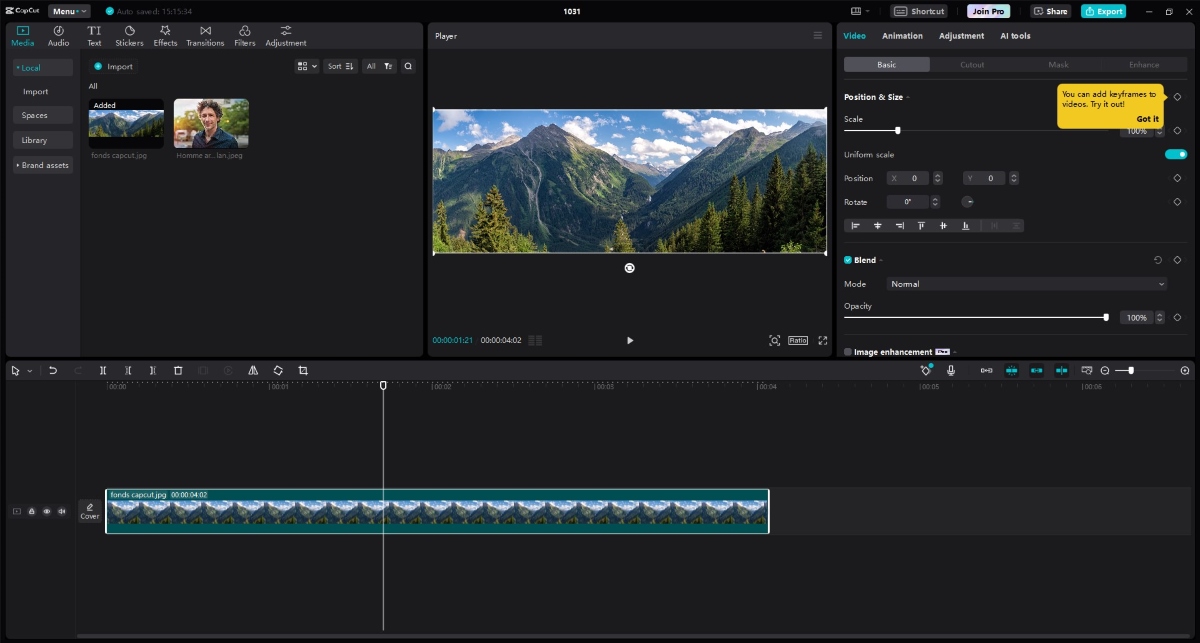
Wins Free with no watermark on core edits, AI script and visual generation, native vertical templates.
Watch-outs ByteDance terms grant a perpetual license to uploaded content, a privacy tradeoff worth weighing.
| Editor's Take. The right starting point for any creator with a tight budget and no immediate brand-sensitivity concerns. |
Captions.ai
| STAGE 3 · EDIT AND CAPTION Score 47/60 Best for: Mobile-first talking-head workflows |
Captions.ai built its product around the talking-head Reel filmed on a phone. AI Eye Contact correction redirects gaze toward the lens even when the script reads from above the camera, and the AI Studio handles dubbing, B-roll, and avatar generation entirely on mobile. The platform feels native on iOS and Android in a way most competitors miss. Caption customization is strong though slightly behind Submagic, and serious editing on a desktop timeline is not the design intent.
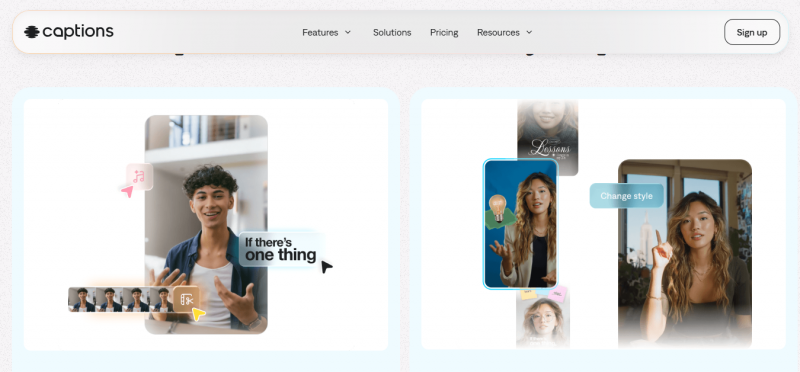
Wins AI Eye Contact, strong mobile UX, multilingual dubbing, and a tightly integrated studio.
Watch-outs Desktop editing falls behind the mobile experience, and customization trails the category leader on captions.
| Editor's Take. The pick for creators who film on a phone and want the result polished on the same device. |
Predis.ai
| STAGE 4 · PUBLISH AND TRACK Score 47/60 Best for: Strategy, creation, and scheduling in one dashboard |
Predis.ai sits at the top of the workflow as an orchestrator rather than a single-purpose tool. The platform runs competitor audits, identifies under-served content themes inside a niche, generates Reels using bundled access to Sora 2 and Veo 3.1, writes captions and hashtags, and schedules everything across accounts. The Solo plan starts near 29 dollars monthly, with team and agency tiers above. Raw editing finesse trails specialists, so most teams pair Predis with a finishing tool such as Submagic for the polish layer.
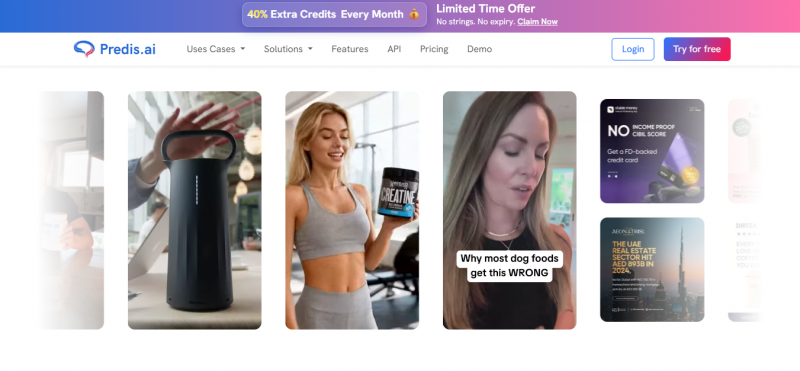
Wins All-in-one strategy, generation, captioning, and scheduling, with bundled Sora 2 and Veo 3.1 access.
Watch-outs Editing depth lags specialist finishing tools, so a polish step usually still belongs elsewhere.
| Editor's Take. The control tower for marketers who want competitor data, content generation, and publishing under one login. |
Capability Matrix
The table below maps which tools handle which jobs cleanly. A checkmark signals a primary strength, a partial marker signals workable but limited support, and a dash signals the capability sits outside the tool's design intent.
| Capability | Submagic | CapCut | Captions | Opus Clip | InVideo | HeyGen | Predis |
|---|---|---|---|---|---|---|---|
| AI captions, animated | ✓ | ✓ | ✓ | ✓ | ✓ | ~ | ✓ |
| AI hook generation | ✓ | ~ | ~ | ~ | ~ | – | ✓ |
| B-roll auto-insertion | ✓ | ✓ | ✓ | ~ | ✓ | – | ~ |
| Long-form to short clips | ✓ | ~ | ~ | ✓ | – | – | ~ |
| AI avatars | ✓ | ✓ | ✓ | – | – | ✓ | ~ |
| Native vertical, 9:16 | ✓ | ✓ | ✓ | ✓ | ✓ | ✓ | ✓ |
| AI dubbing or translation | ✓ | ~ | ✓ | ✓ | ~ | ✓ | ~ |
| Direct multi-platform post | ✓ | ~ | ~ | ✓ | ~ | – | ✓ |
| Free tier without watermark | – | ✓ | ~ | ~ | ~ | – | ~ |
Legend: ✓ primary strength, ~ partial or limited, – not designed for this job.
The Scroll-Stop Test
Every tool was scored on the Scroll-Stop Test, a six-factor rubric built around what a Reel needs to do in the first three seconds and the workflow that gets it there. Factors include hook strength, caption craft, B-roll and visual variety, speed to publish, native fit for vertical short-form, and value for price. Scores combine hands-on testing across multiple Reel formats, vendor documentation, and verified user feedback. Pricing reflects published rates as of May 2026 and shifts often, so verification on each official site before purchase remains essential. No affiliate relationship influenced the results.
| Tool | Score | One-line read |
|---|---|---|
| Submagic | 53/60 | Most complete finishing tool, the default polish layer for Reels |
| CapCut | 51/60 | Best free option, full editor plus AI script generation with privacy tradeoff |
| InVideo AI | 47/60 | Strongest text-to-Reel generator for faceless niches with large stock library |
| Captions.ai | 47/60 | Mobile-first studio with AI Eye Contact, ideal for talking-head creators |
| Predis.ai | 47/60 | Best orchestrator for strategy, creation, and scheduling combined |
| Opus Clip | 46/60 | Best long-form to short clip generator with proprietary Virality Score |
| HeyGen | 41/60 | Best AI avatar tool for no-camera creators, used sparingly |
Pricing for Creators
Entry costs in the Reels category run lower than presentation or writing tools, which keeps testing low-risk. The table reflects approximate monthly rates published in May 2026. Pricing changes frequently and varies between monthly and annual billing, so verification on each official site before purchase comes first.
| Tool | Free option | Entry paid | Higher tier |
|---|---|---|---|
| Submagic | Yes, watermarked | Starter, about 12 dollars | Business, about 41 dollars |
| CapCut | Yes, generous | Pro, about 8 dollars | Team, per seat |
| Captions.ai | Trial only | Pro, about 10 dollars | Studio, higher tier |
| Opus Clip | Yes, limited | Starter, about 9 dollars | Pro, about 19 dollars |
| InVideo AI | Yes, limited | Plus, about 25 dollars | Max, about 60 dollars |
| HeyGen | Trial only | Creator, about 24 dollars | Team, about 69 dollars |
| Predis.ai | Free trial | Solo, about 29 dollars | Agency, custom |
How to Build a Reels Stack
One tool rarely wins the entire workflow. The combinations below are the stacks working creators actually run in 2026, mapped to three common archetypes.
The talking-head creator Captions.ai → Submagic → Predis.ai Film on a phone with AI Eye Contact, hand the raw clip to Submagic for hook, captions, and B-roll, then schedule and track inside Predis.ai. Total cost lands near 50 dollars monthly for the full chain. |
The long-form repurposer Opus Clip → Submagic Feed a podcast or YouTube long-form into Opus Clip, let the Virality Score surface twenty or more candidates, then finish the strongest three to five in Submagic for animated captions and tighter pacing. Total cost lands near 24 dollars monthly. |
The faceless niche creator InVideo AI → Submagic Generate a vertical draft inside InVideo AI from a script and topic, export, then polish captions, hooks, and pacing inside Submagic before scheduling. Total cost lands near 37 dollars monthly and requires no on-camera footage. |
The Bottom Line
Picking a single best AI tool for Reels misreads the problem. The four-stage workflow is the unit of analysis, and a serious creator runs two or three specialists in series rather than one platform end-to-end. Submagic earns the highest Scroll-Stop score because the finishing layer is where Reels actually win or lose, and its caption craft, hook generation, and B-roll automation outclass the field. CapCut takes the value crown for any creator working without a budget, with the caveat that the ByteDance terms of service warrant a read before serious use.
The right starting point depends on what already exists. Creators with long-form content begin with Opus Clip, talking-head creators on mobile begin with Captions.ai, and faceless niches without footage begin with InVideo AI. Every one of those paths benefits from adding Submagic for the final polish. Predis.ai earns its place at the top of the chain for teams that need competitor intelligence and scheduling alongside creation. HeyGen rounds out the lineup for the no-camera creator, deployed in moderation.
The deeper lesson echoes the data. Reels reward the three seconds at the start more than the thirty that follow, which makes the AI category most valuable not for filming or generating, but for engineering hooks and captions that hold attention. Choose accordingly.
Post Comment
Share your thoughts about this article.
Be the first to post a comment!