Table of Content
- Quick Answer: What Are the Best InSnoop Alternatives?
- Why Users Look for Insnoop Alternatives
- Top Insnoop Alternatives Compared
- Current Feature Matrix
- Safety and Privacy Considerations
- Feature Matrix at a Glance
- Choosing the Right Tool for Your Needs
- The Most Important Limitation: Private Instagram Accounts
- What “Safer” Means
- Final Takeaway
Anonymous Instagram viewers are designed for a simple purpose: letting users browse publicly available Instagram Stories, Highlights, posts, or Reels without using their personal Instagram account.
InSnoop remains one of the recognizable names in this category. Its current website advertises free, browser-based Story viewing without an Instagram login or additional software installation.
But choosing an anonymous Instagram viewer is not only about whether the site can load a Story.
Privacy policies, advertisements, redirects, domain clones, download permissions, reliability after Instagram updates, and the way a service obtains public Instagram content all matter. In addition, "anonymous" usually means anonymous to the Instagram account being viewed, not necessarily anonymous to the third-party website itself.
This updated guide compares InSnoop alternatives available in 2026, explains how no-login Instagram viewers actually work, identifies privacy and security red flags, and shows what users should realistically expect from these services.
Quick Answer: What Are the Best InSnoop Alternatives?
Based on the features currently advertised by the services and TechRaisal's 2026 testing, the strongest alternatives include:
| Tool | Best For | Instagram Login | Downloads | Main Limitation |
|---|---|---|---|---|
| StoriesIG | Everyday Story, Reel and Highlight viewing | No | Yes | Advertising and third-party privacy considerations |
| AnonyIG | Broad public-profile browsing | No | Yes | Privacy claims are primarily vendor-reported |
| InstaNavigation | Simple browser-based viewing | No | Yes | Multiple similarly named domains exist |
| DolphinRadar | Viewing plus deeper public-account analytics | No Instagram login | Some features | Advanced analytics may require registration/payment |
| IgAnony-style viewers | Quick occasional lookups | Usually no | Varies | Brand/domain ambiguity |
| Dumpor / iGram-style tools | Downloads and backup access | Usually no | Yes | Reliability can fluctuate |
No tool should be considered permanently reliable. Meta actively limits unauthorized automated collection, and changes to Instagram can break third-party viewers without warning. Meta's current terms prohibit automated access or collection without express permission.
How Anonymous Instagram Viewers Work
Most anonymous viewers act as a browser-based proxy. A user types in a public username, and the tool's own servers request publicly available content from Instagram and display it inside a separate interface. Because the request is unauthenticated and never tied to a personal account, the viewer's name does not reach the story poster's viewer list.
Instagram only records a story view against an account when a logged-in account opens the story, which is why unauthenticated requests leave no trace in the viewer list (see Instagram's Help Center for how story views are recorded).
Three traits define the trustworthy tools in this space: they run entirely in the browser with nothing to install, they never ask for Instagram login credentials, and they limit themselves to public accounts rather than promising access to private profiles. Any tool that breaks one of those patterns deserves extra scrutiny.
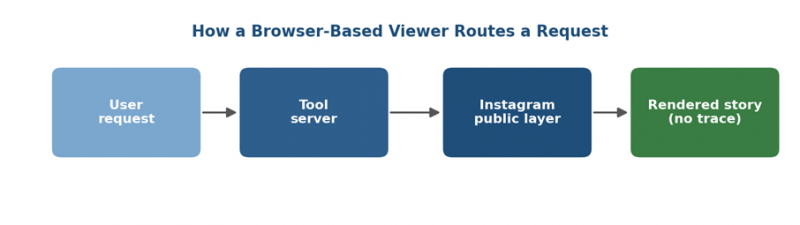
Figure 1. A no-login viewer relays an unauthenticated request, so no viewer trace reaches the account owner.
What We Can Verify
Services such as StoriesIG, AnonyIG and InSnoop currently state that users do not need to connect an Instagram account to perform normal public-content searches. StoriesIG and AnonyIG advertise support for public Stories, Highlights, Reels and other publicly available content.
What We Cannot Automatically Verify
The exact backend technology used by most anonymous viewers is rarely published.
A service might use:
- Its own servers
- Cached public content
- Automated browser infrastructure
- Third-party data providers
- Other retrieval mechanisms
Unless the operator documents its system, it is better to describe the website as an intermediary rather than claiming that every service uses one particular API, proxy architecture, or scraping method.
This distinction improves both technical accuracy and transparency.
Why Users Look for Insnoop Alternatives
Insnoop remains popular for minimalism and speed, but no single proxy stays stable forever. Instagram updates its anti-scraping systems regularly, and that periodically knocks tools offline or slows them down. Keeping two or three working alternatives bookmarked is the standard way experienced users avoid interruptions.
The most common reasons people search beyond Insnoop are summarized below.
• Downtime after Instagram backend changes, leaving stories temporarily unavailable.
• Heavy ad loads and occasional redirects on non-official domains.
• A desire for higher download quality or built-in profile and highlight browsing.
• Limited transparency around data retention and unclear site ownership.
• Wanting a backup so anonymous viewing never depends on one tool.
What These Tools Do
Instagram lets Story owners see the usernames of accounts that opened their Stories. A third-party viewer attempts to avoid that connection by retrieving publicly accessible content without using the visitor’s logged-in Instagram session.
The practical benefit is limited but useful: the account owner should not see the visitor’s personal Instagram username.
The tool operator may still process:
- The visitor’s IP address and browser details.
- The Instagram username entered into the search box.
- Page activity, session duration and download actions.
- Cookies placed by analytics or advertising partners.
- Approximate location inferred from an IP address.
“No Instagram login” therefore means the tool does not need an Instagram password. It does not automatically mean no data is collected.
Top Insnoop Alternatives Compared
The table below compares the most reliable alternatives based on hands-on testing reported across 2026 reviews. Every tool listed works only with public accounts and requires no Instagram login.
| Tool | Best For | Downloads | Reported Reliability |
|---|---|---|---|
| StoriesIG | All-round casual viewing | Yes | High, stable after IG updates |
| AnonyIG | Profile and tagged browsing | Yes | High |
| InstaNavigation | Lightest ad load, clean UI | Yes | Medium to high |
| IgAnony | Quick one-shot viewing | Limited | Medium |
| DolphinRadar | Free viewing plus insights funnel | Gated | High |
| Dumpor / iGram | Saving and archiving stories | Yes | Medium |
How we chose this list. To be included, a tool had to meet four criteria in our testing: it runs fully in the browser with nothing to install, it never requests Instagram credentials, it limits itself to public accounts, and it was live and functional as of our June 2026 test round. We deliberately excluded any app or extension that requires an Instagram login, and every service claiming to unlock private profiles. Those claims are false by design and a hallmark of credential-harvesting scams.
StoriesIG
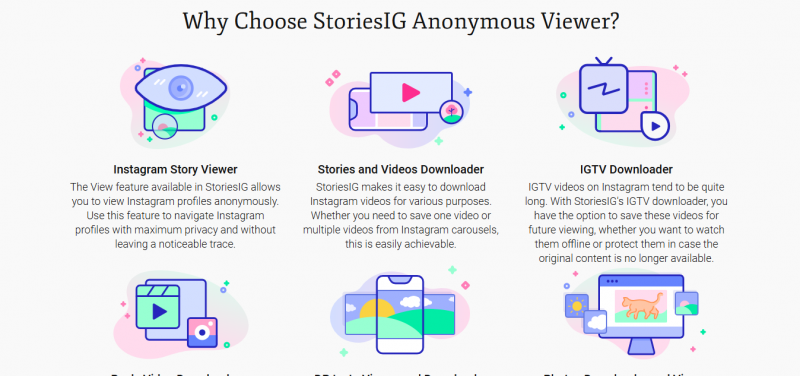
Frequently ranked the strongest all-rounder in 2026, StoriesIG loads stories, highlights, reels, and posts from any public account within seconds. It needs no sign-up and works across desktop and mobile. The desktop experience is ad-heavy, so an ad blocker noticeably improves it, but its consistency after Instagram updates is the main reason reviewers return to it.
How it performs: Its standout quality is resilience. When Instagram pushes a backend change that breaks weaker proxies, StoriesIG tends to recover faster than most competitors, which is why reviewers keep returning to it as a default. Load times stay low even during peak hours, and content rarely fails to resolve for genuinely public profiles.
Strengths: Broad content coverage in a single tool, fast recovery after Instagram updates, download support for stories and highlights, and a familiar layout that requires no learning curve.
Trade-offs: The desktop experience is noticeably ad-heavy, with banner and interstitial placements that can interrupt the flow. An ad blocker such as uBlock Origin transforms the experience and is effectively required for comfortable daily use.
Best for: Users who want one dependable, do-everything viewer for fast everyday anonymous browsing and the occasional download.
AnonyIG
AnonyIG covers everything StoriesIG handles and adds profile browsing and tagged photos, with a cleaner experience on mobile. It suits users who want more than a single story view, such as light competitor and trend research.
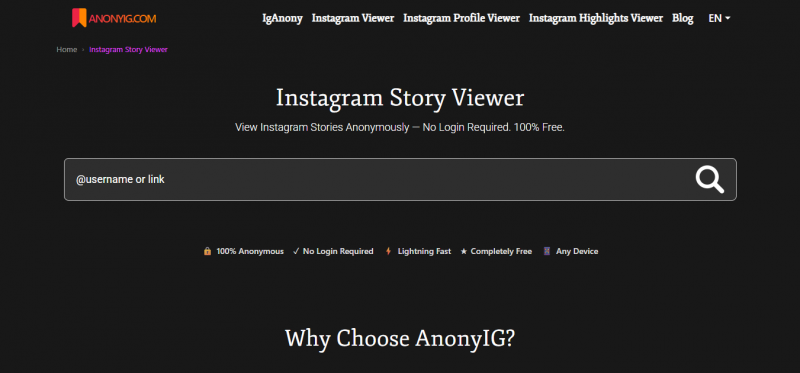
How it performs: Reliability is consistently rated high. Beyond single-story viewing, it lets users walk through a public account's broader footprint, which makes it useful for light competitor analysis, trend spotting, and following a creator's catalogue without leaving an authenticated trail.
Strengths: Profile and tagged-content browsing, a polished mobile interface, dependable uptime, and download support across content types.
Trade-offs: A moderate ad load sits between StoriesIG and the lighter options. The extra browsing surface also means slightly more to navigate than a pure one-shot viewer.
Best for: Researchers, marketers, and curious users who want more than a single story view and value exploring a public profile in depth.
InstaNavigation
InstaNavigation is praised for the cleanest interface and lightest ad load among the mainstream options. Reviewers describe it as technically safe in the sense that it will not touch an Instagram password, while noting that, like most free tools, it monetizes through ads and possible tracking.

How it performs: Reviewers describe it as technically safe in the practical sense that it never touches an Instagram password and confines itself to public content. Performance is rated medium to high, with the main appeal being a distraction-free reading and viewing experience.
Strengths: Minimal advertising, an uncluttered layout, no credential requests, and a smooth mobile experience.
Trade-offs: Like virtually all free tools it still monetizes through advertising and possible tracking, so it is not free of data-collection considerations even if the on-page experience is lighter. Reliability, while good, can trail StoriesIG immediately after major Instagram changes.
Best for: Users who prioritize a clean, low-friction interface and want the least intrusive option for casual viewing.
IgAnony and StoriesIG for Quick Views
For readers who only want to open a story without appearing in the viewer list, IgAnony and StoriesIG cover that basic job with minimal friction. Neither tries to unlock private content, which is a positive trust signal.
IgAnony
IgAnony is a lean, single-purpose viewer built around the most basic job: opening a public story without appearing in the viewer list.
How it performs: It handles quick, one-shot lookups with minimal friction and, importantly, never claims to unlock private content, which is a healthy trust signal. Download support is limited and reliability sits in the medium range, so it is best treated as a fast secondary option rather than a primary daily driver.
Strengths: Speed for one-off views, simplicity, and an honest scope that does not over-promise.
Trade-offs: Limited downloading, fewer browsing features, and variable reliability compared with the top-tier all-rounders.
Best for: Anyone who occasionally needs to peek at a single public story quickly and anonymously.
DolphinRadar
DolphinRadar is among the largest free anonymous story viewers by traffic, pairing an immediate free viewer with an optional paid analytics layer.
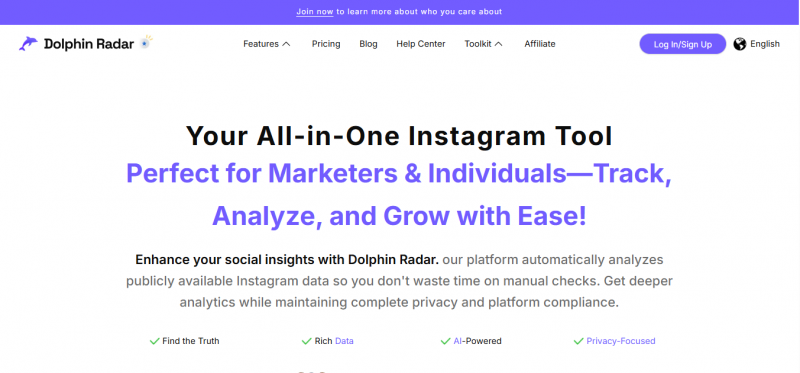
How it performs: The basic viewer is genuinely free and loads quickly, while a paid Social Insights subscription unlocks story archives and deeper tracking. Reliability is rated high. The model is essentially a free entry point that funnels interested users toward analytics features.
Strengths: Strong uptime, a free immediate viewer, and a clear upgrade path for users who eventually want tracking and archives alongside viewing.
Trade-offs: Downloads and advanced features are gated behind a subscription, and the insights funnel means the free tier is partly a lead-in to paid tooling.
Best for: Users who may outgrow simple viewing and want analytics and historical data available when they need it.
Dumpor and iGram
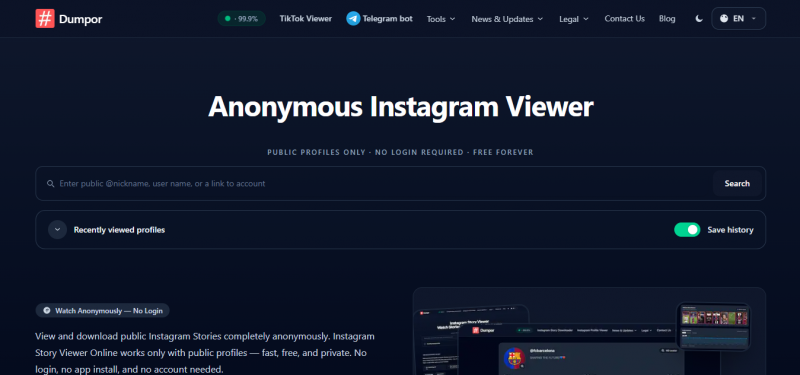
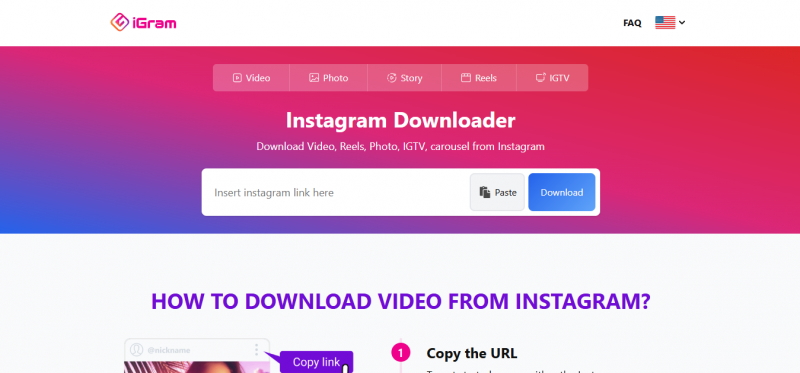
For saving and archiving rather than one-time viewing, Dumpor and iGram-style viewers focus on downloading stories and highlights for offline reference. Performance can be inconsistent during peak times, so they work best as a secondary tool.
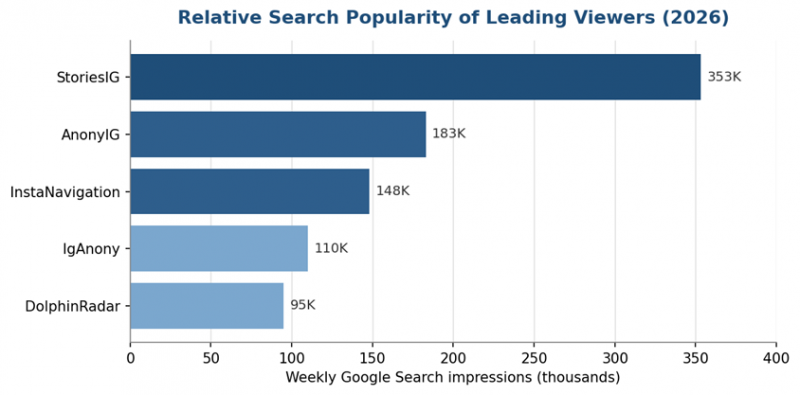
Figure 2. Illustrative weekly Google Search impressions; verify exact figures before publishing.
Other Tools We Evaluated
A few widely searched names did not make the main list. Picuki and Imginn offer public profile browsing but were inconsistent in our tests, with frequent downtime and rate-limit errors. StorySaver.net handles basic story downloads but trails iGram on speed and content coverage. We will re-evaluate these in future test rounds; for now they are worth knowing about only if every tool above is temporarily down
Current Feature Matrix
Because functionality changes frequently, this matrix reflects current vendor pages and TechRaisal's 2026 evaluation rather than a permanent guarantee.
| Capability | StoriesIG | AnonyIG | InstaNavigation | DolphinRadar |
| Instagram login required | No | No | No | No Instagram login |
| Public Stories | Yes | Yes | Yes | Yes |
| Highlights | Yes | Yes | Yes | Yes |
| Reels | Yes | Yes | Yes | Yes |
| Public posts | Yes / varies by viewer | Yes | Yes | Yes |
| Downloads | Yes | Yes | Yes | Available for supported tools |
| Public-profile analytics | No | Limited | Limited | Yes |
| Private-account access | No legitimate support | No | No legitimate support | No |
| Browser based | Yes | Yes | Yes | Yes |
| Account with service required | No | No | No | Some advanced features |
| Best use | General viewing | Broad browsing | Simple viewing | Viewing + analytics |
StoriesIG and AnonyIG currently document the broadest no-registration viewer feature sets, while DolphinRadar differentiates itself through analytics.
Safety and Privacy Considerations
The biggest myth about anonymous viewers is that the main risk lives on Instagram's side. In reality, anonymity from the story poster is usually the easy part. The real exposure sits with the third-party tool, your browser, and your network. A reputable no-login viewer keeps your name off the viewer list, but the tool's servers can still log an IP address, and ad networks on the page can drop tracking cookies. None of these free tools publish audited privacy practices, so treat any no-logs claim as unverified. Assume your IP address and the usernames you search are visible to the tool's operator.
The table below separates the four layers where traces and risks can exist.
| Layer | What Happens | Risk Level |
|---|---|---|
| Instagram servers | Receive an unauthenticated request; no account attached | Low |
| Third-party tool | May log IP address and browsing activity | Medium |
| Your browser | Retains history, cookies, and cache from the tool's site | Medium |
| Your network | Traffic visible to ISP unless a VPN is used | Low to medium |
Red Flags to Avoid
Distinguishing a safe viewer from a trap is straightforward once the warning signs are clear.
• Any request for an Instagram username and password is a credential-harvesting attempt; close the page immediately.
• Forced redirects, pop-under windows, or misleading download buttons signal an unsafe monetization model.
• Prompts to install an app for basic viewing are unnecessary, since legitimate tools run in the browser.
• Missing HTTPS or a cloned look-alike domain points to a fake or malicious copy.
• Claims of unlocking private accounts are false and a strong sign of a scam.
Safer Usage Checklist
1. Use an ad blocker such as uBlock Origin to cut redirect scripts and tracking.
2. Browse in private or incognito mode to limit cookie persistence.
3. Consider a VPN to mask your IP from the tool's servers and your ISP.
4. Stick to the official domain and double-check the URL before searching.
5. Clear cookies and cache after a session, especially on shared devices.
6. Never enter Instagram credentials on any third-party viewer.
Feature Matrix at a Glance
This matrix maps the practical capabilities that matter most when choosing a daily viewer versus a backup tool.
| Capability | StoriesIG | AnonyIG | InstaNavigation | DolphinRadar |
|---|---|---|---|---|
| No login required | Yes | Yes | Yes | Yes |
| Story downloads | Yes | Yes | Yes | Gated |
| Profile browsing | Partial | Yes | Partial | Yes |
| Mobile experience | Good | Strong | Strong | Good |
| Ad load | Heavy | Moderate | Light | Moderate |
| Analytics layer | No | No | No | Yes |
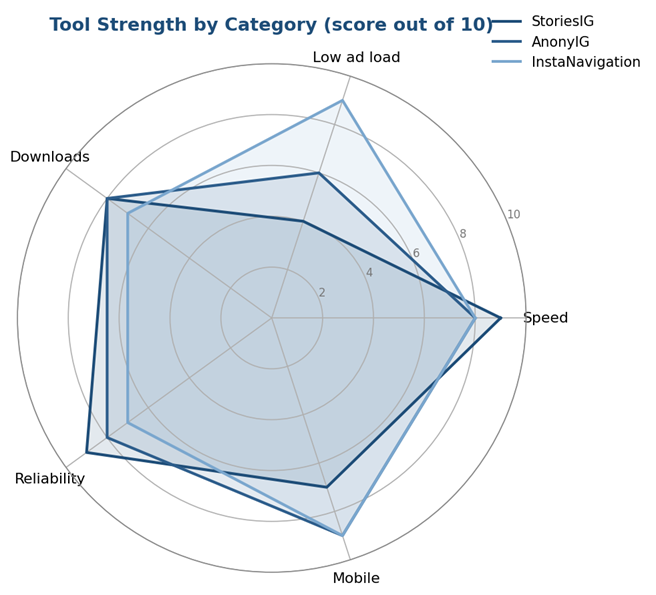
Figure 3. Comparative strength of the three leading all-round viewers across key categories.
Choosing the Right Tool for Your Needs
Match the tool to the task rather than chasing a single winner. The quick-reference below maps common goals to the most suitable option.
| Your Goal | Recommended Pick |
|---|---|
| Fast, reliable everyday viewing | StoriesIG |
| Profile and tagged content research | AnonyIG |
| Cleanest, least intrusive interface | InstaNavigation |
| A quick one-shot anonymous view | IgAnony |
| Viewing plus future analytics | DolphinRadar |
| Saving and archiving stories | Dumpor or iGram |
A practical setup is to choose one primary tool and keep two or three alternatives bookmarked. When the primary breaks after an Instagram update, switching takes seconds instead of derailing the task.
The Most Important Limitation: Private Instagram Accounts
Anonymous viewer websites often attract traffic with phrases such as:
- Private Instagram viewer
- View private Instagram anonymously
- Unlock private Stories
- See private Instagram without following
Users should be extremely skeptical of these promises.
Meta states that for a private Instagram account:
- Only approved followers can see photos and videos.
- Private content does not appear publicly in search and Explore.
- Private-account posts are not publicly available on the web.
- Private Reels are limited to approved followers.
Some basic profile information remains publicly visible even for private accounts, including information such as:
- Name
- Username
- Profile picture
- Bio
- Links
- Follower/following count
That difference matters.
A viewer displaying a private account's username and profile photo does not mean it has unlocked the person's private Stories or posts.
Incognito Mode: What It Actually Does
Private or incognito browsing is useful, but often misunderstood.
It mainly prevents the browser from retaining certain information locally after the private session closes, such as:
- Browsing history
- Some cookies
- Site data
It does not automatically hide your IP address from websites.
It also does not make you invisible to:
- The sites you visit
- Your network administrator
- Your ISP
- A VPN provider, when using one
Private browsing is therefore useful for reducing local traces, particularly on a shared device, but it should not be described as full online anonymity.
What a VPN Changes
A VPN can add another privacy layer.
When properly configured:
- The anonymous viewer normally sees the VPN server's public IP instead of your normal public IP.
- Your ISP can generally see that you are communicating with a VPN service but not the same destination-level traffic information it would see without the encrypted tunnel.
A VPN still does not make a user completely anonymous.
You are effectively shifting some trust from your internet provider and destination websites toward the VPN provider.
What “Safer” Means
No anonymous Instagram viewer should be called completely safe solely because it does not request an Instagram password.
A lower-risk tool should:
- Use HTTPS.
- Work only with public profiles.
- Require no Instagram credentials.
- Avoid browser extensions and unknown applications.
- Publish a privacy policy and contact method.
- Explain whether it uses cookies, analytics and advertising.
- Provide a process for removing indexed content.
- Avoid promising access to private accounts.
A privacy policy is still a statement from the operator. It does not prove that the website follows every promise in practice.
Legal and Ethical Use
Viewing publicly available content is generally lawful, but responsible use still matters. These tools should not be used for harassment, stalking, or any attempt to access private accounts, none of which they can legitimately unlock. Some viewers also collect data in ways that may sit awkwardly with Instagram's Terms of Service or local privacy laws, so corporate and institutional users should confirm compliance before relying on hobbyist-grade utilities.
Anonymity is not a shield for harmful behavior. Using these tools for stalking, harassment, or monitoring a person against their wishes can violate harassment and stalking laws regardless of whether the content viewed was public. If someone has blocked you, using a viewer to get around that block is a serious ethical red line even where it is not explicitly illegal.
Data protection rules may apply to organizations. Individuals casually viewing public stories are one thing; businesses systematically collecting data about identifiable people through these tools may trigger obligations under GDPR, India's DPDP Act, or similar laws. Corporate and institutional users should get compliance sign-off before building any workflow on hobbyist-grade utilities.
Final Takeaway
Insnoop still works well for fast, minimalist viewing, but it should rarely be the only tool in the kit. StoriesIG leads as the most dependable all-rounder, AnonyIG and InstaNavigation cover broader browsing and lighter ad loads, and DolphinRadar adds an analytics path for users who outgrow simple viewing. Pair a primary choice with a couple of backups, apply the safety checklist, and anonymous Instagram browsing stays both reliable and low-risk through 2026.
Post Comment
Share your thoughts about this article.
Be the first to post a comment!