What is Remaker AI - and Where Does It Fall Short?
Remaker AI is a browser-based creative platform primarily known for its AI face swap feature, image upscaling, background removal, watermark eraser, and AI art generator. It has grown to over 50,000 users worldwide and is popular among social media creators, e-commerce sellers, and casual content makers. Users receive 30 free credits on signup and 5 daily credits enough to explore most tools before purchasing.
But Remaker AI has well-documented weaknesses that push users to look for better alternatives. Customer support is frequently described as inconsistent or unresponsive. The object remover and object replacer tools deliver poor results in testing. Video face swaps are locked behind paid credits. There is no mobile app. The platform suffers from occasional downtime and slow processing on large files. And the credit system becomes unpredictably expensive for high-volume use.
Common reasons users switch away from Remaker AI:
• Weak and slow customer support - no live chat, no phone, email-only
• Object remover and replacer tools perform poorly compared to competitors
• No mobile app - browser-only limits mobile workflows
• Video face swap requires paid credits, unlike some alternatives
• Occasional downtime and slow processing on large or complex files
• Credit system becomes expensive at scale with no subscription option
• No API access - cannot integrate into automated professional workflowsRemaker AI - Quick Facts
Also read - Is Remaker AI worth it ?
| Metric | Value |
| Total users worldwide | 50,000+ |
| Monthly site visits | 5.13 million |
| Free credits on signup | 30 credits |
| Daily free credits | 5 credits per day |
| Data deletion policy | Uploads deleted within 48 hours |
| Positive App Store feedback | 73% |
| No mobile app | Browser-only platform |
| Customer support quality | 4/10 - frequently cited as weak |
Top 7 Alternatives - With Service & Support Breakdown
Each tool below is assessed on features, customer service quality, support channels, pricing, and real-world use case fit. The customer service section is based on verified user reviews from Trustpilot, G2, and Techjockey as of April 2026.
AKOOL [Best for Professionals & Enterprise]
From $30/seat/month | 70,000+ businesses
AKOOL is the closest full-platform alternative to Remaker AI - and it runs significantly ahead of it in feature depth. Where Remaker is primarily a face swap and image editing tool, AKOOL is an enterprise-grade generative AI suite with face swap, streaming avatars, talking photos, video translation with lip-sync, personalized video generation, background removal, and an AI image generator. It is trusted by global brands including Coca-Cola and McDonald's and is used by over 70,000 businesses. The quality difference from Remaker's face swap to AKOOL's is substantial - AKOOL supports live and streaming face swaps, multi-face handling, and lip-synced video swaps that Remaker simply does not offer. It also provides full API access, making it suitable for automated workflows and developer integrations.
Also Read -Choose wisely before you dive into Akool.
Key Features:
• Live and streaming face swap - unique feature not available in Remaker AI
• Multi-face video support - handle multiple faces in a single project
• Video translation with realistic lip-syncing in 175+ languages
• Talking avatars and streaming avatars for real-time interactions
• Full API access for automated, enterprise-scale workflows
• AI image generation, background change, and talking photo tools
• Partnerships with Coca-Cola, McDonald's and 70,000+ businesses
Support channels: Email, phone (+1 650-686-5661), live chat, dedicated enterprise onboarding
Response time: Same-day for enterprise plans; 24-48 hours for standard
Support quality score: 7 / 10
User sentiment: Positive for enterprise users. Multiple Trustpilot billing complaints - verify auto-recharge settings before subscribing
Strengths:
• Most feature-complete alternative to Remaker AI
• Only tool with live streaming face swap
• Full API access for developers and teams
• Strong enterprise track record and brand trust
Limitations:
• Starting price of $30/seat is steep for solo creators
• Billing auto-recharge complaints documented on Trustpilot
• Quality can vary depending on source material quality
Magic Hour [#1 Ranked Face Swap Platform (2026)]
Free tier available | 1.7M monthly visits
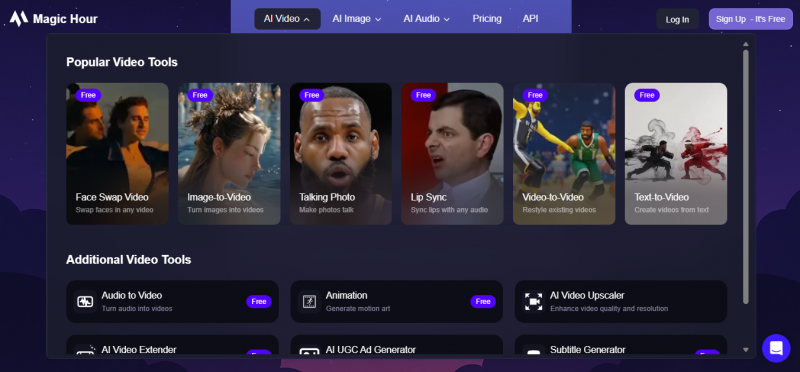
Magic Hour is widely ranked as the top AI video face swap platform for creators in 2026. It uses temporal consistency algorithms to keep swapped faces stable across frames - the exact problem that makes cheaper tools like Remaker flicker or drift during head movement. It handles 4K output, processes everything in the cloud, and covers multiple faces per clip. What sets it apart from Remaker is not just quality but breadth: lip sync, image-to-video, text-to-video, talking photos, and face swap are all built in. For creators who want realistic results without learning editing software, Magic Hour is the 2026 benchmark.
Key Features:
• Temporal consistency algorithms - no flickering or face drift during motion
• 4K output quality for professional-grade video content
• Multi-face support in a single video clip
• Full creative suite: lip sync, image-to-video, text-to-video, talking photos
• Cloud-based processing - no GPU hardware required
• Free tier available to test before paying
Support channels: Email support, help documentation, community forum
Response time: Typically 24-48 hours via email
Support quality score: 8 / 10
User sentiment: Generally positive. Some users note billing confusion - always manage subscriptions via the web dashboard, not by deleting the app
Strengths:
• Best face swap realism in 2026 according to independent testing
• Free tier available - no commitment to test
• Broadest creative feature set at this price point
• No GPU hardware needed - fully cloud-based
Limitations:
• No dedicated phone or live chat support
• Billing management requires attention (web dashboard only)
• Less suited for enterprise-scale structured workflows vs AKOOL
DeepSwap [Best for Quick, Isolated Face Swaps]
deepswap.ai | From $9.99/month | 150M+ users
DeepSwap is a dedicated web face swap tool with one of the largest user bases in the space at 150 million+. It does one thing and does it reasonably well under controlled conditions: upload a source face, upload a video or photo, and receive a clean swap. It supports up to 6 faces per video, advertises 4K HD output, and requires no software installation. Compared to Remaker AI, DeepSwap's core face swap quality is sharper on clean footage - but it degrades on motion-heavy or low-quality inputs. There is no API, no broader editing suite, and uploaded content is retained on servers for 7 days. The credit system gets more expensive than the headline price suggests for regular use.
Key Features:
• 150 million+ registered users - most established user base on this list
• Up to 6 faces per video in a single project
• 4K HD output quality on paid plans
• No software installation - fully browser-based
• Fast processing - straightforward upload-and-swap workflow
Support channels: Email only. No live chat, no phone support.
Response time: 24-72 hours for email replies
Support quality score: 5 / 10
User sentiment: Basic and functional. No dedicated support for standard users. Adequate for self-serve use but not suitable for professional or agency workflows
Strengths:
• Massive user base with proven reliability
• Clean, fast interface with no technical setup
• Affordable entry price at $9.99/month
• Good results on clean, well-lit footage
Limitations:
• No API access - cannot integrate into automated pipelines
• Retains uploaded content on servers for 7 days (privacy concern)
• Quality degrades significantly on motion-heavy or low-quality input
• Credit system becomes expensive at high volume
• No editing suite - face swap only
Pica AI [Best for Precision & Multi-Face Group Content]
From $5.99/month | Web & mobile
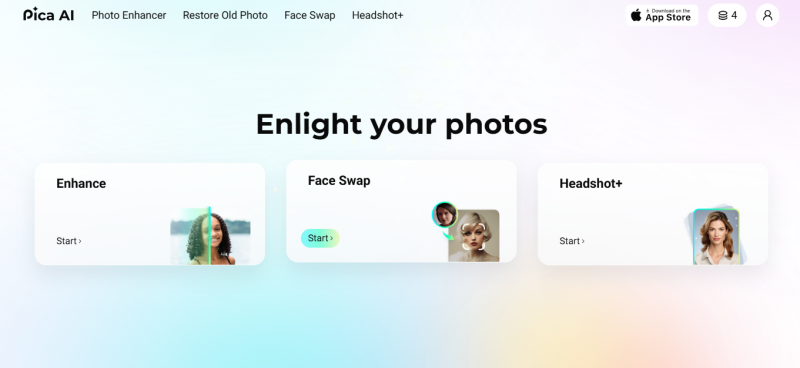
Pica AI sits in an interesting sweet spot - it is more capable than Remaker on group content, significantly cheaper than AKOOL, and designed for professionals who prioritise realism and fine detail. Its multi-face detection is the standout feature at this price point. It handles both images and videos, produces sharp swaps with fewer distortions than Remaker, and uses advanced blending to avoid the 'cut-and-paste' look that cheaper tools produce. It also includes AI headshot generation and photo enhancement. The interface is clean and accessible on both web and mobile, making it one of the most versatile tools at sub-$10/month pricing.
Key Features:
• Multi-face detection - handles multiple faces in a single frame accurately
• AI headshot generation from casual photos
• Advanced blending for natural-looking, realistic results
• Photo enhancement and image quality improvement tools
• Available on both web and mobile app
• Lower distortion rate compared to Remaker AI in testing
Support channels: Email support, in-app help, documented FAQ
Response time: 24-48 hours via email
Support quality score: 8 / 10
User sentiment: Positive reviews on responsiveness. Good self-serve documentation. No live chat currently available.
Strengths:
• Best multi-face handling at sub-$10/month price point
• Available on both web and mobile
• AI headshot generation is a unique value-add
• Natural-looking results with advanced blending technology
Limitations:
• No API access for developer integrations
• Smaller feature set than AKOOL or Magic Hour
• No live chat support
Adobe Firefly [Best Customer Support & Enterprise Trust]
Included in Creative Cloud | From $54.99/month
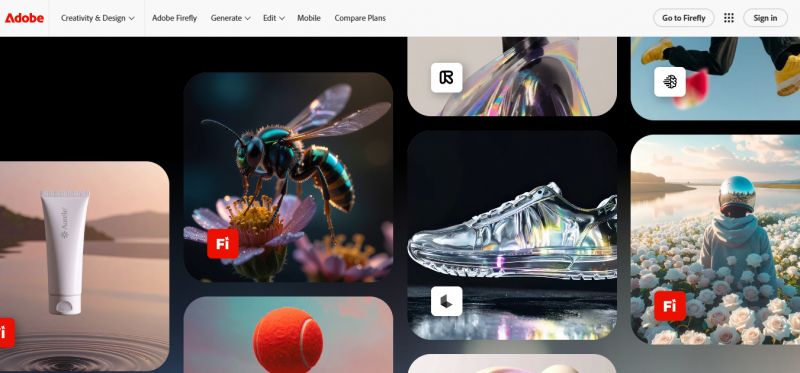
Adobe Firefly is the AI image generation and editing tool built directly into Adobe's Creative Cloud ecosystem. Unlike Remaker, which is a standalone platform, Firefly is backed by one of the world's most trusted software brands with decades of enterprise support infrastructure. It offers generative fill, generative expand, text-to-image generation, image upscaling, background removal, and style matching - all trained on commercially licensed data, making it legally safe for business use. The trade-off is that it requires a Creative Cloud subscription, making it overkill if all you need is a face swap. But for anyone already in the Adobe ecosystem, or for teams that prioritise customer support quality and commercial safety, it is the obvious choice over Remaker AI.
Key Features:
• Generative fill - replace or extend any area of an image with AI
• Generative expand - extend images beyond their original borders
• Text-to-image generation with commercially licensed training data
• Image upscaling to high resolution
• One-click background removal
• Full Adobe Creative Cloud integration (Photoshop, Illustrator, Premiere Pro)
• SOC 2 compliant, GDPR compliant, enterprise SLA
Support channels: 24/7 live chat, phone support, community forums, dedicated enterprise account managers
Response time: Under 2 hours for live chat; same-day for enterprise
Support quality score: 10 / 10
User sentiment: Consistently excellent across Trustpilot, G2, and Capterra. Highest-rated customer support of any tool on this list.
Strengths:
• Best-in-class customer support - 24/7 live chat and phone
• Commercially safe AI - trained on licensed content only
• Deep integration with Adobe's full creative suite
• Enterprise SLA and compliance certifications
• Free tier includes 25 generative credits per month
Limitations:
• No dedicated face swap feature
• Requires Creative Cloud subscription - expensive if only using AI features
• Overkill for casual or social media creators
FaceSwapper.ai [Best Free Option - Zero Friction]
Completely free | No account required
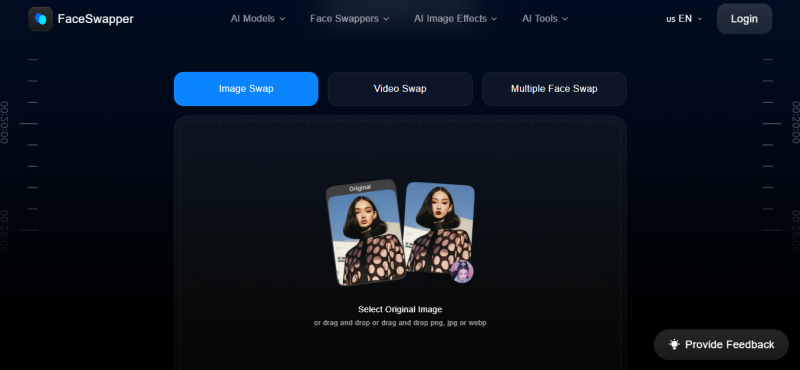
FaceSwapper.ai is the zero-friction alternative for anyone who wants to test face swapping without any signup, credits, or watermarks. You get a usable face swap result in under a minute with no account required. It performs well for portrait photos with frontal faces and decent lighting. The quality gap between FaceSwapper.ai and paid tools becomes visible as inputs get harder - angled faces, low-quality selfies, or video clips - but for casual personal use it outperforms Remaker's free tier because there is no signup required and no watermark on the output. It is the ideal starting point for anyone evaluating whether face swap tools are useful before committing to a paid platform.
Key Features:
• No account required - start immediately with no signup
• No watermarks on photo outputs
• No credit system - just upload and swap
• Instant results in under 60 seconds
• Clean, simple interface - no learning curve
Support channels: Email only. Basic FAQ documentation.
Response time: 48-72 hours, minimal staffing
Support quality score: 3 / 10
User sentiment: Expectations match the free tier. Suitable only for self-serve casual users. No dedicated support experience.
Strengths:
• Completely free - no payment method needed
• No account, no watermarks - best free tier on this list
• Instant results with no learning curve
Limitations:
• Photo-only - no video face swap
• Quality degrades quickly on difficult inputs
• No editing suite, no API, no mobile app
• Minimal customer support infrastructure
Canva (with AI tools) [Best All-Rounder - G2 #1 Remaker Alternative]
Free / Pro from $15/month | 200M+ users
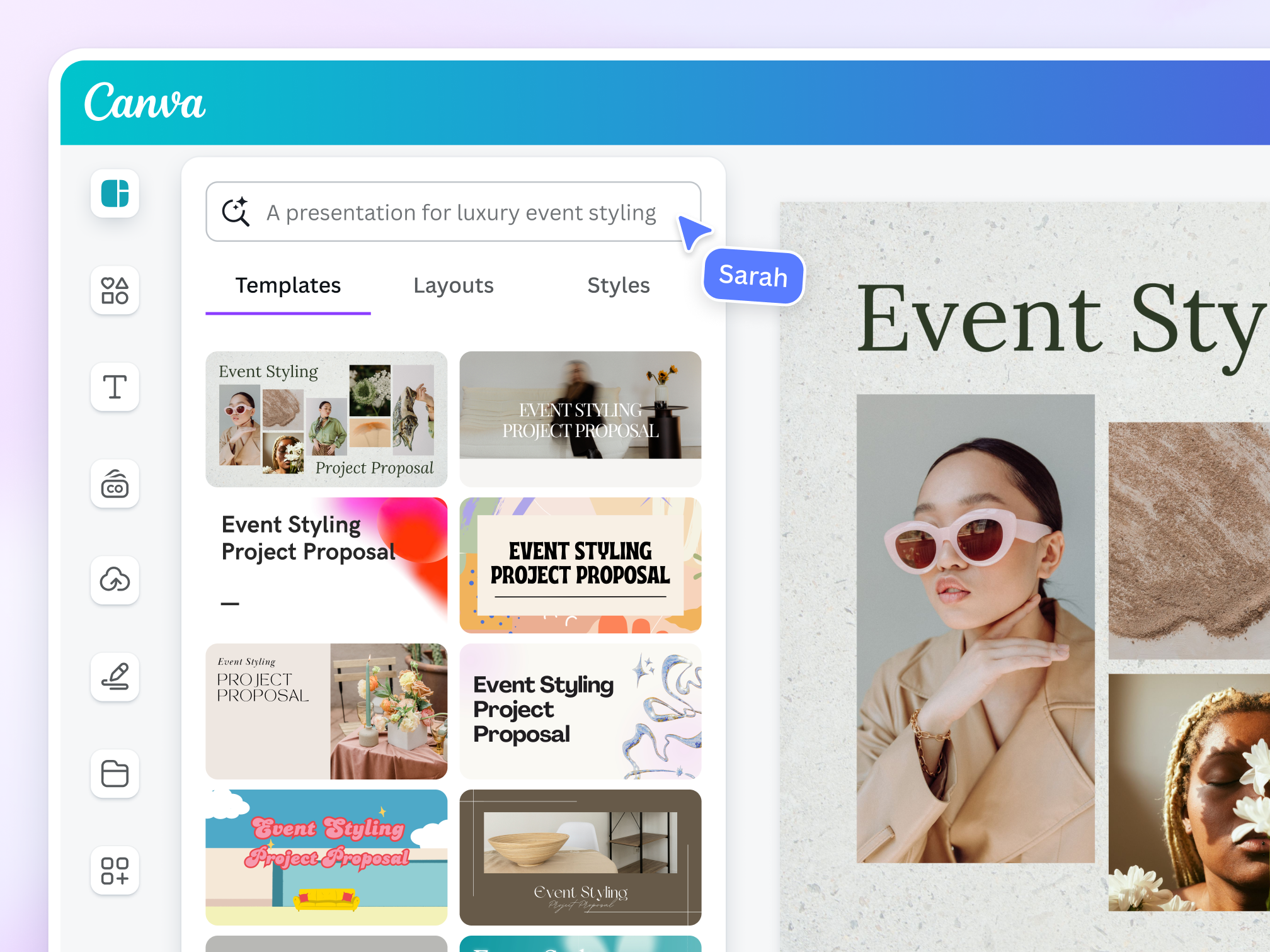
Canva is the G2-rated number one Remaker AI alternative and it is easy to see why. While Canva is not a face swap specialist, its AI suite covers background removal, image upscaling, AI image generation, magic erase, AI video creation, and design-to-video workflows - covering all of the capabilities most Remaker users actually rely on day-to-day. With 200 million users and one of the most robust customer support systems in the SaaS world, Canva fills the reliability and support gap that Remaker struggles with. Pro is $15 per month and includes all AI features. If your primary use is content creation for social media, marketing, or e-commerce, Canva does everything Remaker does - except face swap - with far better support, reliability, and design tooling.
Key Features:
• AI background removal - one-click with excellent edge detection
• Magic Erase - remove any object from an image cleanly
• AI image generation from text prompts
• Image upscaling and AI-powered photo enhancement
• AI video creation and design-to-video workflows
• 200M+ user community with extensive template library
• Teams and brand kit features for professional consistency
Support channels: Live chat, email, 24/7 help centre, community forums, priority support on Pro and Teams plans
Response time: Under 2 hours for Pro users via live chat; same-day email
Support quality score: 10 / 10
User sentiment: Consistently excellent across all major review platforms. One of the highest-rated customer support teams in the AI tools space.
Strengths:
• G2 #1 rated Remaker alternative
• Excellent customer support - live chat and 24/7 help centre
• Best value at $15/month - most features per dollar for non-face-swap needs
• Massive template library and design ecosystem
• Mobile app available with full feature parity
Limitations:
• No dedicated face swap feature
• Not ideal for users who specifically need video face swap workflows
Feature Comparison Table
How each platform stacks up across the capabilities that matter most when replacing Remaker AI.
| Platform | Face Swap | Video Swap | BG Removal | Upscaler | AI Art | API | Free Tier | Start Price |
| Remaker AI | Yes | Credits only | Yes | Yes | Yes | No | Yes (30cr) | Free / $5.99 |
| AKOOL | Yes + Live | Yes (4K) | Yes | Yes | Yes | Yes | Limited | $30/seat |
| Magic Hour | Yes | Yes (4K) | Yes | Yes | Yes | Yes | Yes | Free |
| DeepSwap | Yes | Yes (HD) | No | No | No | No | Limited | $9.99/mo |
| Pica AI | Multi-face | Yes | Yes | Yes | Yes | No | Yes | $5.99/mo |
| Adobe Firefly | No | No | Yes | Yes | Yes | Yes | Yes (25 gen) | $54.99/mo |
| FaceSwapper.ai | Yes | No | No | No | No | No | Yes (unlimited) | Free |
| Canva (AI) | No | No | Yes | Yes | Yes | Yes | Yes (generous) | Free / $15 |
Customer Support Comparison
Customer support is the most cited reason users leave Remaker AI. This section gives a detailed breakdown of support quality, channels available, and response expectations across all alternatives.
| Platform | Support Channels | Score /10 | Response Time | User Verdict |
| Remaker AI | Email, ticket only | 4 / 10 | 24-72 hrs (inconsistent) | Frequently cited as slow and unhelpful. Major reason for switching. |
| AKOOL | Email, phone, live chat, onboarding | 7 / 10 | Same-day (enterprise) | Good for enterprise. Billing auto-charge issues reported by some users. |
| Magic Hour | Email, help docs, community forum | 8 / 10 | 24-48 hrs | Generally responsive and helpful. Billing: use web dashboard only. |
| DeepSwap | Email only | 5 / 10 | 24-72 hrs | Basic. No live support. Adequate for casual self-serve users. |
| Pica AI | Email, in-app help, FAQ | 8 / 10 | 24-48 hrs | Positive reviews on responsiveness. Good documentation. |
| Adobe Firefly | 24/7 live chat, phone, enterprise mgr | 10 / 10 | Under 2 hrs (live chat) | Industry-leading. Best support infrastructure of any tool here. |
| FaceSwapper.ai | Email only, minimal FAQ | 3 / 10 | 48-72 hrs | Minimal support. Expectations match the free tier. |
| Canva (AI) | Live chat, email, 24/7 help centre | 10 / 10 | Under 2 hrs (Pro) | Consistently excellent. Best-rated support at this price range. |
Pricing Comparison
Starting monthly prices for individual plans. Note that Remaker AI's credit-based model can be unpredictable - the per-operation cost often surprises users who rely on it daily.
| Platform | Free Tier | Starting Price | Pricing Model |
| FaceSwapper.ai | Yes - unlimited | Free | Completely free, no credits |
| Magic Hour | Yes | Free | Free tier + paid plans for HD and volume |
| Canva (AI) | Yes - generous | Free / $15/mo | Freemium; Pro unlocks all AI features |
| Remaker AI | Yes - 30 credits | Free / $5.99 | Credit-based, no subscription option |
| Pica AI | Yes | $5.99/mo | Subscription with monthly credits |
| DeepSwap | Limited | $9.99/mo | Subscription; first month promotional rate |
| AKOOL | Limited trial | $30/seat/mo | Per-seat subscription; enterprise custom |
| Adobe Firefly | Yes - 25 gen/mo | $54.99/mo (CC) | Bundled in Creative Cloud subscription |
Score Breakdown
Scores out of 10 across the five most important dimensions when evaluating a Remaker AI replacement.
| Platform | Feature Depth | Swap Quality | Customer Support | Value / Money | Ease of Use |
| Remaker AI | 6/10 | 7/10 | 4/10 | 6/10 | 8/10 |
| AKOOL | 10/10 | 9/10 | 7/10 | 6/10 | 8/10 |
| Magic Hour | 9/10 | 10/10 | 8/10 | 9/10 | 9/10 |
| DeepSwap | 5/10 | 7/10 | 5/10 | 6/10 | 8/10 |
| Pica AI | 7/10 | 8/10 | 8/10 | 9/10 | 9/10 |
| Adobe Firefly | 8/10 | N/A | 10/10 | 7/10 | 9/10 |
| FaceSwapper.ai | 3/10 | 6/10 | 3/10 | 10/10 | 9/10 |
| Canva (AI) | 8/10 | N/A | 10/10 | 10/10 | 10/10 |
Which Tool Should You Pick?
There is no single best alternative - only the best alternative for your specific use case. Here is the clearest breakdown by situation.
| Your Situation | Best Pick | Why |
| Professional face swap & marketing video | AKOOL | Live streaming swap, lip-sync video, multi-face, API, 70K+ business users |
| Best overall face swap realism | Magic Hour | Temporal consistency, 4K output, full creative suite, free tier available |
| Quick isolated face swaps on clean footage | DeepSwap | Fast, reliable on clean input, 150M+ users, affordable at $9.99/mo |
| Group photos or multi-face projects | Pica AI | Best multi-face detection at sub-$10/month, web and mobile, natural blending |
| Enterprise / Adobe ecosystem users | Adobe Firefly | Best customer support (10/10), commercially safe AI, SOC 2 and GDPR compliant |
| Zero-budget / testing ideas | FaceSwapper.ai | No account, no credits, no watermark - fastest way to test face swap for free |
| E-commerce, social media, design work | Canva (AI) | G2 #1 Remaker alternative, best support, $15/mo, background removal and upscaling |
| Priority: best customer support | Canva or Adobe Firefly | Both score 10/10 on support - live chat, fast response, and full accountability |
Bottom line: Remaker AI is a reasonable starting point for casual creators, but its weak customer support (4/10), lack of a mobile app, poor object editing tools, and expensive credit model make it difficult to rely on professionally. For face swap quality and creative breadth, Magic Hour is the 2026 benchmark. For enterprise power and API depth, AKOOL leads. For support reliability and everyday content creation value, Canva's AI suite is the safest and most affordable upgrade. Start with the free tiers of 2-3 tools before committing - each platform's strengths become obvious within your first real project.
Post Comment
Share your thoughts about this article.
Be the first to post a comment!