What Akool Ai is?
Akool (often styled as AKOOL) positions itself as a premium AI video suite built for business-friendly content creation especially anything that involves avatars, face swap, video translation/lip-sync, and real-time/live camera workflows. On its own site, AKOOL highlights “live AI tools” like instant face swaps, live video creation, and dynamic avatars geared toward meetings, streaming, and marketing output.
Where Akool stands out isn’t “it can generate videos” (everyone says that). It’s that it combines three normally separate categories into one stack:
● Real-time identity / camera layer (live camera + live face swap)
● Production layer (avatar video, image-to-video, templates)
● Localization layer (video translation with lip-sync + related controls)
Features and Core Akool Tools
1. Avatar Video: Generates talking, photorealistic avatar videos from scripts or audio, making it easy to create explainer videos, product demos, and virtual spokespeople without filming.
2. Image to Video: Turns still images into animated video clips with motion and sound, commonly used for social media teasers, concept visualization, and advertising creatives.
3. Face Swap (Photo & Video): Realistically swaps faces while preserving lighting and skin tone, ideal for entertainment content, memes, campaign personalization, and AI photo booths.
4. Video Translator: Translates and dubs videos into multiple languages with post-editing options, supporting localization of webinars, product videos, and social ads.
5. Talking Photo / Talking Avatar: Animates portraits into talking heads with voice and lip-sync, often used for personalized greetings, sales outreach, and interactive characters.
6. Live Camera / Streaming Avatar: Enables real-time avatars and live face swap for meetings, streams, and events, useful for virtual presenters, live events, and interactive booths.
7. Image Generator & Background Change: Provides text-to-image generation and background removal or replacement for photos and videos, suitable for product photos, thumbnails, and campaign visuals.
8. API & Edge Options: Offers programmatic access and on-device or edge deployment, enabling app integrations and secure, privacy-sensitive enterprise workflows.
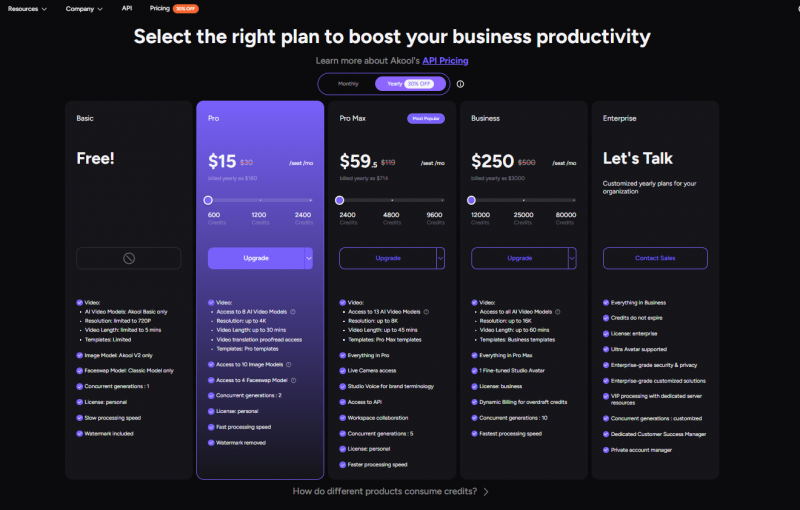
Pricing and Plans
What Real Users Say: Ratings Snapshot
| Platform | Approx. Average Rating | #Reviews (used) | Main themes |
| G2 | ~4.7–4.8 / 5 | ≈450–455 | Ease of use, realistic avatars/face swap, time savings; some lag and editing limits. |
| Capterra | ≈4.5–4.7 / 5 | Dozens | Great for avatar/marketing videos; translation useful but not for official docs; occasional lag. |
| Trustpilot | High TrustScore; “great experience” summary | 269 | Praises UX and impact on workflow; feedback summarized by Trustpilot’s AI. |
| iOS App Store | Fresh app; rating still evolving | Early | Emphasis on ease of use and creator‑friendly workflow in listing. |
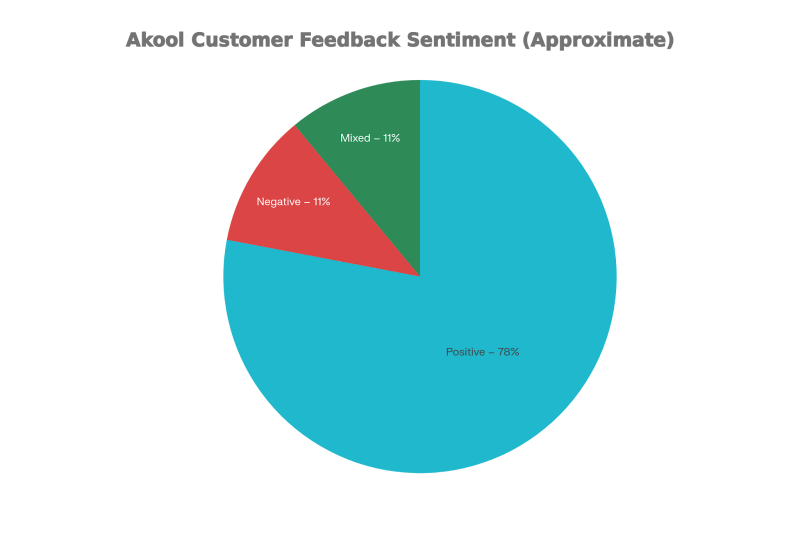
Overall, recent commentary suggests 75–80% of feedback is clearly positive, 10–15% mixed, and 10–15% negative, with most critical notes concentrating on performance and translation reliability.
Pros and Cons:
Based on the user reviews from G2, Capterra, Trustpilot and third party blog, here are some important pros and cons that users mentioned the most.
Pros:
● Very easy to use, approachable UI even for non‑technical marketers and small businesses.
● Realistic avatars and face swaps suitable for marketing videos, social media, and privacy‑sensitive use cases; praised for “studio‑quality” and film‑level look.
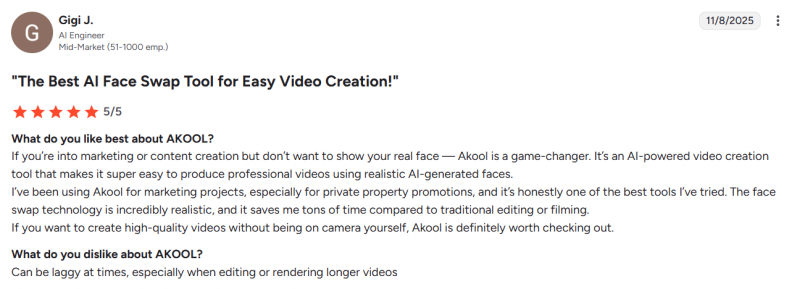
● Strong time savings vs. traditional video production; users highlight generating complete videos in minutes rather than hours
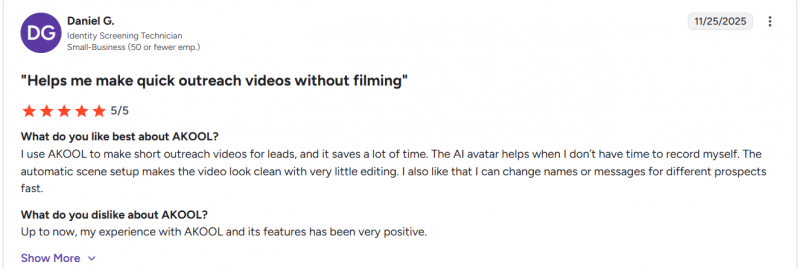
● Multi‑language capabilities and translation useful for drafts, trainings, and early‑stage business communication, especially in international contexts.
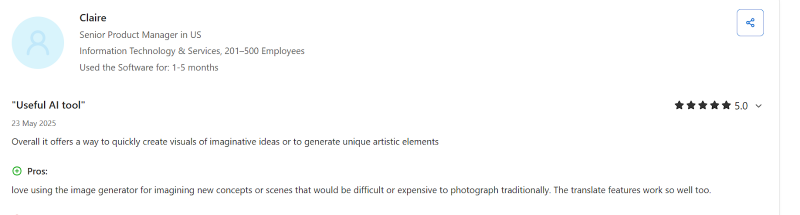
● Perceived good value/cost‑effectiveness for the feature set, especially for marketing and SMB teams compared to full video production costs.
Top Complaints
● Rendering lag, slow performance, occasional freezes or glitches—especially with longer videos or larger workloads.
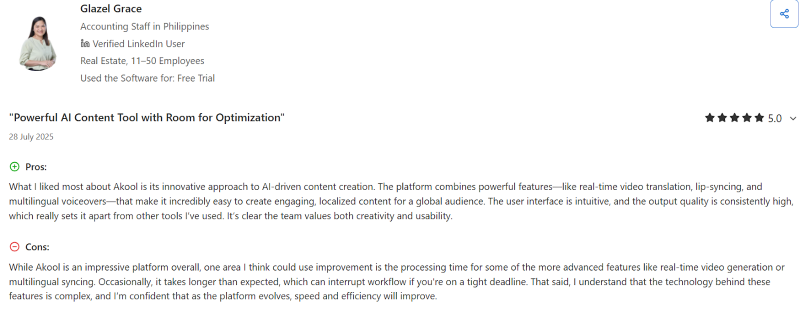
● Limited depth of video editing; inability to deeply edit video after rendering, forcing re‑renders and extra credit usage.
● Translation and dubbing quality not yet reliable for high‑stakes content; professionals warn against using it for official documents or high‑end dubbing.
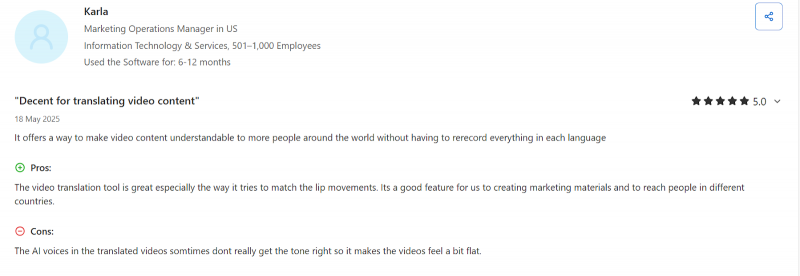
● Feature set less advanced or customizable than some mature competitors; requests for more avatar customization, templates, and advanced controls.
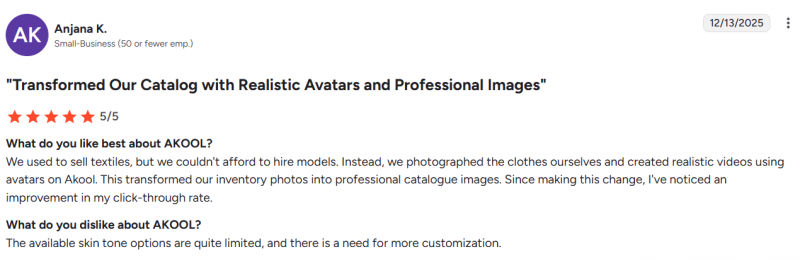
● Support and education gaps: at least one independent reviewer notes lack of live chat and limited tutorials/knowledge base, relying mainly on email.
Who It’s Best For
Akool fits especially well if:
● You are a marketer, agency, creator or educator who wants studio‑looking videos without setting up cameras, lighting or manual editing.
● You care about personalization (avatars, face swap, talking photos) and multilingual reach more than frame‑perfect timeline control.
● You like a “hub” approach where image generation, background change, avatars and translation sit in one place, with an API ready when you need to scale.
It is less ideal if:
● You need rock‑solid, human‑grade translation and dubbing for legal, financial or high‑stakes narratives.
● Your workflow depends on a full non‑linear editor and granular control over every keyframe and audio stem.
● You are extremely sensitive to occasional rendering delays or require hands‑on, always‑on live support.
A More Personal Take
Taken together, the data paints Akool as a tool that genuinely changes how fast and how often teams can ship video, especially when they don’t want to be on camera or when they have to speak many languages. The strongest impression is that of a “creative accelerator”: it gets you from idea to highly presentable content with minimal friction, especially in marketing, education and social contexts, while still leaving room for a final human pass on language and polish.
Post Comment
Share your thoughts about this article.
Be the first to post a comment!





