If you've spent any time scrolling short-form video lately, you've seen the output of tools like Unlucid AI even if you didn't know the name. A still photo suddenly dances, squishes, melts, or rotates into a loop that's weirdly satisfying to watch. It's fast, it's free, and it asks almost nothing of you.
But "fast and free" is only half the story. The AI video space in 2026 is crowded with heavyweights like Runway, Google Veo, Kling, and Pika, each chasing cinematic quality, character consistency, and synchronized audio. So where does a lightweight, effect-first tool like Unlucid actually fit? This guide walks through it plainly, so you can match the tool to the job instead of chasing whichever name is loudest this month.
First, What Exactly Is Unlucid AI?
Unlucid AI is a free, browser-based tool built around effect-driven video. In this explanation of Unlucid AI, the main idea is simple: instead of asking you to write a careful prompt and wait for a full scene to render, it applies pre-built motion effects and templates to an image or short prompt and spits out a finished clip in one pass.
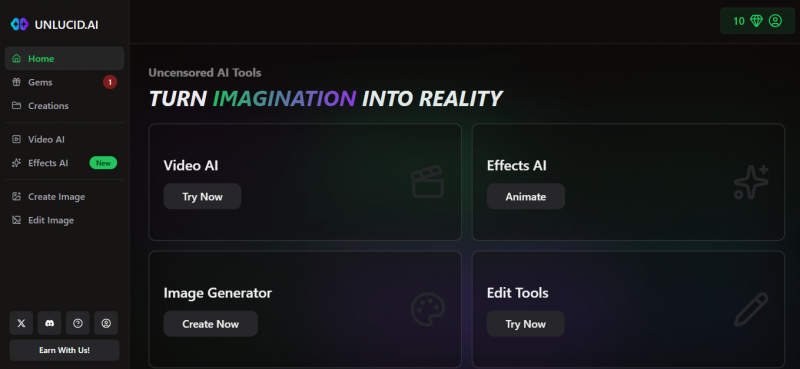
Its identity rests on three pillars:
• Speed over structure. You pick an effect, feed it an image, and get a result in seconds rather than building a video shot by shot.
• Effect library, not a blank canvas. It ships with 15-plus effects such as Fly, Dance, Rotate, Squish, Crush, Transform, and Reveal, which makes it beginner-friendly.
• Few content restrictions. Unlucid markets itself as "uncensored" with looser guardrails than mainstream tools, which it pitches as creative freedom but which also puts responsibility squarely on the user.
| Bottom line: Unlucid is a quick-effects machine for short, shareable clips, not a production studio. Knowing that up front changes how fairly you can judge it. |
The Field It's Being Compared To
To know where Unlucid stands, it helps to know who's standing next to it. The 2026 lineup splits roughly into tiers, and they're not really trying to do the same thing.
The Cinematic Heavyweights
Runway, Google Veo, Kling, and the newer leaders like Seedance focus on realism, camera control, character consistency across shots, and increasingly native audio. These are the tools filmmakers and marketers reach for when output quality and control matter more than turnaround time.
The Specialists
Pika leans into stylized effects and lip-sync; Synthesia and HeyGen own avatar-based talking-head video for training and corporate use; Luma is popular for fast iteration. Each wins a specific job rather than trying to be everything.
The Quick-Effect Layer
This is Unlucid's neighborhood, alongside template-driven tools that turn one image into a fun, animated loop. The goal here is shareability and experimentation, not a finished narrative film.
Head-to-Head: How Unlucid Stacks Up
The table below compares Unlucid against the categories of tools people most often weigh it against. Read it as "different jobs," not "winners and losers."
| Factor | Unlucid AI | Cinematic Tools (Runway / Veo / Kling) | Specialists (Pika / Synthesia) |
|---|---|---|---|
| Best for | Quick effects, short social loops, idea testing | Realistic, controllable, multi-shot video | Stylized FX, lip-sync, avatar/training video |
| Learning curve | Very low; pick an effect and go | Moderate to high; prompting and editing skills help | Low to moderate depending on tool |
| Creative control | Limited; templates drive the output | High; camera moves, references, consistency | Focused control within a niche |
| Output quality | Varies; fine for casual, eye-catching clips | High, often near-cinematic in 2026 | Strong within their specialty |
| Cost | Free with optional credits ("gems") | Mostly paid; roughly $10-$35+/mo | Free trials to paid pro tiers |
| Content limits | Looser; user discretion required | Stricter, brand-safe guardrails | Stricter, business-oriented |
Pricing and feature notes reflect the general 2026 market; check each tool's site for current details, since this space changes monthly.
Where Unlucid Genuinely Shines
• Zero friction. No deep prompting knowledge, no timeline editing, no subscription wall just to try it. For total beginners, that's a real advantage.
• Speed for social. When you want to test whether an idea is "shareable" before investing real effort, a 30-second turnaround is exactly the right tool.
• One image, instant motion. Animating a single still, like product art or a profile image, is the kind of task it handles with almost no setup.
• Creative experimentation. Looser restrictions let creators explore unconventional or niche concepts that stricter tools may block.
Where It Falls Short
• Little control over the result. Because effects are pre-built and generate in one pass, you can't finely direct scene flow, camera, or structure.
• Inconsistent quality. Output depends heavily on your input image and prompt, and it won't match the polish of a dedicated cinematic model.
• Not built for narrative or long-form. There's no real multi-shot consistency, so it isn't the tool for stories, ads with continuity, or client deliverables.
• Looser guardrails cut both ways. Fewer restrictions mean more responsibility on you to stay within platform rules and local laws, and fewer enterprise controls like brand governance or collaboration.
• Queues at peak times. Free, high-demand tools can slow down or queue your renders when traffic spikes.
4 Alternatives Actually Worth Switching To
Plenty of "top alternatives" lists just dump in Sora and Runway because they're famous. But those are cinematic studios chasing a different goal. The smarter question is: which tools keep Unlucid's fast, effect-driven, image-to-video feel while fixing its real weaknesses, namely quality, control, and consistency? These four do exactly that, and each one closes a specific gap.
1. PixVerse - The Closest Like-for-Like Upgrade
PixVerse keeps the effect-driven workflow Unlucid users already know, but adds the polish Unlucid lacks. As this PixVerse review angle makes clear, it leans into stylized output, visual effects, and creative transitions rather than raw photorealism, so it feels familiar while looking far better.
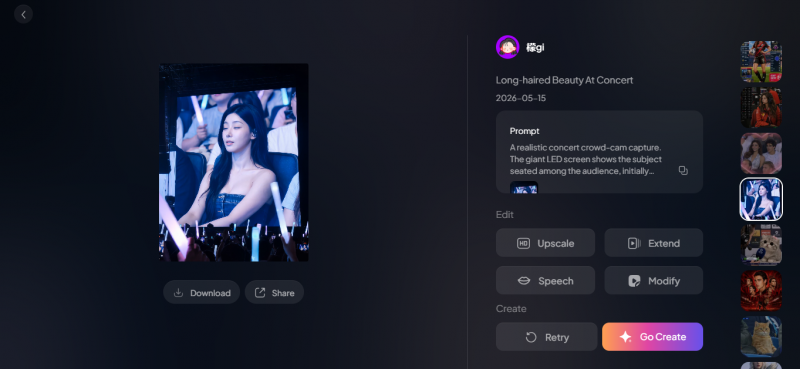
• Why it's better: real resolution options up to 1080p, character-reference uploads to keep a subject stable, and style locking to stop aesthetic drift across regenerations.
• Speed & cost: clips generate in roughly 30-60 seconds; pay-as-you-go pricing on partner platforms runs about $0.15-$0.40 per 5-second clip depending on resolution, with a free testing tier.
• Trade-off: you'll often run a few attempts to get a usable clip, and multi-scene consistency still trails Kling or Runway.
• Pick it if: you loved Unlucid's effects but hit a wall on resolution and quality.
2. Pika - Effects Plus Real Creative Tools
Pika is an idea-to-video platform that preserves the playful, preset-style approach but layers on genuinely useful features. The Pika pricing context also matters because it is known for stylized effects and standout abilities like swapping elements and reframing scenes.
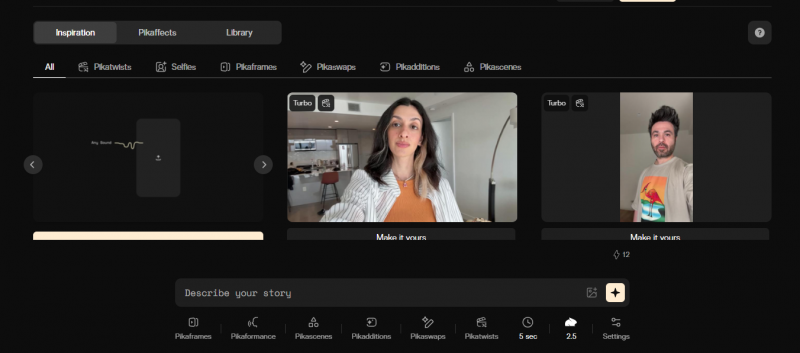
• Why it's better: specialized lip-sync, element swaps, and frame controls make it far more capable than a one-pass effect generator, while staying fast and accessible.
• Speed & cost: fast turnaround built for short-form iteration; affordable entry plans in the ~$10/month range with a free tier to try.
• Trade-off: it's tuned for short, stylized clips rather than long cinematic sequences.
• Pick it if: you want fun effects plus lip-sync and editing tricks Unlucid simply doesn't offer.
3. Vidu AI - Best for Stylized & Animated Motion
Vidu competes on fidelity, motion, and coherence instead of "uncensored" positioning. It's the focused pick when your content is stylized or animation-leaning and you want motion that holds together.
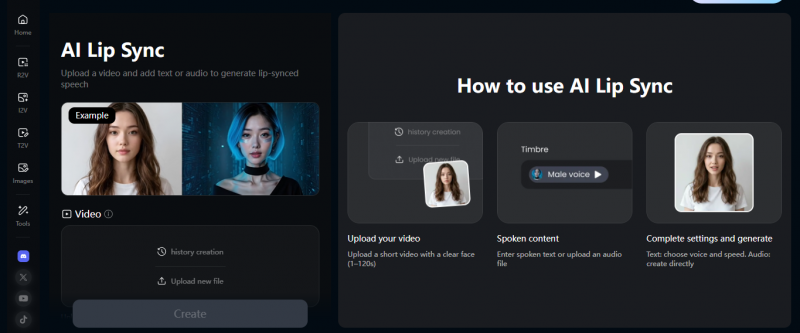
• Why it's better: stronger motion coherence and frame quality for stylized work, plus a multi-reference mode that accepts several reference images and can bundle background music and sound effects.
• Speed & cost: credit-based, with daily free credits that cover light experimentation before you commit.
• Trade-off: the narrow focus cuts both ways; for photoreal product shots or talking heads it ranks below Runway, Luma, or Kling.
• Pick it if: you make anime-style or stylized motion content and want it to look deliberate, not glitchy.
4. Higgsfield AI - Many Frontier Models in One Place
Higgsfield approaches video sideways: instead of one in-house model, it bundles 15-plus frontier models (Sora, Veo, Kling, Seedance and more) under a single subscription, then adds pro controls like camera simulation, character consistency, and lip-sync.
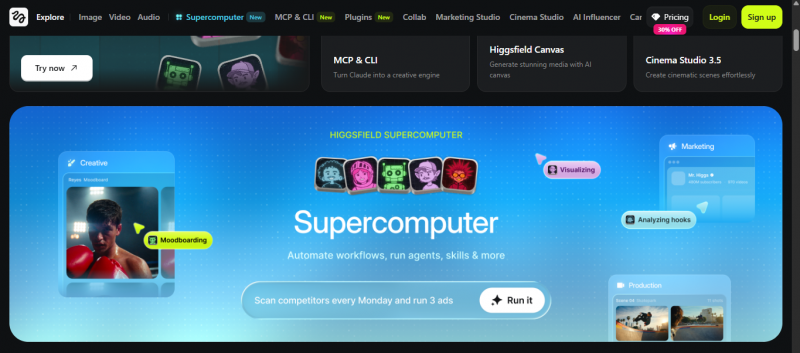
• Why it's better: 50-plus cinematic motion effects and access to the best models for each job, so you're not locked into one engine, with a beginner-friendly interface.
• Speed & cost: credit-based tiers from a free plan and a ~$15/month Starter up through higher Plus/Ultra plans; each underlying model burns credits at a different rate, so heavy use of premium models gets pricey.
• Trade-off: "unlimited" tiers may slow down at peak traffic, and credits don't roll over month to month.
• Pick it if: you want to graduate to professional output without juggling five separate subscriptions.
The 4 Alternatives at a Glance
| Tool | Best at | Key edge over Unlucid | Rough cost | Pick if… |
|---|---|---|---|---|
| PixVerse | Stylized effects & transitions | Higher resolution, character & style consistency | Free tier; ~$0.15-$0.40 per 5s clip | You want the same vibe, better quality |
| Pika | Short-form effects + lip-sync | Lip-sync, element swaps, real editing tools | Free tier; from ~$10/mo | You want effects plus creative control |
| Vidu AI | Stylized / animated motion | Better motion coherence; multi-reference + audio | Free daily credits; credit-based | Your content is anime / stylized |
| Higgsfield | All-in-one access to top models | 15+ frontier models + pro camera/character controls | Free tier; ~$15/mo and up | You're going pro without 5 subscriptions |
Pricing is approximate and changes often; confirm on each tool's official site. None of these match Unlucid's content permissiveness exactly, so that's the one trade-off to weigh separately.
Quick Summary: Which One Is For You?
If you only remember one line per tool, make it these:
• PixVerse = Unlucid with better resolution and consistency. The easiest switch.
• Pika = the same fun effects, but now with lip-sync and real creative tools.
• Vidu AI = the best-looking motion if your work is stylized or animated.
• Higgsfield = one subscription to reach frontier models and professional output.
| Bottom line: A common path: start on Unlucid or PixVerse to test ideas fast, move to Pika or Vidu when style matters, and step up to Higgsfield once a project is worth professional quality. The tools are stages of a workflow, not rivals. |
The Honest Verdict
Unlucid AI isn't trying to beat Runway or Veo, and judging it on cinematic quality misses the point. It occupies the bottom of the funnel: the fast, free, low-stakes layer where ideas get tested before anyone commits real time or money. On that turf, its speed and zero-friction approach are genuine strengths.
Where it stands, then, is clear. It's an excellent starting point and a poor finishing tool. Use it to play, experiment, and find what works, then graduate to a more capable model when the project deserves it. Match the tool to the moment, and Unlucid earns its place in the kit, just not the whole kit.
Post Comment
Share your thoughts about this article.
Be the first to post a comment!





