Your last training video probably lost its audience before the second slide.
That's not a guess. When Harvard researchers asked students watching an online lecture whether their minds were wandering, the answer was yes roughly 40% of the time. Then they tried one fix: short tests between segments. Mind-wandering fell by half, note-taking tripled and retention improved.
A video that asks questions, branches and scores keeps people watching. AI tools now build those from a script. The catch is that most vendors lock interactivity and LMS export behind their priciest plans.
The 30-second answer
| Tool | Best for | Starting price | SCORM export from |
|---|---|---|---|
| Colossyan | Interactive courses on a small budget | Free; Professional $59/mo billed yearly | Professional |
| Synthesia | Enterprise L&D at scale | Free; Starter $19/mo | Enterprise |
| HeyGen | Lifelike avatars and localization | Free; Creator $29/mo | Business ($149/mo) |
| Vyond | Animated scenario videos | $58/mo billed yearly | Pair with another tool |
| Mindstamp | Making existing videos interactive | $99/mo | Core |
| Camtasia | Software tutorials | $39/year | Essentials ($179.88/year) |
| Articulate 360 | Fully custom courses | $1,449 per seat per year | Both plans |
Why interactive beats passive
- Attention: in the Harvard study, interspersed tests cut mind-wandering by 50 percent.
- Pressure: in LinkedIn's Workplace Learning Report, 49% of learning professionals say their executives worry employees lack the skills to execute the business strategy. (LinkedIn report)
- Adoption: Wyzowl's 2026 survey found 63% of video marketers have used AI tools to create or edit videos, up from 51% a year earlier.
Difference #1: three kinds of tool, not one
Before the reviews, sort the seven tools. They fall into three categories and are not substitutes for each other.
| AI video generators | Interactive layers | Authoring suites | |
|---|---|---|---|
| Tools | Colossyan, Synthesia, HeyGen, Vyond | Mindstamp | Camtasia, Articulate 360 |
| You start with | A script or document | A finished video | A recording or blank project |
| Speed to first video | Minutes | Minutes | Hours to days |
| Interactivity depth | Medium | Medium to high | Highest (Articulate) |
Part 1: the AI video generators
Colossyan, from script to LMS
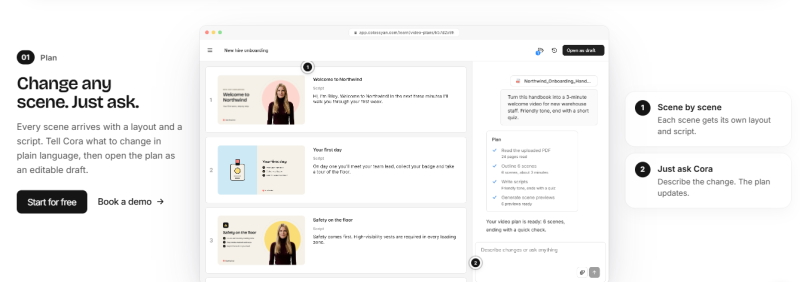
Say you need a 5-minute data-privacy module by Friday. You open Colossyan on the free plan, which gives you 20 minutes of video a month and 300+ avatars. You paste the policy, pick a presenter, and get a draft.
Now the interactive part. You have two routes: jump-to-scene buttons inside the video, or branching scenarios inside a Colossyan Learn lesson. You add a "What would you do?" choice after the phishing example. Colossyan says quizzes and branching are included on the free plan.
Then you hit the wall: your LMS wants SCORM. That needs Professional, at $59/mo billed yearly or $89 month to month, which includes five SCORM exports a month. Your colleague in Madrid wants it in Spanish, and translation covers 100+ languages.
The verdict: the cheapest avatar tool that gets a scored, branching video into an LMS. The five-export cap is the limit to watch.
Synthesia: four assumptions, checked

| What people assume | What the pricing page says |
|---|---|
| "It only makes talking-head videos." | You can add clickable calls to action, branching paths, and quizzes with a final score. |
| "I can build training on the free plan." | Free gives 10 minutes a month with a watermark, and interactive videos start on Pro. |
| "Pro at $89 is unlimited." | Pro includes 6,000 credits a month, enough for up to about 60 extra minutes of video. |
| "Pro gets me into my LMS." | Enterprise is the only tier listed with SCORM, SSO and live collaboration. |
Synthesia is strong where scale matters: 140+ languages and voices, and Roleplays where learners practice conversations with avatars. Yearly billing drops Starter to $14/mo and Pro to $59/mo. Buy it for a large, multilingual rollout, and expect a sales call if SCORM is required.
HeyGen: do the seat math first
HeyGen's headline price is $29. Here is what a five-person training team pays.
| Line item | Cost |
|---|---|
| Business plan, the tier with SCORM export and LMS integrations | $149/mo |
| Four extra seats at $20 each | $80/mo |
| Total for five people | $229/mo |
Why Business and not the $29 Creator plan? Because interactive quizzes, branching and SCORM export all start at Business, and lower plans are capped at one seat.
What the $229 buys: 700+ stock avatars, 175 languages and dialects, videos up to 60 minutes, and 1,500 credits. HeyGen says it also supports xAPI, which reports play, pause and seek data. You can test the avatars first on the free plan: three watermarked videos a month, one minute each.
Vyond: before and after
| Filming a de-escalation scenario | Building it in Vyond | |
|---|---|---|
| Cast | Actors or volunteer staff | 1,100+ avatar options |
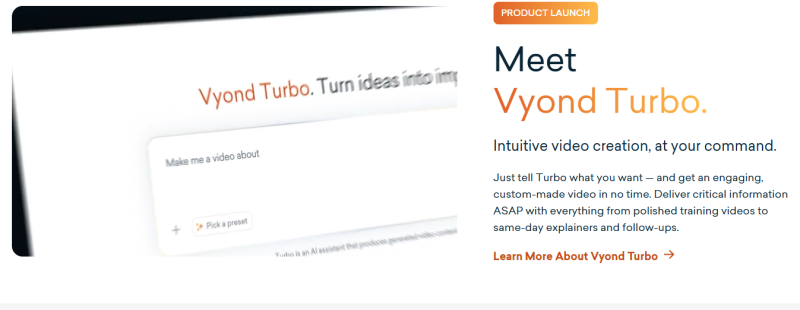
| First draft | Script, shoot, edit | Vyond Go generates a script and video from a text prompt or a web page |
| Other languages | Reshoot or dub | Translation into 80+ languages |
| Policy changes | Reshoot | Edit the scene |
One row is missing from that table: interactivity. A competitor's comparison, citing Vyond's documentation, says Vyond does not support in-video interactivity or scored assessments. So treat Vyond as the video maker and add questions in Mindstamp or Articulate.
Starter costs $58/mo billed yearly or $99 monthly. Professional costs $100/mo billed yearly or $199 monthly.
Branching vs quizzes vs hotspots
Now that you've seen what the generators offer, pick the interaction by the skill you train.
| Interaction | The learner... | Best for | Build effort |
|---|---|---|---|
| Quiz | Answers a question mid-video | Compliance, product knowledge | Low |
| Hotspot | Clicks an area for detail | Software and equipment walkthroughs | Low |
| Branching | Chooses a path, sees the outcome | Sales, service, leadership | High |
Start with quizzes. They are the closest match to the tests in the Harvard study.
Part 2: the layer and the suites
Mindstamp: one video, minute by minute
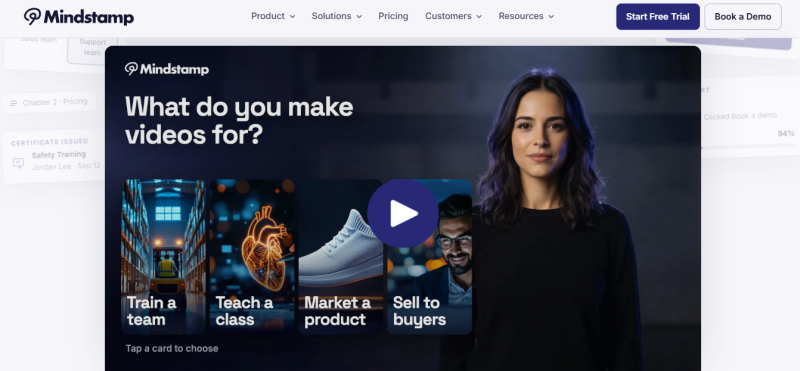
Take a 6-minute forklift safety video you already host on Vimeo. Mindstamp reads it from Vimeo, Wistia or S3 without re-encoding, and you add:
- 0:00 A lead-capture prompt for name and email, so every answer is tied to a person.
- 1:30 A multiple-choice question: "What's the first check before starting?"
- 3:00 A hotspot over the load gauge that opens a close-up.
- 4:15 A branch: "Pedestrian steps into the aisle. Brake or swerve?"
- 6:00 A report for that viewer, and a SCORM 1.2 export on Core and above.
The AI part is Genie AI, an assistant that answers viewer questions about the video, included from Core up.
Plans run Basic $99/mo with 5 videos and 1 seat, then Pro at $499/mo, with Core at $299/mo in between. Viewers are unlimited on every plan.
Camtasia: the price ladder
| Rung | Price per year | What you get |
|---|---|---|
| Starter | $39 | Advanced screen capture, watermarked |
| Essentials | $179.88 | The full timeline, quizzes and SCORM export |
| Create | $249 | The tier between Essentials and Pro |
| Pro | $599 | Avatar generation, script translation and audio dubbing |
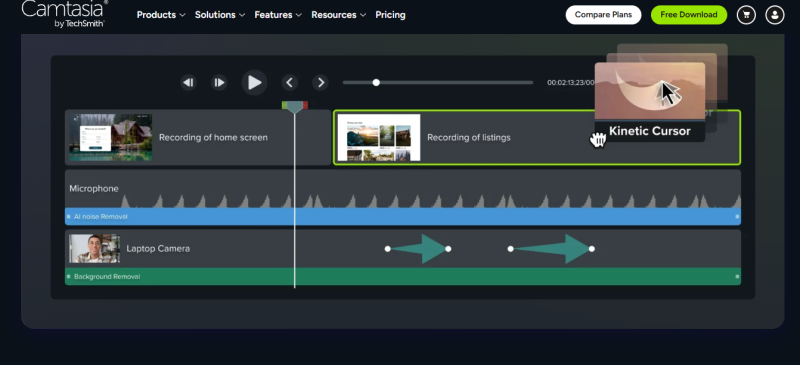
Most training teams should stop at Essentials. It is the cheapest SCORM export on this list. The interactivity is basic: hotspots that pause the video or jump to a timestamp, plus simple quizzes. Get Camtasia for screen recordings, not for branching scenarios.
Articulate 360: a 3-question fit test
Format: answer yes or no.
- Do you have someone who can build with logic? Storyline 360 works through triggers, variables, branching and quizzes.
- Does your LMS need more than SCORM? Articulate exports to SCORM, xAPI, cmi5 and AICC.
- Can you spend four figures per author? It costs $1,449 per seat per year on Personal or $1,749 on Teams, and credits for AI avatars and translation are extra.
Three yeses: Articulate 360 is your tool. Its AI can generate training decks, interactive videos, scenarios and guides, and new users can try it free for 30 days.
One or two: pair a cheaper generator with Mindstamp.
Zero: go back to Colossyan.
SCORM vs xAPI
Every review above mentioned SCORM. Here is what it and xAPI report to your LMS.
| SCORM | xAPI | |
|---|---|---|
| Tracks | Completion, score, time spent | Individual actions inside the content |
| Needs | Any standard LMS | A Learning Record Store |
| Choose it when | You need pass/fail records | You want to see where learners drop off |
Most corporate LMSs still expect SCORM, so check which plan includes it before comparing anything else. (SCORM on Wikipedia)
Pick yours in 60 seconds
- Under $100 a month and you need SCORM: Colossyan Professional or Camtasia Essentials.
- Global workforce, many languages: HeyGen or Synthesia.
- A library of existing videos: Mindstamp.
- Soft-skills scenarios without filming: Vyond plus an interactive layer.
- Complex custom courses: Articulate 360.
The bottom line
Interactivity is what makes a training video hold attention, and AI has made it cheap to build. Colossyan is the fastest route to branching, scored video in an LMS. Synthesia and HeyGen win on scale and realism if you can pay for the higher tiers. Mindstamp rescues the videos you already own.
Pick one module, add three questions, and compare completion rates against the old version.
Post Comment
Share your thoughts about this article.
Be the first to post a comment!