Table of Content
- Quick comparison
- 1. ChatGPT: the blank-page killer
- 2. Upwork Uma: made for bids, not documents
- 3. PandaDoc: the best free starting point
- 4. Prospero: one flat price, nothing to count
- 5. Better Proposals: bring your own AI
- 6. Qwilr: the proposal as a web page
- 7. Storydoc: the proposal that reads like a story
- How to choose in one minute
- 5 tips so your AI proposal does not sound like AI
- Final thoughts
Writing proposals is unpaid work. Every hour you spend on a pitch is an hour you cannot bill, and most pitches never turn into a project.
AI is taking over a big part of that job. Fiverr surveyed 3,500 freelancers for International Freelancer Day 2025 and found that 76% use AI tools, and those who use AI save an average of 8.1 hours a week.
You also do not need a big budget. One tracker of 32 proposal tools found that 31% offer a free plan.
"AI proposal tool" can mean three different things:
- Draft writers turn rough notes into text (ChatGPT).
- Bid helpers live inside a freelance marketplace (Upwork Uma).
- Send and sign platforms design, deliver, track and close the proposal (PandaDoc, Prospero, Better Proposals, Qwilr, Storydoc).
Quick comparison
| Tool | Best for | Starting price | USP in one line |
|---|---|---|---|
| ChatGPT | First drafts from rough notes | Free, Plus at $20/mo | The most flexible writer on the list |
| Upwork Uma | Upwork bids | Limited free use, unlimited with Freelancer Plus at $19.99/mo | Already knows your profile and the job post |
| PandaDoc | Starting for free | Free (5 docs/mo), Starter $19/mo billed annually | A real free plan with e-signatures |
| Prospero | High volume on a budget | $12/mo billed annually | Unlimited proposals plus a built-in AI writer |
| Better Proposals | Using your own AI assistant | $13/mo billed annually | Your AI builds the proposal inside your branded template |
| Qwilr | Interactive web proposals | $35/mo billed annually | Free generator that turns your website into a proposal |
| Storydoc | Visual, story-style decks | $19.80/mo billed annually | AI builds a whole interactive deck for you |
1. ChatGPT: the blank-page killer

ChatGPT is not a proposal tool. It is a general writing assistant, and that is why it works so well for the hardest part, which is getting started.
The method is simple: paste in your call notes, the client's brief and an old proposal you liked, then ask for a draft in your voice.
Try this prompt:
Here are my notes from a call with a bakery owner who wants an online ordering website. Write a one-page proposal with: her problem in her own words, my 3-step approach, a 4-week timeline, and two pricing options. Keep it under 350 words. Friendly tone, no corporate language.
USP: Flexibility. The same tool writes a marketplace bid, a statement of work, and the follow-up email.
Cost: $0 for Free, $8 a month for Go and $20 a month for Plus.
Three differences from the rest:
- It only writes. You get no templates, no e-signature and no way to see whether the client opened your proposal.
- It starts from zero. It knows nothing about you until you tell it. Uma starts with your Upwork profile and job history, and the send and sign platforms start with your templates.
- It connects to some platforms, not all. PandaDoc lists a ChatGPT connector on every plan, currently in beta, and Qwilr's Starter plan includes an AI assistant integration for Claude or ChatGPT. Better Proposals says ChatGPT cannot connect to its accounts.
Claude does the same job, and its Pro plan also costs $20 a month, so use whichever you already pay for.
2. Upwork Uma: made for bids, not documents
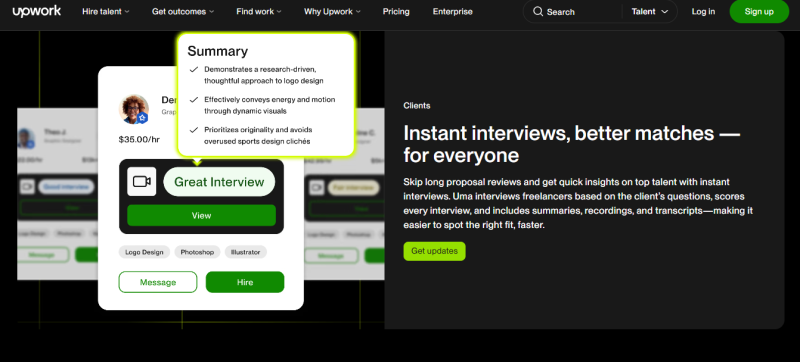
Uma is Upwork's own AI assistant. If most of your work comes from Upwork, it is the fastest way to a tailored cover letter.
How it works in three steps:
- Open a job post and start your application.
- Choose "Draft proposal" to open a chat with Uma, then answer its questions to get a first draft.
- Edit before you send. Upwork suggests another route too: write your own opening first, then ask Uma to tighten it or find gaps against the job description.
USP: Context. Uma can see your Upwork profile, your job history and the exact job you are applying to, which no browser extension can match. Upwork upgraded it to ask pointed questions about your skills and draft proposals tailored to a specific posting.
The numbers:
- Basic accounts get a limited number of Uma queries.
- Freelancer Plus gives unlimited access for $19.99 a month on the web, or $27 through the Apple App Store.
Three differences worth knowing:
- It only works inside Upwork. You cannot use it for a client who emailed you directly. ChatGPT works for any client on any channel.
- It writes a cover letter, not a document. You get a short bid, with no pricing tables and no signature box.
- You are not paying for the AI alone. Unlimited Uma comes inside Freelancer Plus, which also includes 100 Connects a month, at roughly the same price as ChatGPT Plus.
3. PandaDoc: the best free starting point
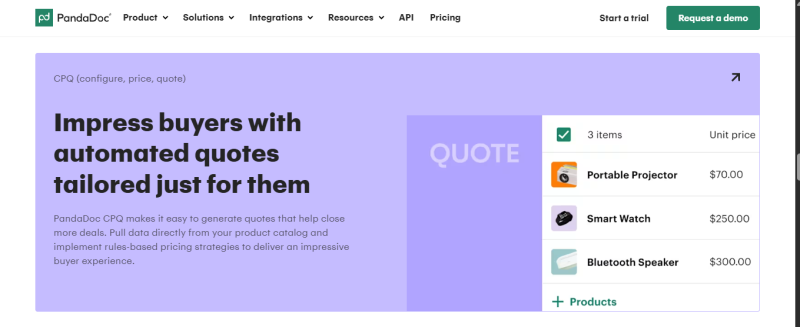
PandaDoc is a document platform that covers proposals, contracts and e-signatures. The useful question is what you get at each price.
| Plan | Price | What a freelancer gets |
|---|---|---|
| Free | $0 | 5 documents a month with real-time tracking and notifications |
| Starter | $19 per seat/mo billed annually, or $35 month to month | Unlimited document uploads and e-signatures, plus the AI Assistant |
| Business | $49 per seat/mo billed annually | Pricing tables, payment collection, content library and recipient analytics |
What the AI does: The assistant works through chat. It can generate a new agreement from your existing templates, summarize documents, show who opened a proposal and send follow-up reminders.
USP: The free plan. Legally binding e-signatures are included on every plan, including the free one.
How it differs from the others:
- The AI is an admin assistant more than a writer. One reviewer described the writing as competent rather than brilliant. Prospero's AI focuses on writing and rewriting proposal text.
- Pricing tables cost extra. They sit on the $49 Business plan. Better Proposals includes interactive pricing tables on its $13 plan.
- Monthly billing is expensive. Starter jumps from $19 to $35 without an annual commitment. Prospero goes from $12 to $19 and Better Proposals from $13 to $19.
It is also well reviewed, at 4.7 out of 5 on G2 from 3,324 reviews.
4. Prospero: one flat price, nothing to count
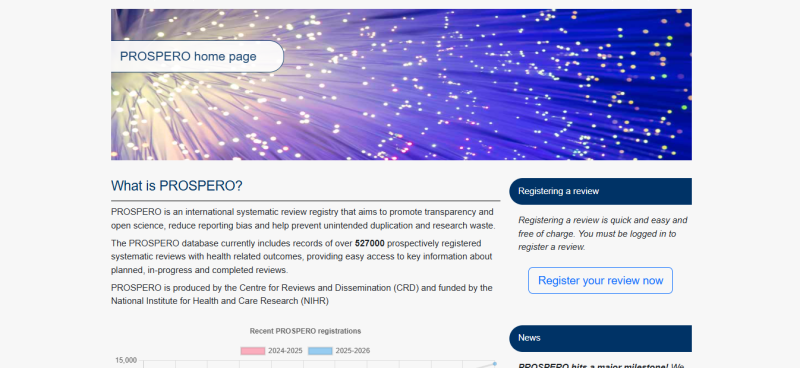
Prospero has one plan for individuals: $19 a month, or $12 a month billed annually, with unlimited proposals and a generative AI assistant included. The 14-day trial needs no credit card.
The AI sits inside the proposal editor, so you never leave the page. It can:
- Write new text from a typed command
- Switch the tone to professional, casual, funny, empathetic, technical or persuasive
- Shorten or expand any block of text without losing context
- Fix grammar, typos and punctuation
- Translate text into your client's language
- Generate images from a description
USP: Unlimited proposals and a built-in AI writer at the lowest flat price here.
Three differences that set it apart:
- No send limits. Better Proposals caps its entry plan at 10 documents a month, and PandaDoc's free plan stops at 5.
- The AI is built in. There is nothing to install or connect. Better Proposals relies on an outside AI tool linked through a one-time command line setup.
- It is the smaller option. Prospero offers over 113 templates and reports 2,000+ business customers in 57 countries. Better Proposals lists over 260 templates and 10,000+ customers.
5. Better Proposals: bring your own AI
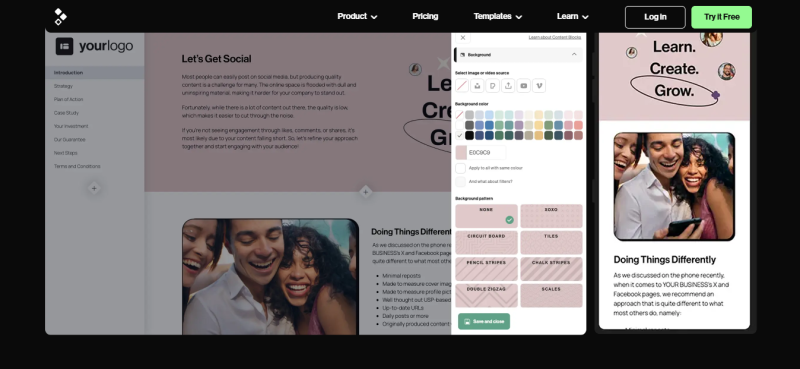
Better Proposals takes the opposite position to most tools on this list. It has no AI writer built into the app, and the company says that is deliberate.
Instead, the Premium and Enterprise plans connect the AI tool you already use to your account. You ask your assistant to create a web design proposal for a named client from your agency template. The new proposal then appears in your account with your logo, fonts and brand colors in place.
After that, the platform takes over:
- A Document Checker flags likely problems before you send.
- Clients sign on the page and can pay through Stripe, PayPal or GoCardless.
- Human support is available around the clock and replies in about 2 minutes.
USP: AI output lands inside your own branded template, ready to send, sign and get paid.
Three differences to weigh up:
- The AI lives outside the app. It works with tools that support the MCP standard, such as Claude, Cursor and Antigravity, but ChatGPT cannot connect. Prospero and Storydoc have their AI built in.
- It needs setup and has limits. You install a command line tool once, following step-by-step instructions. Your AI can create new proposals but cannot edit existing ones.
- The AI connection costs more than the entry plan. Starter is $13 a month billed annually for one user and 10 documents, while the AI connection needs Premium at $21 a month with 50 documents. Prospero includes its AI at $12 a month.
6. Qwilr: the proposal as a web page
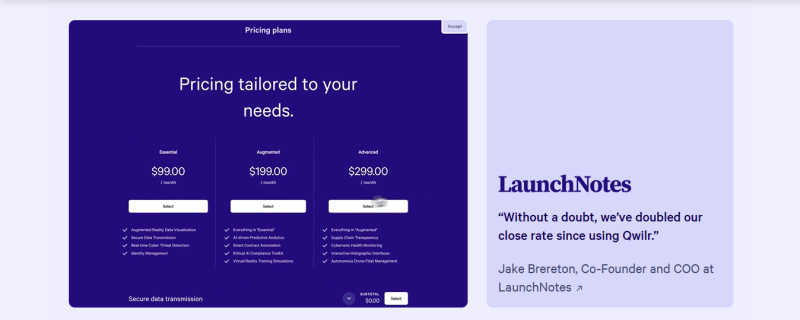
Picture this from the client's side. They receive a link, not a PDF. They adjust an interactive quote, try a built-in ROI calculator, sign and pay, all on one page. You get an alert when the page is viewed or accepted.
The AI part has two levels:
- Free for anyone: the AI Proposal Creator. You enter your website address, and it scans your site to learn your offer, messaging and design style, then builds a tailored page.
- Locked to big teams: AI Prefill and the Smart Proposal Engine sit on the Scale plan at $75 per user with a 10 user minimum. That is out of reach for a solo freelancer.
USP: The free website-to-proposal generator, combined with the most interactive client experience on this list.
Cost: Starter is $35 a month billed annually or $49 month to month, with a 14-day free trial.
How it differs, in three points:
- It has the highest solo entry price here. $35 a month on annual billing is close to three times Prospero's $12.
- Signing and payment are built in. Storydoc handles e-signatures and payments through integrations such as DocuSign and Stripe. Note that Qwilr's Starter plan adds a 0.09% fee on payments collected.
- You can test the AI before signing up. You need no account to generate a page, only to edit and send it. Better Proposals requires an account before you start.
7. Storydoc: the proposal that reads like a story
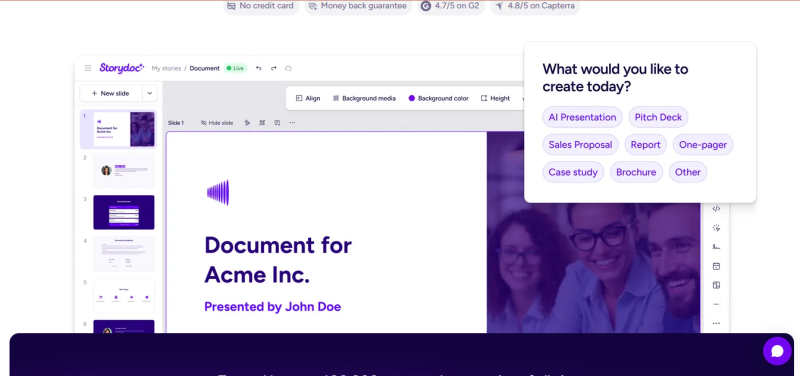
Storydoc suits freelancers who sell with visuals: designers, video editors, brand and marketing consultants. It replaces the static PDF with a scroll-based deck that feels like a small website.
How the AI works: It scans your website, a PDF or plain text and generates tailored content, images and colors. Generating entire decks with AI is unlimited on every plan.
The numbers to know:
- Starter costs $19.80 a month, billed annually at $237.60.
- It includes 5 active documents, 25 AI text credits and 20 AI image credits a month.
- Pro costs $36 a month with 30 active documents and 125 AI text credits.
- Storydoc claims its format lifts average reading time by 41% and engagement by 21% compared with static decks. That is the vendor's own figure, so test it on your own clients.
USP: AI builds a complete interactive deck from material you already have.
Three differences that matter:
- AI edits run on credits. Text rewrites and images are metered each month. Prospero's plan lists its AI assistant with no credit cap.
- Active documents are capped. Starter allows 5 at a time, while Prospero allows unlimited proposals.
- Signing is not native. E-signatures and payments come through integrations. Qwilr and Better Proposals build both in.
It is also deck first. For a small fixed-price job, a simple signable proposal from Prospero or PandaDoc is quicker.
One tool that missed the list: Proposify has a capable built-in AI writing widget, but its entry plan costs $39 per user a month billed annually and every plan has a monthly send limit. It fits agencies better than solo freelancers.
How to choose in one minute
- Most of your work comes from Upwork: start with Uma.
- You send one or two proposals a month: ChatGPT for the draft, PandaDoc Free for sending and signing.
- You pitch every week and want the lowest cost: Prospero.
- You already work in Claude or Cursor and want payment at signing: Better Proposals Premium.
- You sell higher-priced projects where presentation wins: Qwilr for interactive pricing, Storydoc for visual storytelling.
5 tips so your AI proposal does not sound like AI
- Feed it specifics. Paste the client's own words from the call or job post. Generic input gives generic output.
- Rewrite the opening yourself. On Upwork, clients first see only the opening lines of your proposal.
- Keep bids short. Upwork recommends about 200 to 300 words or fewer for most projects.
- Check every number. Pricing, dates and scope are your responsibility. Even Better Proposals tells users to double and triple check accuracy, especially pricing.
- Use tracking to time your follow-up. If the client opened the pricing section three times, that is your cue to call.
Final thoughts
No single tool is best for every freelancer. Pick based on where your clients come from and how often you pitch.
A sensible path is to start free with ChatGPT and PandaDoc, then move to Prospero or Better Proposals once you send proposals every week. Add Qwilr or Storydoc when your project sizes justify a richer presentation.
Post Comment
Share your thoughts about this article.
Be the first to post a comment!