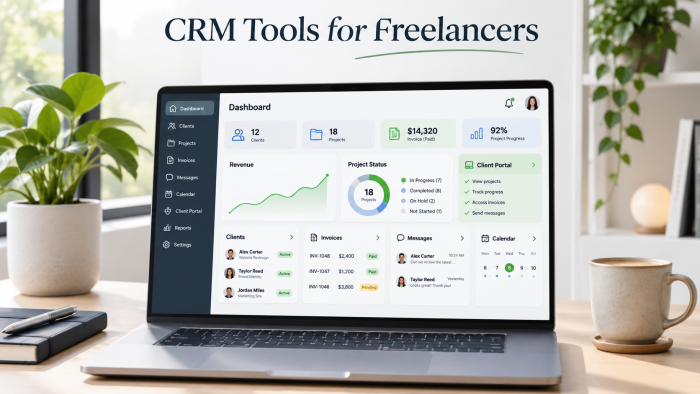
The client says yes. You celebrate. Then you send a contract, an invoice, a questionnaire, and a calendar link in four separate emails.
Three days later nothing is signed, nothing is paid, and you're typing "just following up" for the second time.
It isn't your client's fault. Microsoft's data shows the average worker gets 117 emails a day and is interrupted roughly every two minutes (Work Trend Index). Your welcome email is fighting 116 others.
You can fix this with one tool and a free afternoon. Here are eight worth your time, with prices checked in November 2026.
Why the first week matters more than you think
In a Wyzowl survey, 86% of people said they're more likely to stay loyal to a business that welcomes and educates them after they buy (Wyzowl). Another 63% said onboarding affects whether they buy at all.
More than 90% of customers also think companies could do onboarding better.
Keeping a client costs far less than finding a new one, which is why businesses track customer attrition so closely. A smooth first week is the cheapest retention strategy you'll ever run.
HoneyBook
The one that gets you paid before the excitement wears off
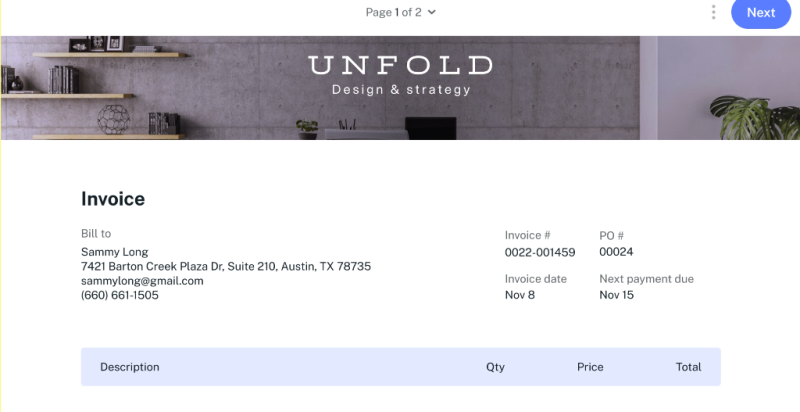
HoneyBook is the big name among photographers, designers, coaches, and event pros, and it holds a 4.5/5 rating on G2 across more than 2,100 reviews. The easiest way to understand it is to walk up the plan ladder.
- Starter ($36/mo, or $29 billed yearly): unlimited clients and projects, invoices and payments, proposals and contracts, a client portal, and every professional template. You get one lead form.
- Essentials ($59/mo, or $49 yearly): adds the scheduler, automations, QuickBooks Online integration, up to two team members, and removes the HoneyBook badge. This is the plan where onboarding starts to run itself.
- Premium ($129/mo, or $109 yearly): adds unlimited team members, priority support, and multiple companies under one login.
Know three things before you sign up:
- Fees: card payments cost 2.9% + 25¢ on every plan, and ACH transfers cost 1.5%.
- Trial: it lasts seven days with no credit card, backed by a 60-day money-back guarantee on paid plans.
- Countries: HoneyBook only works for businesses in the U.S., Canada, the UK, and Australia.
There's a mobile app on Google Play too. See the pricing page.
Dubsado
Set it up once, then let it run your business
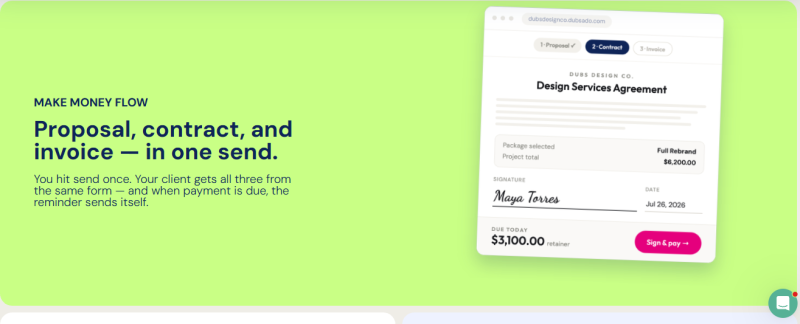
Dubsado rewards people who hate repeating themselves. The clearest way to judge it is to split the feature list into what you always get and what costs extra.
On both plans:
- Unlimited projects and clients
- Invoicing and payment plans
- Form and email templates
- Client portals
- Calendar connection and a mobile app
- Email and live chat support
Only on Premier:
- Automated workflows
- Scheduling
- Public proposals
- Bookkeeping and Zapier integrations
- Unlimited lead capture forms (Starter gets one)
That second list is the reason most people buy Dubsado, so plan on Premier at $525 a year rather than Starter at $335.
Teams get a decent deal. Three additional users are free, the 4–10 user band costs $25 a month, and each extra brand is $10 a month.
You can test everything first, since the 21-day trial gives full Premier access with no card. Reviews are more mixed than rivals, at 4.2/5 on Capterra from 61 reviews. See the pricing page.
Bonsai
The cheapest way to stop looking like an amateur
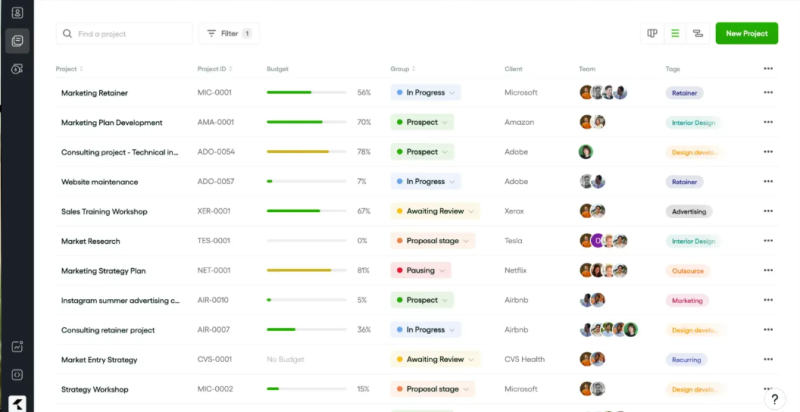
Picture a Tuesday. A client says yes at 9 a.m. By 9:20 you've sent a proposal from a template. They accept, the contract follows, they sign, and you start a timer on the first task. At month end, those hours drop straight onto an invoice.
That's the Bonsai experience. The plans cover a CRM, contracts, proposals, forms, scheduling, and a client portal. Even the Basic plan includes unlimited projects plus tasks and time tracking, and invoices can pull in time entries and expenses.
A few details set it apart:
- Contracts: it's known for its attorney-reviewed templates.
- Billing: retainer invoices, subscription invoices, and multi-currency are supported.
- Security: it achieved SOC 2 Type II compliance in July 2025.
- Integrations: QuickBooks, Xero, Zapier, and Calendly are listed on the Premium plan.
Pricing is per user: Basic $15 ($9 yearly), Essentials $25 ($19), Premium $39 ($29), and Elite $59 ($49) with a three-user minimum. That's a bargain solo and adds up quickly with a team. The free trial runs seven days. See the pricing page.
Plutio
The Swiss Army knife nobody told you about
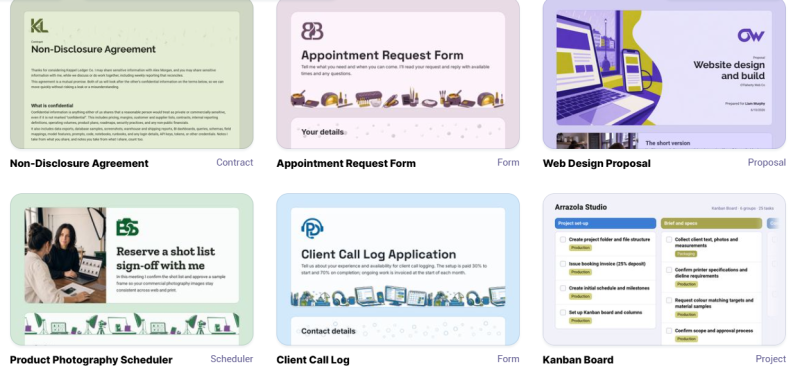
Plutio puts a branded client portal, project management, time tracking, scheduling, and proposals in one platform. It scores 4.6/5 on both Capterra and G2. With this one, the plan limits decide everything, so here they are side by side.
| Core | Pro | Max | |
|---|---|---|---|
| Monthly price | $19 | $49 | $199 |
| Active clients | 9 | Unlimited | Unlimited |
| Contributors | None | 30 | Unlimited |
| Workflow actions | 500 | 5,500 | 50,000 |
| Storage | 100 GB | 500 GB | 2 TB |
| White-label | $9/mo add-on | $9/mo add-on | Included |
Core is a steal if you're solo with a handful of clients. The day you add a VA or a subcontractor, you need Pro. Annual billing drops the prices to roughly $15, $39, and $159 a month.
If you see older reviews mention Solo, Studio, and Agency plans, those were renamed in 2025. See the pricing page.
Content Snare
Never chase a client for files again
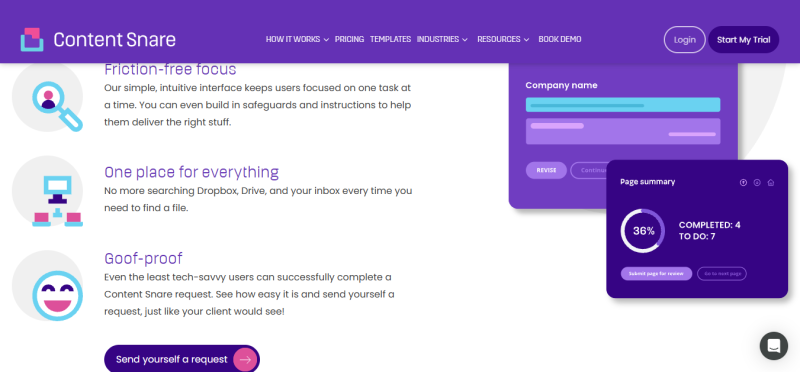
Before: You email a list of 15 things you need. The client replies with six, spread over three threads and a shared folder. You spend Friday afternoon working out what's still missing.
After: You send one Content Snare request. It can hold any number of questions and file uploads. The tool reminds the client on a schedule you set, and you approve each answer or send it back for changes.
It goes further than forms. The feature list includes an AI request builder, document signing, an audit trail, and KYC and AML screening. The company is ISO 27001 certified, and it says even its customers' least technical clients manage the interface fine.
Setup is quick. Companies often send their first real request the day they sign up.
Pricing is based on active requests, meaning ones still open. Complete a request and the slot frees up.
- Basic: $35/mo billed annually for 20 active requests, 2 users, and 40 SMS a month
- Plus: $71/mo for 50 requests, 5 users, and custom branding
- Pro: $119/mo for 100 requests and 10 users
It doesn't handle invoices, so pair it with a billing tool. Users rate it 4.9/5 on Capterra, and the trial is 14 days with no card. See the pricing page.
Assembly
Give clients a portal that looks like you built it
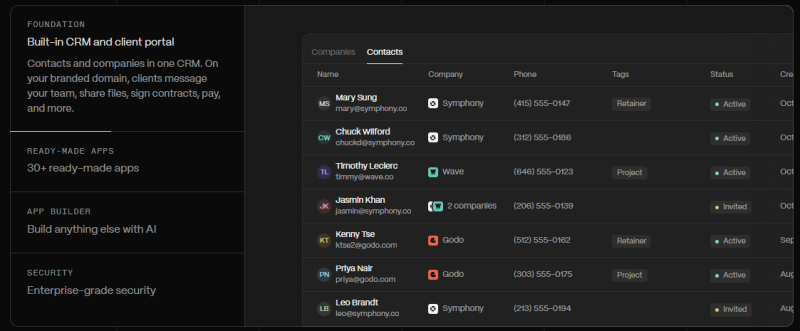
Assembly, formerly Copilot, is easiest to understand through its numbers.
- 2025: the year Copilot became Assembly
- 1 login: clients sign contracts, pay invoices, share files, and message you from a single branded portal
- $0: the free plan, good for 5 active contacts and 1 internal user
- $29/mo: Starter on annual billing ($49 monthly), covering 50 active contacts
- 500: active contacts on Professional, along with 3 internal users and custom domains
- 30+: pre-made apps you can add to the portal
- 5: integrations named most often: Airtable, ClickUp, Calendly, Zapier, and Make
- 0: built-in time tracking or appointment scheduling
Higher tiers add compliance features. The Advanced plan brings client access permissions, enforced MFA, and HIPAA compliance.
It suits agencies with long-term retainer clients better than one-off project work. Some listings still show the older $39 Starter price, so confirm on the pricing page.
SuiteDash
One flat price, no matter how big your team gets
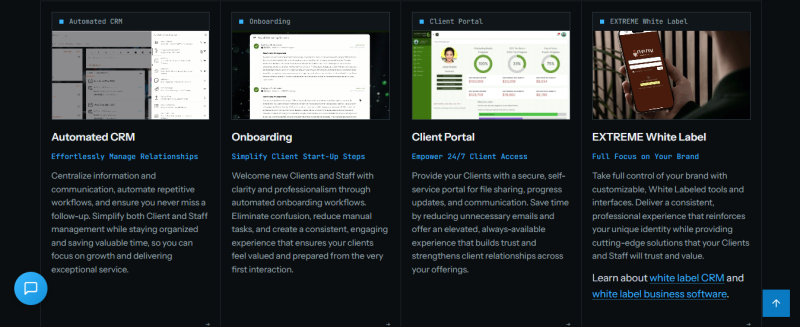
SuiteDash charges one price per month rather than per user. Whether it's right for you comes down to two lists.
You'll love it if:
- Your team is growing. Even the $19 Start plan includes unlimited clients and staff, white-label branding, a CRM, projects, and invoicing.
- You want marketing built in. Start includes email campaigns and a custom-branded mobile app.
- You send a lot of proposals. The $49 Thrive plan adds a proposals toolkit and drip email sequences.
- You like paying once. Annual and lifetime options sit alongside monthly billing.
You'll want to skip it if:
- You need to be live today. Ease of use is its lowest Capterra score at 4.6, against 4.9 for value.
- You want onboarding automation on a budget. The automation toolkit, FLOWs onboarding, and client journeys are on the $99 Pinnacle plan.
- You need a help desk early. The Start plan has no support ticket system.
The 14-day trial is full-featured. See the pricing page.
ManyRequests
Built for agencies that sell services like products
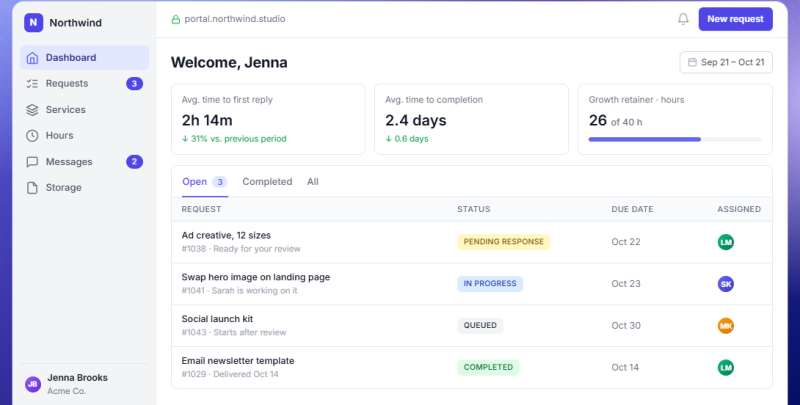
ManyRequests fits design subscriptions and productized services. Here's what a new client's first day looks like.
- 9:00 a.m. They buy a service and land in a portal on your own domain.
- 9:05 a.m. They complete the intake form tied to that service.
- 9:15 a.m. Their first request joins your team's queue.
- 2:00 p.m. Your designer uploads a draft, and the client marks up comments directly on it.
- End of month. Billing runs without anyone building an invoice.
All of that sits on the Core plan. It includes the client portal, requests, billing, a CRM, time tracking, reporting, unlimited clients, a custom domain, design and video proofing, and Zapier.
Clients are unlimited, so only internal seats raise the bill. That's also the main complaint, since costs climb as the team grows and some features sit on higher tiers.
Core is $59 a month, or $39 on annual billing, with one seat included. Pro is $99 a month. Enterprise adds API access and a dedicated manager. The trial is 14 days with no card needed.
Freelancer tools vs agency tools
Freelancer tools (HoneyBook, Dubsado, Bonsai, Plutio) are built to get you booked and paid. They shine in the first 48 hours after a client says yes.
Agency tools (Content Snare, Assembly, SuiteDash, ManyRequests) focus on what happens after the sale. They give clients a place to return to month after month.
Work alone? Start with the first group. If several people touch each account, the second group prevents dropped handoffs.
All-in-one vs specialist
All-in-one platforms (HoneyBook, Dubsado, Bonsai, Plutio, SuiteDash) replace a pile of subscriptions with one. You gain convenience and accept that some features will be average.
Specialists do one job very well. Content Snare collects content, Assembly runs the portal, and ManyRequests manages requests.
If you already love your invoicing and project tools, add a specialist. If your setup is spreadsheets and email, go all-in-one.
What your client sees first
This is the difference most buyers overlook.
- A booking flow: HoneyBook covers the front end of onboarding, and Dubsado centers on intake automation. Bonsai works the same way, starting with the proposal. The client receives a proposal, contract, and invoice in sequence.
- A portal: Assembly is built around the portal itself. SuiteDash and Plutio also lead with a branded space clients log in to.
- A to-do list: Content Snare gives clients a link to a request they can open on any device. ManyRequests gives them a queue to submit work into.
Choose based on your client. Busy executives like one clear link. Long-term retainer clients appreciate a proper home base.
How much the tool does on its own
"Automation" means very different things across these eight.
- Content Snare: unlimited reminders on every plan.
- Bonsai: light automation, mainly reminders for payments and deadlines.
- Plutio: workflow actions on every plan, capped at 500 a month on Core.
- ManyRequests: Zapier integration on the Core plan.
- HoneyBook: automations start on Essentials.
- Dubsado: automated workflows are Premier only.
- Assembly: the automation builder arrives on Professional.
- SuiteDash: the full automation toolkit is on Pinnacle.
If you want hands-off onboarding, compare the plan that includes automation, not the cheapest plan on the pricing page.
The pricing trap most people miss
The sticker price matters less than whatever forces your next upgrade.
| Tool | Cheapest plan | What pushes you up a tier |
|---|---|---|
| HoneyBook | $29/mo yearly | A third team member |
| Dubsado | $335/yr | Wanting automation |
| Bonsai | $9/user/mo yearly | Every new teammate |
| Plutio | $19/mo | Your 10th active client |
| Content Snare | $35/mo yearly | A 21st open request |
| Assembly | Free | Your 6th contact |
| SuiteDash | $19/mo | Wanting automation |
| ManyRequests | $39/mo yearly | Extra team seats |
Ask where you'll be in 12 months. Pick the tool whose trigger you'll hit last.
Your next client is watching
Clients decide how they feel about you in the first few days. A messy start makes them wonder what they paid for, and a smooth one earns referrals.
Every tool here has a free trial or a free plan. Pick one tonight, build a single workflow, and run your next client through it. You may never type "just following up" again.
Prices were checked in November 2026 and vendors change them often, so confirm on each pricing page before you buy.
The same checks apply before publishing: confirm the three high-authority links (microsoft.com, wikipedia.org, google.com) score above 95 in your SEO tool, and recheck Assembly and ManyRequests prices, where sources disagree.
Post Comment
Share your thoughts about this article.
Be the first to post a comment!