Your CRM probably got more expensive while you were busy doing client work.
In February 2025, HoneyBook's Starter plan went from $19 to $36 a month, an 89% jump. In December 2025, Dubsado raised Starter from $20 to $35 a month, up 75%, for new subscribers. And on some "freelancer-friendly" tools, the cheapest plan has no client portal at all.
That last part is the trap. The price on the homepage and the price of the plan your clients can log in to are often two different numbers.
This guide compares seven tools on the second number. Prices were checked on 21 November 2026.
Quick picks
| Tool | Best for | Cheapest plan with a portal (monthly billing) | Same plan, annual billing |
|---|---|---|---|
| HoneyBook | Creatives who want a polished booking flow | Starter, $36/mo | $29/mo |
| Dubsado | Automation-heavy client processes | Starter, $35/mo | $335/yr |
| Bonsai | Solo consultants (contracts and invoicing) | Essentials, $25/user/mo | $19/user/mo |
| Moxie | Low-cost white-label portal | Pro, $25/mo | $20/mo |
| Plutio | A customisable all-in-one workspace | Core, $19/mo | about $15/mo |
| SuiteDash | Unlimited clients at a flat price | Start, $19/mo | $180/yr |
| Assembly | Portal-first setup with a free start | Free for 5 active contacts; Starter $49/mo | $29/mo |
What is a CRM with a client portal?
A CRM is, in Wikipedia's words, a process in which a business manages its interactions with customers (Wikipedia: Customer relationship management). For a freelancer, that means one place for leads, clients, contracts and invoices.
A client portal is the part your client sees: a private login where they sign, pay, download files and check progress.
Microsoft's CRM guide notes that for small businesses, a CRM automates business processes and frees people for higher-value work (Microsoft: What is CRM?). The portal is where that pays off, because clients serve themselves.
A good portal should let clients:
- Sign proposals and contracts
- Pay invoices
- See files and project status
- Message you in one thread
- See your brand, not the software's
Best CRM tools with client portals
1. HoneyBook: the polished pick for creatives
Verdict first: if you sell a service and want booking to feel effortless, start here. HoneyBook builds for event, photo and video, marketing and professional-services businesses, and says more than 100,000 businesses use it.
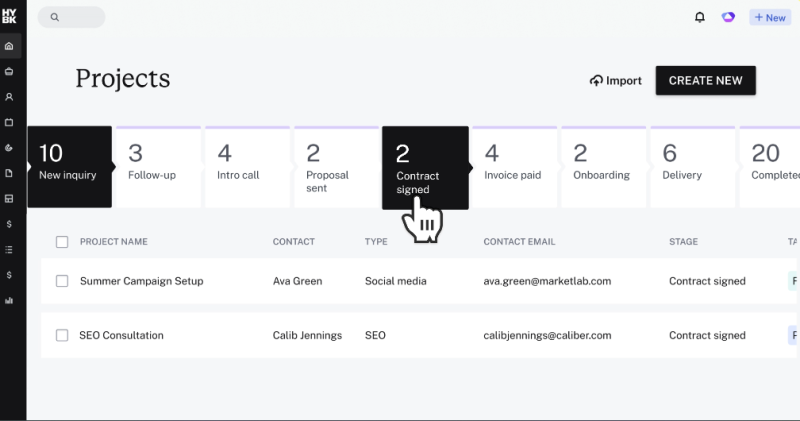
What your client sees: a dedicated page for files and project details. Proposals let them book, sign and pay from a single file, and they can pay by card, bank transfer, Apple Pay or Google Pay.
What you pay:
| Plan | Annual billing | Monthly billing | What it adds |
|---|---|---|---|
| Starter | $29/mo | $36/mo | Unlimited clients and projects, client portal, up to 2 live lead forms |
| Essentials | $49/mo | $59/mo | Scheduler, automations, QuickBooks Online, 2 team members, 10 lead forms, "Powered by HoneyBook" removed |
| Premium | $109/mo | $129/mo | Unlimited team members, multiple companies, priority support |
What else is in the box: the payments toolkit covers autopay, payment reminders, payment plans and late fees. Integrations include Zapier, QuickBooks, Zoom, Canva, Calendly and Mailchimp. HoneyBook AI drafts emails, takes meeting notes and flags high-value leads.
The catch:
- HoneyBook only supports businesses in the U.S., Canada, UK and Australia.
- Card fees start at 2.7% + 10¢ and bank transfers cost 1.5%, on top of the subscription.
- Starter's scheduler is limited to one session type, so anyone selling several services will need Essentials.
Social proof: HoneyBook's pricing page shows 4.8 on Capterra from 598 reviews and 4.5 on G2 from 158.
Try it: 30-day free trial, no credit card, plus a 60-day money-back guarantee. → honeybook.com
2. Dubsado: the automation engine
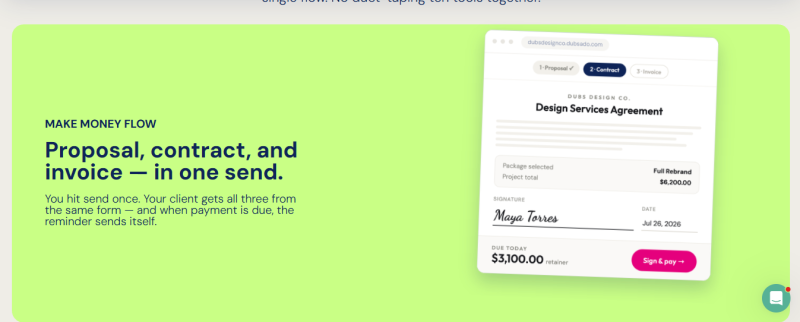
The good news
- Starter includes client portals with unlimited projects and contacts.
- The portal is a private, login-only hub that flags open invoices, incomplete forms and unread emails.
- You control the look: a welcome message, a portal logo and banner, and your own colors.
- A custom domain swaps hello.dubsado.com for your own URL on invoices, forms, schedulers and portals.
- Your internal notes, to-dos and call logs never appear in the client view.
- Both plans include three user seats, and both allow unlimited clients and projects.
The bad news
- Starter costs $35 a month or $335 a year; Premier costs $55 a month or $525 a year.
- Starter allows only one active lead capture form.
- The time-savers sit in Premier: the scheduler, Flows, public proposals, video conferencing and time tracker invoicing.
- The portal takes no custom HTML or CSS, so its look stays within the built-in settings.
- Portals start deactivated, so you switch each client's portal on yourself.
- Some reviewers feel the portal's design and usability could be better.
Worth knowing: the December 2025 price change arrived with the Dubsado 3.0 release.
Bottom line: buy it for the workflows, not the portal's looks. If you won't build automations, Starter is an expensive way to send invoices. The 21-day trial gives full Premier access with no card. → dubsado.com
3. Bonsai: by the numbers
- 4 plans: Basic, Essentials, Premium and Elite, all priced per user.
- $9 to $15 per user: Basic, which covers time tracking, tasks, unlimited projects and clients, a CRM and 10 GB of storage. It has no invoices, proposals, contracts or client portal.
- $19 to $25 per user: Essentials, where invoicing with online payments, proposals, contracts, forms, the client portal and expense tracking begin, with 100 GB of storage.
- $29 to $39 per user: Premium, which adds project insights, a Gantt view, a deals pipeline and reports, and removes Bonsai branding.
- 5 integrations named on Premium: QuickBooks, Xero, Zapier, Calendly and Google.
- 3 users minimum: the entry requirement for Elite, at $49 to $59 per user.
- 7 days: the free trial, no credit card needed.
- $145 a month: what a team of five pays on Premium with annual billing.
Inside the portal: clients get secure access to their projects, invoices, agreements and communications. Branding is basic: your logo, your colors and control over which documents clients see, on a mostly fixed layout.
Trust signals: Bonsai reports SOC 2 Type II compliance, achieved in July 2025, and has apps for iPhone, Android and Mac.
The read: a tidy fit for one person who lives in contracts and invoices. The per-user model gets costly as soon as you add help. → hellobonsai.com
4. Moxie: five questions, five answers
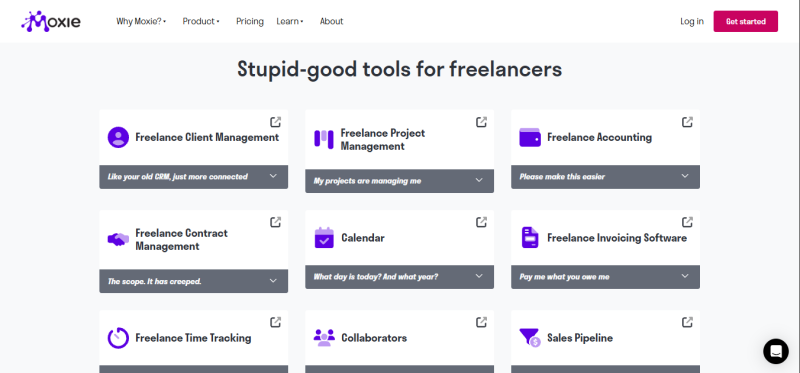
Does the $12 plan include a portal? No. The white-label portal, custom domain and automations start at Pro, which is $25 a month or $20 billed yearly.
So what does Starter give me? The back office: client and project management, invoicing and payments, proposals and contracts, time tracking, a sales pipeline, basic accounting, forms and scheduling. It is $12 a month, or $10 billed yearly.
What can clients do inside the portal? They can schedule meetings, collaborate on projects, sign proposals and pay invoices. After login, the portal prompts them to pay outstanding invoices, sign contracts and approve deliverables. You choose which modules show: invoices, time worked, projects, agreements, meetings and support tickets.
What else comes with Pro? Support ticketing, a phone line for the US, Canada and UK, Zapier, Make and API access, a QuickBooks integration and unlimited project collaborators. The portal sits on your own domain through a CNAME record, such as clients.yourdomain.com.
Will my bill grow with my team? Not per head. Moxie charges a flat price per plan, and Teams covers up to five people for $40 a month. There is no larger plan, so a bigger studio will outgrow it.
Before you pay yearly: Moxie's terms say paid amounts are non-refundable, so use the 14-day, no-card trial first. → withmoxie.com
5. Plutio: picture your client's Monday
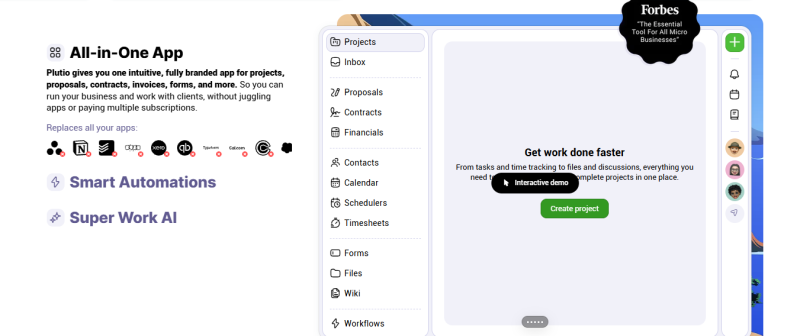
Your client gets one link. They open the portal with it, and they don't need a Plutio account. Their tasks, files, invoices and a message thread are in one place, so the "any update?" email never gets sent.
On your side, the same workspace runs the whole job. Every plan includes projects, tasks, invoices, proposals, contracts, forms, time tracking, an inbox, CRM, a wiki and automations. Projects come with Kanban and Gantt views.
Plutio doesn't hide features behind higher plans. It limits volume instead:
| Core | Pro | Max | |
|---|---|---|---|
| Price | $19/mo | $49/mo | $199/mo |
| Active clients | 9 | Unlimited | Unlimited |
| Contributors | None (solo) | 30 | Unlimited |
| Storage | 100 GB | 500 GB | 2 TB |
| Workflow actions per month | 900 | 5,500 | 50,000 |
| White-label | Add-on | Add-on | Included |
Two costs to plan for:
- White-label branding on your own domain is $9 a month extra on Core and Pro.
- The day you bring in a subcontractor or VA, Core stops fitting and the next step is Pro at $49.
Plutio restructured its plans in late 2025, replacing Solo, Studio and Agency with Core, Pro and Max. The free trial is 7 days. → plutio.com
6. SuiteDash: pick it or skip it
Pick it if:
- You have many small clients. Every plan includes unlimited users at one flat rate: $19, $49 or $99 a month.
- You want to pay yearly or once. Annual prices are $180, $480 and $960, and one-time "Century" plans cost $2,240, $3,940 or $6,840.
- Your brand matters. SuiteDash reportedly includes custom-domain white-labeling on every plan from $19 a month. Even the mobile app can be custom-branded.
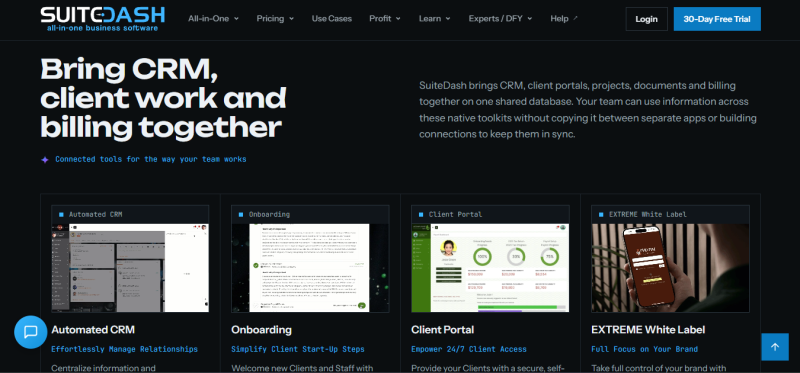
- You want one tool for everything. The Start plan covers a white-label CRM, client portal, invoicing, proposals, contracts, project management and support tickets.
- You want a long test drive. The 14-day trial runs on the top Pinnacle tier with no card required.
Skip it if:
- You want everything on the cheapest plan. The included toolkits and storage differ by plan, with storage running from 100 GB on Start to 2 TB on Pinnacle.
- Automation is your main reason to buy. FLOWs automation is reported as Pinnacle-only.
- You want a modern look. One comparison calls the portal design functional rather than modern, with constrained layout options.
Social proof: SuiteDash holds 4.8 from 625 reviews on Software Advice. → suitedash.com
7. Assembly (formerly Copilot): pros and cons
| Pros | Cons |
|---|---|
| Free forever plan with 5 active contacts and 1 internal user | Priced by active contacts: 50 on Starter, 500 on Professional |
| Messaging, files, contracts, billing, tasks and forms in one branded portal | Custom domains and badge removal need Professional: $99 a month annual, $139 monthly |
| Starter is $29 a month billed annually | The same Starter plan is $49 billed monthly |
| AI app builder plus 30+ pre-made apps, even on Free | Paid plans include 5 apps, and extra apps cost $5 a month each |
| Dynamic client homepages show each client different content | Not a full project management suite, so delivery often runs in another tool |
The plan ladder:
- Free: $0, 5 active contacts, 1 internal user.
- Starter: 50 active contacts, 1 internal user, API access and email support.
- Professional: 500 active contacts, 3 internal users and the Automation Builder.
- Advanced: $499 a month billed annually, with unlimited contacts, an audit log, enforced MFA and HIPAA compliance with a BAA.
Who it suits: a consultant or coach with a short client list who cares most about the client-side experience. A freelancer with 60 active clients lands on Professional, which is over three times the Starter price.
Assembly's pricing has moved during 2026. Earlier reviews listed Starter at $39 and Professional at $149, so confirm on the pricing page before you commit. The company was renamed from Copilot on 30 September 2025. → assembly.com
Difference #1
Sticker price vs. portal price
| Tool | Lowest advertised monthly price | Portal on that plan? | Real monthly price for a portal |
|---|---|---|---|
| HoneyBook | $36 | Yes | $36 |
| Dubsado | $35 | Yes | $35 |
| Bonsai | $15 | No | $25 |
| Moxie | $12 | No | $25 |
| Plutio | $19 | Yes | $19 |
| SuiteDash | $19 | Yes | $19 |
| Assembly | $0 | Yes, 5 contacts | $0, then $49 |
On Bonsai and Moxie, the real entry price is roughly double the sticker price. Plutio and SuiteDash are the cheapest paid portals at $19 a month.
Difference #2
Whose brand does your client see?
| Tool | Where your own branding or domain starts |
|---|---|
| HoneyBook | Essentials removes the "Powered by HoneyBook" label |
| Dubsado | Logo, banner, colors and a custom domain are built in |
| Bonsai | Premium removes branding; the custom domain is listed as expected in 2026 |
| Moxie | Pro: white-label portal and custom domain |
| Plutio | $9 a month add-on, or included in Max |
| SuiteDash | Custom-domain white-labeling on every plan |
| Assembly | Professional: custom domains and badge removal |
Difference #3
How your bill grows
- Flat price, unlimited clients: HoneyBook, Dubsado, Moxie and SuiteDash. Adding client number 40 costs nothing extra.
- Per user: Bonsai. Every collaborator adds a seat.
- Capped by client count: Plutio Core (9 active clients) and Assembly (5, 50 or 500 active contacts).
There is also a split in what you are buying. HoneyBook, Dubsado, Bonsai, Moxie, Plutio and SuiteDash are all-in-one suites with a portal attached. Assembly is built around the portal, and one reviewer notes it is not a full project management or CRM suite, so delivery often runs in another tool.
How to choose in three questions
- How many active clients do you have? Under 9: Plutio Core or Assembly Free. Dozens: SuiteDash, HoneyBook or Dubsado.
- Do you work alone? If yes, Bonsai's per-user pricing is fine. If not, pick a flat plan.
- Does your brand need to be the only one visible? If yes, look at SuiteDash, Moxie Pro or Dubsado first.
Final verdict: which one should you pick?
No single tool wins for every freelancer. Each one fits a different kind of business, and the differences show up in the first-year bill.
What year one costs for a solo freelancer with a working portal:
| Tool and plan | First-year cost (annual billing) |
|---|---|
| Assembly Free | $0, up to 5 active contacts |
| SuiteDash Start | $180 |
| Bonsai Essentials | $228 for one user |
| Plutio Core | $228 at $19 a month (my calculation) |
| Moxie Pro | $240 |
| Dubsado Starter | $335 |
| HoneyBook Starter | $348 |
| Assembly Starter | $348 at $29 a month (my calculation) |
So which one?
If you shoot weddings, plan events or design for a living, and you’re in the US, Canada, UK or Australia, get HoneyBook and stop reading. Clients book, sign and pay from one file, and that’s what the higher price buys. You’ll probably end up on Essentials, because that’s where the automations live and where the “Powered by HoneyBook” label comes off.
Dubsado is for people who already have their client process written down step by step. Go straight to Premier. The scheduler and Flows aren’t in Starter, and without them you’re paying $35 a month to send invoices.
Solo and mostly billing against contracts? Bonsai Essentials, at $19 a month on annual billing. It works well for one person. The pricing is per user, though, so look elsewhere the day you hire.
Moxie Pro is the budget answer if branding matters to you. For $25 a month, flat, you get a white-label portal on your own domain.
Got a long client list, or a team that keeps growing? SuiteDash. Every plan has unlimited staff and clients, so client number 80 costs the same as client number 8.
Plutio suits tinkerers. Nothing is locked to a higher plan, and you only pay more when your volume goes up. Core stops at 9 active clients, so count yours before you sign up.
And if you have five clients or fewer, don’t pay anyone yet. Assembly’s free plan covers 5 active contacts.
The two overall winners:
- Best value: SuiteDash Start. It has the lowest first-year cost of the paid options, with unlimited clients and reported white-labeling from day one. The trade-off is a less modern portal.
- Best client experience: HoneyBook. It costs almost twice as much per year, but the booking flow is the smoothest of the group. The trade-off is the four-country limit and the Essentials upgrade for branding.
Before you pay, do this:
- Count your active clients and collaborators today, then add what you expect in 12 months.
- Run the free trial with one real client, from proposal to paid invoice.
- Log in as that client and check whose brand appears on the login page, the emails and the URL.
- Start on monthly billing. Switch to annual only once the tool has survived a full project.
Pricing in this category has moved a lot. HoneyBook and Dubsado both raised prices in 2025, and Plutio restructured its plans in late 2025. Treat every number here as a snapshot from 21 November 2026 and confirm on the vendor's pricing page before you commit.
Post Comment
Share your thoughts about this article.
Be the first to post a comment!