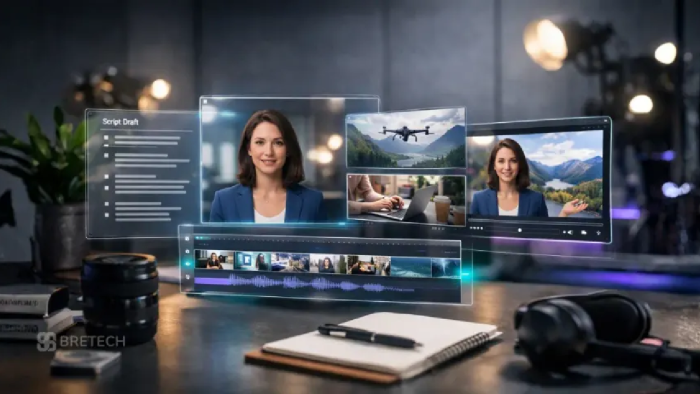
Your best 45 seconds are buried at minute 37
You spent an hour recording. Maybe two more editing. And the one moment that could bring a thousand new listeners to your show is sitting in the middle of the episode, where nobody scrolling a feed will ever find it.
Meanwhile, YouTube says Shorts now average more than 200 billion views a day. That is the audience walking past your show.
AI clip generators fix this. Upload one episode and get back a batch of vertical, captioned clips. But here is the part most roundups skip: four of the seven tools below charge the same $29 a month and deliver completely different things. Pick by price alone and you can run out of credits by week three.
This guide compares all seven using prices from each tool's own pricing page.
Quick comparison
| Tool | Best for | You're billed by | Free option | Paid from |
|---|---|---|---|---|
| OpusClip | Hands-off clip picking | Source minutes | 60 credits a month, watermarked | $15/mo |
| Riverside Magic Clips | Shows recorded in Riverside | Flat plan | Magic Clips on the free plan, 720p with watermark | $29/mo, or $24 billed yearly |
| Descript | Editing the episode and the clips | Media hours plus AI credits | 60 media minutes a month | $24/mo, or $16 billed yearly |
| Vizard | Posting to many platforms in 4K | Credits | 60 credits a month, 720p | $29/mo, about $14.50 billed yearly |
| Klap | Long episodes | Clips produced | One-video trial, preview only | $29/mo, or $14.50 billed yearly |
| Submagic | Caption styling | Credits per video | Free signup, no card | $19/mo, or $12 billed yearly |
| Headliner | Audio-only podcasts | Flat plan | Forever Free plan | $9.99/mo, or $7.99 billed yearly |
Why podcast clips matter right now
Four numbers explain the rush:
- 1 billion. YouTube reported more than 1 billion monthly active viewers of podcast content as of January 2025 (YouTube Official Blog).
- 200 billion. Shorts average over 200 billion daily views, according to CEO Neal Mohan's Cannes Lions remarks (Think with Google). One caveat: YouTube changed how Shorts views are counted at the end of March 2025, so older figures are not directly comparable.
- 3 minutes. Any square or vertical upload up to three minutes long is classified as a Short (YouTube Help). A full story now fits in one clip.
- 31%. That share of US weekly podcast listeners aged 13 and up pick YouTube as their main podcast service, ahead of Spotify at 27% and Apple Podcasts at 15%.
Your listeners are already on the platform. Clips are how they find you there.
The 7 best AI podcast clip generators
1. OpusClip: the autopilot
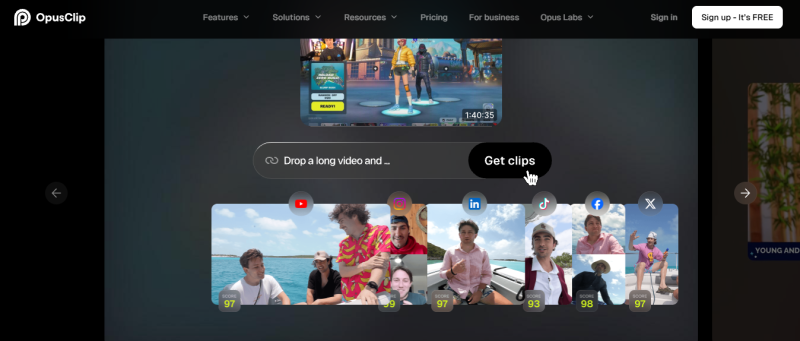
At a glance
- Website: opus.pro
- Best at: choosing clips for you and scoring each one for viral potential
- How it bills: one credit equals one minute of source video
- Free: 60 credits a month, watermarked, no editing, exports expire after 3 days
- Starter: $15 a month for 150 credits, monthly billing only
- Pro: $29 a month or $174 a year, with 3,600 credits over 12 months and 2 seats
- Standout features: animated captions in 20+ languages and auto-posting to YouTube Shorts, TikTok and Instagram Reels
- Pro extras: AI B-roll, a social scheduler, export to Premiere Pro and DaVinci Resolve, and a 2-month credit rollover
- Watch out for: a weekly show with four hour-long episodes needs about 240 minutes, more than Starter's 150
2. Riverside Magic Clips: record, clip, publish
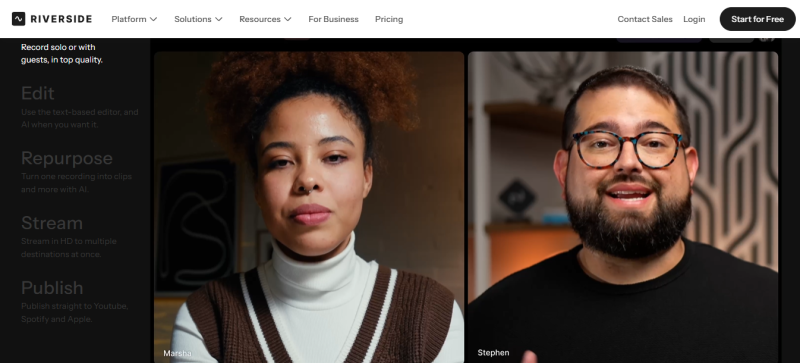
With Riverside, the clip tool is the middle step of one workflow.
- Record. Pro captures up to 4K video and 48kHz audio with no watermark.
- Clip. Magic Clips runs on the same recording and does not use AI credits.
- Publish. Pro sends content to YouTube, Spotify, Apple, Instagram and LinkedIn. The Grow plan adds social media scheduling.
What it costs: Pro is $29 monthly or $24 a month billed yearly; Grow is $39 or $34. Magic Clips is also on the free plan, at 720p with a watermark.
Where it falls short: reviewers find it less useful if you record somewhere else.
3. Descript: four questions, four answers
What is it?
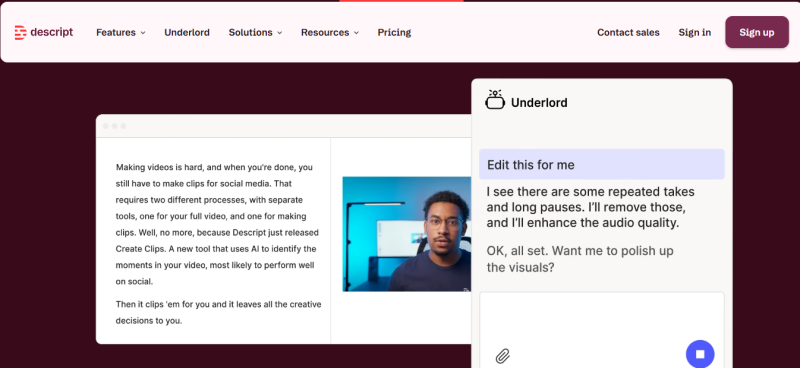
Descript is a full editor where you edit video by editing a document. Delete a sentence in the transcript and it leaves the recording.
How does it make clips?
Its AI co-editor, Underlord, picks the moments most likely to travel and builds clips from them. It can also keep the active speaker centered.
What does it cost?
Free includes 60 media minutes a month, 720p export and a watermark. Hobbyist is $24 monthly or $16 billed yearly, with 10 media hours, 400 AI credits and 1080p. Creator is $35 or $24, with 30 media hours, 800 AI credits and 4K.
What's the catch?
Two meters run at once: media hours for uploads and recordings, AI credits for AI features. Heavy AI use can empty your credits before your hours.
4. Vizard: by the numbers
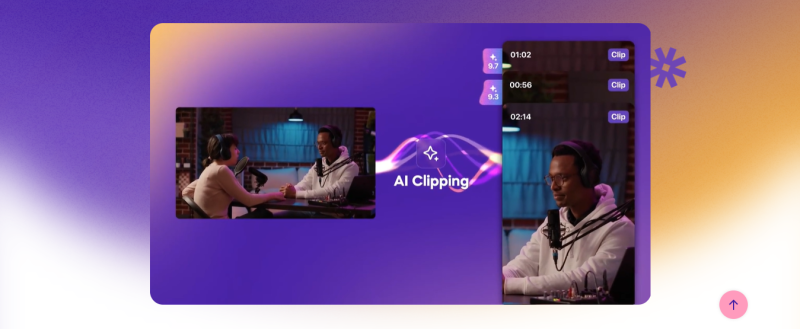
- 60 free credits every month
- 720p export on Free, 4K on paid plans
- 60 minutes longest upload on Free, 10 hours on paid
- 3 days before free videos expire
- 6 social accounts on Creator, 20 on Business
- 6 platforms for paid posting (YouTube, TikTok, Instagram, X, Facebook, LinkedIn), against TikTok only on Free
- 2 months of rollover for unused paid credits
- $29 a month for Creator per Capterra, or roughly $14.50 billed yearly
The dollar amount moves with the credit tier, so confirm at Vizard's checkout.
5. Klap: the long-episode math
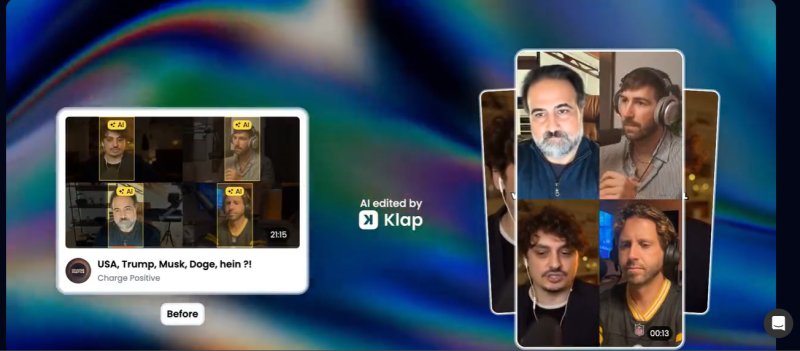
Say you record a two-and-a-half-hour interview and want ten clips from it.
On a minute-based tool, the upload alone burns 150 credits. Klap works differently: each short it generates counts as one clip, and the length of the source video does not use up your plan.
EPISODE: 150 minutes · 10 clips wanted Billed by the minute (OpusClip) 150 credits used = all of Starter's month = half of Pro's month Billed by the clip (Klap) 10 clips used = 10% of Basic's month
Basic is $29 a month for 100 clips, Pro is $79 for 300, and Pro+ is $189 for 1,000, and yearly billing halves each price. Every plan takes source videos up to 3 hours and includes a virality score, speaker reframing, animated captions and scheduling to five platforms.
The cost of that model: there is no free plan. The trial lets you preview and edit clips from one video, but downloading needs a paid plan.
6. Submagic: myth vs. fact
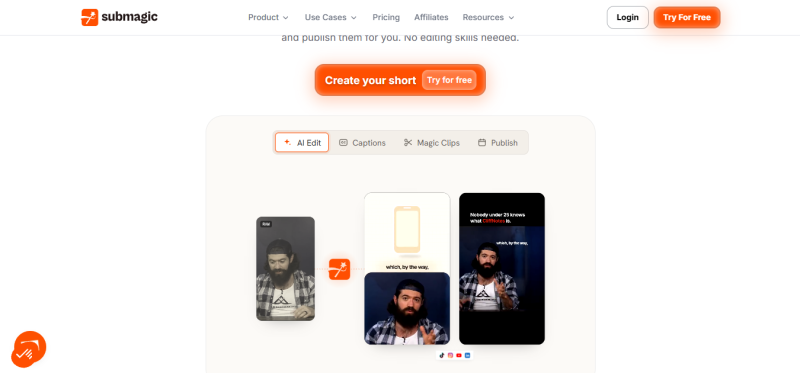
Myth: "Magic Clips is a paid add-on."
Fact: Older reviews describe a separate $19 add-on. The current pricing page puts long-video clipping inside every plan, drawing on the same credits.
Myth: "It can't take a full episode."
Fact: That mixes up two limits. Captioned videos are capped at 2, 5 or 30 minutes depending on plan, but Magic Clips accepts source videos up to 3 hours.
Still true: your episode count is limited. Starter clips 5 long videos a month, Pro 15, and Business 37.
The prices: Starter is $19 monthly or $12 billed yearly, Pro is $39 or $23, and Business is $69 or $41. Export quality climbs from 1080p to 2K to 4K at 60 fps. See Submagic's Magic Clips page for details.
7. Headliner: pick your tier
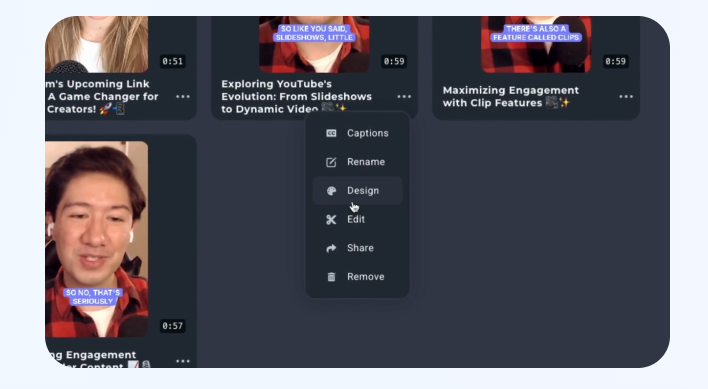
No camera? Headliner is the tool known for audiograms, which pair audio with an animated waveform and captions.
| Plan | Price | What you get |
|---|---|---|
| Forever Free | $0 | Unlimited captioned video clips, 1 unwatermarked audiogram a month, 2-hour audio files |
| Basic | $9.99 monthly, $7.99 billed yearly | 10 unwatermarked audiograms a month, auto-posting to social and YouTube |
| Pro | $25.99 monthly, $19.99 billed yearly | Unlimited unwatermarked videos, unlimited transcription, videos up to 2 hours |
Video clipping and captioning are free on every account only while that feature is in beta, so don't budget around it.
Difference #1
Clip-first tools vs. all-in-one studios
| Clip-first tools | All-in-one studios | |
|---|---|---|
| Examples | OpusClip, Vizard, Klap, Submagic | Riverside, Descript |
| Starting point | A finished episode or a link | Recording or editing the episode itself |
| Clipping is | The whole product | One feature among many |
| Choose when | You already have a recording workflow | You want fewer subscriptions |
One roundup splits the market the same way: clip-only tools, editing-first tools and full-workflow platforms. If you already pay for Riverside or Descript, try its built-in clipper before adding a second subscription.
Difference #2
How you get billed (and the $29 trap)
This is where most people overpay. Four tools share a price tag and almost nothing else:
| At $29 a month | You get | You're really buying |
|---|---|---|
| OpusClip Pro | 300 credits a month and two seats | Minutes of source video |
| Klap Basic | 100 clips from videos up to 3 hours long | Finished clips |
| Riverside Pro | 4K recording, hosting and Magic Clips | A studio that also clips |
| Vizard Creator | Credits starting at 600 a month, 4K export, 6 social accounts | Distribution |
Worked example: a weekly 60-minute show (4 episodes, about 240 source minutes a month)
- OpusClip: Starter's 150 credits fall short, so you need Pro at $29 a month
- Klap: at 10 clips per episode you use 40 of Basic's 100 clips, at $29 a month
- Submagic: Starter's 5 long videos cover it at $19 a month
- Descript: Hobbyist's 10 media hours cover it at $24 a month
- Riverside: Pro at $29 a month, with clips outside the credit system
Rule of thumb: long episodes with few clips favor Klap. Short episodes with many clips favor minute-based plans.
Difference #3
What "free" really means
| Tool | Watermark on free | Free export quality | The line nobody reads |
|---|---|---|---|
| OpusClip | Yes | Up to 1080p | No editing; exports expire after 3 days |
| Riverside | Yes | 720p | The 2 hours of multi-track recording are a one-off |
| Descript | Yes | 720p | The 100 AI credits are one-time, not monthly |
| Vizard | Yes | 720p | Exports cap at 10 minutes; storage expires after 3 days |
| Klap | Not applicable | Not applicable | Preview only; no downloads |
| Headliner | On audiograms after the first each month | 1080p for videos up to 10 minutes | Ad-supported |
Use free plans to judge one thing: does the AI pick good moments from your show? For publishing, expect to pay.
How to choose in 30 seconds
Answer three questions in order and stop at your first match.
1. Is there a camera?
- No: Headliner
2. Where does your episode get made?
- Recorded in Riverside: Magic Clips, already included
- Edited in Descript: stay in Descript
3. What do you want to stop doing?
- Choosing clips yourself: OpusClip
- Paying for long episodes: Klap
- Designing captions: Submagic
- Uploading to six apps: Vizard
Before you hit publish: a 5-point clip check
AI picks the moment. You still own the quality.
- Fix the names. Auto-captions often stumble on guest names, brands and jargon. Read every caption once.
- One idea per clip. If a clip needs context from earlier in the episode, trim it or drop it.
- Open on the punchline. Cut the wind-up so the first sentence gives people a reason to stay.
- Check the frame. Confirm the speaker stays centered when the conversation switches.
- Stay inside the format. Keep it vertical or square and under three minutes so YouTube treats it as a Short.
The bottom line
The clip that grows your show already exists. It is sitting inside an episode you published weeks ago, waiting for someone to cut it out.
The tool matters less than the match. Four of these tools charge $29 a month, and each one sells something different: minutes, clips, a studio or reach. So skip the question “which is best?” and ask “which fits how I work?”
- No camera: start with Headliner
- Already in Riverside or Descript: use the clipper you are paying for
- Long episodes: Klap keeps the bill flat
- Want it done for you: OpusClip picks, captions and posts
Then do three things this week:
- Test on a real episode. Use a free plan or trial to see whether the AI finds the moments you would have picked. OpusClip and Vizard each give 60 free credits a month, enough for one hour-long episode on OpusClip.
- Pay monthly first. Yearly billing cuts the price by up to half, but only commit once the clips have earned it.
- Post your best three. Keep each one vertical and under three minutes so it counts as a Short.
One episode, one tool, three clips. That is enough to find out whether Shorts can bring new listeners to your show, and it costs you less than an afternoon.
Post Comment
Share your thoughts about this article.
Be the first to post a comment!