It is 4 pm. A 120-page contract lands in your inbox, and someone wants your opinion by morning. You could skim it and hope. Or you could hand it to software that reads the whole thing in under a minute and shows you where the risky clauses are.
That is the promise of AI tools for turning documents into insights, and the need is real. When Microsoft surveyed workers for its Work Trend Index, 62% of the 31,000 people polled across 31 markets said it takes too much time to find the information they need at work.
There is also an old estimate, usually traced to a 1998 Merrill Lynch report, that as much as 80% of an organization's data is unstructured. Unstructured data is the material that sits in documents, emails, and slides instead of neat database rows. The origin of that number is unclear, but anyone with a shared drive will recognize the feeling.
This list narrows the field to ten tools. They are grouped by how you would use them, because a student, a finance analyst, and an accounts team want very different things from a pile of files.
A quick word on how these tools work
Most of them follow the same recipe. They search your files for the passages that relate to your question, then pass those passages to a language model that writes the answer. The technique is called retrieval-augmented generation, and it pairs traditional search with a generative model. Google Cloud has a clear explainer on retrieval-augmented generation if you want the detail.
What matters to you is the result. You get an answer tied to a source you can check, and giving the model facts to work from helps reduce invented answers. A few tools on this list work differently and pull fields such as dates and totals into rows of data. Those are pointed out below.
Tools you can open and use in five minutes
1. Gemini Notebook
You may know this one by its old name. Google renamed NotebookLM to Gemini Notebook on July 16, 2026, and says more than 30 million people and over 600,000 organizations use it.
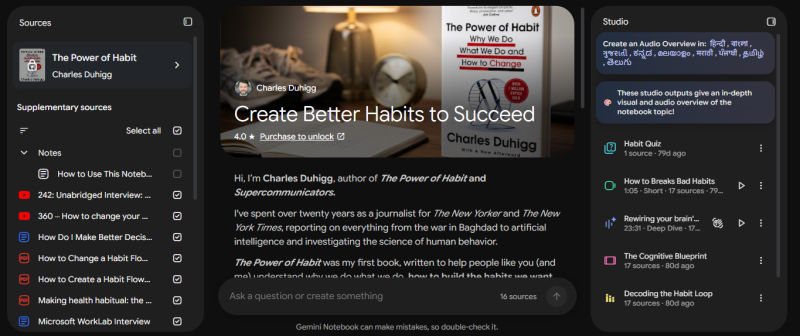
The idea behind Gemini Notebook is simple. You create a notebook, add your sources, and ask questions. The answers are grounded in the sources you provide and not the open web, which makes it much harder for the tool to wander off topic. Audio and video overviews are included on the free plan, so a dense report can become something you listen to on the train. Google says business owners use it to build interactive onboarding materials, and students turn their notes into audio and video summaries.
The free plan is roomy. You get 100 notebooks with 50 sources in each, and a single source can run to 500,000 words or 200MB. Two catches apply. Copy-protected PDFs will not import, and your usage runs on a budget that refreshes every five hours. If you outgrow the free plan, Google AI Pro costs $19.99 a month.
2. ChatGPT
With 900 million weekly active users by February 2026, and more than a billion by August, ChatGPT is the tool most people have already tried. Fewer people know how good it is with files full of numbers.
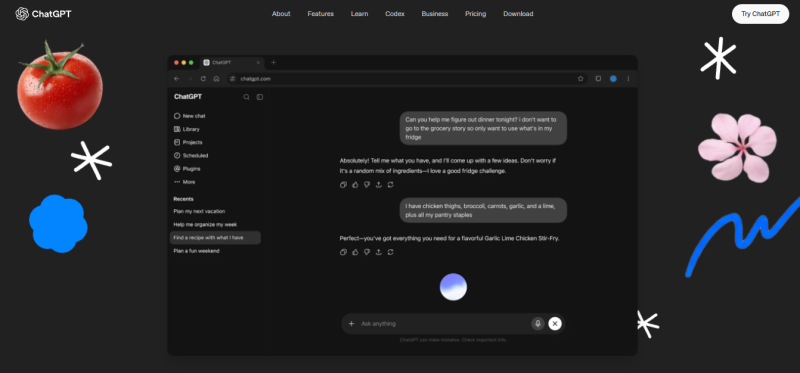
Give it a spreadsheet and it does more than read the cells. It writes and runs code to add things up, compare periods, and draw charts. Picture a sales manager who uploads a year of revenue data along with the annual plan and asks which regions fell short. Back comes a table of the gaps, a chart, and the plan pages that set each target.
Uploads can be large. OpenAI's help center allows up to 512MB per file and 80 files every three hours. The risk is that ChatGPT will mix what it knows from elsewhere into an answer about your document. Tell it to use only the files you uploaded and to quote the passage behind each point. You need to be logged in to upload files at all, and the Plus plan costs $20 a month.
3. Claude
Some documents are long in a way that hurts. Master service agreements. Policy manuals. Technical specifications with twelve appendices. Claude, made by Anthropic, is the assistant to reach for with those.
A single chat takes up to 20 files of up to 500MB each, and a PDF can run to 1,000 pages. When a PDF is 100 pages or shorter, Claude analyzes the charts and images as well as the text, which matters when the key number sits in a graph. A typical use: a procurement manager uploads a 90-page supplier agreement and asks for every obligation, deadline, and penalty in a table with page numbers. A follow-up question asks which terms differ from the company template.
The limits are easy to remember. Between 101 and 1,000 pages, a PDF is processed as text only. Files saved to a project for reuse across conversations are capped at 30MB each. There is a free plan, and paid plans raise the usage limits.
4. Humata
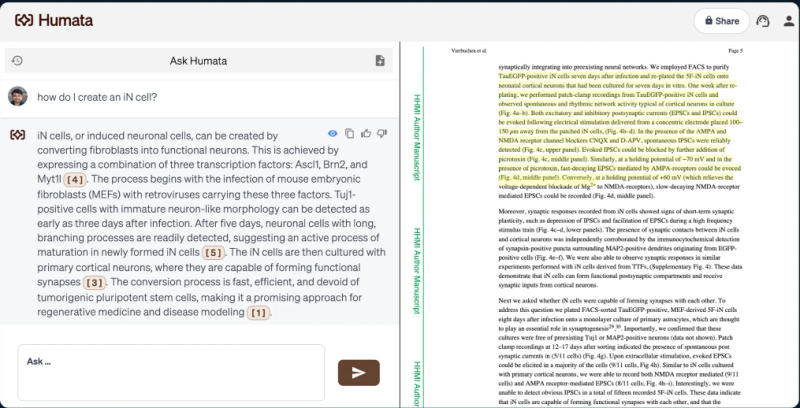
Not everyone needs a research studio. Humata does one job: you ask questions of your documents and get cited answers. A graduate student can upload a 45-page methods paper, ask for the study design in plain English, and click the highlighted passage to check the answer against the original.
Humata charges by the page. The free plan covers 60 pages a month, the Student plan is $1.99 a month, and the Expert plan is $9.99, with additional pages at $0.01 each. That is friendly for light use. Heavy readers can get an unpleasant surprise when they hit the page limits.
Before you pay, compare it with the first tool on this list. Google's notebook now gives grounded, cited answers for free.
Tools that work where your files already live
If your company's documents sit in Microsoft 365, Box, or a mountain of PDFs, moving them into a new app is the last thing you want. These three come to the files.
5. Microsoft 365 Copilot
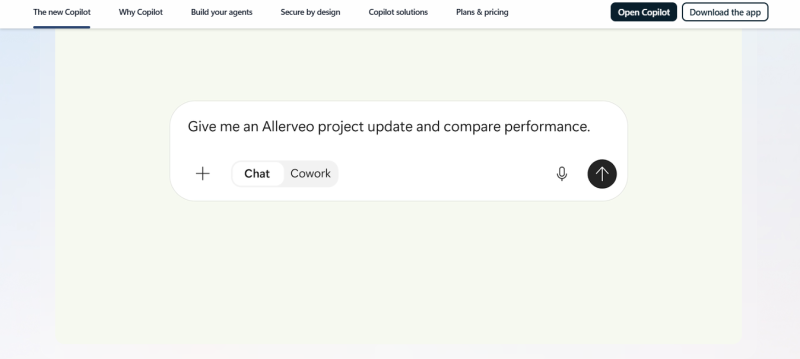
Copilot is built into Word, Excel, PowerPoint, Outlook, and Teams. With a paid license it can pull in documents, meetings, emails, and chats from across your Microsoft 365 environment. A question like "what changed between the Q2 and Q3 board reports?" works without uploading anything. Its Notebooks feature grounds the AI in one project's context and exports the results into Excel or PowerPoint.
Adoption has been quick. Microsoft reported 15 million paid seats in January 2026 and 20 million by April.
There is homework to do first. Copilot inherits the permissions of the user, so a file that was shared too widely can surface in someone's answer. Clean up sharing settings before you roll it out. On price, the main license is $30 per user a month for organizations with more than 300 seats, and Copilot Business is $21 for those with 10 to 300 seats.
6. Box AI
Box AI takes a similar approach for companies that keep their content in Box. Box describes it as secure, permissions-aware intelligence, so people only get answers from files they could already open. Box also says its AI works on customer content without training on it.
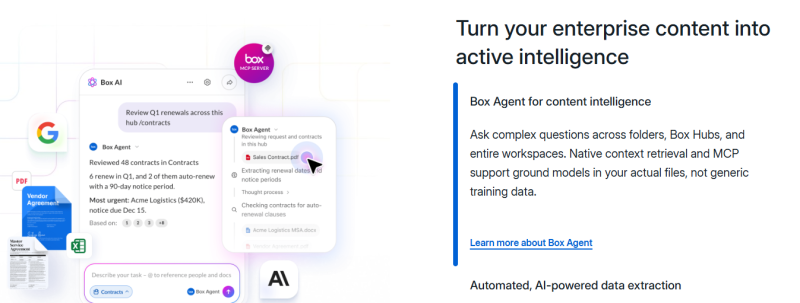
Where Box gets interesting is extraction. Its Extract agents pull metadata out of documents on Enterprise plans and above. Think of a legal team with 4,000 vendor contracts that needs each renewal date, notice period, and governing law. Instead of opening every file, they run an agent and then filter for anything renewing in the next 90 days.
What you get depends heavily on your plan. Business plans allow unlimited questions about one document or image at a time, questions across multiple documents start at Enterprise Plus, and custom agents in Box AI Studio need Enterprise Advanced. API calls and Extract agents also consume metered AI Units, and the included allowance runs from 1,000 units on Enterprise to 20,000 on Enterprise Advanced.
7. Adobe Acrobat AI Assistant
If most of what you read is a PDF, the assistant inside Acrobat saves you a step. The feature worth knowing is PDF Spaces. You drop in up to 100 files, whether PDFs, Word documents, spreadsheets, or web links, and chat with them to get answers with precise citations. Then you can share the whole Space. The person on the other end does not get a folder of attachments. They get something they can ask questions of.
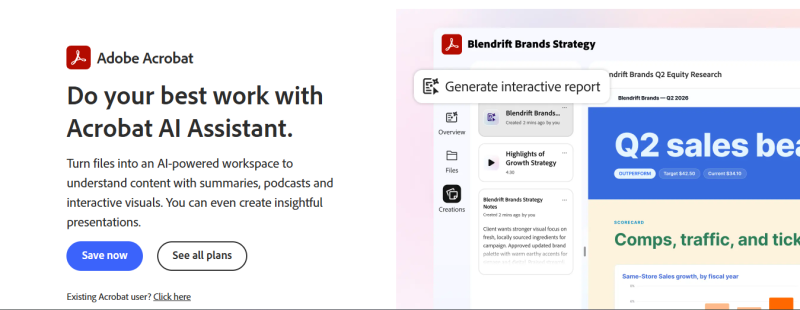
Adobe pushed this further on May 6, 2026, with new sharing and publishing features and an agent that creates presentations, podcasts, and social posts from your material. One early user is journalist Jessica Yellin, founder of News Not Noise, who uses PDF Spaces to give her audience background on the stories she shares.
Acrobat Studio costs $24.99 a month on an annual plan and includes the full PDF toolset, PDF Spaces, the AI Assistant, and Adobe Express Premium. If you never edit PDFs, Acrobat Express keeps the AI Assistant and PDF Spaces, drops the editing tools, and is listed at $9.99 for individuals.
Tools built for one kind of work
8. Elicit
Elicit is for people who read studies for a living. It searches more than 138 million academic papers and 545,000 clinical trials, and the company says over 5 million researchers trust it.
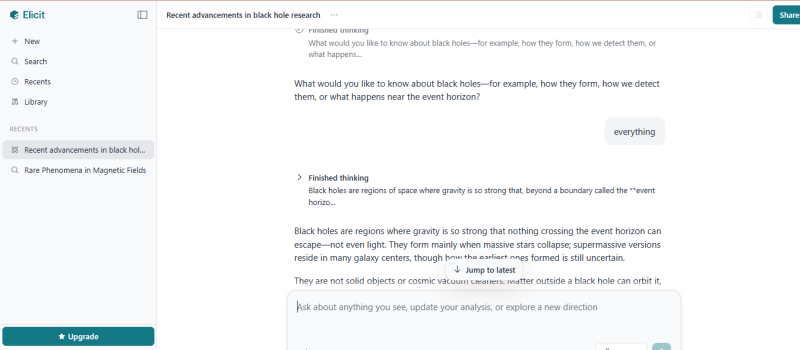
Ask it a research question, such as whether remote patient monitoring reduces hospital readmissions, and it does more than list papers. It extracts structured details like methodology, sample size, findings, and limitations from each study, so you can compare them side by side. Every AI-generated claim comes with a sentence-level citation, and Elicit can find up to 1,000 relevant papers and analyze up to 20,000 data points at once.
Two limits are worth knowing. It covers academic literature only, with no web, news, or business sources. And independent reviews in 2026 flagged that its extracted data can contain errors, so check anything you plan to publish. The basic plan is free, and Pro is $49 a month on annual billing.
9. Hebbia
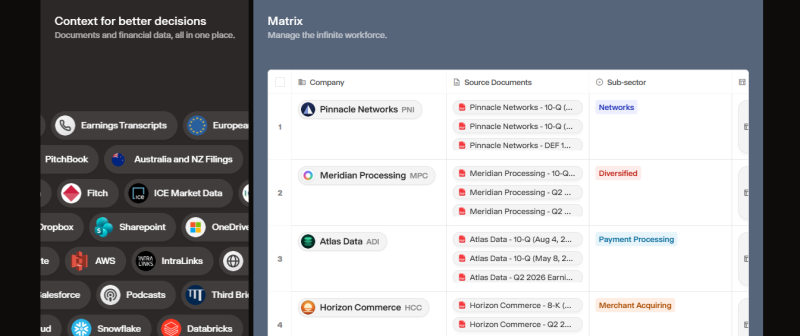
Hebbia is what a finance team buys when a deal arrives with a data room of several hundred files. Its Matrix workspace arranges documents or companies in rows and columns and produces structured analysis that traces back to the source material. A private equity associate might load 300 files and add columns for change-of-control terms, customer concentration, and revenue by segment. The finished grid shows which contracts need a lawyer first.
The backing is serious. Hebbia raised a $130 million Series B led by Andreessen Horowitz in July 2024, at a $700 million valuation. The company says roughly 30% of the top 50 asset managers by assets under management use Matrix, and its customers include Centerview Partners, Charlesbank, and the law firm Fenwick. In 2026 it released Matrix 2.0 and an always-on AI analyst called Max.
You cannot sign up for this one with a credit card. Pricing is custom, so expect a sales conversation.
10. Google Cloud Document AI
The last tool does not chat at all. Document AI is an API on Google Cloud that converts unstructured content in scanned files, PDFs, and images into structured data. You send it an invoice. It sends back the supplier, date, line items, and total as fields a database can store. Pre-built processors cover common documents such as invoices, receipts, and utility bills, and you can train custom ones on unusual layouts.
You pay by the page. Per 1,000 pages, OCR costs $1.50, the invoice processor $10, and the Form Parser or a custom extractor $30. An accounts team handling 5,000 invoice pages a month would spend about $50 on the invoice processor. Custom processors also carry a hosting charge of $0.05 per hour for each deployed version.
You will need a developer. Every processor requires an active Google Cloud project with billing enabled. Live requests stop at 10 pages, and longer documents go through batch requests of up to 200 pages each. New customers get a $300 free credit.
So which one should you try first?
Three questions usually settle it.
Where do your files already live? If the answer is Microsoft 365 or Box, begin with Copilot or Box AI. Nothing has to move, and your existing permissions carry over. If you live in PDFs and send them to clients, Acrobat is the natural fit.
What do you want back? If you want to understand something, whether that is a summary, an explanation, or an answer with a source, look at Gemini Notebook, Claude, and Humata. ChatGPT earns its place when the files are full of numbers. If you want the same facts pulled out of every document into a table, you need an extraction tool. That means Hebbia for deal documents, Box for contracts already stored there, and Document AI for forms and invoices by the thousand. If you need published evidence, go to Elicit.
How much are you reading? One long document is a job for Claude. A few dozen sources fit comfortably in Gemini Notebook. Hundreds of files or thousands of pages point to the enterprise tools.
Whatever you lean toward, test it before you commit. Take one real set of documents, ask the same five questions in two tools, and click every citation.
The ten tools side by side
| Tool | What it is good at | Starting price |
|---|---|---|
| Gemini Notebook | Answers and audio summaries from your own sources | Free, or $19.99 a month with Google AI Pro |
| ChatGPT | Files that mix text with spreadsheets | Free, or $20 a month for Plus |
| Claude | Very long documents | Free plan, paid plans available |
| Humata | Quick questions about PDFs | Free for 60 pages a month, then from $1.99 |
| Microsoft 365 Copilot | Documents in Word, SharePoint, and Teams | $21 or $30 per user a month |
| Box AI | Secure company file libraries | Included in Box business plans |
| Adobe Acrobat AI Assistant | PDF collections you share with others | $24.99 a month for Acrobat Studio |
| Elicit | Scientific papers | Free, or $49 a month for Pro |
| Hebbia | Finance and legal due diligence | Custom |
| Google Cloud Document AI | Forms and invoices in bulk | From $1.50 per 1,000 pages |
Habits that make any of these tools more useful
The tool matters less than how you ask. A vague request such as "summarize this" gets a vague summary. A pointed one such as "list every payment deadline with its page number" gets something you can use. Tell the tool who you are and what decision you are trying to make, and the answer gets sharper again.
Then check the work. Open the citations. Recalculate any total that will end up in a report, because AI can misread tables. If a file is too big to upload, split it into sections first. Anthropic's own help page suggests dividing large documents into smaller parts to stay within limits, and the advice holds for every tool here.
The short version
No tool on this list is best at everything, and you do not need all ten. Pick the one that matches where your files are and what you want out of them. Give it a real document this week and see whether the answers survive a click on the citation. If they do, you have just bought back a few hours of reading.
The tool links, the three high-authority links (Microsoft, Wikipedia, Google Cloud), and the meta title, description, and slug are unchanged from the first version. The earlier caveats also still apply: confirm the three domains' DR in Ahrefs, and recheck the Humata, Elicit, ChatGPT Plus, and Acrobat Express prices on the vendor pages before publishing.
If it still reads too polished, paste a paragraph from one of your existing posts and I'll match that voice.
Post Comment
Share your thoughts about this article.
Be the first to post a comment!