Great engine, broken storefront.
The summarization itself is fast and genuinely well organized. My test video was divided into 12 topics in about 10 to 15 seconds. However, dead buttons, a 20-minute free limit, and a Pro upgrade link that simply reloaded the page made everything around the core product feel unfinished.
Why I even bothered testing this
I keep bookmarking hour-long YouTube lectures that I am probably never going to watch. So, when SolidPoint AI kept appearing in my search results and claiming it could compress videos, Reddit threads, arXiv papers, and web articles into clean summaries, I decided to stop reading marketing pages and test it myself.
No walkthrough. No tutorial. Just me clicking around the way a normal, impatient user would.
SolidPoint AI presents itself as a summarizer for YouTube videos, web articles, arXiv papers, and Reddit threads. It turns long-form content into organized, topic-based summaries.
The product was reportedly built by a founder named Kais after experiencing the difficulty of retaining information during AI research at Stanford. Its marketing highlights some impressive figures, including up to 98% summarization accuracy and more than 100 million minutes of video processed.
The hands-on test below looks at whether the actual experience lives up to those claims.
SolidPoint Is No Longer Just Building a Summarizer
There is a bigger change happening behind SolidPoint than the current summarizer interface suggests.
SolidPoint now says its longer-term product direction is an Agentic Operating System, or “Agentic OS,” intended to move the company beyond simply summarizing information. According to its current About page, SolidPoint began building the agent-focused product after deciding in 2025 that summarization was only one part of the knowledge-work problem.
The company describes the planned system as combining:
- Autonomous AI agents
- Large language models
- Tool and API access
- Persistent memory
- Multi-agent coordination
- Proactive task execution
- Human approval for important actions
SolidPoint says these agents are intended to perform tasks such as researching topics, drafting documents, analyzing information, monitoring trends, querying databases, sending emails, and scheduling events.
Seven steps: what actually happened
Landing on solidpoint.ai
ACTION: searched "solidpoint ai" → opened homepage
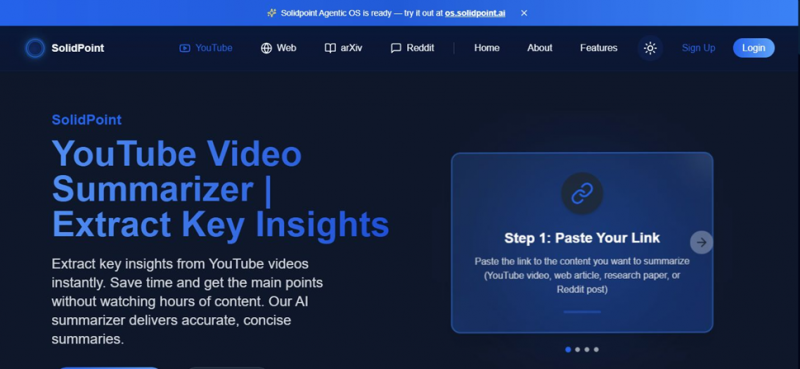
FIRST IMPRESSION
It looks the part. Within a few seconds I knew exactly what the tool was for, which is more than most AI products manage. The catch is obvious too: the page is tuned for search keywords ahead of readers, with “YouTube summarizer” stamped everywhere. Handsome, but built for the crawler first.
Clicking “Summarize Now”

WHERE IT LOST ME
This stopped me cold. The single most important element on the page did nothing at all: no scroll, no redirect, no login prompt, not even an error. Had I been slightly less stubborn, the review would have ended right here in one short paragraph. A primary button that refuses to fire quietly kills conversions before anyone sees the good part.
Finding the actual tool by scrolling
ACTION: scrolled down → found summarizer type cards → clicked YouTube
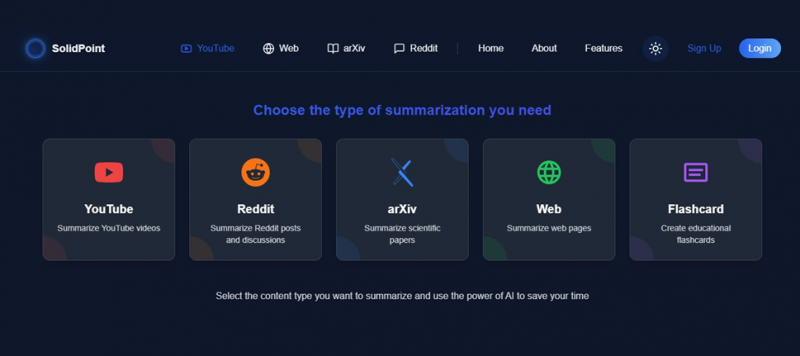
THE PLEASANT SURPRISE
Here is the irony: this buried grid is the best-designed thing on the whole site. Five clean cards, each explaining its job in a line, covering YouTube, Reddit, arXiv, Web, and a flashcard generator. That flashcard option genuinely caught me off guard in a good way, a real study feature most summarizers skip. It deserves to be the first thing a visitor sees, not the reward for scrolling past a broken button.
Pasting a random YouTube link
INPUT: an "AI Crash Course for Beginners" video · hit Summarize
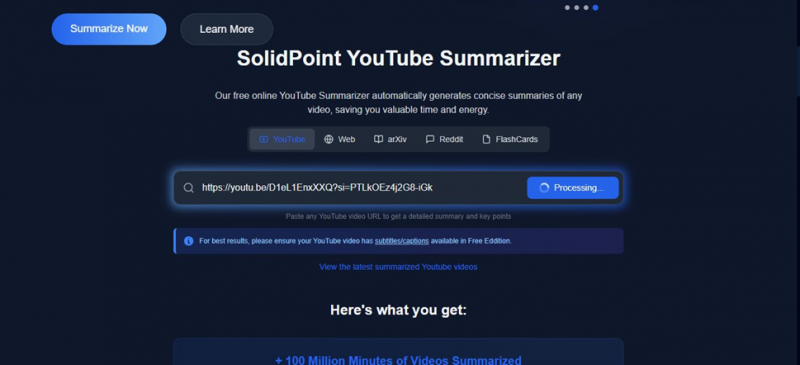
THE CATCH NOBODY FLAGS
Relief, then a caveat. This button actually worked, flipping straight to a Processing state. But the fine print underneath is a bigger asterisk than they let on: the free edition needs the video to carry subtitles or captions. That means it is really reading YouTube’s transcript rather than watching anything. Fine for lectures and tutorials, useless for anything without captions.
The results dashboard
WAIT TIME: ~10 to 15 seconds · OUTPUT: 12-topic structured summary
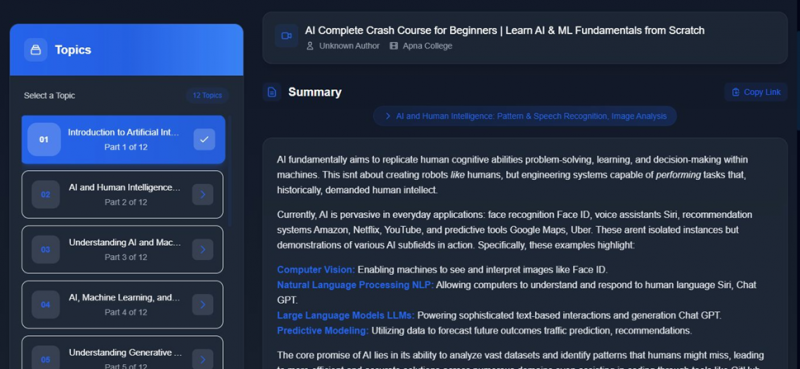
WHY IT CLICKED
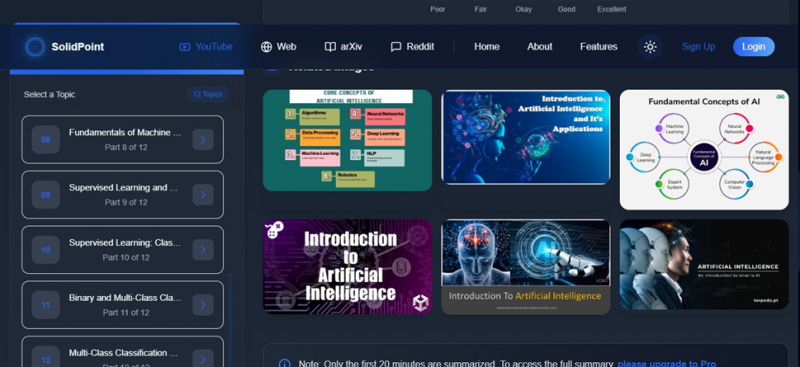
This is the moment it won me over. In about a dozen seconds it handed back a full dashboard: the video carved into 12 navigable topics in a sidebar, a structured summary with key terms highlighted, and a share button. The topic-by-topic breakdown turns a shapeless hour into a table of contents I can actually move through. A few small grammar slips crept in, missing apostrophes like “isnt” and “arent”, but the coverage and structure held up well for a free tool.
The "related images" section
LOCATION: below the summary · CONTENT: 6 topic-related thumbnails
FILLER, FLAGGED
This one felt like filler. The thumbnails read like generic image-search hits rather than frames pulled from the actual video. A visual learner might get a little from it, but sitting next to a strong summary it looks like padding. I would trade the entire strip for accurate timestamps without a second thought.
The 20-minute wall & the ghost pricing page
TRIGGER: notice at bottom of summary · ACTION: clicked "upgrade to Pro"
THE DEALBREAKER
The strangest failure of the entire run. A notice caps the free summary at the first 20 minutes and points to Pro, which is fair for freemium. So I clicked the upgrade link to check the price, and the page simply reloaded to the same screen. Tried again, same result. No price, no plan, no checkout, ever. They built a paywall and then broke the door people use to pay them, and that single bug erased any chance of converting me that day.
Pricing
The Pro upgrade link only reloaded the page during my test. Therefore, the figures below come from third-party sources and should be treated as indicative rather than confirmed vendor pricing.
| Plan | Reported price | Main features and limitations |
|---|---|---|
| Free | ₹0 | Five summarizer types, topic-based summary dashboard, captions required, summaries limited to the first 20 minutes, and reported monthly usage limits |
| Pro | Reportedly $15 per month, approximately ₹1,300 | Unlimited summarization, full-length video coverage, and additional paid features |
| Enterprise | Contact sales | Reportedly includes API access and enterprise-level services |
Important: The official pricing page did not load during my test.
What SolidPoint AI Gets Right and Where It Falls Short
| What holds up | Where it falls short |
|---|---|
| Speed: A complete structured summary appeared in 10 to 15 seconds. | Broken primary button: The main homepage call-to-action did not respond. |
| Topic navigation: Twelve clickable sections turned an hour-long video into a useful map. | Caption requirement: Videos without captions cannot be summarized through the free tool. |
| Flashcards: A genuinely useful study feature that many competing tools overlook. | 20-minute free limit: Longer videos are only partially summarized. |
| Multiple sources: Supports YouTube, web articles, arXiv papers, and Reddit threads. | Unclear pricing: The upgrade link reloaded the page instead of displaying a plan. |
| Free access: The basic tool costs nothing and delivers useful results. | Accuracy concerns: Other reviewers have reported factual mismatches in some summaries. |
My Scorecard
Summarization speed time to first full summary | █████████░ | 9.0 |
Structure and navigation topic sidebar, chaptering | █████████░ | 8.5 |
Visual design and UI look, once you find the tool | ████████░░ | 7.5 |
Writing quality summary prose and grammar | ███████░░░ | 7.0 |
Free-tier generosity 20-min cap, captions gate | ██████░░░░ | 5.5 |
Button and link reliability does the UI actually fire | ████░░░░░░ | 3.5 |
Pricing transparency can you even see the price | ███░░░░░░░ | 2.5 |
Privacy and Data Collection: What SolidPoint Says
Summarization tools can process potentially sensitive material, particularly when users upload research documents or create an account, so SolidPoint's privacy practices deserve separate attention.
What Information Can SolidPoint Collect?
SolidPoint's current Privacy Policy says personal information collected may include an email address and Usage Data.
Usage Data is collected automatically and may include information such as:
- IP address
- Browser type
- Browser version
- Pages visited
- Date and time of visits
- Time spent on pages
- Diagnostic information
The policy also states that SolidPoint uses cookies and similar technologies, including browser cookies and web beacons, to track activity and store certain information.
How Long Is Data Retained?
SolidPoint says personal data is retained only as long as necessary for the purposes described in its Privacy Policy and where required for legal obligations, disputes, or enforcement of agreements.
Usage Data may also be retained for internal analysis, security, service improvement, or longer where legally required.
SolidPoint Makes Security Claims
The current account-registration page describes SolidPoint as using industry-standard security practices and says user data is encrypted and protected.
The Privacy page also states that SolidPoint aims to follow GDPR requirements for applicable personal information.
These are statements made by SolidPoint itself rather than an independent security audit.
Users working with confidential research, unpublished business documents, personally identifiable information, legal files, medical information, or proprietary materials should therefore consider the sensitivity of a document before uploading it to any cloud-based AI summarization service.
The Privacy Policy Is Older Than the Current Product Direction
One additional point is worth noting.
SolidPoint's published Privacy Policy currently shows a last-updated date of November 28, 2023, while the company says it began its Agentic OS pivot in 2025 and is actively promoting that product in 2026.
That does not by itself indicate a privacy problem, but users evaluating newer agent capabilities should check whether more specific policies or disclosures are presented when they actually use those services.
Where independent reviewers landed
One session is thin, so here is how established review sites read the same tool. The through-line is uncannily consistent: strong idea, patchy execution.
CRITICAL Siteefy editorial hands-on Ran the YouTube summarizer and hit factual errors, the summary named a different plugin than the video actually discussed, with similar mismatches on repeat runs. Found the Reddit summarizer accurate by contrast. | MIXED Tools for Humans product review Calls it early-stage with a real idea but uneven delivery. Praises the flashcard generator and arXiv integration; flags the documented YouTube accuracy issues and urges testing the free plan before paying. |
POSITIVE All The AI Tools directory review A sunnier read, estimates roughly two hours saved per dense lecture and singles out PDF export of summaries as a real workflow win for students and researchers. | POSITIVE Listnr AI Directory directory listing Frames it as a practical, approachable way to pull key information from long videos without the viewing hours, useful across education, professional development, and general content. |
Who this is (and isn't) for
Reach for it if You are a student turning captioned lectures under ~20 minutes into topic notes and flashcards. Skim arXiv papers and Reddit threads for the gist and consensus. Want a quick table of contents for a video before committing an hour to it. You are happy to fact-check anything important against the source. | Walk past it if You need summaries you can quote without verifying, accuracy issues are on record. Watch mostly uncaptioned or long-form content on the free plan. Expect polished, bug-free UX, dead buttons say otherwise right now. You want to buy Pro today and actually reach a checkout. |
My verdict
Would I recommend SolidPoint? Yes and no, and I mean both honestly.
A company that cannot render its own pricing page is not yet earning trust for a recurring subscription.
There was one moment in this test where I actually said "okay, that's cool" out loud. I pasted a random one-hour AI lecture, waited maybe fifteen seconds, and got back twelve neatly labeled topics I could click through like chapters of a book. That's the exact thing I've wanted for every lecture rotting in my Watch Later playlist. For those fifteen seconds, SolidPoint felt like a tool I'd tell my friends about.
And then the rest of the session kept pulling me back to earth. The main button on the homepage simply doesn't work; I clicked it five times like an idiot before giving up and scrolling. The free plan quietly needs captions and quietly stops at 20 minutes. And the part that genuinely made me laugh: I was ready to at least look at their Pro pricing, clicked upgrade, and the page just reloaded. Twice. I literally could not find out what they wanted to charge me. I've seen tools lose customers over bad pricing, but losing customers over invisible pricing is a new one for me.
So here's where I've personally landed. I'm keeping SolidPoint bookmarked and I'll keep using the free version for exactly one job: getting a quick map of a long captioned video before I commit an hour of my life to it. That alone earns it a spot in my toolkit. But my card stays in my wallet. Not because $15 a month is outrageous, but because a product this rough around the edges hasn't earned a subscription from me yet. If they fix the dead buttons, sort out the accuracy complaints other reviewers keep raising, and, you know, let people actually see the price, I'll happily come back and rewrite this ending.
Until then: promising, useful in small doses, and not quite ready for my money. 6.5 out of 10, with genuine hope for the next 3.5.
Post Comment
Share your thoughts about this article.
Be the first to post a comment!





