A free, browser based photo and face swap platform sounds too good to be true. Here is where PixNova AI genuinely delivers, where it falls short, and how it stacks up against the tools competing for the same job.
| EASE OF USE | FEATURE RANGE | OUTPUT QUALITY | VALUE FOR MONEY | PRO READINESS |
| 9.2 / 10 | 8.5 / 10 | 7.4 / 10 | 9.0 / 10 | 5.8 / 10 |
What PixNova AI Actually Is
PixNova AI is a web based creative suite that bundles a large collection of photo and video tools behind one interface. The lineup covers AI face swapping for photos, GIFs, and videos, text to image generation, photo to anime and sketch conversion, image upscaling and enhancement, background and watermark removal, and even text to video and image to video generation.
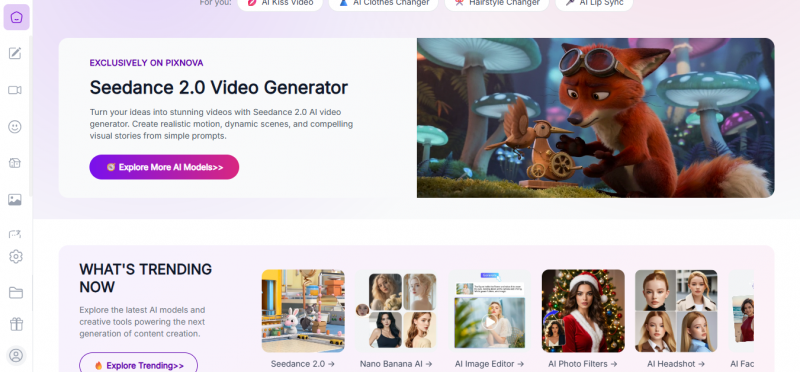
Its defining trait is friction removal. Most core tools work without an account, without a download, and without a watermark on basic image output. You open the site in any browser, upload a photo, pick a tool, and get a result in seconds. The platform runs on a freemium model: a genuinely usable free tier, plus credit based paid plans that unlock heavier video and image generation work.
The Pros and Cons, Side by Side
Every tool review eventually comes down to a trade sheet. Here is PixNova's, based on what the platform promises and what independent testing and user feedback consistently report.
| WHAT WORKS · PROS | WHAT HOLDS IT BACK · CONS |
Free access with no sign up Most features run without registration, login, or watermarks on basic image output. For casual users, the barrier to entry is essentially zero. Genuinely fast processing Most results generate within seconds, even for higher resolution files, which makes the tool ideal for brainstorming and rapid iteration. Unusually wide toolset for a free platform Face swap, anime conversion, upscaling, background removal, sketch generation, and video tools all live under one roof, so you rarely need a second app for casual work. Beginner friendly interface The layout is clean and guided. First time users can start producing results immediately without reading documentation or learning prompt engineering. Privacy forward handling The platform states that uploads are encrypted, deleted after processing, and not used to train AI models or shared with third parties. Works everywhere Fully browser based on desktop and mobile, with no installation, plugins, or system requirements to worry about. | Not built for professional print work Outputs are clean enough for social media and digital content, but fine details can look soft or inconsistent in complex scenes, and the tool is not designed for high resolution, print ready commercial assets. Video limits on the free tier Free users face caps on video length, resolution, and upload size, with free videos limited to short clips. Longer video generation sits behind the paid credit system. Simplicity becomes a ceiling The same streamlined interface that welcomes beginners offers few advanced controls. Power users who want fine grained parameters will outgrow it. Requires a constant internet connection Everything runs in the cloud, so there is no offline mode and performance depends on your connection quality. Realism is inconsistent Face swaps and generations are impressive for a free tool, but results do not always reach the photorealism of premium dedicated platforms. No API or enterprise support There is no developer API, guaranteed uptime, or dedicated support channel, which rules it out for commercial apps and agency scale pipelines. |
The Tools It Competes With, Briefly Explained
PixNova does not exist in a vacuum. Before the comparison table, here is a short profile of each rival so the numbers below have context.
The Subject: PixNova AI
A free first, browser based all rounder focused on face swapping, photo editing, and quick AI generation. Built for speed and zero friction rather than precision, with credit packs unlocking heavier video work.
Challenger 01: Remaker AI
_1752053711.png)
A browser based creative platform that grew popular through viral face swap reels and expanded into image generation, upscaling, background removal, AI headshots, and image to video. It runs on free credits plus one time credit packs, and is one of the most balanced general purpose options.
Challenger 02: DeepSwap
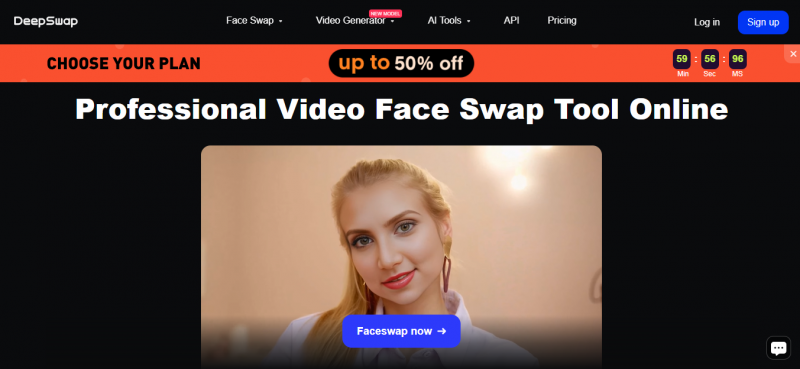
A subscription based face swap service known for handling longer clips, multiple faces, and higher resolution output up to 4K. It targets users whose priority is video quality rather than free access.
Challenger 03: Magic Hour
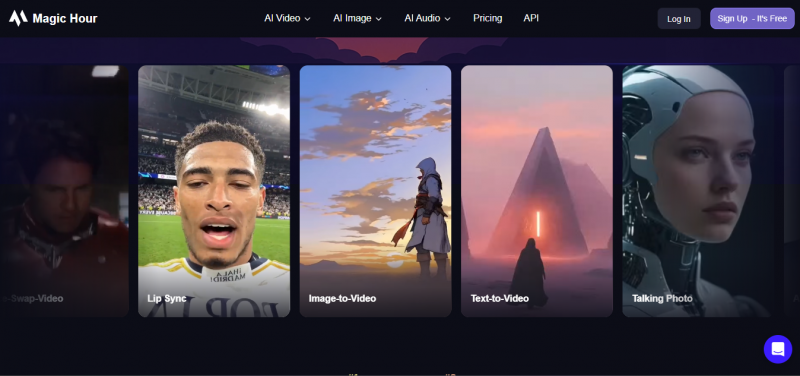
A video focused AI platform with structured workflows, multi face support, commercial rights, and API access. It suits creators and teams producing video that actually ships, such as ads and branded social content.
Challenger 04: Higgsfield
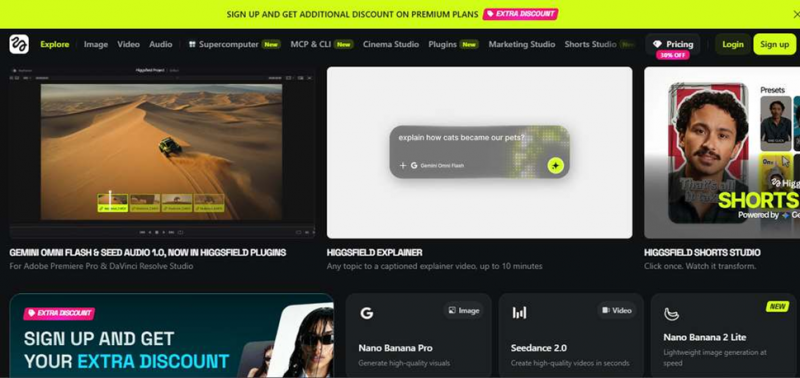
A quality focused image tool that prioritizes refined, realistic output for individual images. It trades PixNova's breadth and instant access for noticeably better realism on single frames.
Wild Card: FaceFusion (Local)
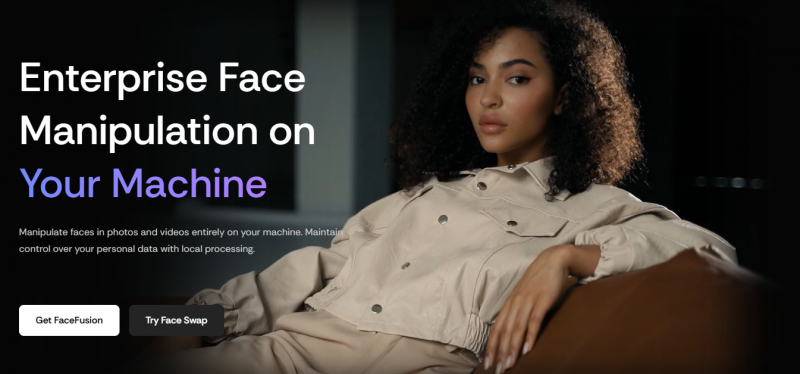
An open source face swap project that runs entirely on your own machine. Setup is technical and hardware hungry, but nothing ever leaves your computer, making it the option for people who refuse to upload photos anywhere.
Detailed Comparison Table
The matrix below compares the tools across the factors that most often decide a choice. PixNova's column is highlighted.
| Factor | PixNova AI | Remaker AI | DeepSwap | Magic Hour | FaceFusion |
|---|---|---|---|---|---|
| Core focus | An all in one suite covering face swap for photos, GIFs, and videos, text to image, anime conversion, upscaling, and background removal in a single browser tab | A balanced image editing hub that started with face swapping and grew into generation, AI headshots, upscaling, background removal, and image to video | A dedicated face swap specialist concentrating almost entirely on producing high quality swapped photos and videos rather than general editing | A structured video production platform where face swapping is one step inside larger workflows built for content that gets published | An open source engine for face swapping that trades convenience for complete control and runs only on your own hardware |
| Pricing model | Freemium with a genuinely usable free tier, plus credit based Pro and Prime plans and one time credit packs for heavier video and image generation | Free credits that refresh on a schedule, topped up with one time credit packs, so occasional users may never need to pay anything | Recurring monthly or annual subscription, with the meaningful features concentrated in the paid tiers rather than the trial | A limited free trial leading into tiered subscriptions priced for individual creators, teams, and API driven business use | Completely free and open source forever, though you effectively pay through hardware costs and the time spent on setup |
| Sign up required | No account needed for most core tools, which is rare in this category and the platform's single biggest convenience advantage | Yes, an account is required to receive and track the free credits that power every tool on the platform | Yes, registration and a payment method are needed before any serious use beyond the basic preview experience | Yes, a full account is required, and business features like commercial rights and API keys are tied to it | No online account exists at all, but you must install the software, its dependencies, and suitable AI models yourself |
| Watermarks on free output | No watermark on basic image output, so free results are immediately usable for posting without cleanup | Generally clean output while you stay inside the free credit allowance for the day | Watermarks and quality restrictions apply on the entry tiers, pushing serious users toward the paid plans | Watermarked output on the free tier, with removal reserved for paying subscribers | Never watermarked, since the software is fully under your control from input to export |
| Video face swap | Supported directly in the browser, but free videos are capped to short clips with limits on resolution and upload size | Available, though the platform's real strength remains image work, and video output trails the video first specialists | The headline feature, handling longer clips, multiple faces in one scene, and resolutions up to 4K on paid plans | Fully supported with multi face handling, batch processing, and pipeline features designed for repeatable production | Supported with strong results in skilled hands, but render speed and clip length depend entirely on your GPU |
| Photo and GIF swaps | Single face, multiple face, and GIF swaps are all free, fast, and unlimited enough for high volume casual use | Solid single and group photo swaps, though switching to a dedicated multi face mode adds a small extra step | Strong photo swapping quality, but the credit and subscription structure makes casual high volume use expensive | Handled well as part of broader projects, though overkill if a quick single photo swap is all you need | Excellent quality possible with the right models, but each swap involves far more manual effort than any web tool |
| Output realism | Convincing for social media, memes, and casual sharing, but fine details can soften in complex scenes and lighting | Consistent and clean for images, sitting comfortably in the middle of the field on realism | Among the best in class for video, with natural blending, stable alignment, and fewer artifacts on faces in motion | High and, more importantly, repeatable, which matters when output goes into ads and branded campaigns | Ranges from mediocre to exceptional depending on the models chosen and the operator's skill and patience |
| Speed to first result | Seconds from landing on the site to holding a finished result, with no account, download, or configuration in between | Fast once an account exists, with most image jobs finishing quickly inside the browser | Moderate, since uploads, processing queues, and subscription setup all sit between you and the first output | Moderate, because the workflow structure that helps teams also adds steps for a one off quick swap | Slow to start, since installation, model downloads, and configuration can take hours before the first swap |
| Advanced controls | Deliberately minimal, with guided one click tools and almost no manual parameters, which helps beginners and frustrates experts | Moderate, offering more editing depth than PixNova across its image tools without becoming technical | Focused controls around face selection, resolution, and clip handling rather than broad creative editing | Extensive, including project organization, batch operations, and API level automation for developers | Total control over every stage, from model selection to frame level processing, at the cost of a steep learning curve |
| Commercial use fit | Fine for light commercial work like social posts and ecommerce visuals, provided you own the rights to the source images | Well suited to solo creators and small businesses editing images at volume on a modest budget | Reasonable for paid content and longer productions where video quality justifies the subscription | The strongest choice for agencies, offering explicit commercial rights, stability, and API integration | Usable commercially since the code is open source, but with no vendor, license support, or guarantees behind you |
| Privacy approach | Uploads are encrypted, deleted from servers after processing, and the platform states files are never used for AI training or shared | Conventional cloud processing under a standard privacy policy, without PixNova's headline deletion promise | Conventional cloud processing tied to your paid account and its stored history | Cloud based with business grade policies aimed at teams that need contractual data handling terms | The only option with absolute privacy, because no image, frame, or model ever leaves your machine |
| Platform and access | Any modern browser on desktop or mobile, with nothing to install and no minimum hardware beyond an internet connection | Browser based on desktop and mobile, with an account syncing your credits across devices | Browser based, though heavier video jobs are more comfortable on desktop connections | Browser based with an API layer, so it also lives inside other products and automated pipelines | Desktop only, requiring a capable GPU, disk space for models, and comfort with technical setup |
| Support and reliability | Community level support with no uptime guarantees or dedicated help channel, consistent with its free positioning | Standard email and help center support typical of consumer creative platforms | Subscriber support channels, with response quality tied to your plan level | Business grade support, documentation, and service reliability aimed at professional users | No official support at all, only community forums, documentation, and your own troubleshooting |
| Best suited user | Casual creators, meme makers, students, and social media users who value zero cost and zero friction above everything else | Creators and small teams editing images at volume who want reliability without a subscription commitment | Video hobbyists and paid content producers chasing the highest possible swap quality in motion | Agencies, marketing teams, and developers producing branded video at scale with legal clarity | Technically confident users for whom privacy and control outweigh every convenience |
| How to read this table: no single column wins every row. PixNova dominates on access and speed, DeepSwap and Magic Hour win on video quality and production readiness, and FaceFusion stands alone on privacy. The right pick depends entirely on which rows matter to you. |
Pricing Snapshot
PixNova keeps its pricing simple: use the free tier for as long as it serves you, and add credits only when you hit a wall. Credits are consumed per generation, with heavier jobs like video costing more than quick photo edits.
Free Tier ($0, forever)
Covers most photo tools including face swap, anime conversion, background removal, and upscaling, with no account, no watermark on basic images, and short video clips only.
Credit Plans (Pro and Prime tiers)
Recurring plans that unlock longer videos, higher resolutions, larger uploads, and priority processing, sized for regular creators who outgrow the free caps.
One Time Packs (pay as you go)
Single purchase credit packs with no subscription, ideal for occasional heavier jobs like a batch of video swaps or a burst of high resolution work.
| Practical tip: exhaust the free tier first. Because most image tools carry no hard limit, many casual users never spend anything at all, and the paid tiers only matter once video length or resolution becomes the bottleneck. |
What Users Are Saying
Aggregated feedback across review platforms paints a consistent picture: enthusiasm about the free access and tool variety, tempered by frustration with video limits and occasional realism gaps. The reviews below are representative voices, paraphrased from published user feedback.
Composite score: 4.4 / 5 ★★★★½
Distribution: 5★ 62% · 4★ 24% · 3★ 9% · 2★ 3% · 1★ 2%
★★★★★ Social Media Manager, verified user on a tool review platform
A social media manager described PixNova as a secret weapon, using it to produce cartoon avatars, anime portraits, AI headshots, and meme content from a single platform, and noted that no other free tool matched its variety of features.
★★★★★ Hobbyist Creator, verified user on a tool review platform
Another reviewer called the platform a hidden gem, praising the upscaling, background diffusion, photo enhancement, and expression changer as professional quality tools, and summed the experience up as zero cost and zero barriers with maximum creativity.
★★★★★ Aggregated positive feedback, software directory reviews
Positive feedback on software directories repeatedly highlights the same four strengths: everything works without registration or watermarks, the toolset is genuinely all in one, most results arrive within seconds even for large files, and the guided interface suits complete beginners.
★★★☆☆ Aggregated critical feedback, software directory reviews
The most common criticism concerns the paywall around video: free users are held to roughly ten second clips, which several reviewers found too restrictive for properly testing the video tools before deciding whether to pay.
★★★☆☆ Quality focused reviewers, independent tool reviews
Reviewers focused on image fidelity note that results are not always fully realistic, that fine details can soften in complex scenes, and that the tool depends entirely on an internet connection, while still recommending it warmly for quick edits and creative fun.
★★★★☆ Long form review consensus, independent review sites
Longer form reviews land on a shared verdict: the simplicity that makes PixNova instantly approachable is also its ceiling, making it excellent for brainstorming, social content, and experimentation, but a poor match for detailed commercial design work.
Who Should Use It, and Who Should Not
PixNova AI is a strong fit if you
- Want quick face swaps, memes, or avatars without creating an account
- Make social media content where speed matters more than pixel perfection
- Need many light tools in one place instead of five separate apps
- Are new to AI image tools and want a gentle starting point
- Prefer a platform that deletes your uploads after processing
Look elsewhere if you
- Need print ready, high resolution commercial assets
- Produce long form or 4K video face swaps regularly
- Require an API, uptime guarantees, or dedicated support
- Want deep manual control over generation parameters
- Cannot upload source images to any cloud service at all
Tips to Get Better Results
Because PixNova hides its controls behind one click tools, quality improvements come mostly from what you feed it. These habits consistently lift output quality.
TIP 01 - Start with sharp, well lit source photos
Face swaps blend far more convincingly when both the source face and the target image are in focus, evenly lit, and facing roughly the same direction.
TIP 02 - Match angles before you swap
A front facing source face mapped onto a profile shot is where artifacts appear first. Pick pairs with similar head angles and expressions for the cleanest result.
TIP 03 - Use the multi face mode for groups
Group photos with several faces are one of PixNova's strengths. Switch to the dedicated multiple face mode instead of running single swaps repeatedly.
TIP 04 - Upscale as the final step, not the first
Run edits, swaps, and style conversions at the original size, then pass the finished image through the upscaler once at the end to recover sharpness.
TIP 05 - Keep video expectations short
The free tier favors short clips. Plan content around brief moments rather than long scenes, or budget credits before committing to a longer project.
TIP 06 - Iterate fast, keep the best
Generation is quick and free, so run several variations of the same edit and keep only the strongest. Volume is the free tier's superpower, use it.
A Word on Consent and Responsible Use
Face swap output across the industry has become realistic enough that misuse is a genuine legal and ethical risk, not a hypothetical one. Whatever tool you choose, only swap faces of people who have given you clear permission, keep rights to the source images you upload, and never use these tools to mislead, impersonate, or harass. The convenience of a no signup platform makes this personal responsibility even more important, because the tool itself will not stop you.
FINAL VERDICT A Near Perfect Casual Tool, an Honest Non Starter for Pros PixNova AI earns its popularity. For a platform that costs nothing and asks for nothing, the breadth of tools, the processing speed, and the privacy posture are genuinely impressive. It is arguably the best first stop for anyone curious about AI face swapping and photo editing. The trade is equally clear. Its simplicity caps its ceiling, its free video limits are real, and its output quality stops short of premium dedicated platforms. Use PixNova for what it is: a fast, free, friendly creative playground. When your work starts paying the bills, graduate to a tool built for production. |
Post Comment
Share your thoughts about this article.
Be the first to post a comment!





