Liner is a capable research assistant with a highlighter habit and an academic streak. It is not the only good option, and for many workflows it is not the best one. Here is what to try instead.
Liner earned its following by doing two things well: highlighting and saving passages across web pages, PDFs, and videos, and answering research questions with sources attached. If that pairing matches how you work, Liner is a reasonable pick. But the AI research space has grown crowded and specialized, and several tools now do one part of the job far better than any single generalist can.
The honest way to choose is by workflow rather than by brand. Discovering what exists on the open web, searching a corpus of peer reviewed papers, reasoning over sources you already have, and mapping how a field connects are four different jobs, and different tools win at each. This guide walks through the strongest alternatives and the kind of work each one is built for, so you can match the tool to the task instead of forcing one tool to do everything.
A QUICK NOTE ON FAIRNESS This is not a takedown of Liner. It remains a solid highlighter and a competent AI search tool with a genuine research niche. The point here is that “best” depends entirely on your workflow, and if your work leans toward peer reviewed evidence, bounded source sets, or literature mapping, one of the tools below will likely serve you better. |
What to look for in an AI research tool
JUDGE TOOLS ON THESE BEFORE YOU JUDGE THEM ON HYPE

Before comparing names, decide what actually matters for your work. The first question is where the tool looks: the live web, a corpus of academic papers, or only the sources you feed it. That single choice separates most of the market and should drive your shortlist more than any feature list.
From there, weigh how a tool cites. Inline, verifiable citations that link to the exact passage are the difference between a research aid and a confident guess. Consider how it handles depth, whether it can screen and extract across many papers rather than summarizing one at a time. And weigh the practical constraints, the free tier limits, the export options, and whether it fits the browser or app where your work already lives.
ALTERNATIVE 01
Perplexity AI
THE STRONGEST ALL ROUND DEFAULT FOR CITED WEB RESEARCH
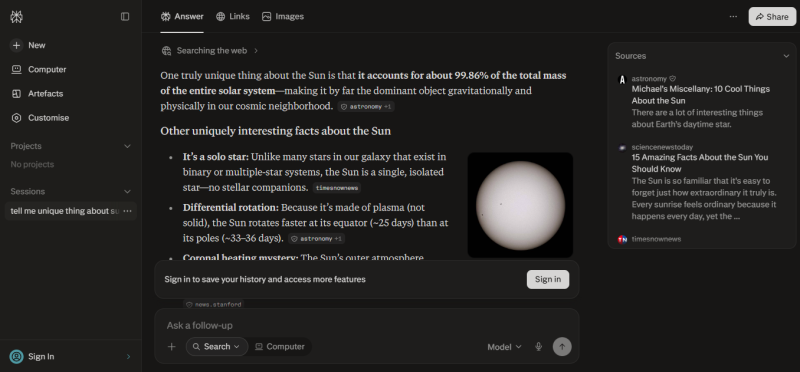
| Best for: fast, cited answers from the live web | Free tier: yes, limited advanced searches | Watch for: non peer reviewed sources unless filtered |
Perplexity is the tool most people should try first. Ask a question and it searches the live web in real time, reads across the sources it finds, and returns a synthesized answer with numbered inline citations you can click to verify each claim. Follow-up questions stay in a thread and keep context, so a single query can turn into a guided investigation rather than a series of disconnected searches. Its Deep Research mode goes further, autonomously working through dozens of sources in one run before assembling a longer structured report.
What sets it apart from Liner is the balance of speed, breadth, and polish on live information. Liner leans on a highlighter and a research toolkit around saved passages, while Perplexity is built first as an answer engine for the current web, which makes it faster for the everyday question of what is true right now. It also differs from a general assistant like ChatGPT by citing as it goes rather than reasoning in a closed box, so you can always trace where an answer came from.
The trade-off is source quality. Because it draws from the open web, it can pull in a marketing page or a forum post alongside a peer reviewed study unless you steer it with its academic focus. Used with that focus turned on and a habit of opening the citations, it comfortably covers the majority of general research, which is exactly where the corpus-based tools further down this list are weaker.
ALTERNATIVE 02
Elicit
BUILT FOR SYSTEMATIC LITERATURE REVIEWS, NOT JUST SEARCH
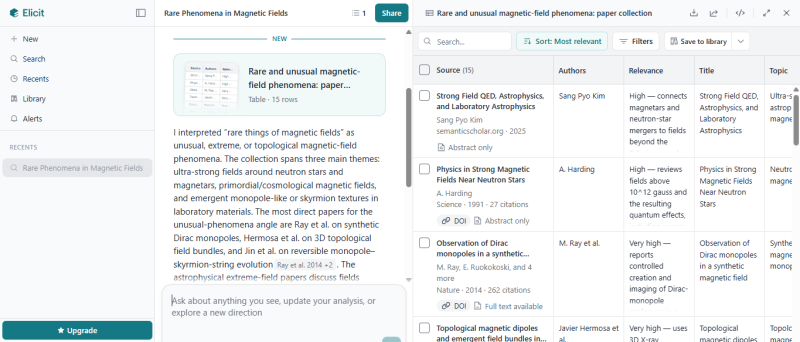
| Best for: academic literature reviews and extraction | Free tier: yes, limited extractions | Watch for: overkill for casual questions |
Elicit is the pick when the job is a genuine literature review rather than a quick lookup. It searches a very large corpus of research papers, drawn from the same academic index that underpins much of this category, and then does the part that actually consumes a researcher's week. It screens studies against your criteria, pulls structured data out of each one, and lays the results in a table where every row is a paper and every column is something you care about, such as sample size, method, or reported outcome. You can then compare across that table and export it.
That extraction and comparison is the sharp line between Elicit and the answer-focused tools. Consensus will tell you what the literature concludes about a single question in seconds, but Elicit is built to carry a review past search and into screening, extraction, and synthesis across many papers at once. If you are assembling evidence tables for a report, a thesis, or a formal review, that structured output is the reason to choose it over a tool that only summarizes.
If you are new to formal evidence work, it helps to understand the process the tool is accelerating. This university library guide on conducting a systematic review lays out the transparent, reproducible method that Elicit is designed to support rather than replace. For a casual, non academic question, though, it is more machinery than you need, and Perplexity will be faster.
ALTERNATIVE 03
Consensus
EVIDENCE BACKED ANSWERS STRAIGHT FROM THE PAPERS
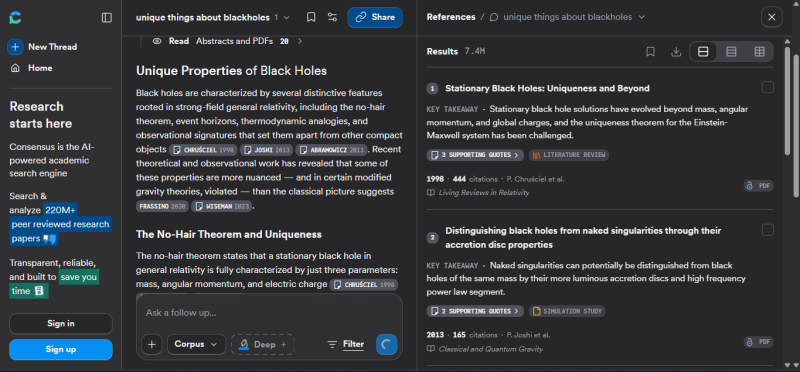
| Best for: validating a specific claim against research | Free tier: yes, basic searches | Watch for: lighter on deep PDF analysis than Elicit |
Consensus takes a different route from web search. Ask it a pointed, answerable question, and instead of scanning the open web it searches across a large body of peer reviewed papers and reports back what the research actually says. Its signature feature is the consensus meter, a quick visual summary of how much of the retrieved literature points toward yes, no, or mixed, with each contributing study listed and linked so you can read the primary source yourself.
The contrast with Elicit is one of depth versus speed. Consensus is optimized to answer a specific claim fast, which makes it ideal for the moment you need to check whether the evidence supports a statement before you rely on it. Elicit, by comparison, is built to run a full review and extract structured data across dozens of papers. Where Perplexity would answer the same question from whatever the web offers, Consensus restricts itself to the scientific record, which is the whole point when the answer should come from studies rather than opinion pieces.
It shines for medical, health, and scientific queries where source transparency is not optional, and it is the tool to reach for when you want an evidence-backed answer without building a whole review. It is deliberately lighter on deep PDF analysis and cross-paper extraction, so once a claim checks out and you need to interrogate the papers in detail, you hand off to Elicit or a dedicated reading tool.
ALTERNATIVE 04
NotebookLM
REASONING OVER THE SOURCES YOU ALREADY HAVE
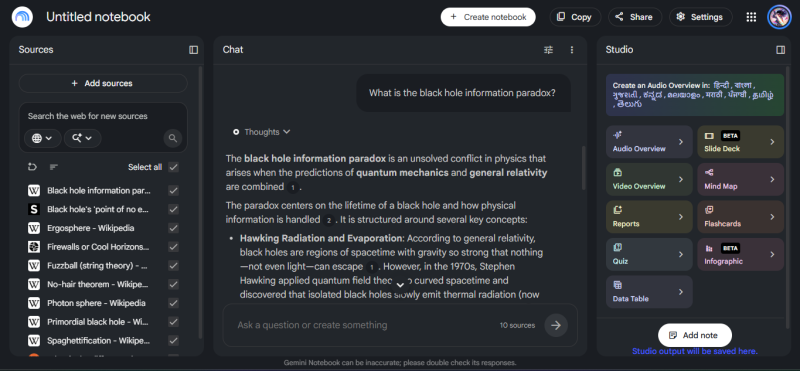
| Best for: working from a bounded set of your own sources | Free tier: yes | Watch for: not a discovery tool, you bring the sources |
NotebookLM flips the model. Rather than searching the world, you upload the documents you care about, your PDFs, notes, slides, or transcripts, and the tool answers only from that set, with every response citing the exact passage in your own material. Because it is grounded in a closed corpus you control, it will not wander into unverified territory, which is the single biggest reason to use it when the sources are already gathered and accuracy against those sources matters most.
Beyond question answering, it can turn a source pack into working artifacts, generating summaries, briefing documents, and study aids from the material you gave it, so a folder of reports becomes a queryable, structured knowledge base. This is what separates it from NotebookLM's neighbors on this list. Perplexity and Semantic Scholar go out and find new material, while NotebookLM stays inside the boundary you set. SciSpace helps you understand one dense paper, while NotebookLM reasons across a whole collection at once.
The flip side of that grounding is that it is not a discovery tool. It cannot tell you what you are missing, only what is in the sources you provided, so the sensible pattern is to discover and gather with something else earlier in the workflow, then bring the curated set here for synthesis you can trust.
ALTERNATIVE 05
Semantic Scholar
FREE, BROAD ACADEMIC DISCOVERY
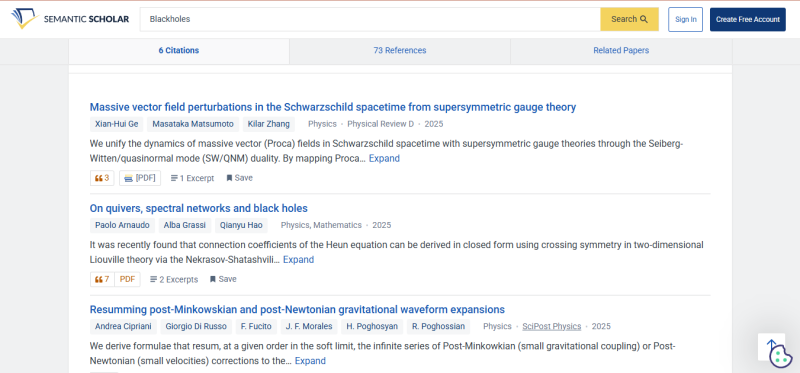
| Best for: free paper discovery across disciplines | Free tier: free to use | Watch for: a search engine, not a synthesis workspace |
Semantic Scholar is a free academic search engine backed by a nonprofit research institute, and it is a quietly essential part of many workflows. It indexes an enormous body of papers across disciplines and layers useful signals on top, including short auto-generated summaries that let you triage relevance at a glance and an influence metric that separates papers cited because they mattered from those cited in passing. It also exposes a free API, which is why so many other tools quietly build on its data.
What distinguishes it from the paid tools here is its role in the workflow rather than its price. It is a discovery layer, not a synthesis workspace. Where Elicit extracts and Consensus adjudicates, Semantic Scholar simply helps you find the right papers and follow the threads between them, after which a heavier tool takes over to read, compare, or verify. Think of it as the free backbone that feeds the rest of the kit.
For anyone on a budget, that makes it the natural starting point for academic discovery, and for everyone else it is a dependable second opinion when a paid tool's corpus feels thin. Its limitation is simply the boundary of its ambition. It surfaces and organizes literature well, but it will not build your review or judge your claim for you.
ALTERNATIVE 06
Scite
SEE WHETHER LATER RESEARCH SUPPORTS A CLAIM
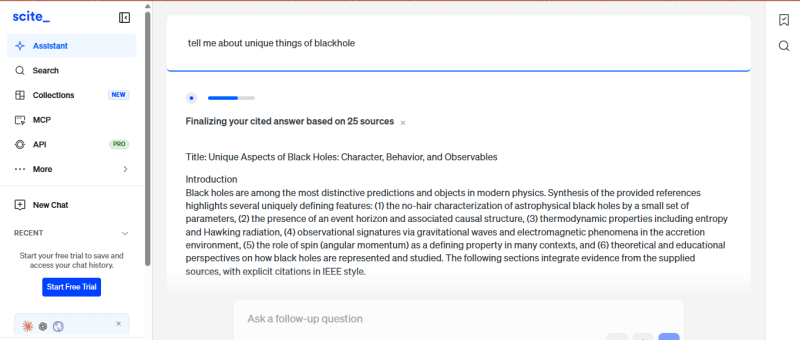
| Best for: checking citation context and reliability | Free tier: limited | Watch for: a verification layer, not an answer engine |
Scite answers a question the other tools mostly skip: when a paper is cited, do the citing studies actually support it, contrast with it, or just mention it in passing? Instead of counting citations, it reads the sentences around each one and classifies them, so a paper's citation record becomes a signal of whether its findings have held up rather than a raw popularity score. It surfaces the specific citing statements too, so you can read the disagreement in the citing authors' own words.
This is a verification layer, and it sits at a different point in the workflow from everything else here. Semantic Scholar and ResearchRabbit help you find and map papers, Elicit and Consensus help you synthesize and adjudicate them, and Scite comes in afterward to pressure-test the ones you plan to lean on. It guards against a specific and common trap: treating a heavily cited paper as settled truth when a chunk of those citations may be disputing or failing to replicate it.
Because its value is verification rather than answering, it is not where you start a project and not a general search tool. But for anyone whose conclusions carry weight, a policy brief, a clinical decision, a published article, building that supporting-versus-contrasting check into the process is worth the added step, and no answer engine on this list does it for you.
ALTERNATIVE 07
ResearchRabbit
MAP HOW A FIELD CONNECTS
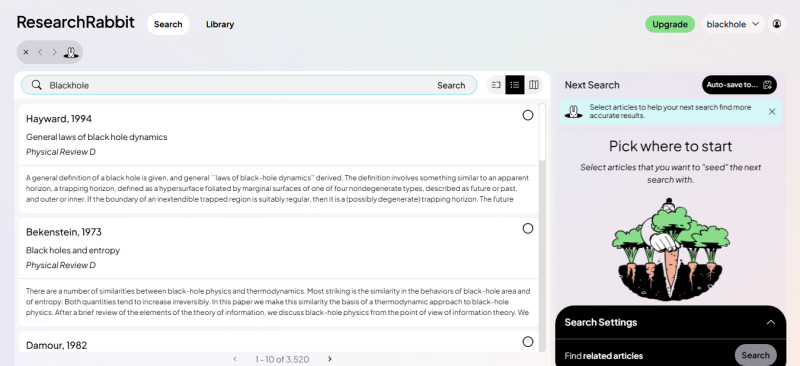
| Best for: visual literature mapping and discovery | Free tier: free to use | Watch for: exploration aid, not a citation writer |
ResearchRabbit turns discovery into a map. Start from a paper or two you already trust, and it visualizes the network around them, plotting related work, the earlier foundations those papers built on, and the later studies that cited them as an interactive graph you explore by following connections outward. Adding a paper to a collection refines what it recommends next, so the map sharpens as you go, and it can alert you when new relevant work appears and import your library from a reference manager.
Its distinct job is exploration by relationship, which sets it apart from keyword search. Semantic Scholar answers what papers match these terms, while ResearchRabbit answers what surrounds the papers I already care about and who is talking to whom. That makes it the fastest way to grasp the shape of an unfamiliar field, spot the seminal works everything points back to, and find the adjacent studies a plain search would never surface.
It is strongest at the very start of a project, while you are still learning the terrain, and it stays free to use. What it will not do is read or synthesize for you. Once the map has done its work and you have chosen your sources, you move to the tools that extract, adjudicate, or verify them.
ALTERNATIVE 08
SciSpace
READ AND UNDERSTAND DIFFICULT PAPERS
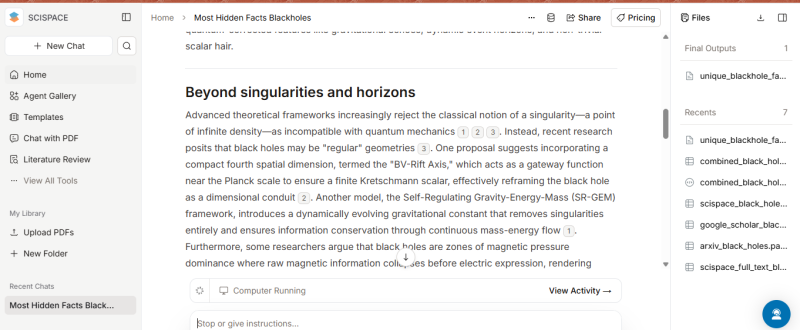
| Best for: understanding dense papers, PDF heavy work | Free tier: yes, with paid upgrades | Watch for: explanations still need your verification |
SciSpace is aimed at the moment when you have the paper but it is hard going. Open a PDF and its assistant will answer questions about that specific document, explain a dense passage in plainer language, unpack the notation in an equation, or walk you through what a table is actually showing. For a field whose writing is denser than your current familiarity with it, this lowers the barrier between having a source and understanding it.
The line between SciSpace and NotebookLM is worth drawing, since both work with documents you provide. NotebookLM is built to reason across a whole collection and produce grounded synthesis over the set. SciSpace is built to help you comprehend one difficult paper at a time, with explanation and clarification as the core act rather than cross-source answering. And unlike Consensus, which tells you what many papers conclude, SciSpace helps you read the single paper in front of you.
Treat it as a reading companion that pairs naturally with a discovery tool upstream. It does not find sources or judge their reliability, and its explanations, like any AI output, still need your own verification against the actual text. What it changes is the cost of engaging with hard material, which for students and cross-disciplinary readers is often the real bottleneck.
How the alternatives compare
MATCH THE TOOL TO THE JOB, NOT THE OTHER WAY AROUND
| TOOL | WHERE IT LOOKS | BEST FOR | FREE TIER |
|---|---|---|---|
| Perplexity AI | The live web | Fast, cited answers on almost any topic | Yes, limited advanced use |
| Elicit | Academic paper corpus | Systematic reviews and evidence extraction | Yes, limited extractions |
| Consensus | Peer reviewed papers | Validating a specific claim against studies | Yes, basic searches |
| NotebookLM | Your uploaded sources | Synthesis over a bounded source set | Yes |
| Semantic Scholar | Academic paper corpus | Free, broad paper discovery | Free to use |
| Scite | Citation network | Checking whether a claim held up | Limited |
| ResearchRabbit | Citation network | Mapping and exploring a field | Free to use |
| SciSpace | Individual papers | Reading and understanding dense work | Yes, paid upgrades |
Table 1. Eight AI research tools and where each one fits.
Pricing and limits shift often in this category, so treat the free tier column as a starting signal and confirm current terms on each tool before committing. The stable part is the middle columns, since where a tool looks and what it is built for change far more slowly than its price page.
How to choose the right one
START FROM THE SOURCE BOUNDARY

The cleanest way to choose is to ask where your evidence lives. If it is on the open web, start with Perplexity. If it is in peer reviewed literature, reach for Consensus to validate a claim or Elicit to build a review, with Semantic Scholar underneath for free discovery. If you already hold the sources, use NotebookLM. If you are mapping an unfamiliar field, ResearchRabbit shows its shape, and Scite tells you whether the key papers have held up.
Whichever tool you land on, keep a human verification step in the loop. AI research assistants are accelerators, not authorities, and the habit of checking a source before you trust it stays essential. This library guide on evaluating sources for credibility is a useful checklist for judging what any of these tools hands back to you.
The best AI research tool is not the most powerful one. It is the one that matches where your sources live and protects you from the failure mode you are most likely to hit.
The takeaway
TRY A FEW, KEEP THE ONES THAT FIT

Liner is a fine tool, but it is one option in a field that has grown deep and specialized. Rather than searching for a single replacement, assemble a small kit: a web answer engine, an academic search or two, a source grounded workspace, and a verification layer. Most of these have free tiers, so the cost of trying is mostly your time.
Research is only ever the first half of the work. Once you have gathered and checked your material, the next job is turning it into something readers can actually use, and that is a craft of its own. If your findings are headed for published content, it pays to structure them deliberately, which is exactly what a well built content pillar is designed to do. Find the tools that fit how you work, verify what they give you, and then build something worth the research behind it.
Post Comment
Share your thoughts about this article.
Be the first to post a comment!