Table of Content
- What AI dubbing actually is
- How AI dubbing works, in four stages
- Step by step: dubbing your first video
- Choosing a tool: three questions
- The tools in detail
- Head-to-head comparison
- What it costs, and how long it takes
- Mistakes that ruin dubbed videos
- AI versus human dubbing
- Verdict: should you do it?
AI can now translate your video, clone your voice, and match your lip movements in minutes. This guide explains how the process actually works, which steps you should never skip, and where the technology still lets you down.
THE SHORT VERSION To dub a video with AI you upload it to a dubbing tool, which transcribes the speech, translates it, generates a voice in the new language (often cloned from yours), and syncs it back to the video. A usable first draft takes minutes. A publishable one takes a human review of the translated script, the step most people skip and most viewers notice. |
Four numbers that explain why dubbing is worth the effort
| NUMBER | WHAT IT MEANS |
|---|---|
| 65% | Share of consumers who prefer content in their own language, even when the translation is imperfect (CSA Research, 8,709 consumers, 29 countries) |
| 75%+ | Share of YouTube views that come from non-English-speaking countries (Statista, cited by DupDub) |
| +45% | Average lift in views reported from adding multi-language audio tracks to existing videos (AIR Media-Tech) |
| 80% | How much more likely viewers are to finish a video presented in their native language (2026 study cited by Listen2It) |
What AI dubbing actually is
IN ONE SENTENCE AI dubbing is software that replaces the spoken audio in your video with a machine-generated voice speaking a translation of the same words, timed to match the original, sometimes down to the movement of your lips. |

Traditional dubbing needs a translator, a voice actor, a recording studio and an audio engineer, coordinated per language. AI dubbing collapses that into one upload. The software listens, translates, speaks and syncs on its own, and the better tools can clone the original speaker's voice so the French version still sounds recognisably like you.
There is a spectrum of quality within that. At the basic end you get a translated voiceover laid over the original video. At the advanced end you get voice cloning, emotion transfer, and lip-sync, where the video itself is subtly re-rendered so mouths match the new language. The gap between the best and worst output has narrowed considerably as the market has matured, but it has not closed.
How AI dubbing works, in four stages
You do not need to understand the models. You do need to know the four stages, because errors made early flow silently into everything after them.
00:01 Transcription
Speech-to-text converts the audio into a written script with timestamps. Names, jargon and crosstalk are where it goes wrong, and a transcription error becomes a translation error.
00:02 Translation
A language model translates the script. Idioms, humour and cultural references are the weak points. This is the one stage where a human check pays for itself every time.
00:03 Voice synthesis
Text-to-speech generates the new audio, either in a stock voice or a clone of the original speaker, ideally carrying over pacing and emotion.
00:04 Synchronisation
The new audio is fitted back to the video. Translated sentences are rarely the same length as the original, so the tool stretches, compresses or re-times speech, and lip-sync tools adjust the mouth movements on screen too.
The practical takeaway: always review between stage two and stage three. Fixing a script line costs seconds. Fixing a rendered video costs a re-render, and on some tools, more credits.
Step by step: dubbing your first video
The order below matters. Each step protects the one after it.
1. Pick one video and one language. Choose a video that already performs well, and a language your analytics say your audience actually speaks. Dubbing a weak video into five languages multiplies a weak video by five.
2. Clean up your source audio. The AI transcribes what it hears. Background music mixed into the voice track, heavy echo, or two people talking over each other degrade every later stage. If you have a separate voice track, use it.
3. Upload and generate the transcript. Let the tool transcribe first, and correct the transcript before anything is translated, especially names, product terms and numbers.
4. Review the translation before rendering. This is the highest-value five minutes in the whole process. If you don't speak the language, paste the translation into a second AI tool and ask it to back-translate, or have a native speaker skim it. Look for literal idioms and awkward formality.
5. Choose the voice, then render. Voice cloning keeps your identity across languages; a stock native voice can sound more natural. Test both on a 60-second clip before committing a long video.
6. Watch the whole thing with your eyes on the speaker. Check the timing at cuts and pauses, the pronunciation of names, and whether emphasis lands on the right words. Fix segments individually if your tool allows it, rather than re-rendering everything.
7. Publish where the language lives. YouTube supports multi-language audio tracks on a single video, so viewers hear their own language automatically. Alternatively, publish separate localised videos with translated titles, descriptions and captions; the metadata is what makes the video findable in that language.
WORTH KNOWING Some words survive translation better as-is. Keep brand names, product names and technical terms in a glossary or "do not translate" list; most serious tools support one, and it prevents the AI from inventively renaming your product in Japanese. |
Choosing a tool: three questions
The market is crowded and every vendor's list ranks that vendor first. Before comparing features, three questions cut through most of the marketing. Can you edit the translated transcript before audio is generated? Can you re-render a single segment without reprocessing the whole video? And is the pricing per minute of output, or in credits you have to convert in your head? Tools that fail the first two will cost you the time they claimed to save.
With those questions in hand, here is a quick map of who does what.
| IF YOU NEED | LOOK AT |
|---|---|
| Lip-synced video with the widest language coverage | HeyGen |
| The most natural voice quality, audio only | ElevenLabs |
| High-volume localisation with a team | Rask AI |
| Affordable lip-sync for tutorials and demos | Perso AI |
| A budget, browser-based starting point | Kapwing |
| Broadcast or enterprise media | Deepdub, 3Play Media |
The tools in detail
What follows is drawn from published 2026 comparisons and vendor documentation. Prices are entry-level monthly plans as published in early-to-mid 2026 and change often, so treat them as a snapshot. Note that most comparison articles in this market are written by companies on this list.
HeyGen - WIDEST COVERAGE
Languages 175+ · Lip-sync Yes · Voice cloning Yes · From ~$29/mo Creator · Free tier: 3 test videos
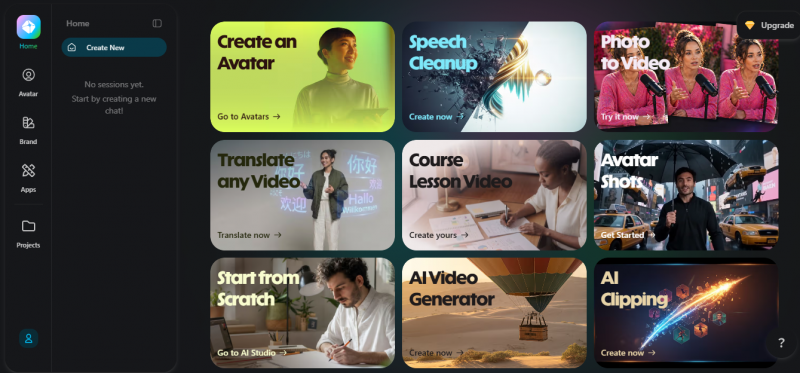
HeyGen is a full video creation platform with dubbing built into it. You upload a video, it produces a transcript, translates it into any of more than 175 languages, and renders the result with your cloned voice and re-synchronised lip movements on the original footage. The same account covers AI avatars, talking photo videos and a template library, so teams often use it as their whole localisation and video pipeline rather than a single-purpose dubbing tool.
The free plan lets you run lip-synced dubbing on three videos with no payment details, which makes HeyGen the fastest way to judge whether current lip-sync quality is acceptable for your content. On paid plans, lip-synced translation of real footage draws from a separate pool of premium credits on top of the monthly subscription, so the effective price per finished minute is higher than the plan price suggests. Budget for that before committing a long video library.
ElevenLabs - VOICE QUALITY
Languages 29 · Lip-sync No · Voice cloning Yes · From ~$22/mo Creator
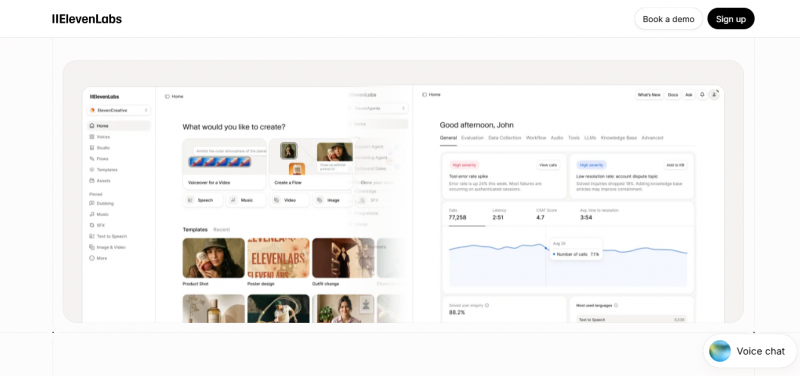
Founded in 2022, ElevenLabs became one of the most recognised names in AI audio on the strength of its voice models, and its Dubbing Studio applies them to translation. It detects speakers, clones each voice, and generates the dubbed track while carrying over pacing and emotional delivery from the original recording. Inside the studio you can edit the translated transcript line by line, adjust the timing of individual segments, and regenerate only the lines you changed.
The limits are structural rather than qualitative. ElevenLabs outputs audio, not video, so there is no lip-sync and you assemble the final file in your own editor. Dubbing supports 29 languages, fewer than the video-first platforms, and is billed per minute of processed content separately from the base subscription. It suits podcasts, narration, audiobooks and any video where the camera is not on the speaker's mouth.
Rask AI - VOLUME AND TEAMS
Languages ~130 · Lip-sync Available · Voice cloning Yes · Pricing: Minute-based
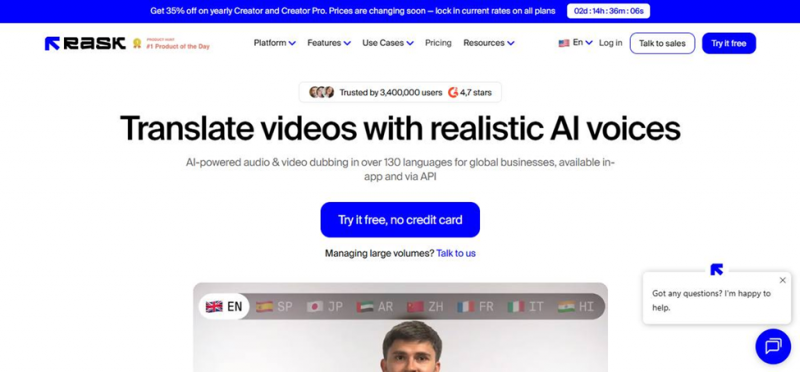
Rask AI is built for organisations localising a continuous stream of video rather than one-off experiments. Pricing is metered in minutes of processed video, which stays predictable as volume grows, and projects support multiple team members so a translator, an editor and a reviewer can work on the same video without exporting files between them. Coverage runs to roughly 130 languages with voice cloning and an optional lip-sync feature.
The workflow follows the standard pipeline: transcript first, editable translation second, then generation. Because re-renders consume minutes from your allowance, the transcript and translation review steps directly protect your budget as well as your quality. Rask also exports subtitle files from the same project, so one upload can produce both the dubbed track and the caption files for each language.
Perso AI - BUDGET LIP-SYNC
Languages 33 · Lip-sync included on all plans · Multi-speaker: Automatic · From ~$6.99/mo Starter
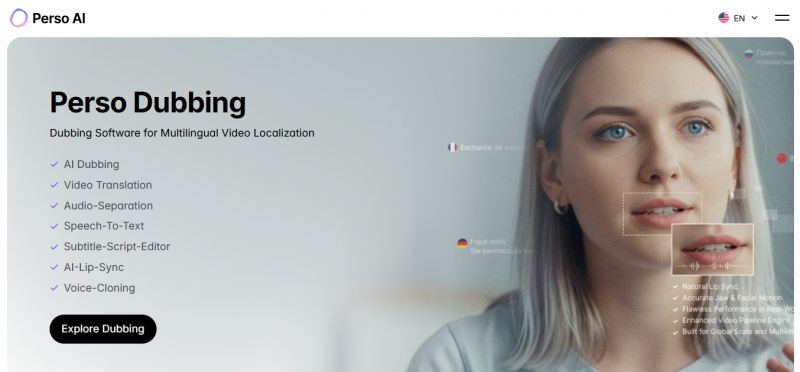
Perso AI is the value route to genuine lip-synced dubbing. Lip-sync is included on every plan, starting at $6.99 per month as of March 2026, where several competitors sell it as a premium add-on. It supports 33 languages and detects multiple speakers automatically, assigning each a distinct cloned voice without manual speaker mapping, which matters for interviews and two-presenter formats.
Its published test results centre on presenter-led business content: product demos with a single on-camera speaker, online course lessons with slide transitions, and short social ads with fast cuts. That is the content it is tuned for, and where the low price plus included lip-sync makes it hard to beat. The comparison ranking it first is published by Perso itself, so verify with your own clip, though the pricing facts check out against the other vendors' published rates.
Kapwing - EASY START
Type: Browser video editor · Dubbing: Integrated · Pricing: Free tier available
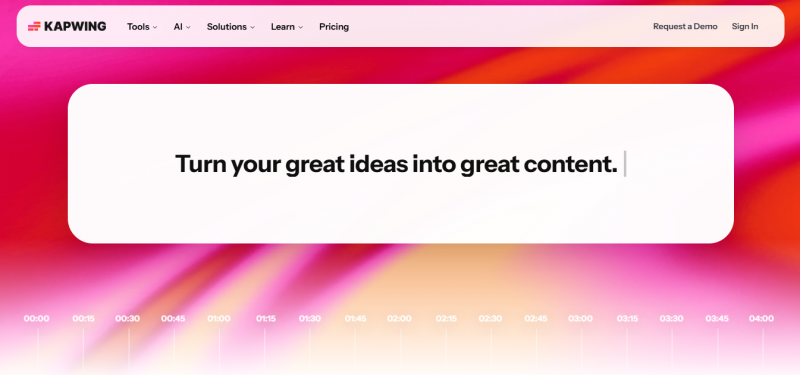
Kapwing is a browser-based video editor with dubbing integrated into the same timeline where you trim, caption and resize. Nothing installs locally, projects live in the cloud, and the dubbed audio drops straight into your edit next to the subtitle track. For creators who already produce social clips in a browser workflow, adding a translated audio track is one more step in a familiar tool rather than a new platform to learn.
The trade-off is depth. Kapwing is an editor first, so its dubbing controls are shallower than the dedicated platforms: voice realism and lip-sync do not reach the ceiling set by HeyGen or ElevenLabs. It fits short-form content, quick market tests and teams whose editing already happens in Kapwing, and the free tier is enough to trial the feature on a real clip before paying.
Deepdub - BROADCAST GRADE
Market: Enterprise media · Synthesis: Emotion-aware · Pricing: Custom
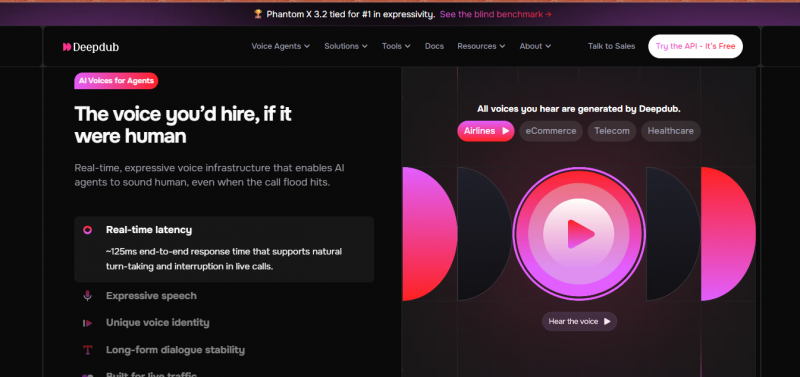
Deepdub serves studios, broadcasters and streaming catalogues, where the dub has to carry a performance rather than just information. Its emotion-aware synthesis models the delivery of a line, not only its words, targeting the anger, hesitation and comic timing that cheaper text-to-speech flattens. Output is produced to broadcast specifications and slots into professional post-production pipelines.
Access reflects the market: pricing is custom, onboarding is sales-led, and engagements bundle services alongside the software. It is the wrong door for an individual creator, and the right one for a media company localising a scripted series or a film library where a robotic line reading is a rejected deliverable.
3Play Media - HUMAN-IN-THE-LOOP
Languages 70+ · Tiers: 4, AI-only to full studio · Captions: Bundled · Delivery: 40+ integrations
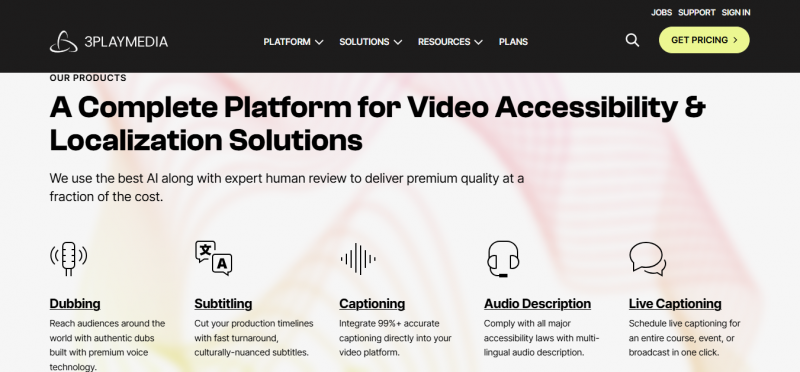
3Play Media sells dubbing as a workflow rather than a tool, in four tiers that add human labour as the stakes rise. Launch is a pure AI dub. Refine adds human translation review. Creator adds emotion tagging, voice casting and boundary sync. Studio adds lip-sync, professional voice casting and the full emotional range. You choose the tier per project, so a compliance video and a flagship course do not have to share the same quality budget.
Captions are produced in the same workflow as the dub, removing a separate vendor from the process, and finished files deliver automatically through more than 40 integrations including YouTube, Frame.io, Veritone, learning management systems and broadcast media asset managers. Pricing is per workflow with no credit conversions or iteration multipliers. Coverage of 70+ languages is broad, though narrower than HeyGen or Rask, and there is no avatar or generated-video capability: 3Play dubs the video you shot.
Head-to-head comparison
| TOOL | LANGUAGES | LIP-SYNC | VIDEO OUTPUT | ENTRY PRICE | BEST FOR |
|---|---|---|---|---|---|
| HeyGen | 175+ | Yes, premium credits | Yes | ~$29/mo | All-round localisation, widest reach |
| ElevenLabs | 29 | No | No, audio only | ~$22/mo | Best-in-class voice quality |
| Rask AI | ~130 | Optional add-on | Yes | Minute-based | Teams dubbing at volume |
| Perso AI | 33 | Included, all plans | Yes | ~$6.99/mo | Cheapest real lip-sync |
| Kapwing | Varies | Basic | Yes, in-editor | Free tier | Quick tests, social clips |
| Deepdub | Enterprise set | Yes | Yes | Custom | Broadcast and streaming |
| 3Play Media | 70+ | Studio tier | Yes | Per workflow | Human-reviewed localisation |
Tool verdict
IF YOU ONLY READ ONE PARAGRAPH Most creators should start with HeyGen: the widest language coverage, lip-sync on real footage, and a free trial that answers the quality question before any money moves. If budget decides, Perso AI delivers real lip-sync for a fraction of the price. If the voice is the product, ElevenLabs is unmatched but leaves video assembly to you. Teams dubbing a library should price out Rask AI, casual clip-makers already in a browser editor can stay in Kapwing, and organisations that need accountability more than speed should look at 3Play Media for human review or Deepdub for broadcast performance. |
HOW TO ACTUALLY PICK Shortlist two. Dub the same 60-second clip on both, in the language you care about, and show the results to one native speaker without telling them which tool made which. Their reaction is worth more than every comparison table on the internet, including this one. |
What it costs, and how long it takes
Entry pricing in 2026 runs from roughly $7 to $30 per month for creator plans, with lip-sync sometimes included and sometimes charged as premium credits on top, so the same headline price can hide a very different real invoice. Enterprise platforms are custom-priced and bundle human review services.
For comparison, traditional human dubbing is typically quoted per minute of video per language and runs to hundreds of dollars for a short video, with turnaround in days or weeks. AI dubbing produces a draft in minutes and a reviewed, corrected version within an hour or two of your own time.
KEEP THIS IN PROPORTION The cost of the tool is rarely the real cost. The real cost is the review time per language per video. Budget your own hours, not just the subscription, and start with one language done properly rather than eight done blind. |
Mistakes that ruin dubbed videos
• Skipping the script review. Almost every embarrassing dubbed video traces back to publishing the machine translation unread. Viewers forgive a slightly synthetic voice; they do not forgive being told nonsense in fluent audio.
• Dubbing over on-screen text. If your slides, captions and lower-thirds are still in English, the dub feels half-finished. Localise the text or keep it minimal in the source video.
• Ignoring culture while translating language. A joke, a sports metaphor or a price in the wrong currency can land worse than no localisation at all. Adapt references, don't just translate them.
• Using one voice for every speaker. Multi-speaker videos need per-speaker voice assignment, or the interview becomes a monologue. Check the tool supports it before you commit.
• Forgetting the metadata. A perfectly dubbed video with an English title, description and captions is invisible to the audience it was made for.
AI versus human dubbing
This is not a contest with a single winner. It is a question of what the video is for.
AI dubbing fits
Tutorials, courses, product demos, marketing videos, social clips and internal training: content where clarity matters more than performance, volume is high, and speed matters. Voice cloning keeps a creator's identity across languages.
Human dubbing still wins
Drama, comedy, animation, and anything where emotional performance carries the content. Nuance, comic timing and character acting remain the hardest things for synthesis to fake, which is why enterprise platforms sell hybrid tiers with human review and voice casting.
The pragmatic middle ground, and the direction the industry is moving, is AI generation with human review: the machine does the volume, a person checks the meaning.
Verdict: should you do it?
| Yes, if you have videos that already work and an audience your analytics show you are not speaking to. Start with one strong video, one language, and a real review of the translated script. The tooling is cheap and fast; the discipline of checking the output is what separates channels that grow abroad from channels that embarrass themselves abroad. |
THE ONE THING TO DO THIS WEEK Open your audience analytics and find your largest non-native-language country. Dub your single best-performing video into that language on a free tier, have one native speaker watch it, and count what changes. That costs an afternoon and tells you more than any listicle, including this one. |
Post Comment
Share your thoughts about this article.
Be the first to post a comment!





