Note taking sits in an awkward place. Meetings move fast, research piles up, lectures run an hour and a half, and the act of writing things down means missing whatever is being said next. AI tools have stepped into that gap with two distinct approaches. Some capture the meeting itself, transcribing audio and producing summaries with action items. Others sit closer to the writing workflow, helping organize, search, and synthesize notes after they exist.
The category has matured fast over the last twelve months. Free plans now cover what used to cost twenty dollars a seat. Bot-free recording, once a single-tool advantage, has become standard. Models have crossed the threshold where summaries are usually trustworthy without a second read of the transcript. The decision is no longer about whether the technology works. It is about which tradeoffs make sense for a specific workflow.
What this guide covers
Eight platforms made the shortlist after weeks of running them against the same calendar of meetings, research sessions, and document workflows. Each one earned its place either through clear category leadership or through a distinct approach that solves a problem the leaders ignore. Tools are listed alphabetically rather than ranked, because ranking obscures the fact that the best choice depends entirely on use case.
How the assessment was done Every tool listed below was run against the same set of inputs: a weekly product standup with eight participants, a one-to-one client call, a forty-five minute research interview, and a batch of uploaded PDFs and meeting recordings. Pricing reflects the official pricing pages as of May 2026. Accuracy observations come from comparing generated transcripts and summaries against the original audio. Where a tool charges in euros or has region-specific pricing, that detail is noted in the relevant section. |
Quick comparison
Pricing below reflects the entry paid plan billed annually. Free plans exist for every tool listed, though the constraints vary significantly.
| Tool | Best fit for | Starting paid plan | Bot-free option | Free plan ceiling |
|---|---|---|---|---|
| Fathom | Sales calls, generous free use | $16/mo (Premium) | No | Unlimited recording, 5 AI summaries/mo |
| Fireflies.ai | Searchable archives, CRM-heavy workflows | $10/user/mo (Pro) | Yes (2026) | 800 min storage, 20 credits/mo |
| Granola | Hybrid human and AI notes | $14/user/mo (Business) | Yes (device audio) | 25 lifetime meetings |
| Jamie | Privacy-sensitive consulting and legal | €25/mo (Plus) | Yes (device audio) | 10 meetings/mo, 30 min cap |
| NotebookLM | Research, document synthesis | Free (Plus via Workspace) | N/A (not a meeting tool) | 50 sources, 3 audio overviews/day |
| Notion AI Meeting Notes | Teams already in Notion | $20/user/mo (Business) | Yes (system audio) | Trial allocation only |
| Otter.ai | Live transcription, shared visibility | $8.33/user/mo (Pro) | No | 300 min/mo, 30 min/conversation |
| tl;dv | Sales coaching, multi-language | $18/user/mo (Pro) | No | Unlimited recordings, transcripts |
What separates a good AI note taker from a mediocre one
Marketing pages list the same features across the category: transcription, AI summaries, action item extraction, Slack and Notion exports. The differences that actually matter in daily use rarely appear on the pricing page.
Accuracy under real conditions
Tools advertise transcription accuracy in the 95 to 98 percent range, and those numbers hold in optimal conditions: a single speaker, clear audio, no jargon, no overlapping voices. Real meetings rarely look like that. Accuracy on accented English, cross-talk, and technical vocabulary often drops into the 85 to 92 percent range, with Fireflies typically running a few points behind Otter and Fathom in those harder conditions.
Summary quality versus transcript quality
A clean transcript is now table stakes. The harder problem is whether the summary captures the actual decisions, attribution of action items, and unresolved questions, or whether it produces a tidy bullet list that misses what mattered. Granola and Jamie tend to produce summaries that read like a thoughtful colleague took notes. Otter and Fireflies are stronger at structured outputs that fit a sales workflow.
Bot versus bot-free capture
Bot-based tools join the meeting as a visible participant, which announces the recording and sometimes triggers consent prompts on platforms like Microsoft Teams. Bot-free tools capture system audio directly from the device, which avoids the social friction but means only the person running the tool gets the notes unless they are explicitly shared. The right choice depends on whether transparency or invisibility serves the meeting better.
What happens after the summary
Generating a summary is the easy part. Getting that summary into the systems that actually move work forward, CRMs, project trackers, knowledge bases, is where many tools quietly fall apart. Fireflies and Otter have the deepest CRM integrations. Granola and Notion lean toward writing and project workspaces. Tools that look comparable on the marketing page diverge sharply once a workflow needs structured field-level sync.
Fathom
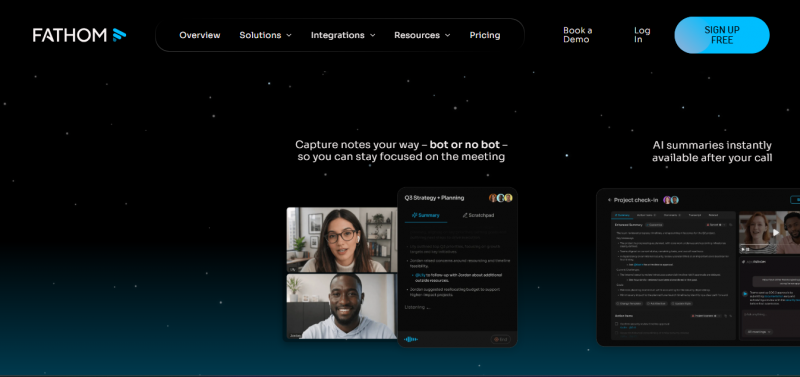
Fathom built its reputation on a free plan that does not feel like a trial. Unlimited recording, unlimited transcription, and unlimited storage stay free forever, with the caveat that advanced AI summaries are capped at five calls per month on the free tier. Calls process fast, with summaries usually appearing within thirty seconds of a meeting ending, and the transcript timestamps link directly to the video so jumping to a specific moment takes one click.
Pricing and plans
• Free: unlimited recording and transcription, 5 advanced AI summaries per month
• Premium: $16 per user per month billed annually ($20 monthly) for unlimited AI summaries
• Team: $15 per user per month billed annually ($19 monthly), 2-user minimum, adds admin controls
• Business: $25 per user per month billed annually ($34 monthly), 2-user minimum, adds CRM field sync and coaching metrics
How it actually performs
Fathom claims 95 percent transcription accuracy and that number holds up reasonably well on clear meeting audio. The summaries lean toward structured outputs that suit sales and customer success workflows: next steps, objections, deal stages. Real-time highlight marking during calls is genuinely useful for flagging key moments without breaking concentration. Integrations with Zoom, Google Meet, Microsoft Teams, Slack, Salesforce, and HubSpot work without friction.
| What works well | Where it falls short |
|---|---|
| • Most generous free recording allowance in the category | • Free plan AI summaries cap at 5 per month, then basic templates only |
| • Summaries available within 30 seconds of meeting end | • No bot-free recording option for sensitive meetings |
| • Strong Zoom, HubSpot, and Salesforce native integrations | • Transcription limited to online meetings, not uploaded audio files |
| • Clean visible-bot experience with transparent recording cues | • Conversation intelligence features locked behind the Business tier |
Best fit Solo professionals and small sales teams that run frequent calls and need a no-cost option that does not collapse under regular use. The free plan covers more than most paid plans elsewhere, and the Premium upgrade only becomes necessary once monthly call volume crosses the AI summary ceiling. |
Fireflies.ai
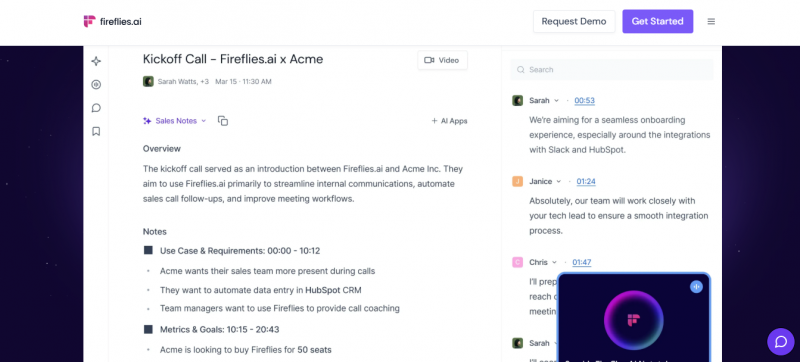
Fireflies has been around long enough to build out the deepest integration ecosystem in the category, with native connectors for Salesforce, HubSpot, Pipedrive, Zoho, Slack, Notion, and roughly ninety other tools, plus Zapier for everything else. The platform sits comfortably as the choice for teams that need their meeting data flowing into CRMs and project systems without manual handling. Search across past meetings is fast, and the smart filters make finding a specific moment across hundreds of hours of conversation tractable.
Pricing and plans
• Free: 800 minutes of storage per seat, transcription credits capped at roughly 20 per month
• Pro: $10 per user per month billed annually ($18 monthly), unlimited transcription
• Business: $19 per user per month billed annually ($29 monthly), adds video recording, CRM sync, conversation intelligence
• Enterprise: $39 per user per month billed annually, adds HIPAA compliance, SSO, custom data retention
How it actually performs
Transcription accuracy lands in the 90 to 93 percent range under typical conditions, which is slightly behind Otter and Fathom but rarely the limiting factor in practice. Support for over 100 languages and live translation gives Fireflies a clear advantage for distributed teams. The Autofill CRM feature pushes structured contact data, action items, and deal notes directly into pipelines, which removes a significant amount of after-meeting busywork for sales teams. A bot-free mode launched in 2026, narrowing the historical gap with privacy-first tools.
| What works well | Where it falls short |
|---|---|
| • Deepest CRM integration set in the category, especially Salesforce and HubSpot | • Free plan uses a credit system that runs out quickly with regular use |
| • Over 100 languages with live translation | • Video recording is paywalled behind the Business tier |
| • Powerful search and filtering across meeting history | • Key integrations like advanced Salesforce sync require the $19 plan |
| • Conversation intelligence on the Business plan offers sentiment and topic tracking | • User reports flag occasional confusion around credit caps and auto-enrollment in add-ons |
Best fit Sales, customer success, and revenue operations teams whose meeting data needs to land inside a CRM with minimal manual cleanup. The Business plan is where Fireflies earns its keep, and the integration depth is the main reason a team would pick it over Otter or Fathom. |
Granola
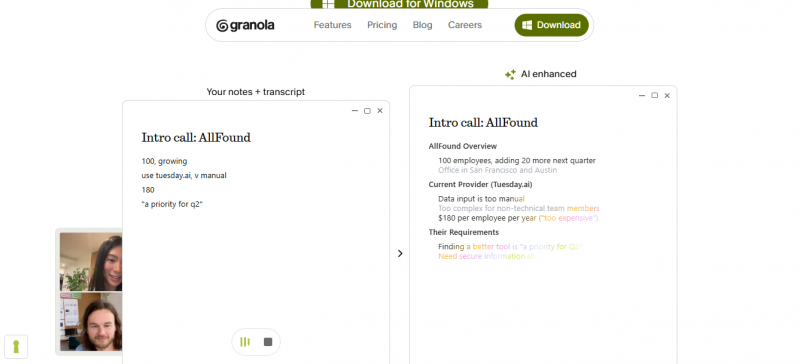
Granola took a different approach to the meeting AI problem. Instead of joining as a bot, the application listens to system audio on the host device while the user types rough shorthand notes during the call. After the meeting, the AI merges the human notes with the transcript to produce a final document that reads less like an automated summary and more like notes a thoughtful colleague would have written. The result is faster to scan, more accurate on terminology, and avoids the social friction of a visible bot.
Pricing and plans
• Free: 25 lifetime meetings (effectively a trial), 14-day history, AI-enhanced notes
• Business: $14 per user per month, integrations with Slack, Notion, HubSpot, Attio, Affinity, and Zapier
• Enterprise: $35 per user per month, adds SSO, admin controls, and model training opt-out
How it actually performs
Granola handles back-to-back meetings without the user needing to remember to start it. The recent MCP integrations connect Granola to Claude, ChatGPT, Replit, Lovable, and Figma, which makes it useful for technical users who want meeting context flowing into AI workflows. Folders auto-suggest names, external files can sit alongside meeting notes, and the entire archive is queryable through AI. The hybrid notes approach genuinely improves quality compared to fully automated alternatives.
| What works well | Where it falls short |
|---|---|
| • Best-in-class note quality through the hybrid human plus AI approach | • Free plan is effectively a 25-meeting trial, not a sustainable tier |
| • Bot-free architecture avoids consent prompts and social friction | • Only captures meetings on the host device, not other participants |
| • MCP integrations connect meeting context to other AI tools | • Limited post-meeting automation, no native follow-up email drafting |
| • Lower per-seat price than Fireflies Business or Otter Business | • CRM integration depth lags behind Fireflies for sales-heavy workflows |
Best fit Professionals running five or more meetings per week who still want to engage actively during calls rather than rely on a fully automated note taker. Strategy consultants, product managers, and founders consistently report Granola as the tool that fits their workflow best, particularly when meeting context needs to land in Notion or Slack rather than a CRM. |
Jamie
Jamie launched out of Berlin in 2022 with a single-minded focus on bot-free, privacy-first meeting capture. The application runs locally on the device, captures system audio without joining the call as a participant, and stores data in GDPR-compliant European infrastructure. The fit is strongest for professions where bringing an AI bot into a client meeting would be inappropriate: legal counsel, executive coaching, healthcare consulting, financial advisory. Pricing is listed in euros, which matters for budgeting in non-European teams.
Pricing and plans
• Free: €0 per month, 10 meetings per month, 30 minute cap per meeting
• Plus: €25 per month, 20 meetings per month, 2 hour cap per meeting
• Pro: €47 per month, unlimited meetings, 3 hour cap per meeting
• Team: €39 per seat per month, unlimited meetings, centralized billing
How it actually performs
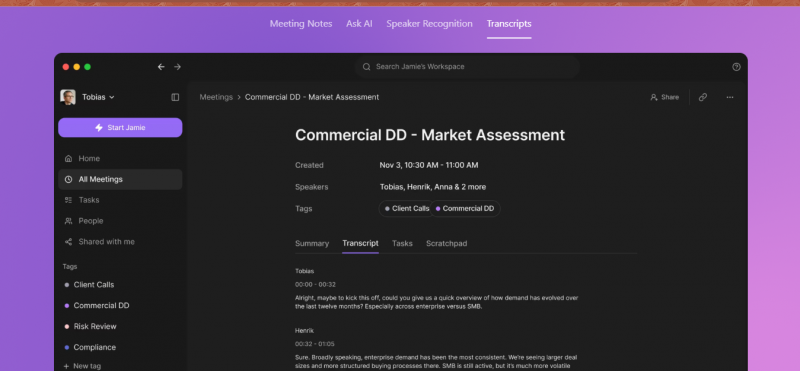
Summary quality consistently ranks among the best in the category, with structured outputs covering decisions, action items, topics, and open questions. The post-meeting flow prompts the user to identify speakers from short audio clips, which builds a speaker memory that improves over time. Support spans more than 100 languages, and integration with Notion, Obsidian, and calendar tools is straightforward. Generation time is typically under five minutes after a meeting ends.
| What works well | Where it falls short |
|---|---|
| • Truly bot-free capture, no recording bot ever appears on the call | • Free plan caps at 10 meetings per month, suits only the lightest users |
| • GDPR-first architecture with EU data residency | • Pricing in euros creates currency uncertainty for non-EU teams |
| • High-quality summaries with speaker memory that improves with use | • No video recording capability, audio and notes only |
| • Works equally well for online and in-person meetings | • Limited sales-specific features compared to Fireflies or tl;dv |
Best fit Consultants, lawyers, therapists, and executive coaches who need flawless meeting notes without ever introducing a bot to a confidential conversation. Also a strong choice for in-person meetings, where bot-based tools simply do not work. |
NotebookLM
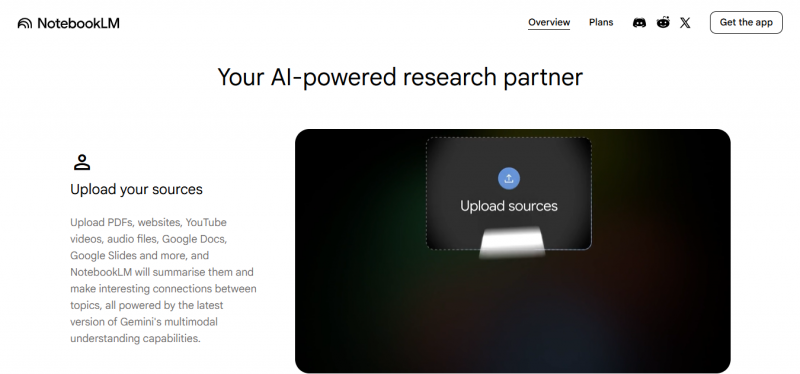
Google NotebookLM solves a different problem from the meeting transcribers above. It is a research and synthesis tool, not a meeting assistant. Sources go in, up to 50 per notebook on the free tier and 100 on the Plus tier bundled with Google Workspace Standard, and the AI grounds every response in those uploaded materials. The Audio Overview feature turns dense source material into a podcast-style conversation that runs ten to twenty minutes, which has become the standout reason most people open the tool.
Pricing and plans
• Free: 50 sources per notebook, 50 chat queries per day, 3 audio overviews per day
• NotebookLM Plus: bundled with Google Workspace Standard at approximately $14 per user per month, raises source limits to 100
• Pro and Ultra tiers: higher daily limits, Deep Research access, priority generation
How it actually performs
Source-grounded responses mean NotebookLM rarely hallucinates compared to general-purpose AI chat. The Deep Research feature browses the web, builds a structured report with citations, and imports both the report and its cited sources back into the notebook with one click. Per-source size caps run to roughly 500,000 words, with about 25 million words total across a notebook. Mounting NotebookLM notebooks as data sources inside the Gemini app, shipped in early 2026, removed the most-cited frustration about isolated notebooks.
| What works well | Where it falls short |
|---|---|
| • Source-grounded answers reduce hallucination risk significantly | • Not a daily-driver note authoring tool, no longform writing surface |
| • Audio Overviews turn dense reading into something listenable on a walk | • Notebooks remain isolated, cross-notebook search needs the Gemini app workaround |
| • Generous free tier with no payment required for core functionality | • Export options are limited compared to Obsidian or Notion |
| • Native support for PDFs, YouTube transcripts, and EPUB files | • Free tier throttles audio overview generation to about 3 per day |
Best fit Students preparing for exams, researchers reviewing literature, analysts working through earnings reports, and anyone who needs to interrogate a corpus of documents without manually skimming each one. The pairing with a dedicated authoring tool like Obsidian or Notion is the workflow that gets the most out of NotebookLM. |
Notion AI Meeting Notes
Notion entered the meeting notes category by adding a native AI note taker to its existing workspace platform. Notes are captured directly inside Notion pages, action items flow into Notion databases, and the wider Notion Agent can pull from meeting notes when answering workspace questions. The pricing structure shifted significantly in 2025 and 2026: the standalone AI add-on was discontinued for new accounts, and full AI access now lives in the Business plan at $20 per user per month billed annually.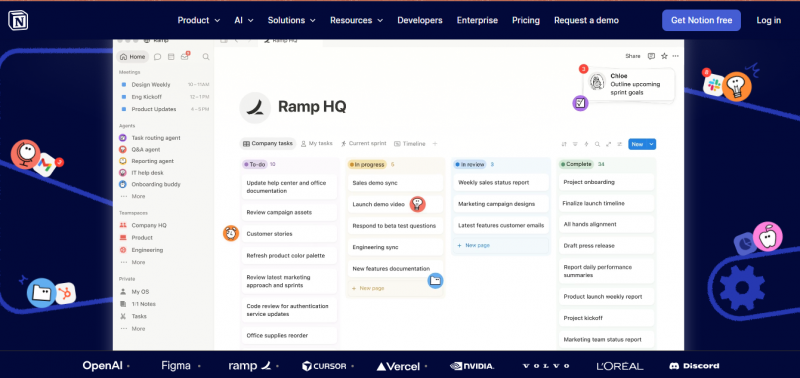
Pricing and plans
• Free and Plus: limited AI trial allocation only, AI Meeting Notes not included
• Business: $20 per user per month billed annually ($24 monthly), full Notion AI suite including AI Meeting Notes
• Enterprise: custom pricing, adds SSO, advanced security, custom data retention
• Notion credits: $10 per 1,000 credits for custom agents, no rollover
How it actually performs
AI Meeting Notes captures system audio without a visible bot joining the call, which puts it in the same architectural camp as Granola and Jamie. The notes land directly inside the workspace where the rest of the team already works, which eliminates the friction of moving meeting outputs into a separate system. Speaker identification lags behind dedicated tools, and the feature set is closer to a competent built-in than a best-in-class option. The math only favors Notion AI for teams already paying for the Business plan.
| What works well | Where it falls short |
|---|---|
| • Notes live alongside the rest of the team's documentation by default | • Free and Plus users no longer get the standalone AI add-on for new accounts |
| • Bot-free capture from system audio | • Speaker identification is weaker than dedicated meeting tools |
| • Notion Agent can answer questions grounded in meeting content | • Business plan is a significant upgrade purely for AI access |
| • No need to manage a separate meeting tool subscription on Business | • Limited sales-specific features compared to Fireflies or tl;dv |
Best fit Teams already running on the Notion Business plan who would rather consolidate meeting notes into their existing workspace than pay for a separate tool. For solo users on Plus, a $20 ChatGPT or Claude subscription paired with a free meeting tool typically delivers more capability for the same monthly cost. |
Otter.ai
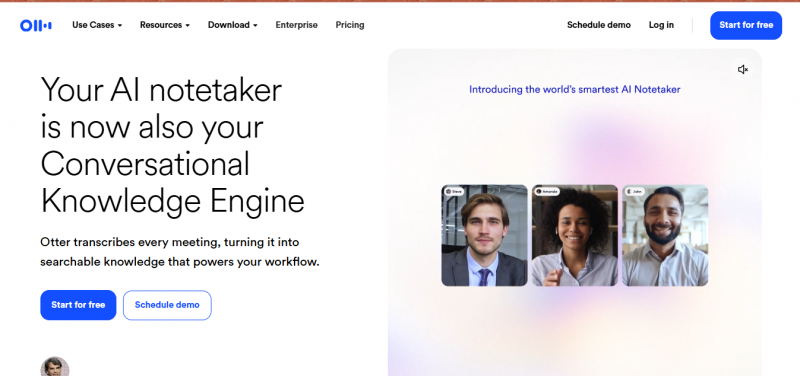
Otter.ai has been the default name in AI transcription long enough that brand recognition still carries the category. The 2026 product looks less like the original transcription tool and more like what the company now calls a Meeting Intelligence Platform: live captions, searchable archives, AI Chat across meeting history, and CRM sync with Salesforce and HubSpot. OtterPilot detects scheduled Zoom, Meet, and Teams calls on a connected calendar and joins them automatically.
Pricing and plans
• Basic (Free): 300 transcription minutes per month, 30 minute cap per conversation, 3 lifetime file imports
• Pro: $8.33 per user per month billed annually ($16.99 monthly), 1,200 minutes per month, 90 minute cap
• Business: $19.99 per user per month billed annually ($30 monthly), unlimited meeting transcription, 4 hour cap
• Enterprise: custom pricing, adds SSO, SCIM, domain capture, OtterPilot for Sales
How it actually performs
Otter sits at roughly 95 percent transcription accuracy in optimal conditions, with speaker identification that has improved noticeably over the last year but still struggles when voices sound similar or when multiple people talk at once. The live transcription experience during the meeting is genuinely useful for attendees who want a real-time captioning layer. AI Chat lets a user query the entire meeting archive in natural language, which scales better than scrolling through individual transcripts. The Pro plan was quietly cut from 6,000 to 1,200 transcription minutes in recent years without a price reduction, which heavy users have flagged repeatedly.
| What works well | Where it falls short |
|---|---|
| • Industry-leading live transcription experience during meetings | • Free plan 30-minute conversation cap rules out standard one-hour meetings |
| • AI Chat across full meeting history scales better than per-meeting search | • Pro plan minute allowance was cut to 1,200 without a price drop |
| • Strong CRM sync with Salesforce and HubSpot on the Business plan | • Language support is narrower than Fireflies or tl;dv |
| • Lowest entry paid plan in the meeting tool category at $8.33 | • No bot-free option for privacy-sensitive scenarios |
Best fit Teams that benefit from live captions during the meeting itself, particularly for accessibility or for participants who want to scan rather than listen. The Business plan is the right tier for sales and customer success groups that need unlimited meeting volume and CRM integration. Solo users with light meeting loads should test the free plan against Fathom before committing. |
tl;dv
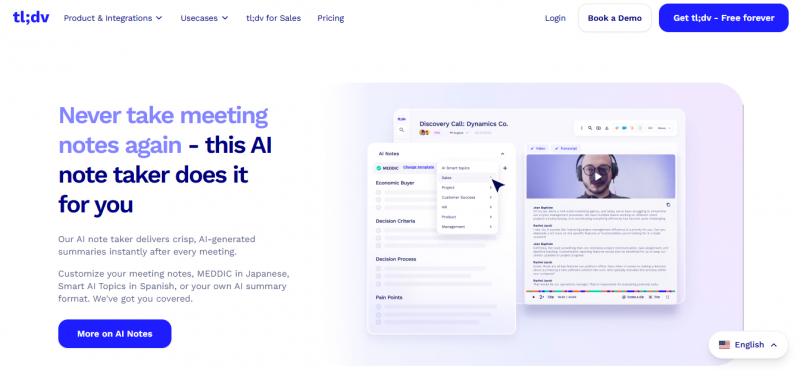
tl;dv positions itself less as a note taker and more as a meeting library, with sales coaching and clip-sharing workflows built around the recording rather than just the transcript. Real-time translation across more than 30 languages, the ability to clip and share specific moments from any meeting, and a coaching layer that surfaces objection handling and talk-listen ratios make it a different kind of tool from Otter or Fathom, even when the surface features overlap.
Pricing and plans
• Free: unlimited recordings and transcripts, AI moment summaries, clip creation
• Pro: $18 per user per month, adds Ask tl;dv, unlimited AI notes, CRM sync, Zapier, team folders
• Business: $59 per user per month, adds sales coaching tools, advanced analytics, admin controls
How it actually performs
The free plan is genuinely generous for individual users, with unlimited recording and transcription that does not collapse under regular use. Where tl;dv differentiates is the post-meeting workflow: sharing a 90-second clip of a specific objection to a Slack channel takes one click, and the multi-meeting intelligence layer can answer questions across hundreds of past calls. Translation quality holds up well across European and major Asian languages. Sales teams using the Business plan get coaching dashboards that compare individual performance against team benchmarks.
| What works well | Where it falls short |
|---|---|
| • Unlimited free recording and transcription with no time cap | • Pro plan at $18 per seat is more expensive than Otter Pro or Granola Business |
| • Best-in-class clip creation and sharing workflow | • Business tier at $59 per seat is the priciest in this list |
| • Real-time translation across 30+ languages | • Bot-based capture only, no bot-free option |
| • Sales coaching layer on the Business plan is genuinely useful | • Note quality is competent but not the standout reason to pick it |
Best fit Sales managers and revenue leaders who use meeting recordings for coaching and pipeline review, not just documentation. Also a strong choice for international teams where real-time translation removes a significant friction from cross-language meetings. |
Choosing the right tool
The matrix below collapses the assessment into a single view organized by primary use case. Where two tools share a column, both are credible choices with different tradeoffs worth weighing.
| Primary use case | First choice | Strong alternative |
|---|---|---|
| Cost-conscious solo professional with regular meetings | Fathom (free plan) | Otter.ai Pro |
| Sales team needing CRM sync and pipeline integration | Fireflies.ai Business | tl;dv Business |
| Privacy-sensitive client meetings | Jamie | Granola |
| Hybrid notes during active meeting participation | Granola | Jamie |
| Research and document synthesis, not meetings | NotebookLM | Not applicable |
| Teams already standardized on Notion Business | Notion AI Meeting Notes | Granola |
| Live captions during the meeting itself | Otter.ai | Fireflies.ai |
| Sales coaching and multi-language teams | tl;dv | Fireflies.ai |
Common pitfalls when picking a tool
Free plan math that does not survive contact with reality
Several free plans look generous until usage patterns hit the actual constraint. Otter's 300 minutes per month with a 30 minute conversation cap evaporates inside two weeks for anyone with a normal meeting load. Fireflies caps credits before the storage allowance even matters. The free plans worth treating as sustainable, not as extended trials, are Fathom and tl;dv.
Integration depth that lives behind the higher tier
Fireflies' Salesforce sync, Otter's Salesforce and HubSpot CRM features, and Notion's AI Meeting Notes all require the more expensive plan. Pricing the entry paid tier against a competitor's entry paid tier is misleading when the actual feature parity sits one tier higher.
Bot-free claims that are not equivalent
Bot-free recording means different things across tools. Granola, Jamie, and Notion AI all capture system audio on the host device. The recording lives with the person who ran the tool, and unless that person actively shares the notes, no one else has access. Bot-based tools push the recording into a shared workspace by default. Neither approach is universally better, but the tradeoff is real and affects how teams accumulate institutional knowledge.
Speaker identification accuracy
Every tool advertises speaker identification. The quality varies significantly. Otter and Fireflies have invested years into this, and it shows on calls with four or more participants. Jamie's post-meeting speaker prompts build a memory that improves accuracy over time. The bot-free tools that rely purely on voice profiling without confirmation prompts tend to struggle on first encounters with new speakers.
Final observations
The category has consolidated around four distinct shapes of tool. Meeting recorders with strong CRM integration, exemplified by Fireflies and Otter. Bot-free privacy-first tools, led by Granola and Jamie. Generous-tier free options, where Fathom and tl;dv compete. And source-grounded research tools, where NotebookLM stands largely alone. Each shape solves a different problem, and the choice between them depends on what the notes need to do after they exist.
The decision worth resisting is picking the most-mentioned tool and assuming the workflow will adapt. The opposite approach produces better results: define what happens to the notes after the meeting ends, then choose the tool whose architecture serves that downstream workflow without friction.
The short version Solo professional on a budget: Fathom. Sales team with a CRM: Fireflies. Privacy-sensitive consulting: Jamie or Granola. Research and reading: NotebookLM. Already living in Notion Business: Notion AI Meeting Notes. Multi-language sales coaching: tl;dv. Live captions and shared visibility: Otter. |
Post Comment
Share your thoughts about this article.
Be the first to post a comment!





