The AI PDF Trap: When Chatbots Are Great for Reading Documents but Bad for Workflows
The first time an AI chatbot summarizes a 47-page PDF in ten seconds, it feels like cheating.
You upload the file, ask for the main points, and suddenly the document that was sitting in your downloads folder for three weeks looks manageable. For students, researchers, founders, marketers, and anyone else buried under reports, manuals, contracts, and slide decks, that feels like a small miracle.
The trap starts when that same feeling gets mistaken for a workflow.
Reading a PDF faster is useful. Running a real document process is something else entirely.
Chatbots are good at the first pass
AI chatbots are excellent when the job is messy, early, and low-risk. You have a long report and want the gist. You need a list of key arguments from a whitepaper. You want to turn lecture notes into flashcards or pull action items from a meeting transcript. That’s the sweet spot: the PDF is information, and the output is a rough working layer.
That’s why tools in the study and productivity space have taken off. Techraisal has already covered apps like Mindgrasp AI, where the appeal is obvious: upload material, get structured notes, quizzes, summaries, or cleaner study outputs. For a student trying to understand a biology chapter before a test, that’s a practical win. Nobody expects it to become the system of record for the university.
The same logic applies at work. A product manager can upload a 20-page customer research PDF and ask, “What are the top complaints?” A sales lead can skim an RFP. A founder can throw in a dense market report and ask for the three biggest risks. These are reading tasks, not document operations.
A business handling onboarding forms, insurance documents, property files, invoices, or compliance packets often needs more than a summary box. A document processing platform can become part of the stack when PDFs have to move through viewing, extraction, conversion, signing, permissions, and audit-friendly handling instead of floating around as one-off uploads in somebody’s browser tab.
That difference sounds boring until something breaks. A chatbot may help explain what a contract appears to say. It usually won’t manage who approved version three, which clause changed after legal review, whether the file shown to the customer matches the archived copy, or whether the redacted version truly removed sensitive data instead of just covering it visually.
The workflow breaks in the handoff
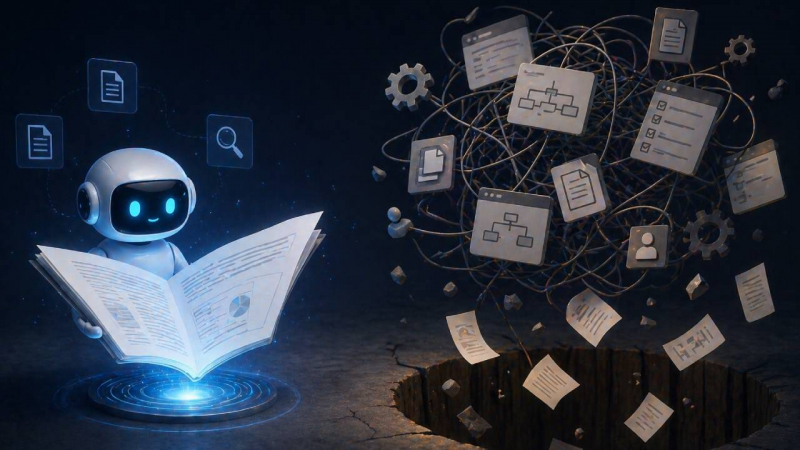
Most PDF problems don’t happen at the moment someone reads the file. They happen after that.
Picture a small finance team reviewing vendor contracts. Someone uploads a PDF into an AI chat tool and asks for a summary of payment terms. Great. The answer says the vendor requires payment within 30 days. The team copies that into a spreadsheet. A week later, procurement asks whether the contract also included auto-renewal language. Someone else uploads the same file again, gets a slightly different summary, and now two interpretations are sitting in two different places.
Nothing dramatic happened. No system exploded. But the workflow is already weak.
The PDF has become detached from the decision. The summary lives in a chat history. The spreadsheet has a copied answer. The actual contract is in a shared drive. The approval might be in Slack. If a manager asks, “Which file did we review?” the answer is suddenly less clean than everyone assumed.
This is where many teams overestimate AI. They think the hard part is understanding the document. Often, the hard part is keeping the document connected to the people, actions, and rules around it.
A hiring team reviewing candidate forms needs version control. A healthcare admin team needs privacy discipline. A construction company reviewing permits needs markup and status tracking. A SaaS company handling customer security questionnaires needs repeatable extraction and review. In all of those cases, the PDF is not just text. It’s part of a chain.
Techraisal’s guide on AI tools that help businesses run smarter points toward a broader truth: AI is more useful when it supports a real process, not when it creates another place where work gets copied and forgotten. The shiny part is the generated answer. The useful part is whether the answer lands somewhere that the team can trust later.
A chatbot can help someone understand a document. A workflow has to help the organization remember what happened to it.
PDFs are more complicated than they look
The average user thinks of a PDF as a digital sheet of paper. That’s fair. It opens on almost any device, preserves layout, and usually looks the same whether you’re on a laptop, phone, or office printer.
Underneath that familiar surface, PDFs can be awkward. They can contain selectable text, scanned images, embedded fonts, form fields, comments, layers, attachments, signatures, permissions, and hidden metadata. Two files that look identical on screen may behave very differently when a system tries to extract text from them.
That matters more than people expect.
A scanned invoice may look perfectly readable to a human but useless to a basic text parser. A contract may contain comments that don’t appear in the visible print view. A redaction may look blacked out, but still leave searchable text underneath if it was done badly. A form may display filled fields correctly in one viewer and strangely in another.
The PDF Association’s overview of ISO 32000 is a good reminder that PDFs are not just “documents” in the casual sense. They’re a structured format with rules, edge cases, and long-term compatibility concerns.
This is why “just upload it to AI” can become risky when the file is important. If the chatbot misses a table, misreads a scan, ignores a footnote, or flattens a complicated layout into a neat but incomplete answer, the output can still sound confident. That’s the unsettling part. A bad summary often reads almost as smoothly as a good one.
For low-stakes reading, that may be acceptable. If you’re using an AI study tool to get the main idea of a chapter, you can cross-check the original. Techraisal’s review of Gizmo AI shows the appeal of turning PDFs and notes into study confidence. But business documents don’t always give users the luxury of casual interpretation.
A compliance team should not rely on a “mostly right” policy extraction. A bank should not treat an AI summary as the final reading of a loan document. A legal team should not assume a clause is missing because a summary didn’t mention it.
The practical rule is simple: the more the PDF controls a decision, the less comfortable you should be with a loose AI reading layer as the only tool involved.
Good document workflows feel less magical
The best document workflows usually look plain from the outside.
A customer uploads a file. The app previews it correctly. The system identifies the document type. Important fields are extracted. A reviewer can annotate the file without downloading it. Sensitive information is handled properly. The document moves to the next person. The final version is stored where it belongs. Nobody has to ask which copy is current.
That’s not as exciting as a chatbot producing a five-bullet summary, but it’s the part that saves teams from slow confusion.
Good execution also respects different levels of risk. Not every document needs the same treatment. A blog research PDF can live in a chat summary. A signed vendor agreement should not. A student’s lecture notes can be converted into flashcards with room for error. A medical intake form needs tighter controls. A marketing report can be summarized casually. A regulated financial disclosure needs traceability.
The blind spot is assuming all PDFs belong in the same tool because they share the same file extension.
A better approach is to sort documents by what happens after reading:
- If the goal is quick understanding, a chatbot may be enough.
- If the goal is learning or studying, an AI note tool can be useful.
- If the goal is approval, compliance, customer delivery, or system integration, the workflow needs a stronger document infrastructure.
- If the file contains personal, financial, legal, medical, or confidential business data, access and retention matter as much as the answer.
Security deserves special attention here. NIST guidance on protecting controlled unclassified information is much broader than PDFs, but the underlying point applies: sensitive information needs defined handling, not casual movement between tools and accounts.
That doesn’t mean every team needs an enterprise platform on day one. It does mean teams should stop pretending the upload button is a workflow strategy.
A five-person startup can still make smarter choices. Keep original files in one controlled location. Decide which documents are safe for AI summarization. Don’t paste confidential contracts into random tools without checking data policies. Use AI outputs as drafts, not records. Make sure someone can trace a decision back to the actual document, not just a chat response.
The point isn’t to slow everyone down. It’s to avoid building a process where the fastest step creates the messiest trail.
Wrap-up takeaway
The real test is simple: would you be comfortable defending the answer later if someone asked where it came from? If the PDF was just background reading, a chatbot summary is probably fine. If the file affects money, compliance, customer trust, or a signed decision, the summary is only a starting point. Keep the speed, but don’t let it erase the trail. Take one PDF your team handles often and check whether the original file, notes, approvals, and final version are still easy to connect.
Post Comment
Share your thoughts about this article.
Be the first to post a comment!