Both are among the most popular AI rewriting tools, both are genuinely good, and they are built around different strengths. The honest answer is not a single name. It is a question about how you write.
Choose this for range QuillBot  More rewriting modes, a far more generous free tier for occasional use, and an all-in-one suite with grammar, summarizing, and a plagiarism checker, working deep inside Word and Google Docs. | Choose this for polish Wordtune 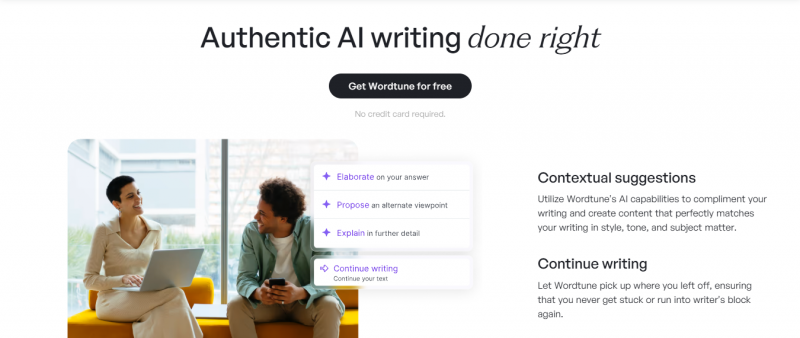 The most natural sentence-level rewrites, a view that shows you several options side by side, and a tone that helps non-native speakers sound fluent in their own voice. |
For most people, QuillBot is the safer default. For anyone whose priority is how a sentence feels, Wordtune often wins.
Who Is Behind Each Tool
They look similar from the outside, but they come from different places and were built with different priorities. That difference explains almost everything that follows.
QuillBot Launched 2017 · part of Learneo A purpose-built rewriting engine, tuned to restructure text you already have rather than write from scratch. It pairs a wide set of rewriting modes with a full writing suite that adds grammar checking, summarizing, a citation generator, a translator, an AI detector, and a plagiarism checker. It works across the web, Chrome and Edge extensions, a Microsoft Word add-in, a macOS app, and iOS and Android apps, and it has grown to more than 35 million users with strong ratings, around 4.5 on Capterra and 4.9 on Trustpilot. Essence: the versatile all-rounder | Wordtune Built by AI21 Labs A reading and writing assistant built by the team behind several well-known language models. Its signature is showing you several rewrites of the same sentence at once so you keep your own voice, with a focus on natural, fluent phrasing. It plugs into Google Docs, Gmail, Outlook, Slack, LinkedIn, and more through its browser extension, and adds desktop and iOS apps. It layers on a summarizer and its Spices feature, but stays a refinement tool by design rather than a full draft generator, and it rates around 4.4 on Capterra. Essence: the sentence stylist |
How Each One Actually Rewrites
Since rewriting is the whole question, start here. The two tools take genuinely different routes to the same goal.
QuillBot You paste text, pick a mode, and it rewrites in that style. It offers nine modes in total, Standard, Fluency, Formal, Academic, Simple, Creative, Shorten, Expand, and a Custom mode, of which two, Standard and Fluency, are free. A Synonyms slider lets you set how aggressively it swaps vocabulary, and grammar fixes run alongside the rewrite. The model is tuned for rewriting rather than open-ended writing, so its Standard and Fluency modes are widely treated as the benchmark for keeping your meaning intact. | Wordtune Instead of one answer, it shows several rewrites of the same sentence side by side, so you choose the phrasing that fits rather than accept a single guess. It leans on tone, casual or formal, and length, shorter or longer, rather than a long mode list. Its Spices feature can drop in an example, a statistic, a counterargument, or an analogy, and a companion tool summarizes articles, PDFs, and even YouTube videos. The suggestions tend to feel contextual and natural, which is why it is popular with non-native speakers. |
The practical difference in one line: QuillBot gives you control and range through its modes and slider, while Wordtune gives you options and feel through parallel suggestions. If you like to dial in a specific style, QuillBot suits you. If you like to pick the best-sounding version from a few, Wordtune does.
Where they part ways
Beyond the rewriting itself, five practical differences will settle the choice for most people. Here is who has the edge on each.
Rewriting modes - Edge: QuillBot QuillBot gives you nine modes plus a synonym slider, which is more granular control than any close rival. Wordtune keeps it to tone and length, but counters with several suggestions per sentence, a different kind of range. |
The free tier - Edge: QuillBot QuillBot caps each rewrite at 125 words but sets no daily limit, so you can keep rephrasing short passages all day. Wordtune allows only ten rewrites per day in total, and just at sentence level, which is tight for anyone writing regularly. |
The wider suite - Edge: QuillBot QuillBot is really a full suite. Alongside rewriting it bundles a grammar checker, a summarizer that reaches 6,000 words, a citation generator with over a thousand styles, a translator, an AI detector, and a plagiarism checker that scans 25,000 words a month across more than 100 languages on premium. Wordtune stays leaner, adding a versatile summarizer that handles articles, PDFs, and even YouTube videos, plus its Spices feature, but with no grammar or plagiarism checker of its own. |
Where it works - Edge: a split Both live in Chrome and Google Docs. QuillBot adds an Edge extension, a Microsoft Word add-in, a macOS app, and iOS and Android apps with their own keyboards. Wordtune spreads across Gmail, Outlook, Slack, LinkedIn, X, and WhatsApp, with desktop apps and an iOS app. Both reach far, so it comes down to where you happen to write. |
Price - Edge: a tie Both land in a similar range. QuillBot Premium is $19.95 a month, or about $8.33 a month billed annually. Wordtune runs two paid tiers, Advanced and Unlimited, from about $6.99 to $9.99 a month on annual billing. Close enough that price rarely decides it, and the exact tiers are laid out below. |
What Each One Costs
Both offer a free tier and paid upgrades, and annual billing cuts the price by roughly half. The figures below reflect each tool's official pricing in mid-2026. QuillBot leans on a single Premium plan with volume unlocks, while Wordtune splits its paid offering into two tiers that mainly raise or remove daily limits.
QuillBot Free - $0 125 words per rewrite with no daily cap, the Standard and Fluency modes, plus a free grammar checker, a summarizer up to 1,200 words, a citation generator, a translator, and an AI detector Premium, monthly - $19.95/mo Premium, quarterly - $39.95/3mo Premium, annual - $99.95/yr About $8.33 a month on the annual plan, unlocking all nine modes, unlimited rewrite length, tone insights, faster processing, and the plagiarism checker at 25,000 words a month Student - $6.25/mo Teams - from $7.50/seat The student rate needs a verified school email, and Teams is billed annually with a five-seat minimum An introductory first-year rate near $4.17 a month is often offered, and web plans can be paused for 30, 60, or 90 days | Wordtune Free - $0 Ten rewrites and Spices per day, three summaries a month, sentence level only Advanced, monthly - $13.99/mo Advanced, annual - about $6.99/mo Raises the limit to thirty rewrites a day and fifteen summaries a month Unlimited, monthly - $19.99/mo Unlimited, annual - about $9.99/mo Removes the daily caps entirely and adds vocabulary and fluency enhancements with premium support Business - custom Adds single sign-on, central billing, and admin controls for teams A three-day free trial covers the paid tiers, and the Business plan offers a seven-day trial |
The Full Comparison
Prices and limits shift often, so treat the figures as a mid-2026 snapshot and confirm the current plan before you commit.
| Feature | QuillBot | Wordtune |
|---|---|---|
| Best at | Range and volume | Natural sentence polish |
| Rewriting modes | Nine, plus a synonym slider | Tone and length, shown as options |
| Free tier | 125 words per rewrite, no daily cap | Ten rewrites per day, in total |
| Grammar checker | Yes, built in | No dedicated checker |
| Plagiarism checker | Yes, 25,000 words a month | No |
| Summarizer | Yes, up to 6,000 words | Yes, for text, PDFs, and video |
| Citation generator | Yes, over 1,000 styles | No |
| AI detector | Yes, free | No |
| Languages | Rewrites in over 20, checks over 100 | English focused |
| Works in | Word, Docs, Chrome, Edge, macOS | Docs, Gmail, Outlook, Slack, X |
| Mobile apps | iOS and Android | iOS |
| Paid from | About $8 a month billed yearly | About $7 a month billed yearly |
| Made by | QuillBot, part of Learneo | AI21 Labs |
Which one for you
There is no universal winner, only the tool that fits your work. Find yourself below.
Students and academic writers You benefit from the mode range, the citation generator, the plagiarism checker, and the deep Word and Docs integration for long documents. Lean - QuillBot | Non-native English speakers The natural phrasing and the ability to pick from several fluent options make it easier to sound like a native writer in your own voice. Lean - Wordtune |
Heavy, everyday writers No daily cap on the free tier and a suite that scales mean you can work through real volume without hitting a wall mid-session. Lean - QuillBot | Light, occasional polishers If you touch up a handful of sentences a day and care most about how they read, the polish is worth more than the breadth. Lean - Wordtune |
The honest warning
One Thing Both Tools Get Wrong
Before you pick either, know the shared limit that the marketing tends to skip.
Neither reliably beats AI detection Detection tools like Turnitin have updated their models to recognize text rewritten by paraphrasers, QuillBot included, so paraphrasing an AI-written draft to slip past a checker is a real risk, not a safe shortcut. Use these tools to sharpen your own writing, not to disguise work that is copied or AI-generated. If accuracy of authorship matters, rewrite first, then edit several sentences by hand before you submit. |
The bottom lineSo, which is better? They are close enough that the honest verdict is a fork, not a winner. If you want one tool that does the most, rewrites in the most styles, and stays generous when you are not paying, choose QuillBot. If you care most about how a sentence sounds and want to pick from natural options in your own voice, choose Wordtune. Plenty of writers keep the free version of both, reaching for QuillBot to work through volume and Wordtune to polish the lines that matter. Better for range and volume - QuillBot Better for polish and voice - Wordtune |
Post Comment
Share your thoughts about this article.
Be the first to post a comment!





