There are four walls, and each one has a different answer. This is not a ranking, because a ranking assumes everyone is stuck on the same thing. Find your wall first, then take the tool that removes it. Pricing verified rather than guessed.
Why people leave
FOUR DOCUMENTED REVISIONS
Worth saying plainly: PromeAI is a strong tool. It returns a finished interior in around ten seconds, its style library runs past 1,700 presets aimed at architecture and interiors, and G2 reviewers single out the sketch-rendering workflow as the thing that saves them hours. Nobody abandons a tool that useful without cause. They leave when one specific job exposes one specific limit.

These are the four that send people looking.
WALL 01 Mechanical products render poorly Simple product sketches come out well. Complex mechanical designs with real tolerances do not. Reviewers agree it is a concept tool, not a CAD renderer. › Fixed by Vizcom | WALL 02 No CAD or BIM integration Browser-only. Every iteration is an export, upload, download cycle. Tolerable once, a real drain across fifty options in a day. › Fixed by Veras or ArkoAI |
WALL 03 Render variability burns coins Landing the right output can take several generations, and the AI can miss subtle architectural details. Every retry spends coins. › Fixed by ArkoAI or ControlNet | WALL 04 Your files go to their servers Cloud processing means transmitting model views externally. For projects under confidentiality, that needs verifying before adoption. › Fixed by Stable Diffusion + ControlNet |
What users actually report
SIX ACCOUNTS FROM REAL DEADLINES
Vendor pages describe the tool working. These are accounts from people using them on real deadlines, including the parts the marketing omits. Two of them contradict the sales copy directly.
TRUSTPILOT · PROMEAI · COIN ECONOMICS One reviewer describes burning through 10 credits, which normally yields around 33 images, and getting four, because generations kept returning content-violation errors. The coins were still deducted. Reported May 2026. Others report HD downloads moving behind coins mid-subscription, without refund. | SKETCHUP FIELD TEST · GEOMETRY DRIFT An architect generated the same villa twelve times through SketchUp’s built-in Diffusion. Four came back as an entirely new building. In three, the front stairs became a ramp. Independent 2026 field test, one model, same camera, same brief across four plugins. |
PRACTITIONER GUIDE · VERAS · THE USEFUL NUMBER Geometry Override at 0% behaves like a stylistic filter over your model; at 100% the AI reimagines the space entirely. Practitioners put the working range at 15 to 40%, and 10 to 30% when accuracy matters for a client. A calibration figure no pricing page publishes. | G2 · PROMEAI · WHAT IT IS GOOD AT Reviewers single out sketch rendering for architectural concepts and product mockups, calling it intuitive and fast enough to save hours of manual work. The recurring complaint is limited control over fine-tuning, with results sometimes slightly off the intended concept. Consistent with the R3 revision: the tool interprets, and interpretation costs retries. |
INDEPENDENT REVIEW · VIZCOM · PRECISION Built for product and industrial design, and it shows. Fantastic at objects and forms, looser on architectural precision, straight walls and consistent perspective than a tool tuned for buildings. The reason Vizcom resolves R1 and not R2. Architects should read this twice. | DESIGN DIRECTOR · 20 YEARS IN INDUSTRIAL DESIGN Fed a marker sketch from 2012 into Vizcom and got back the aggressive stance and exact character lines of the original fascia, with 2026-level paint and studio lighting. Verdict on the category: Midjourney is for mood boards, Vizcom is for your geometry. Same reviewer notes the restrictive free tier pushes serious studio work onto the paid plan. |
On PromeAI's rating. Several affiliate roundups cite 4.7 out of 5 across 350+ Trustpilot reviews. That figure does not match Trustpilot’s own PromeAI pages, which carry far fewer reviews and skew negative on coin handling and content moderation. Treat the 4.7 as unverified marketing, and weigh the G2 feedback above it: strong sketch-to-render, weak fine-tuning control. The tool is good. The rating is not evidence.
Specify your job
FIND YOUR ROW
Read down to the row matching what you make, where your drawing starts, and your hard constraint. Several rows tell you to stay on PromeAI, because for a lot of people that is the correct answer.
| WHAT YOU MAKE | DRAWING STARTS | CONSTRAINT | RECOMMENDATION | WHY |
|---|---|---|---|---|
| Any discipline | Any source | Files cannot leave | Stable Diffusion + ControlNet | The only option where drawings never leave your machine. The constraint overrides everything else. |
| Physical products | Paper or iPad sketch | Budget or speed | Vizcom | Built by an ex-Honda designer. Holds the chamfer PromeAI blurs. Free tier has 2,250 credits. |
| Physical products | Live CAD model | Budget or speed | Vizcom | Takes CAD block-outs as input and pushes finished models into Autodesk Fusion. |
| Physical products | Just an idea | Any | Midjourney, then Vizcom | No drawing means nothing for a sketch-respecting tool to respect. A staging post, not a destination. |
| Buildings, exteriors | Live CAD model | Budget is tight | ArkoAI | $9.99/mo, roughly 80% below Veras. Render mode preserves geometry; Ideate mode explores. |
| Buildings, exteriors | Live CAD model | Speed above all | Veras | Seven integrations. Starts from your real view and massing rather than a screenshot. |
| Buildings, exteriors | Paper or iPad sketch | Budget is tight | Stay on PromeAI | Browser sketch rendering is the job PromeAI was built for. No wall applies to you. |
| Buildings, exteriors | Paper or iPad sketch | Speed above all | Veras | Takes a sketch, not just a model. 2D-to-3D turns flat sketches into dimensional renders. |
| Interiors, staging | Live CAD model | Budget is tight | ArkoAI | Seed set holds one style across every room in a scheme, for $9.99/mo. |
| Interiors, staging | Live CAD model | Speed above all | Veras | Design Lock keeps materials consistent across the whole deck. |
| Interiors, staging | Paper sketch or idea | Budget or speed | Stay on PromeAI | Ten-second renders and 1,700+ presets, the job G2 rates it highest on. Switching buys nothing. |
| Early concepts only | Any source | Budget or speed | Midjourney | Mood range beats accuracy before you open a modeller. Roughly $10/mo. |
Teardown: the five alternatives
INDIVIDUAL PROFILES
Ordered by distance from PromeAI. The first is the closest like-for-like swap; the last is barely the same category, and is here because people keep reaching for it anyway.
Vizcom
PRODUCT & INDUSTRIAL DESIGN
| FIXES WALL 01 · Mechanical products |
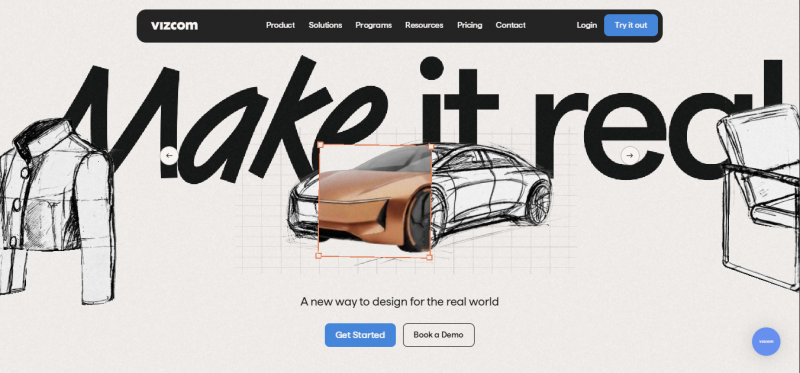
Founded in 2021 by Jordan Taylor, an automotive designer at Honda who then joined NVIDIA's industrial design AI research team, and CTO Kaelan Richards. That lineage shows: Vizcom is built around the sketch-first workflow rather than the prompt-first one, preserving your original edges, proportions and intent. It answers PromeAI's biggest weakness directly, since mechanical and product work is the thing PromeAI reviewers say it handles worst. Dell, Ford, Honda, Nissan, Brooks and Hasbro use it, and the company claims it cuts design timelines by up to 40%.
STARTER $0, 2,250 credits | PROFESSIONAL $49/user/mo, 20,000 credits | EDUCATION $0, 15,000 credits | RENDER TIME 5 to 10 seconds |
STRENGTHS
● Purpose-built to hold a specific chamfer or ergonomic grip, the exact thing Midjourney destroys
● Instant 3D turns a 2D sketch into a rotatable model, with USDZ export for AR viewing
● Sends models directly into Autodesk Fusion, so designers stay creative and engineers stay engineering
● Paid plans are never used to train its AI models, and add-on credits roll over monthly
● Viewers are unlimited, so only editors and admins consume a seat
LIMITATIONS
● 3D generation features are still basic against dedicated modelling tools
● Free tier is restrictive: 10 renders monthly at 720p, watermarked
● Professional is $49/user/mo against PromeAI Base at $19, a 158% premium
● Not a replacement for Enscape or Lumion, which render from the BIM model itself
Switch if: your output ends up as a physical object. PromeAI is inconsistent on exactly this work, and Vizcom was built by people who did it professionally.
Veras
BIM AND CAD WORKFLOWS
| FIXES WALL 02 · No CAD integration |
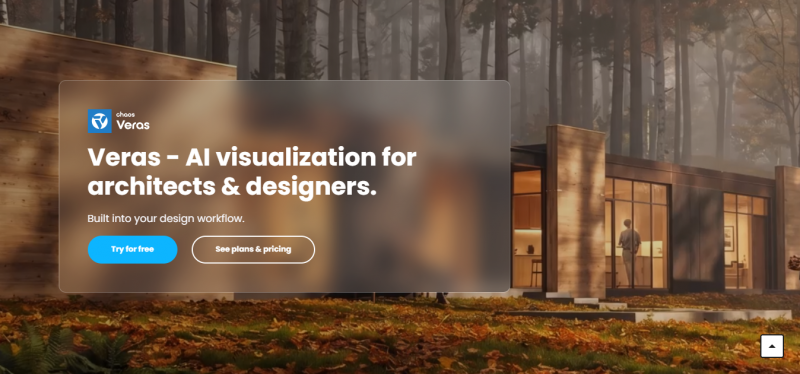
Built by EvolveLAB and now under Chaos, the company behind V-Ray, Veras is the answer to PromeAI's export-upload-download loop. It plugs into seven major platforms and starts from your actual view, massing and camera logic rather than a screenshot of them. Veras 4.0 runs on Google Gemini's Nano Banana 2, which is why it reads architectural geometry unusually well.
STARTER 500 credits | PRO 2,000 credits | ULTRA 6,000 credits | INTEGRATIONS 7 BIM/CAD platforms |
STRENGTHS
● The only AI render tool integrating directly with 7 platforms: Revit, SketchUp, Rhino, Vectorworks, Archicad, Forma and AllPlan
● Geometry Override dials how far the AI departs from your model; low for faithful materials-and-lighting passes, high for massing studies
● Design Lock preserves geometry, style and consistency across every variation and angle
● Render Seed locks one style across multiple views, so a presentation deck stays visually consistent
● 2D-to-3D converts flat sketches into dimensional renders, and images back into editable Revit models
● Image-to-Video builds a walkthrough from a still using 12 camera presets
LIMITATIONS
● Roughly $49 to $59/mo for an individual subscription, the most expensive option here
● Cloud mode transmits model views to Veras servers, so it does not solve PromeAI's confidentiality problem
● Overkill if you do not already work in a BIM or CAD platform
● Geometry Override moved from a slider to a prompt instruction in Veras 7, so older tutorials mislead
Switch if: you have a live model and never want to leave it. This is the single strongest reason to drop a browser tool.
ArkoAI
SKETCHUP AND SOLO ITERATION
| FIXES WALL 02 & 03 · CAD integration on a budget |
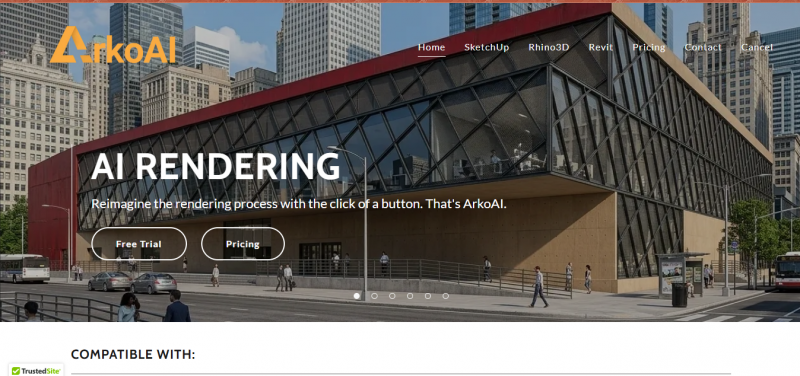
Veras with the price tag filed down. ArkoAI is a cloud rendering add-in built on Stable Diffusion with NVIDIA acceleration, plugging into Revit, SketchUp and Rhino much the way Veras does. Its focus is the early design phase: not one perfect render, but many options quickly. For a Veras user the learning curve is gentle, which is precisely the argument for trying it first.
FREE 3 renders, watermarked | PAID FROM $9.99/mo, 20 renders | MODES Render and Ideate | WORKS WITH SketchUp, Revit, Rhino, Blender |
STRENGTHS
● $9.99/mo entry undercuts Veras by roughly 80% and PromeAI Base by nearly half
● Render mode preserves 3D geometry integrity; Ideate mode lets the AI alter it for exploration
● Seed set holds one rendering style across multiple views
● Negative prompts steer the model away from unwanted output, which PromeAI does not expose
● Also covers AutoCAD, ArchiCAD and Blender, a wider net than Veras at the entry tier
LIMITATIONS
● 20 renders a month at the entry tier is thin once you factor in retries
● Better for quick solo iteration than repeatable team pipelines
● Free tier is 3 watermarked renders, effectively a demo
● Newer than Veras with fewer independent reviews, so less is known about it at scale
● Windows-oriented, unlike PromeAI's browser-anywhere access
Switch if: you want Veras-style CAD integration but $59/mo is not happening. Try ArkoAI before you conclude plugins are unaffordable.
Stable Diffusion + ControlNet
CONFIDENTIAL AND ZERO-BUDGET WORK
| FIXES WALL 03 & 04 · Confidentiality and cost |
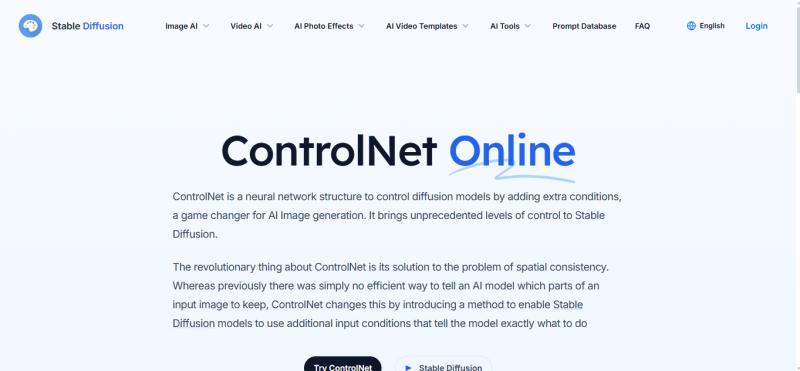
The only option here that answers PromeAI's confidentiality gap, because nothing leaves your machine. ControlNet, introduced by Zhang et al. in 2023, adds a trainable copy of the diffusion model's encoder alongside the frozen original, letting spatial conditions such as scribbles, edge maps and depth maps steer generation without destabilising the base model. Canny edge detection converts your sketch into a binary edge map so windows do not migrate and rooflines do not change pitch.
COST $0, open source | REQUIRES A local GPU | CONTROL WEIGHT 0.5 to 1.0, tunable | DATA Never leaves your machine |
STRENGTHS
● The only tool here matching or beating Vizcom on strict geometric control
● Thousands of community checkpoints, several tuned for architecture, interiors and urban visualisation
● Control weight is adjustable in 0.1 increments, so you calibrate exactly how hard the sketch binds
● Stopping ControlNet influence at step 0.8 avoids the stiff output you get at 1.0
● Full data sovereignty and a reproducible pipeline, which matters for confidential files
LIMITATIONS
● Needs a GPU and technical patience; there is no ten-second path from sketch to render
● controlnet-scribble was trained on SD 1.5 and has not been updated since February 2023
● Scribbles with ambiguous topology, where it is unclear whether lines close, produce unpredictable results
● SD 1.5 has known weaknesses with unusual viewpoints and highly specific architectural details
● Commercial use falls under the underlying Stable Diffusion licence terms, which you must read
Switch if: the project is under NDA, or your budget is zero and your time is not. Everything else here ships your drawings to someone else’s server.
Midjourney
MOOD BOARDS, NOT RENDERS
| FIXES NO WALL · Included to save you a month |
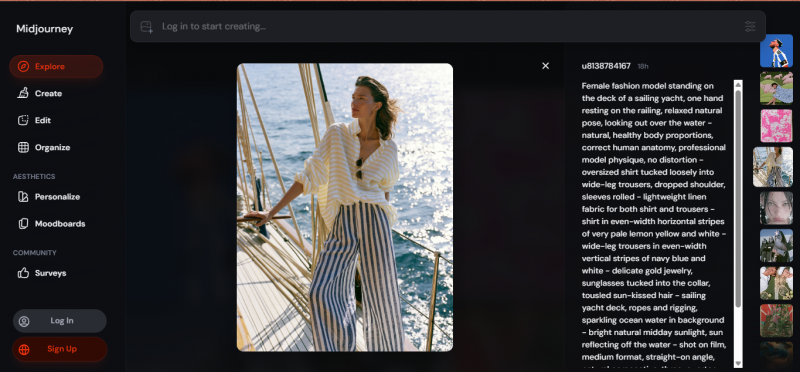
Included because architects keep reaching for it, and because being clear about what it is not saves people a month of frustration. Midjourney is the best-known AI visualisation tool in architecture and remains the gold standard for artistic image generation. It is also text-only, cannot read your model, and will cheerfully destroy a precise chamfer. As one design director put it: Midjourney is for mood boards, Vizcom is for your geometry.
PAID FROM ~$10/mo | INPUT Text prompts only | GEOMETRY CONTROL None | LEARNING CURVE Short |
STRENGTHS
● Cheapest paid option here at roughly $10/mo, a third of PromeAI Base
● Short learning curve with immediately valuable results, unlike the ControlNet route
● Unmatched for mood range and the blue-sky front end of a project
● Genuinely useful for style exploration before you have opened a 3D modeller
LIMITATIONS
● Text-only input, so it cannot take your sketch as structural guidance at all
● Limited architectural accuracy; it will not respect floor count, window placement or massing
● Uncontrollable where a strict mechanical package or ergonomic grip is involved
● Not a PromeAI replacement so much as a different job wearing similar clothes
Switch if: you were never really rendering. If your sketch matters, this is the wrong list entry and Vizcom is the right one.
All six side by side
PROMEAI INCLUDED AS THE BASELINE
PromeAI sits in the first row so the comparison is against something rather than in the abstract. Note how little the sticker prices tell you: the $0 option demands a GPU, and the $10 option cannot read a sketch.
| TOOL | ENTRY PRICE | SKETCH INPUT | GEOMETRY CONTROL | THE CATCH |
|---|---|---|---|---|
PromeAI THE BASELINE | Free, 10 coins/mo. Base $19/mo ($16 annual) | Sketch, photo, 3D model | Control slider, model switching | Mechanical CAD renders poorly. Browser-only, no CAD plugin. |
Vizcom PRODUCT DESIGN | Free, 2,250 credits. Pro $49/user/mo | Hand sketch, iPad, CAD block-out | Preserves edges, proportions, intent | $49 is 158% above PromeAI Base. 3D features still basic. |
Veras BIM NATIVE | ~$49 to $59/mo. Starter 500 credits | Live model view, sketch, text | Geometry Override plus Design Lock | Priciest here, and cloud mode still sends views off-site. |
ArkoAI BUDGET PLUGIN | Free, 3 renders. From $9.99/mo, 20 renders | Live model view from SketchUp, Revit, Rhino | Render vs Ideate mode, seed set | 20 renders/mo is thin. Better solo than for team pipelines. |
Stable Diffusion + ControlNet SELF-HOSTED | $0 | Scribble, Canny edge map, depth map | Weight tunable 0.5 to 1.0 | Needs a GPU. Scribble model unchanged since Feb 2023. |
Midjourney MOOD BOARD | From ~$10/mo | None, text only | None | Cannot read your sketch. Not actually a render tool. |
Read the render cap, not the price. A $10/mo tool limiting you to 20 renders can cost more per usable image than a $29/mo tool with unlimited renders, especially once you count retries. PromeAI users already know this: landing the right output often takes several generations, and each one spends coins.
Tolerance: how tightly each holds your lines
HOW CLOSELY EACH TOOL HOLDS YOUR LINES
This is the axis that actually separates these tools, and the one the pricing pages never mention. Everything here renders a sketch. The question is whether the building you get back is the building you drew.
| ControlNet | ███████████████████████████████ | Binary edge map, weight tunable |
| Veras | █████████████████████████████ | Starts from the real model |
| Vizcom | ████████████████████████████ | Preserves edges and proportions |
| ArkoAI | █████████████████████████ | Render mode keeps geometry intact |
| PromeAI | ███████████████████ | Control slider, can miss details |
| Midjourney | ███ | Text only, no structural input |
The trade is visible once it is drawn out. The tools at the top demand either a GPU or a live CAD model. The tools at the bottom ask for nothing and give you a vibe. PromeAI sits in the middle deliberately, which is its appeal and its ceiling.
General notes
BUYER'S CHECKLIST
- Price the retries, not the renders. Every tool here bills the failures too. If landing an output takes three generations, a 20-render cap is really a 7-render cap.
- Check where your drawings go. Veras, ArkoAI and PromeAI all process in the cloud. Only the ControlNet route keeps confidential files on your own hardware.
- Confirm the plugin covers your software. Veras spans 7 platforms; ArkoAI centres on SketchUp, Revit and Rhino. If you are in Vectorworks or AllPlan, that difference decides it.
- Ask whether free-tier work trains the model. Vizcom may use free users' generated images to improve the service, though you keep rights. Paid plans are excluded.
- Test on your ugliest sketch, not your best. Ambiguous topology breaks ControlNet, and subtle architectural detail is where PromeAI slips. A clean demo drawing hides both.
The Verdict
SIX PROFILES, ONE PICK EACH
The decision table above narrows on your exact combination. This is the same conclusion stated flat, for the six situations that cover most people who arrive at this question. One pick each, no runner-up, because hedging is how you end up paying for two tools and finishing neither job. Note that two of these six say stay put. That is not a hedge, it is the honest answer.
THE PRODUCT DESIGNER Vizcom $0 Starter · $49/user/mo Pro Built by an ex-Honda designer for exactly this work. It holds the chamfer PromeAI blurs, and finished models push straight into Fusion. | THE REVIT OR RHINO ARCHITECT Veras ~$49 to $59/mo Seven integrations and Design Lock. Renders from your real massing and camera, not a screenshot of them. The export loop disappears. |
THE SKETCHUP FREELANCER ArkoAI From $9.99/mo The same plugin idea at a fifth of the price. Live with the 20-render cap until it actually bites, then reconsider Veras. | THE NDA PROJECT Stable Diffusion + ControlNet $0, GPU required The only option where drawings never leave the building. No hosted tool clears an NDA without a data-processing review first. |
THE CONCEPT PHASE Midjourney, then come back From ~$10/mo Not a PromeAI replacement. Use it before you have a drawing, then return to a sketch-respecting tool the moment you do. | THE INTERIORS GENERALIST Stay on PromeAI $19/mo · $16 annual 1,700+ styles and ten-second renders, the job G2 reviewers rate it highest on. If no revision applies, switching buys nothing. |
Still unsure? Run one real sketch, your ugliest one, through the free tiers of Vizcom and ArkoAI this week. Both cost nothing to try and they sit at opposite ends of the price range, so the comparison is honest. The wall that sent you looking is the only thing that should decide this, and it will never show up on a clean demo drawing.
Post Comment
Share your thoughts about this article.
Be the first to post a comment!





