A LinkedIn caption and a TikTok caption are different jobs. This guide starts with your canvas, shows what is really writing your captions, then reviews the six tools worth your time, with current pricing and a clear verdict.

Photo: “Welcome to Twitter” by freestocks.org, CC0 1.0
| New drop is live ? our vitamin-C serum for dewy, glowing skin |
| IG · TikTok · LinkedIn · X 61 / 2,200 Post |
Every tool below is really just help filling this box. The trick is picking the right one for what you post.
There is no single best AI caption tool, because best depends on where you post and what is slowing you down. One fact sets the scene: TikTok expanded its caption limit from 300 to 4,000 characters, not so people could write essays, but because captions are now search fuel. A 2026 Adobe survey found roughly half of U.S. consumers use TikTok as a search engine. So before the tools, two quick things: the canvas you are writing into, and what is actually generating the words.
What each platform allows and rewards
The limit is a ceiling, not a goal. On almost every platform the ideal caption is far shorter than the maximum. (LinkedIn is the exception, where longer posts perform better.) On feeds that truncate, only the first line or two shows before a “more” link, so your hook has to land there.
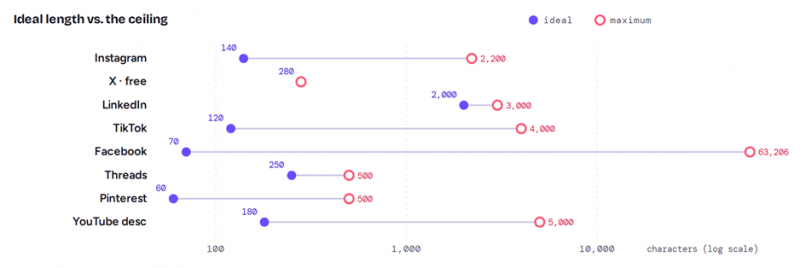
Fig. 1 - How much of the limit you should actually use
| Platform | Max caption | Shown before cut-off | Sweet spot |
|---|---|---|---|
| 2,200 | ~125 chars | 125 to 150; hook first | |
| X / Twitter | 280 free · ~25k Premium | most of it | 240 to 280 (even on Premium) |
| 3,000 | ~140 to 210 chars | 1,800 to 2,100 (longer wins) | |
| TikTok | 4,000 | first line | 50 to 150 feed · 150 to 300 search |
| 63,206 | ~477 chars | 40 to 80 chars | |
| Threads | 500 | most of it | short, conversational |
| ~500 | first ~50 to 60 | keyword-first | |
| YouTube desc. | 5,000 | ~150 to 200 in search | keywords in first two lines |
Limits shift once or twice a year. Treat these as a 2026 snapshot and verify before relying on an exact number.
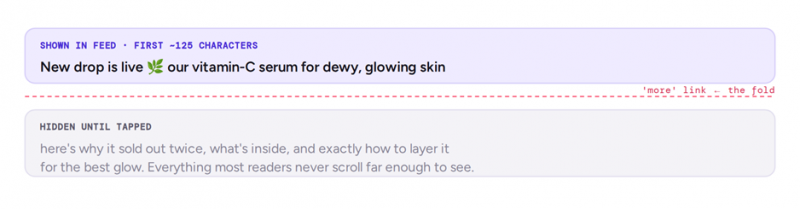
Fig. 2 - The fold: only the first ~125 characters earn the tap
TWO QUIRKS THAT BREAK CAPTIONS On most platforms emojis count as two characters, and on X every link counts as 23 regardless of length. A caption that fits in your editor can still get truncated live. |
What is actually writing your captions
Almost none of these tools built their own AI. They are interfaces wrapped around the same handful of large language models you can reach directly. ChatGPT runs on OpenAI's models, Claude on Anthropic's, and Gemini on Google's. Copy.ai openly routes to all three and lets you switch. So you can reach the same engine free by going direct. Paid tools sell everything around the model: brand-voice memory, platform templates, bulk generation, hashtag research, and scheduling. Decide whether you are buying writing (go direct) or a workflow (pay for the wrapper).
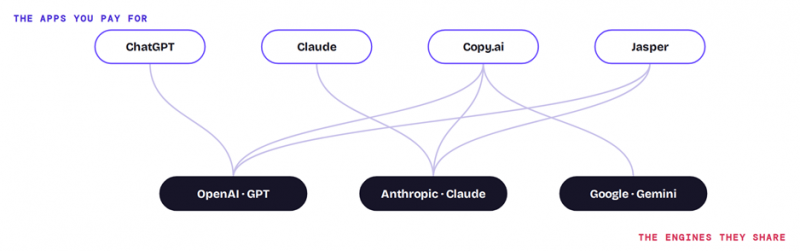
Fig. 3 - The apps are interfaces; the engines are shared

You are rarely paying for exclusive AI. You are paying for the workflow around it. Photo: “MacBook Air Entrepreneur Blogger Business” by homethods, CC BY 2.0
The six tools worth your time
Reviewed in order of how most people will reach for them, from the flexible all-rounders to the specialists. Each entry covers what it does well, where it falls short, and what it costs today.
1. ChatGPT
Best for: the fastest, most flexible all-purpose caption drafting.
ChatGPT, from OpenAI, is the tool most people already have open, and it is still the most flexible way to draft captions. Describe your post, set a tone, ask for several options, and it returns caption or hook variations for any platform, adds hashtags on request, and rewrites on command until one lands. It handles every network, from a one-line hook for X to a story-driven LinkedIn post, and it is genuinely good at edits like making copy sound less corporate. The limitation is that it has no memory of your brand and no scheduling: it is a blank, powerful canvas, so consistency and publishing are on you. The free plan covers most caption work, though the flagship model is metered and the U.S. free tier now shows ads.
PRICING Free, with ads in the U.S. ChatGPT Go is 8 dollars a month. ChatGPT Plus is 20 dollars a month for higher limits and the stronger models. Pro tiers run 100 and 200 dollars a month; Business starts at 25 dollars per user a month (20 annually, minimum two seats). |
2. Claude
Best for: the most natural, least formulaic long-form captions.
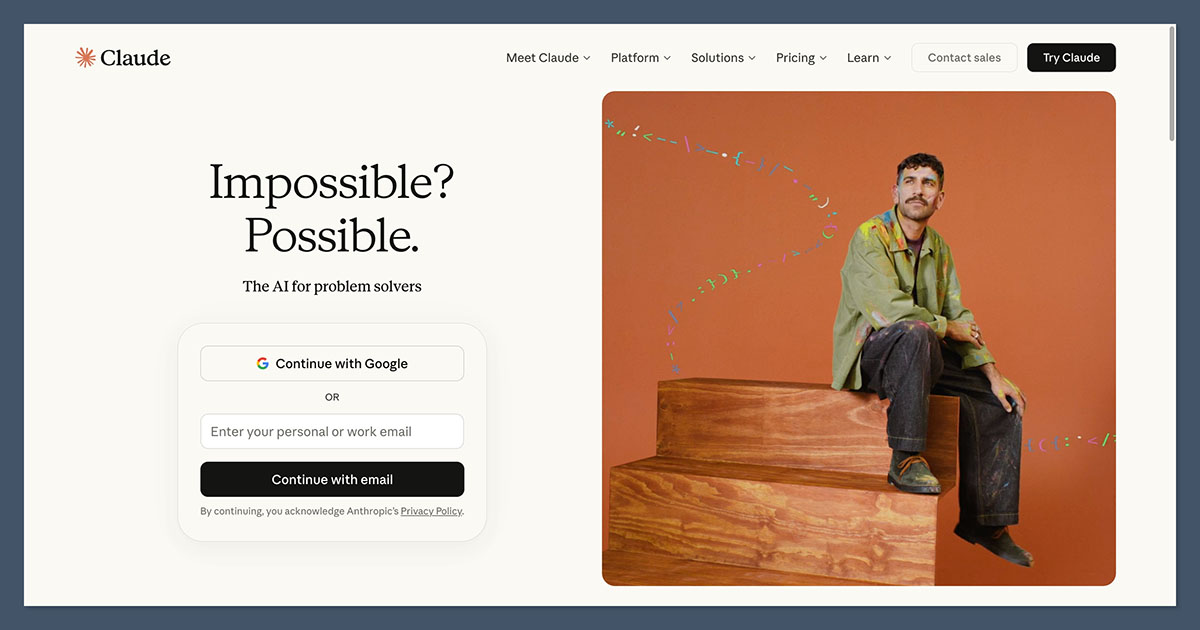
Claude, from Anthropic, tends to produce the most natural writing of the mainstream tools, with fewer cliches and better paragraph flow, which makes it the pick for platforms where longer captions perform: LinkedIn, Facebook, Threads, and Pinterest. It is especially good at following detailed instructions. Paste your brand guidelines, a description of your audience, and two or three of your best-performing posts, and it will match your voice closely. Like ChatGPT it is a chat assistant, so there is no built-in scheduling and no brand memory beyond the prompt, and it cannot generate images. Its free tier is capable and, unlike ChatGPT's, carries no ads.
PRICING Free, no ads. Claude Pro is 20 dollars a month, or 17 dollars a month billed annually (200 dollars a year). Max plans run 100 and 200 dollars a month for heavy use. Team plans start around 25 dollars per user a month. |
3. Jasper
Best for: keeping every caption on-brand across a team.
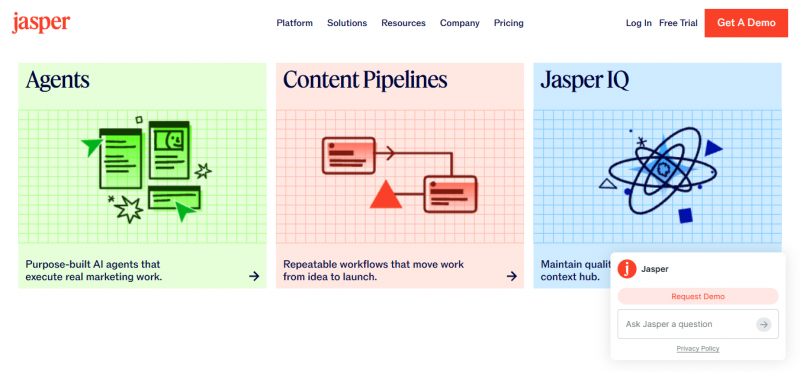
Jasper is a mature, marketing-focused platform built around one idea: teach it your brand voice once, and every caption sounds like you. It backs that with audience profiles, marketing templates, Campaigns that turn a single brief into a full multi-piece push, a Canvas editor, and a browser extension for writing inside other tools. That depth makes it a favorite for agencies and in-house teams juggling several brands, at the cost of a learning curve and premium pricing. There is no permanent free tier, only a 7-day trial, so it is overkill for casual posting but earns its place when on-brand consistency across channels is the whole job.
PRICING No free tier (7-day trial). Pro is 69 dollars a month, or 59 billed annually, with multiple Brand Voices. A Creator tier is reported around 49 dollars a month (39 annually). Business is custom priced for larger teams. |

Match the tool to the job, and to the tab you already work in. Photo: “Woman working on a laptop” by Rawpixel Ltd, CC BY 2.0
4. Copy.ai
Best for: fast, template-driven marketing copy on a budget.
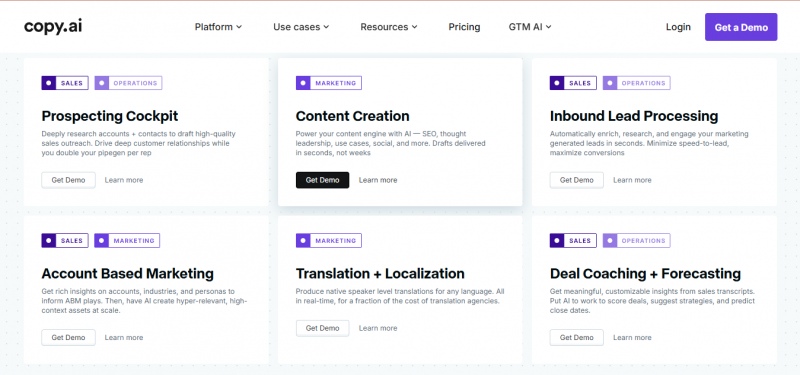
Copy.ai is known for a clean interface and quick output, with more than 90 templates for Instagram, Facebook, LinkedIn, and X, plus tone controls, bulk generation, and multi-step Workflows for repeated tasks. It routes to several underlying models from OpenAI, Anthropic, and Google, and lets you switch between them. Its free tier is a real one, around 2,000 words a month, so you can write a steady trickle of posts at no cost. The trade-off is that output can feel generic without editing, and the tool is tuned more for short marketing copy than long-form writing.
PRICING Free tier, about 2,000 words a month. Paid plans from roughly 29 to 49 dollars a month for unlimited words, with higher Workflow and team tiers around 249 dollars a month. Copy.ai has restructured its plans recently, so confirm the current entry price. |
5. Buffer
Best for: writing and scheduling captions free, in one place.
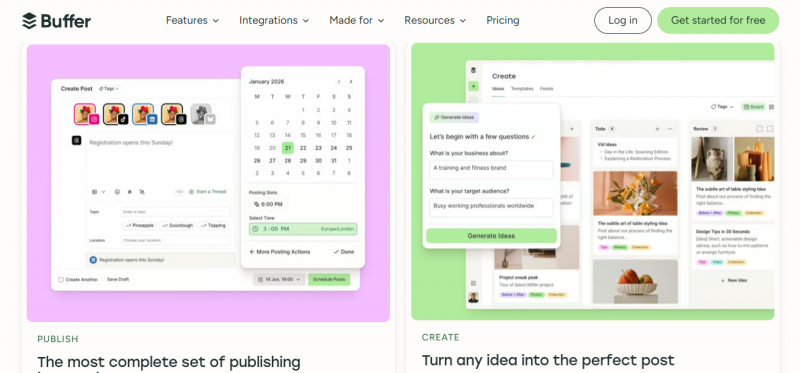
Buffer is a clean, affordable scheduler whose standout for captions is that the AI Assistant is included on the free plan with no credit cap. You can brainstorm ideas, repurpose old posts, and draft captions, then schedule them, without leaving the app or paying a cent. The free plan covers three channels with ten queued posts each, and a newer API lets you connect ChatGPT or Claude for custom workflows. The AI itself is a general drafter rather than a deep brand-voice engine, so it will not learn your voice the way Jasper does, but for a free workflow with no copy-and-paste between apps it is the easiest useful starting point in the category.
PRICING Free plan (three channels, AI Assistant included, unlimited AI). Essentials is 5 dollars per channel a month and Team is 10 dollars per channel a month, both with a 14-day trial. |
6. Canva Magic Write
Best for: writing the caption where you design the post.
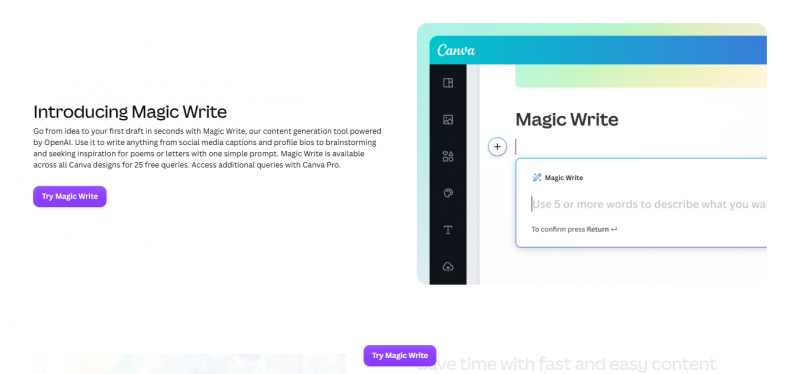
If the image comes first, Canva lets you write the caption in the same editor. Magic Write, the text generator inside Canva's Magic Studio, drafts caption options, headlines, or longer copy directly on your design, and the Brand Kit keeps the tone, colors, and fonts consistent with your visuals. The wider suite adds Magic Design, which builds editable templates from a prompt, and tools to resize a feed post into a Story or carousel, so you can make the graphic, write the caption, and export in one place. The trade-offs: the writing quality is basic next to a dedicated AI writer, caption-specific features like hashtag scoring are thin, and AI use is metered by monthly credits.
PRICING Free plan (about 50 AI credits a month, which cover Magic Write). Canva Pro is about 15 dollars a month, or 120 dollars a year billed annually (roughly 10 to 12 dollars a month), with about 500 AI credits. Business starts around 20 dollars per user a month. |
The six, side by side
| Tool | Runs on | Free tier | Scheduling | Brand voice | Price |
|---|---|---|---|---|---|
| ChatGPT | OpenAI models | Yes (ads) | No | Manual | $20/mo (Plus) |
| Claude | Anthropic models | Yes, no ads | No | Via prompt | $20/mo (Pro) |
| Jasper | Multiple models | No (trial) | No | Yes (dedicated) | $59-69/mo |
| Copy.ai | GPT / Claude / Gemini | Yes (~2k words) | No | Yes | ~$29-49/mo |
| Buffer | LLM assistant | Yes (AI incl.) | Yes | Limited | $5/channel |
| Canva | LLM + Leonardo | Yes (50 credits) | Higher tiers | Brand Kit | ~$15/mo |
Prices verified for mid-2026. Plans change often; confirm on each tool's site.
Facts worth knowing first
- Optimal is not maximum. The sweet spot is far shorter than the ceiling. On Facebook, 40 to 80 characters can out-engage a wall of text.
- AI states facts confidently even when they are wrong. Any stat, price, or date it writes into a public caption needs checking first. A made-up number is a brand problem, not a typo.
- Generic AI voice is a tell. Cut the giveaways, such as “dive in,” “elevate,” and “game-changer,” and paste two of your best real captions into the prompt so it matches your voice, not the model's defaults.
- Disclosure is expected. Instagram, Facebook, TikTok, and YouTube label or ask you to disclose AI-generated content, and ad regulators expect clear disclosure on sponsored posts.
- Mind the counting rules. Emojis usually count double and links on X eat 23 characters each, so budget for them before you hit publish.

The model can generate; the judgment, the fact-check, and the voice stay human. Photo: “Snap - Unedited” by SodanieChea, CC BY 2.0
Final Verdict
What to actually pick
For pure caption writing, Claude and ChatGPT are the two to beat, and both are free to start. Claude edges ahead on longer, more natural posts, while ChatGPT is the more versatile all-rounder that will do a bit of everything. If you want the caption written and scheduled in one free place, Buffer is the best value in the group. If a team needs every caption on-brand, Jasper justifies its premium. And if you design your posts anyway, Canva's Magic Write saves a step. Copy.ai sits in the middle as a fast, template-driven option with a genuinely useful free tier.
The smart move is to spend nothing until a free tool actually hits a wall, then pay for the one thing you are missing: scheduling (Buffer), brand memory (Jasper), or design (Canva). And whatever you choose, keep a human on the last edit. The model can generate the draft, but the judgment, the fact-check, and the voice have to be yours. That is the division of labor that makes captions faster without making them generic.
Quick picks
• Best writing overall: Claude. Free; Pro 20 dollars a month (17 annually).
• Most versatile: ChatGPT. Free; Plus 20 dollars a month.
• Best free all-in-one: Buffer. Free with AI and scheduling; paid from 5 dollars per channel.
• Best for teams and brand consistency: Jasper. From 59 dollars a month.
• Best design-led: Canva Magic Write. Free; Pro about 15 dollars a month.
• Best budget copywriter: Copy.ai. Free tier; paid from about 29 to 49 dollars a month.
Post Comment
Share your thoughts about this article.
Be the first to post a comment!





