My 3D artist friends are not okay. Ten million people are quietly using Meshy to skip the part of 3D that used to take days. Here is what it nails, what it fakes, and the one number every review forgets.
Spotted first on @meshy.ai. This reel is what sent me down the rabbit hole.
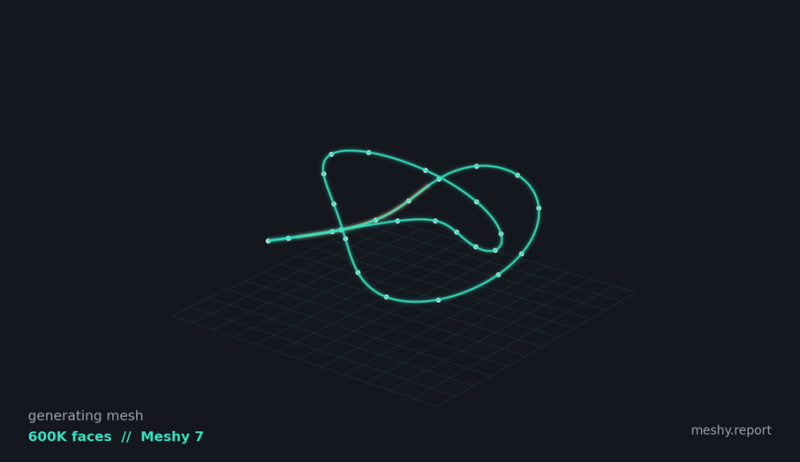
A textured mesh built from a single line of text. This is the thing everyone is arguing about.
Here is the thing nobody tells you until you have already fallen down the rabbit hole. 3D used to be gatekept by time, not talent. Days of modeling, UV unwrapping, texturing, and rigging. Then a diffusion model showed up, ate that entire pipeline, and started handing textured, rigged, print ready models to people with nothing but a text box. That model is called Meshy, and depending on who you ask it is either the best thing to happen to indie creators in a decade or the beginning of the end. Let us actually look.
So what is this thing?
Meshy is an AI 3D model generator. You give it a sentence, such as a stylized red fox curled around its tail in a hand painted storybook style, or you drop in a photo, and roughly a minute later it hands back a fully textured 3D model. You can spin it, rig it, animate it, and export it straight into Blender, Unity, Unreal, Godot, Roblox, or a 3D printer slicer.
It is not a lab demo anymore. As of GDC 2026, Meshy reports more than 10 million users and more than 100 million models generated. The current engine, Meshy 7, launched in August 2026 and scored about 81 percent on an overall proportion benchmark, ahead of rivals like Tripo, Hunyuan, and Rodin. In an earlier blind test, senior artists from NetEase and Tencent preferred Meshy output almost 64 percent of the time over its closest competitor. Those are not toy numbers.
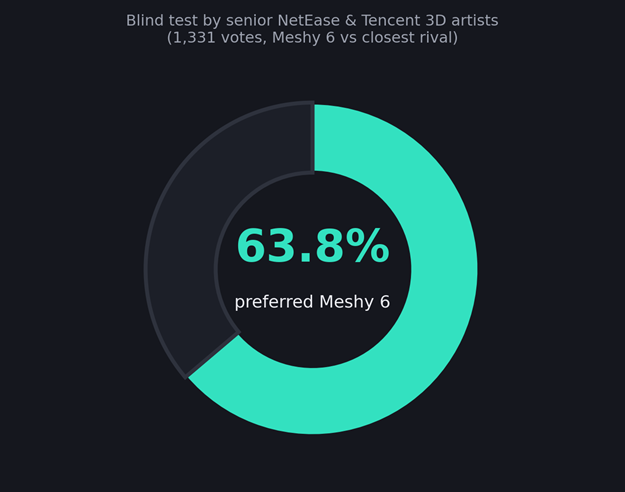
In a 1,331 vote blind test, pro artists picked Meshy 6 over its closest rival nearly two thirds of the time.
There is not just one Meshy either. You pick your engine per generation. Meshy 7 for the highest fidelity, Meshy 6 for a proven middle ground, and Meshy 6 Lite when you are burning through drafts and want to spend fewer credits. It reads prompts in almost any language, or takes one to eight reference images. Its Multi view mode, using front, side, and back, is the single biggest lever for making a model match your input instead of hallucinating the sides it cannot see. There is even a student and educator discount and a referral program if you want to stretch the free credits further.
HOT TAKE AI 3D generation stopped being a gimmick the moment the output stopped needing a 3D artist to become usable. Meshy quietly crossed that line. |
The 60-second magic trick
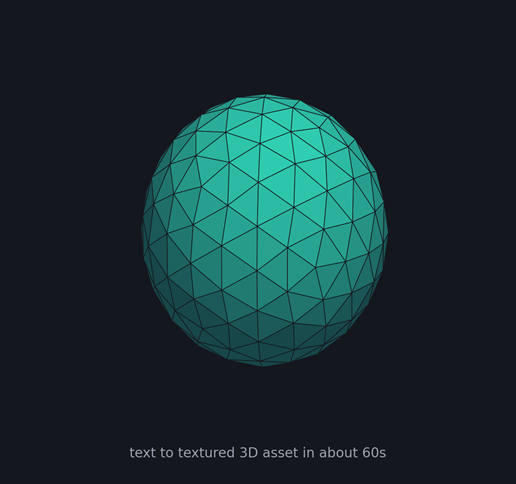
A generated, shaded asset. Clean enough to drop into a prototype level as is.
Type a prompt, up to 800 characters, in any language, or drop in a photo or sketch. Pick a model type: Standard for detail, Smart Topology for clean game ready meshes. Hit generate. About a minute later you are orbiting a textured model in the viewer with real PBR maps baked in. Those are the physically based textures that make a surface read as metal, ceramic, or fur under real lighting instead of a flat painted blob.
Here is the whole loop, start to finish. This is the part that used to be days of work.
1. Describe it. Type up to 800 characters, or drop in a photo or sketch. Turn on Multi view if you have more than one angle.
2. Pick your settings. Choose the engine, Standard or Smart Topology, a pose, and how many variations to spin up at once.
3. Generate up to 10 at a time. Queue a whole prop list, walk away, and come back to a populated asset library.
4. Inspect and refine. Orbit it with wireframe and stats on, then re texture, remesh, or run a printability check without leaving the tab.
5. Rig and animate. Auto drop a skeleton and apply a walk, idle, or attack from more than 500 presets.
6. Export. One of eight formats, straight into Blender, Unity, Unreal, Godot, Roblox, or a slicer.
It plugs into what you already use, with official bridges for Blender, Unity, Unreal, Godot, Roblox, ComfyUI, and Houdini, plus a REST API on paid plans. The production grade bits underneath:
| Auto rigging | Drops a skeleton onto humanoids and quadrupeds automatically, with more than 500 animation presets. Rigging and animation currently cost 0 credits. |
| Smart Remesh | Built in retopology. Turns a bloated two million polygon blob into clean topology without a round trip through ZBrush or Blender. |
| Printability | Watertight, manifold meshes with auto repair and built in print checks. Export STL or 3MF and send straight to a slicer. |
| Exports | Eight formats: FBX, GLB, OBJ, USDZ, STL, BLEND, 3MF, DXF. USDZ for Apple AR, BLEND for direct Blender import. |
The genuinely wild part is not any single feature. It is that modeling, texturing, rigging, animation, retopology, and export now happen inside one workflow that takes minutes instead of days.
Real question: is AI 3D a threat or a gift to artists? Comment below to vote, then defend yourself in the comments. |
| Option A A gift. It kills the boring 80 percent. |
| Option B A threat. It devalues real craft. Comment the word THREAT if that is you. |
Comment below: after you vote, tell me which job you would actually hand to AI.
● AI can have my background props, but never my hero characters.
● I am an artist and honestly relieved. Here is why.
● This is going to flood asset stores with slop. Agree or disagree?
The number every review skips
Reviews love the 60 seconds headline. They are quieter about the meter running underneath it. Meshy runs on credits, and a fully textured model burns roughly 20 to 30 of them, around 60 cents on a Pro plan. Sounds cheap. It is cheap, until you remember AI 3D is an iteration game.
You rarely nail a model on the first try. You re roll. You re texture. You remesh. Each pass is more credits. The free tier gives you about 100 credits and about 10 downloads a month, which is enough to fall in love, not enough to ship. That is the trap. The tool that costs 60 cents can quietly cost you a subscription and a dozen retries per asset that actually lands.
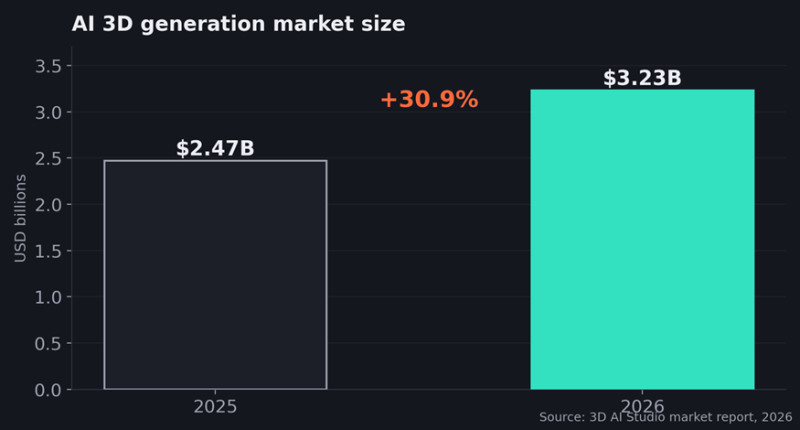
The money is following the hype. The AI 3D market grew almost 31 percent in a single year.
THE PART THEY BURY The real price is not per model. It is per model that you keep, and the ratio of keepers to rerolls is the only number that matters. |
Where it falls apart, and it does
Anyone who tells you it is flawless is selling something. Push Meshy hard and the seams show.
● Extra fingers. Character hands still glitch into six fingered horror more often than you would like.
● Chunky cartoon proportions break the auto rig. Stylized blob characters confuse the skeleton fitting.
● Hair fuses. Loose strands clump into thick welded chunks instead of fine detail.
● Repeating patterns drift. Rows of windows or tiles slowly fall out of alignment.
● It is not a hero asset tool. For a AAA main character or a precise mechanical part, a human modeler still wins.
The honest framing: Meshy gets you a mesh that is about 85 percent right. Game props, background assets, printed objects, and client concepts absorb 85 percent right beautifully. Hero characters and engineered parts do not.
Meshy vs Tripo: pick a side
Every AI 3D thread eventually becomes a holy war between two camps. Here is the fair version, then you are voting.
| Team Meshy | Team Tripo |
|---|---|
Better texture quality and polish. Watertight meshes and print checks out of the box. Eight export formats, including USDZ and BLEND. Best when you want a finished asset. | Faster and cheaper per generation. Built for rapid re rolls and iteration. Model segmentation into editable parts. Best when you want volume and speed. |
So, which one do you actually ride for? comment below to vote. No fence sitting. |
| Option A Meshy, polish over speed. Like this post. |
| Option B Tripo, speed over polish. Comment the word TRIPO. |
The verdict
If you are a solo game dev, a 3D print hobbyist, an educator, or a concept artist trying to compress the ideation cycle, Meshy is close to a cheat code. It deletes the slow, unglamorous middle of 3D and hands you something you can actually build on. If you are shipping hero assets or engineered parts, treat it as a brilliant first draft, not a final one.
The bigger story is that the days of work wall just fell over, and 10 million people already walked through the gap. The interesting question is not whether AI 3D is good enough. It is what you will make now that the boring 80 percent is free.
YOUR MOVE Drop your worst AI generated 3D horror story below. Six fingered characters, melted hair, cursed geometry. The best one gets pinned. |
Join the conversation. Pick one and go:
● Your worst AI 3D disaster. Best one gets pinned.
● The one prompt that gave you a genuinely usable model. Paste it.
● Threat or gift to artists, and why you are right.
● Meshy vs Tripo vs your pick. Settle it.
Post Comment
Share your thoughts about this article.
Be the first to post a comment!