Table of Content
Read enough negative reviews of these apps and one sentence keeps appearing, in different words, from different people, about different products. They did not upgrade for a feature. They upgraded to remove a logo.
The question this article asks
There is no shortage of lists ranking these apps. CapCut is fast, InShot is simple, LumaFusion is powerful. All true, all easy to find, and none of it explains why creators paying $240 a year and creators paying nothing frequently produce indistinguishable videos.
So this is not a ranking. It is one question, worked through with evidence: when you pay for a social video editing app, what are you actually buying? Five apps appear below, not as profiles but as exhibits.
The five: CapCut, VN Video Editor, InShot, Adobe Premiere on iPhone and LumaFusion. Between them they cover almost every creator on iOS and Android, and their prices for a first year range from nothing to roughly $240.
WHERE THE EVIDENCE COMES FROM Published analysis of one to three star App Store and Google Play reviews across all five apps in early 2026, Adobe’s own end of life documentation, and provider pricing pages. Negative reviews are useful here precisely because nobody writes one to explain that a subscription was worth it. |
Exhibit 1: What the upgrade screen sells
Every paid tier in this category markets the same list. Premium effects. Exclusive transitions. Higher export quality. An expanded music library. Cloud storage.
Reviewers describe buying something else entirely.
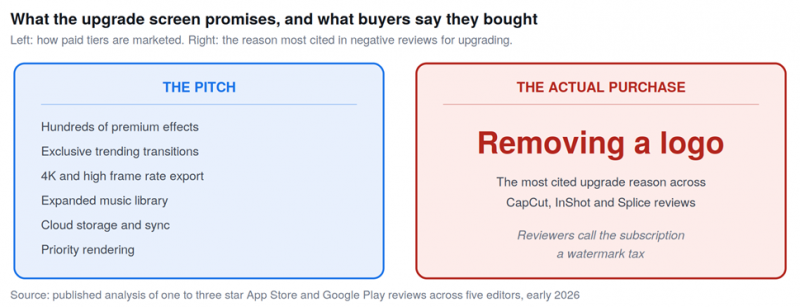
The gap between what paid tiers advertise and the reason most cited for actually upgrading.
EXHIBIT 1 The watermark tax THE CLAIM Subscribe to unlock hundreds of premium effects, transitions and export options. THE FINDING Across CapCut, InShot and Splice, the most cited reason in one to three star reviews for upgrading is not a feature at all. It is removing the watermark from exports. Reviewers describe the watermark as the only thing the free version is missing, and the subscription as a watermark tax. |
This matters because a watermark is not a capability. It is a mark the company adds so that removing it becomes something to sell. The editing engine is identical on both sides of the paywall.
Exhibit 2: Two apps charge nothing and withhold nothing
If the watermark were an unavoidable cost of running these apps, every free tier would carry one. Two do not.
EXHIBIT 2 VN Video Editor THE CLAIM A free editor must be limited compared with paid alternatives. 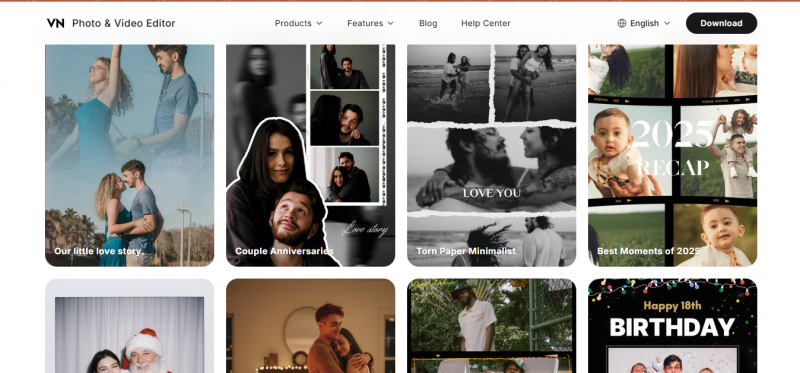 THE FINDING VN offers a multi-track timeline, keyframing, curve editing and colour grading at no cost, with no watermark on exports. It runs on iOS, Android and Mac and has passed 700 million downloads. The only meaningful paywall is cloud sync between your own devices. |
EXHIBIT 3 Adobe Premiere on iPhone THE CLAIM Professional tooling requires a professional subscription. 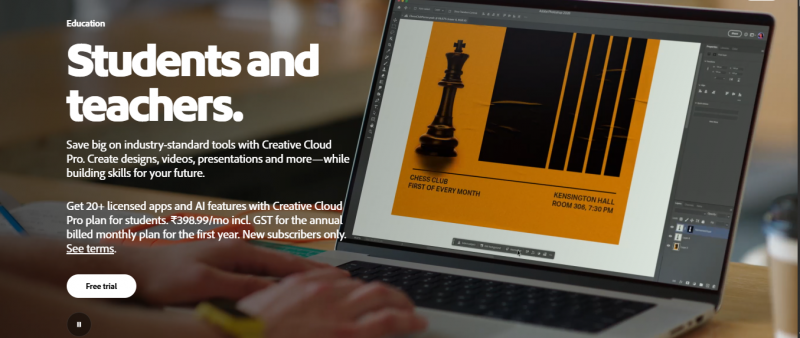 THE FINDING Adobe made the core of its new mobile editor free, with 4K export and no watermark, from a company that has every commercial reason to charge. Projects hand off to Premiere on desktop, which does need a paid Adobe plan, but the mobile editing itself does not. It is iOS only at present with Android in development. |
WHAT THESE TWO EXHIBITS ESTABLISH The watermark is a pricing decision, not a technical necessity. Two credible apps, one of them from Adobe, deliver unwatermarked exports for nothing. Any argument that the logo pays for the servers has to explain why these two do not need it. |
Exhibit 3: Features that were free became paid
The second pattern in the review data is movement. Not new features arriving behind a paywall, but existing free features crossing over to it.
EXHIBIT 4 The goalposts moved THE CLAIM Upgrade to access powerful new premium capabilities. 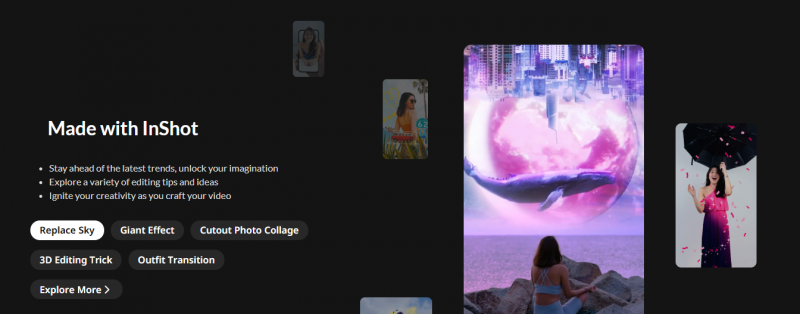 THE FINDING CapCut, InShot and Splice all converted previously free features into Pro tier upsells during 2024 and 2025. Specific cases named in reviews include 4K export, particular trending effect packs and brand kit features. Long-time users describe features that worked free for years and now require a subscription. The most cited CapCut complaint is a version of the same sentence: features I used last month are now Pro. |
There is a second detail in the CapCut reviews worth noting. The trending template library includes branded templates from advertisers appearing without obvious sponsor labelling, which turns the editor into an advertising surface inside a creator workflow that the creator is paying for.
Exhibit 4: The music library that breaks your old work
The third pattern is the one that costs the most and is advertised the least, because it happens silently and months after you finish a project.
EXHIBIT 5 Silent takedowns THE CLAIM Subscribe for access to an expanded commercial music library. THE FINDING Sony, Universal and Warner pulled licences from several in-app free libraries during 2024 and 2025. Reviewers describe opening a project from six months earlier to find the audio replaced with a track unavailable placeholder. There is no warning and no migration path. The library you paid to expand can shrink after you have used it. |
THE PRACTICAL RESPONSE Do not use in-app free music library tracks on anything monetised, regardless of what the app licence appears to say. Copyright takedowns still reach creators downstream on YouTube and TikTok. Use Epidemic Sound, Artlist, or your platform’s own commercially safe library, none of which can be silently withdrawn from a project you already exported. |
Exhibit 5: The app being switched off in September
The final exhibit is the strongest argument against treating any of these apps as permanent.
EXHIBIT 6 Adobe Premiere Rush THE CLAIM A lightweight cross-device editor with Creative Cloud sync, backed by Adobe. THE FINDING Adobe removed Premiere Rush from its own site and all app stores on 30 September 2025. Subscription renewals stopped the same day. Installed copies keep working until 30 September 2026, when technical support ends and the apps may stop functioning entirely. Adobe advises users to export existing projects and move to Premiere on iPhone or Premiere on desktop. |
| Date | What happens |
|---|---|
| 30 Sept 2025 | Removed from Adobe.com and all app stores. Renewals stop |
| Between | Installed copies keep working, but OS updates degrade reliability |
| 30 Sept 2026 | Technical support ends. Apps may stop functioning entirely |
Rush was not an obscure product from a startup. It was Adobe, launched in 2019, integrated with Creative Cloud. If that can be switched off with twelve months of notice, no project format in this category should be treated as durable storage.
The one question that resolves it
The evidence points to a single decision that most creators never consciously make, and which determines whether any of this pricing matters to them.
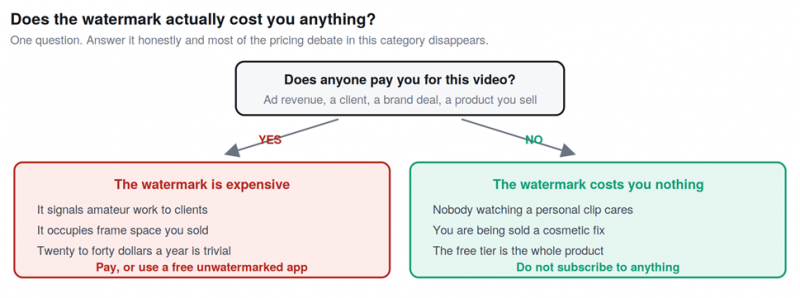
The whole pricing argument in this category collapses into this one question.
If a video earns money, the watermark is genuinely expensive. It signals amateur work to a client, it occupies frame space someone is paying for, and twenty to forty dollars a year against that is trivial. Pay, or move to one of the two free apps that do not apply one.
If a video does not earn money, the watermark costs nothing whatsoever. Nobody watching a personal clip has ever cared. In that case the free tier is not a trial version, it is the entire product, and a subscription buys a cosmetic change to something no one was judging.
What each app is worth, given the evidence
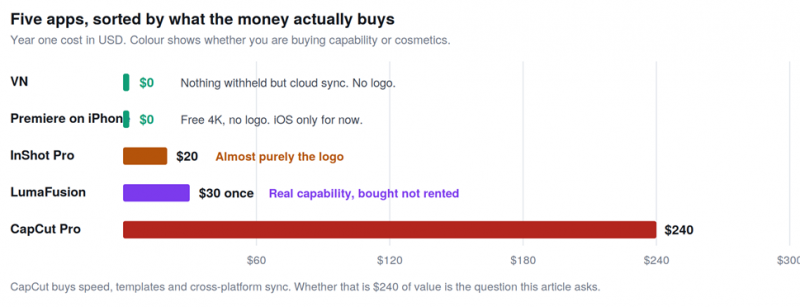
Year one cost, sorted by whether the money buys capability or cosmetics.
| App | Year one | What the money buys | Worth it when |
|---|---|---|---|
| VN | $0 | Nothing withheld but cross-device sync | Always worth trying first |
| Premiere on iPhone | $0 | Free 4K and a desktop handoff path | You are on iOS and may finish on desktop |
| InShot Pro | About $20 | Removing the most prominent watermark here | Your videos earn money and you like the app |
| LumaFusion | $30 once | Genuine capability, bought not rented | You edit long-form or need real colour work |
| CapCut Pro | About $240 | Speed, templates, cross-platform sync | You post daily and the time saved pays for it |
THE FAIR CASE FOR CAPCUT None of this makes CapCut a bad product. It has the best interface in the category for short-form vertical video, the largest template library, strong auto-captions, and it is the only app here running on iOS, Android and desktop with project sync included. For someone posting daily, the time saved plausibly justifies the price. The question is how many of the people paying it are posting daily. |
If you are paying now, check these four things
• Whether your videos actually earn anything. This is the question from section seven, and it is the only one that matters. If the honest answer is no, cancel and test VN for a week.
• Whether you use the features you are paying for. Open your last five exports. Count how many used a premium effect, a Pro transition, or a 4K export. If the answer is none, you are paying for a logo removal.
• Whether your auto-renew is monthly or annual. Monthly subscriptions on several of these apps auto-convert to annual at higher prices. Cancel auto-renew immediately after subscribing and you keep the period you paid for without the surprise.
• Whether your finished work exists as flat files. Project formats do not survive acquisitions or shutdowns, as Premiere Rush users are currently discovering. A flat MP4 of anything that mattered will still open in ten years.
Conclusion
What the evidence adds up to The watermark is the product. Across the most popular apps in this category, the thing being sold is not capability but the removal of a mark the company added in order to sell its removal. Two credible apps, one of them Adobe, prove the mark is optional by shipping without it. The question is whether your videos earn money. If they do, pay something, and $20 for InShot Pro or $30 once for LumaFusion is a better answer than $240 a year unless you genuinely need CapCut speed and templates every day. If they do not, the free tier of VN or Premiere on iPhone is the whole product and you should stop paying. Nothing here is permanent. Features moved behind paywalls during 2024 and 2025. Music libraries lost licences and broke finished projects with no warning. Adobe is switching off a product it launched in 2019. Export flat files, keep them somewhere the app cannot reach, and treat every one of these tools as rented. |
The most popular app in this category is also the most expensive and the one moving features behind a paywall fastest, while two free alternatives sit beside it doing most of the same work without a logo. That is not an accusation of bad faith. It is a description of a market where the cheapest thing to sell is permission to remove something that did not need to be there.
Post Comment
Share your thoughts about this article.
Be the first to post a comment!





