Not a list of fifteen adequate apps. Five tools, each the best free answer to a specific job: painting, a full design suite, image editing, vectors, and low-end hardware, explained with the details that actually matter: brush engines, file formats, and the fine print of each free model.
Quick Answer: Top Picks
The best free drawing software in 2026 is Krita for digital painting, with the newly free Affinity suite as the year's biggest story, GIMP for editing-heavy work, Inkscape for vectors, and FireAlpaca for old hardware. One line each:
• Krita: best overall; a donation-funded, open source painting tool whose brush engine competes with paid software.
• Affinity: a professional design suite that cost real money until Canva made it free; vector and raster in one app.
• GIMP: the 30-year-old open source editor, modernized by its 3.0 release, for work that mixes drawing with heavy image manipulation.
• Inkscape: the free vector standard; logos and icons that scale to any size because they're drawn as math, not pixels.
• FireAlpaca: a lightweight Japanese painting app that launches fast and runs where the others stutter.
Key takeaways 1) Five tools cover five distinct jobs; install by use case, not by ranking. 2) Krita, GIMP, and Inkscape are GPL open source: no ads, no accounts, and no acquisition can ever paywall your install. 3) Affinity is free but requires a Canva account; that's a business model, not a gift. 4) Raster tools (Krita, GIMP, FireAlpaca) paint in pixels; Inkscape draws scalable paths. 5) All five support pressure-sensitive tablets from Wacom, Huion, and XPPen. |
How These 5 Were Chosen
• Actually free, verified July 2026. No trial timers, no export paywalls, no watermarks. Where a free model has strings (FireAlpaca's ads, Affinity's required account), the string is stated in the tool's profile, not hidden.
• One slot per job. Painting, design suite, editing, vectors, low-end hardware. A sixth adequate painting app adds choice paralysis, not value, which is why MediBang Paint and ibis Paint X (fine tools, overlapping jobs, ad-supported) were cut from this revision.
• Alive and maintained. Every pick shipped releases within the last year. GIMP's 3.0 modernization and Krita's steady 5.x line both landed recently enough to matter.
• Real drawing capability. Pressure sensitivity, layers, and a genuine brush or path engine. AI image generators are excluded; typing a prompt is not drawing.
Comparison Table
| Tool | Job | Type | Platforms | Key formats | Free model |
|---|---|---|---|---|---|
| Krita | Digital painting, illustration, 2D animation | Raster | Windows, Mac, Linux, Android | .kra, PSD, ORA, PNG, TIFF, EXR | Open source (GPL), donation funded |
| Affinity | Vector + raster design suite | Both | Windows, Mac, iPad | .af, PSD, AI (import), PDF, SVG | Free with Canva account; optional paid AI extras |
| GIMP | Image editing plus drawing | Raster | Windows, Mac, Linux | .xcf, PSD, PNG, JPEG, WebP | Open source (GPL) |
| Inkscape | Vector art, logos, SVG | Vector | Windows, Mac, Linux | SVG (native), PDF, EPS, PNG export | Open source (GPL) |
| FireAlpaca | Light painting on any hardware | Raster | Windows, Mac | .mdp, PSD, PNG, JPEG | Free with in-app ads |
PSD support matters if you exchange files with Photoshop users. Statuses verified July 2026.
BEST OVERALL
Krita
DIGITAL PAINTING · ILLUSTRATION · 2D ANIMATION
| DEVELOPER | Krita Foundation (open source community) |
| LICENSE | GPL-3, funded by donations |
| PLATFORMS | Windows, Mac, Linux, Android tablets |
| FILE FORMATS | .kra native; PSD, ORA, PNG, TIFF, EXR |
| TABLET SUPPORT | Wacom, Huion, XPPen; pressure + tilt |
| EXTENSIBILITY | Python scripting API, custom brush import |
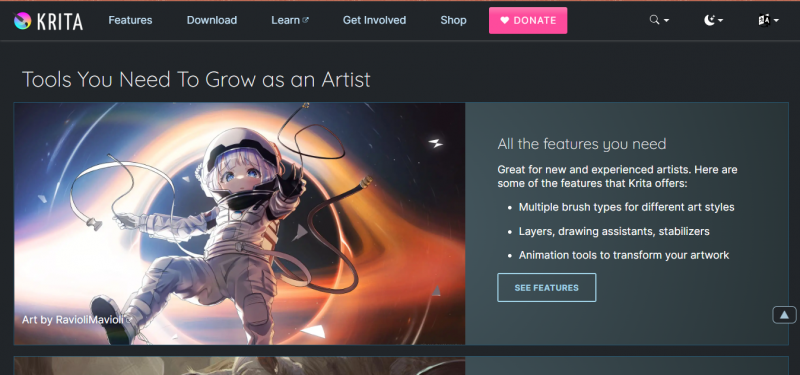
Krita began inside the KDE open source project and grew into the most complete free painting application available. Its brush system is the reason: nine distinct brush engines (pixel, color smudge, shape, spray, hatching, clone, filter, deform, and particle) driving hundreds of bundled presets that convincingly reproduce pencil, ink, charcoal, oil, and watercolor. Every parameter, from pressure curves to texture rotation, is editable, and community brush packs install in one click.
What separates it from every other free painting tool
• The stabilizer. Three smoothing modes (basic, weighted, stabilizer) drag your stroke behind the cursor to kill hand shake in real time; ink-clean linework without vector conversion.
• Wrap-around mode. The canvas tiles infinitely as you paint, so game texture and pattern artists see seams disappear live.
• A real animation timeline. Frame-by-frame 2D animation with onion skinning is built in, not bolted on; short animations and animatics never leave the app.
• The pop-up palette. A right-click radial menu holds brushes, color history, and a color selector at the pen tip, which keeps your eyes on the canvas instead of the toolbar.
• PSD interchange. Layered Photoshop files open and save well enough for client handoffs, and ORA keeps you compatible with other open source tools.
The free model
Open source under GPL-3, developed by the Krita Foundation on donations. No ads, no account, no premium tier, no feature locks. The copies sold on Steam and app stores fund development and add automatic updates; the download from krita.org is the identical full program.
STRENGTHS Nine brush engines; deepest free brush customization Stabilizer, wrap-around, and animation built in Runs on all three desktop OSes plus Android tablets Zero monetization pressure, ever | LIMITATIONS Dense interface; expect a weekend of learning Photo editing tools are basic next to GIMP Very large canvases with big brushes tax old CPUs |
BEST FREE PRO SUITE
Affinity (by Canva)
VECTOR + RASTER DESIGN WORK IN ONE APP
| DEVELOPER | Serif, now owned by Canva |
| LICENSE | Proprietary; free with a Canva account |
| PLATFORMS | Windows, Mac, iPad |
| FILE FORMATS | .af native; PSD and AI import, PDF, SVG |
| COLOR SUPPORT | CMYK, spot colors, ICC profiles for print |
| FORMER PRICE | Sold as a paid pro suite (roughly $70 per app) before going free |
Affinity is the anomaly on this list: professional commercial software that stopped costing money. For years, Serif sold Affinity Photo, Designer, and Publisher as one-time-purchase rivals to Photoshop, Illustrator, and InDesign. After Canva acquired Serif, the suite was relaunched completely free in late 2025, reshaping what "free" can mean in this category.
Why it matters for drawing specifically
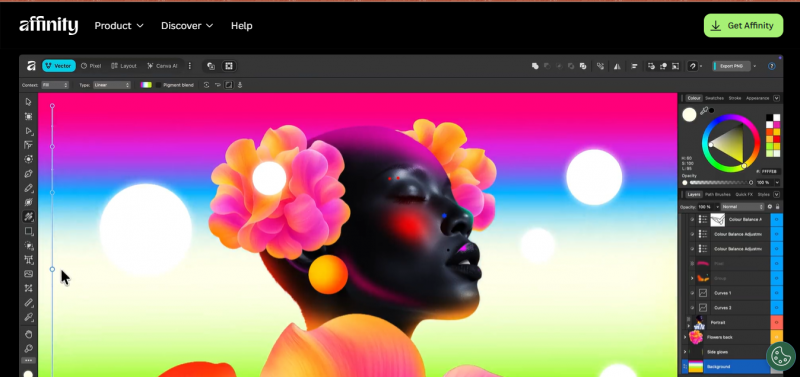
• Vector and pixel personas in one file. You can draw scalable vector shapes, then switch personas and paint raster texture on the same canvas, a workflow that otherwise requires bouncing between Inkscape and Krita.
• Print-grade color. Full CMYK, spot color, and ICC profile support, which none of the open source raster tools here match cleanly; if your art ends up professionally printed, this is the free tool built for it.
• Adobe file handling. PSD files open with layers intact and AI files import, making it the best free landing spot for people leaving an Adobe subscription with years of old files.
• Performance-first architecture. The engine was built for real-time pan and zoom on huge documents, and it shows on modest hardware.
The free model
The full professional toolset is free with no watermarks or export limits, but a Canva account is mandatory, and Canva sells optional AI-powered extras on top. That's the trade: your sign-up is the price. Unlike the GPL tools here, this model could change with future business decisions, which is worth remembering before betting a studio pipeline on it.
STRENGTHS Genuinely professional suite at zero cost Vector + raster + print color in one app Best free option for opening old PSD/AI files Modern, polished interface | LIMITATIONS Canva account required; proprietary code No Linux version Expressive painting brushes trail Krita's |
BEST FOR EDITING + DRAWING
GIMP
IMAGE MANIPULATION WITH DRAWING TOOLS ATTACHED
| DEVELOPER | GIMP team (GNU project heritage, since 1996) |
| LICENSE | GPL-3 open source |
| PLATFORMS | Windows, Mac, Linux |
| FILE FORMATS | .xcf native; PSD, PNG, JPEG, WebP, and dozens more |
| MAJOR RELEASE | GIMP 3.0 shipped March 2025 after years of development |
| EXTENSIBILITY | Script-Fu and Python-Fu scripting; huge plugin library |
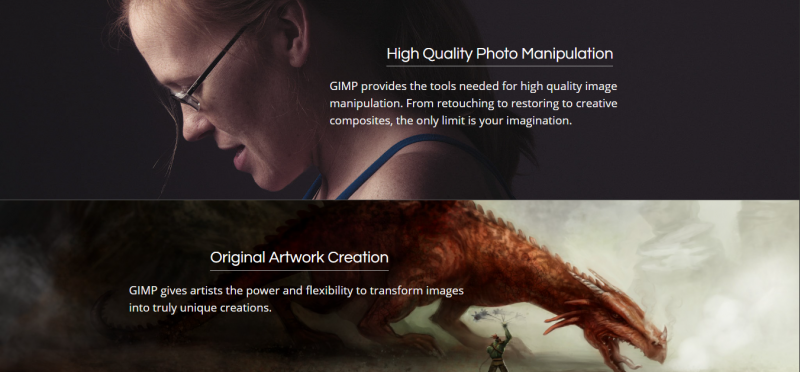
GIMP (GNU Image Manipulation Program) has been the open source world's answer to Photoshop for nearly three decades. The long-awaited 3.0 release in March 2025 finally modernized it: a GTK3 interface that behaves properly on modern high-DPI screens, better Wacom tablet handling, improved PSD compatibility, and the foundations of non-destructive editing, the feature users requested for years.
Where it beats everything else on this list
• The editing depth. Curves, channels, layer masks, frequency separation, perspective correction, and batch automation, the full manipulation toolbox that painting-first apps skip.
• The plugin ecosystem. Community plugins extend GIMP for decades' worth of niche tasks; the G'MIC plugin alone adds hundreds of filters, from film emulation to texture synthesis.
• Scriptable everything. Script-Fu and Python-Fu let you automate repetitive work (resize, watermark, export 200 files) in a way no other tool here can.
The honest fit for drawing
GIMP draws competently: brushes, layers, paths, and pressure support are all present. But brush feel is the weakest of the raster tools here, so choose it when drawing is part of the job, like cleaning up scanned pencil art, photo-bashing concept pieces, or painting textures inside an editing workflow, rather than the whole job.
STRENGTHS • Deepest free image manipulation toolset • 3.0 finally modernized UI and tablet support • Automation and plugins no rival matches • GPL: permanently free | LIMITATIONS • Brush feel trails Krita and FireAlpaca • Non-destructive editing still maturing |
BEST FOR VECTORS
Inkscape
LOGOS · ICONS · SCALABLE ILLUSTRATION · SVG
| DEVELOPER | Inkscape open source project |
| LICENSE | GPL open source |
| PLATFORMS | Windows, Mac, Linux |
| NATIVE FORMAT | SVG, the open web vector standard |
| EXPORTS | PDF, EPS, PNG, and plotter-ready formats |
| EXTENSIBILITY | Python-based extensions |
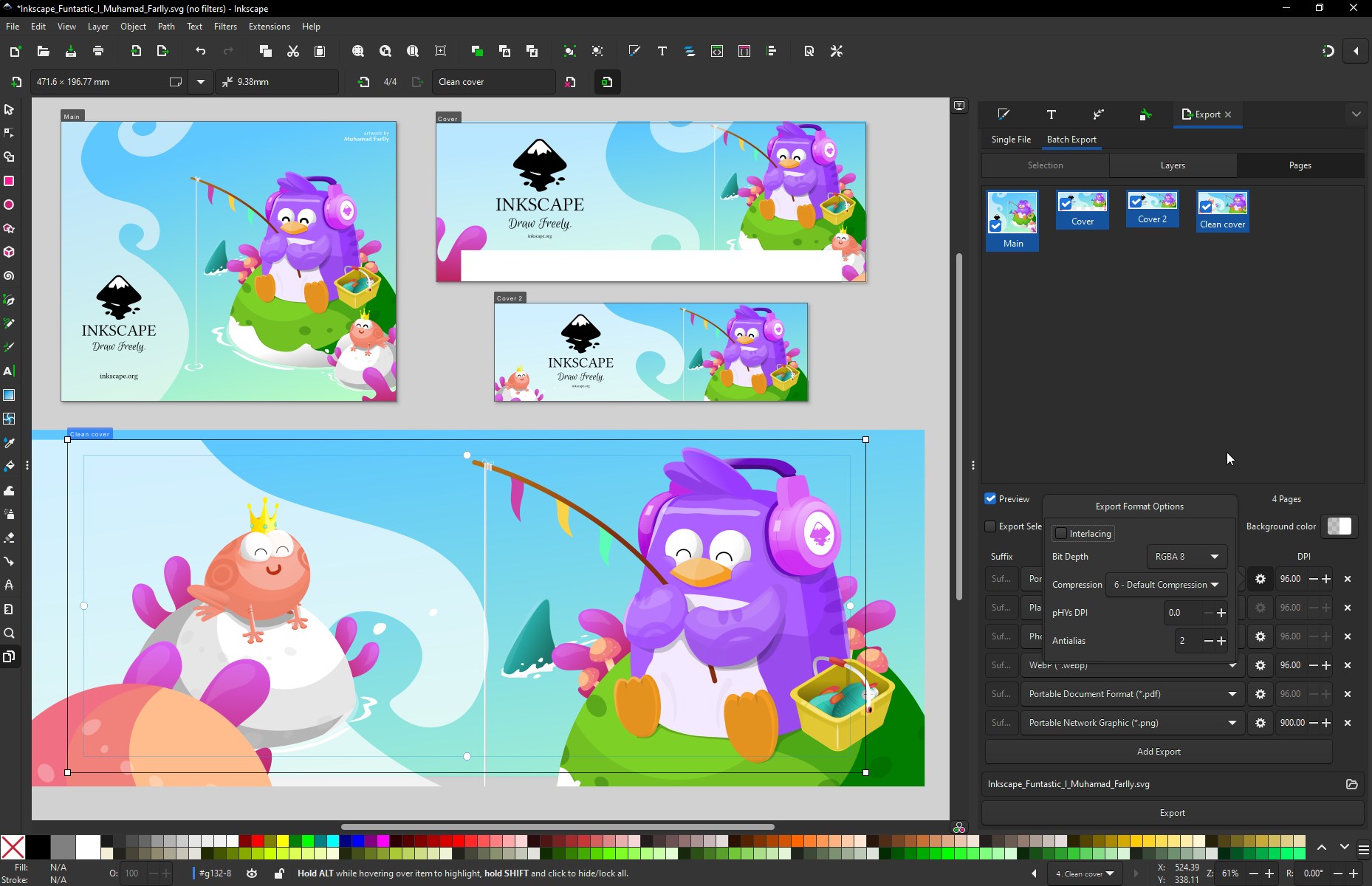
Everything else here paints pixels; Inkscape draws mathematics. Shapes and strokes are stored as paths, so a logo drawn once renders razor-sharp on a business card and a billboard alike. Its native format is SVG, an open W3C standard, which means your files aren't hostage to any one program, including Inkscape itself.
The tools that make it a real Illustrator alternative
• Full path toolkit. Bezier pen, node editing, boolean operations (union, difference, intersection), and path simplification: the core verbs of professional vector work.
• Trace bitmap. Converts scanned sketches or raster logos into editable vector paths automatically, the standard first step in logo cleanup jobs.
• Live path effects. Non-destructive modifiers (taper, roughen, pattern-along-path) that keep the underlying path editable after styling.
• Text on path and flowed text. Typography controls good enough for badge, poster, and diagram work without a layout app.
The honest fit for drawing
Inkscape is not a painting app and doesn't pretend to be; expressive pressure-driven brushwork isn't the vector paradigm. Choose it the moment your output must scale (logos, icons, cut files, print), and pair it with Krita when a project needs both hand-painted texture and scalable structure.
STRENGTHS Professional vector toolset, permanently free SVG-native: open standard, no lock-in Trace bitmap turns sketches into vectors Ideal for logos, icons, and print scaling | LIMITATIONS Not for expressive brush painting Very complex files can slow the canvas Vector mindset takes adjustment |
FireAlpaca
BEGINNERS · OLD OR MODEST HARDWARE
| DEVELOPER | PGN Inc. (Japan) |
| LICENSE | Proprietary freeware, ad supported |
| PLATFORMS | Windows, Mac |
| FILE FORMATS | .mdp native; PSD, PNG, JPEG |
| FOOTPRINT | Small install; runs smoothly on old machines |
| UPDATE CADENCE | Actively updated for over a decade |
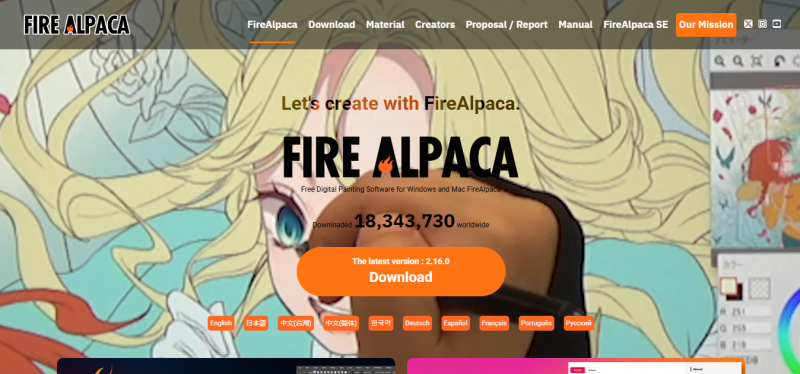
FireAlpaca's entire design philosophy is subtraction: a painting app that opens in seconds, presents brushes, layers, and a canvas, and gets out of the way. That restraint is why it runs comfortably on the decade-old laptops and budget machines where Krita's brush engine stutters, and why it's the most common "my first drawing app" recommendation in artist communities.
Small app, serious essentials
• A real stroke stabilizer. The same shake-correction concept as Krita's, adjustable by strength, which matters more for beginners than any advanced feature.
• Comic templates and dividers. Built-in panel layouts and page templates make it a quiet favorite for webcomic creators who don't need a full comic suite.
• Perspective and 3D snap tools. Snapping guides (parallel, radial, and 3D perspective) that make backgrounds and cityscapes drawable without construction lines.
• PSD support. Layered exchange with the other tools on this list and with paid software.
The free model, precisely
Free to use with occasional ads shown in the app; that's the funding, stated plainly. No account is required and no features are locked. Expect to outgrow it if you head toward professional illustration, and expect the migration to Krita to feel natural when you do; the concepts transfer directly.
STRENGTHS Fastest, lightest tool on this list Gentlest learning curve; drawing in minutes Stabilizer, comic templates, perspective snap Great stepping stone toward Krita | LIMITATIONS Ads in the free experience No Linux or mobile versions |
What Real Users Say
Feature lists tell you what a tool can do; review platforms tell you what living with it feels like. Here's what verified users on G2, Capterra, and Trustpilot report for each tool, complaints included, checked July 2026:
Krita
G2 4.4/5 (63 reviews) · Capterra 4.4/5 (79 reviews)
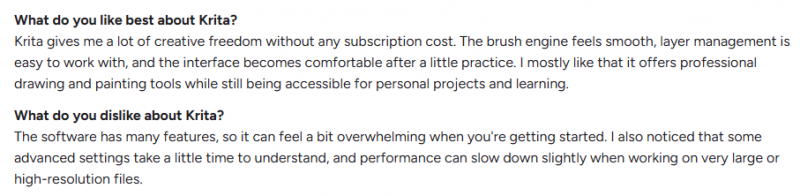
What reviewers praise: the brush variety comes up in almost every review; users describe the huge free brush library, smooth stabilized linework, and the fact that professional-grade painting tools cost nothing. Several long-term reviewers on Capterra report using it as their main app for five or more years, and beginners repeatedly mention picking it because they couldn't afford Photoshop or Procreate and never felt the need to upgrade.
What they complain about: the most consistent criticism is that the interface feels dated and takes time to learn, with some users saying settings could be organized better. A few note it's the wrong tool for text-heavy work, which matches its painting-first design.

Affinity

What reviewers praise: professional press reviews of the free relaunch are largely positive; TechRadar's 2026 review calls it an impressive feat of merging three apps into one clean, responsive interface, and community threads describe the mood among new users as mostly positive, since a formerly paid pro suite now costs nothing.
What they complain about: the anger is concentrated among long-time customers. Trustpilot reviews since the relaunch include paying V2 owners who feel abandoned by the shift away from the buy-once model, and some dislike the redesigned workspace. Photography-focused reviewers also flag weak batch processing and no catalog management. New users get a great deal; legacy owners feel the trust was broken, and both things are true.
GIMP
G2 4.3/5 (1,381 reviews)

What reviewers praise: with over a thousand G2 reviews, GIMP has the largest verified review base on this list. Users consistently highlight the breadth of the free toolset, solid performance, and its flexibility across photo editing and design tasks; many describe it as fully covering their needs without paying for commercial software.
What they complain about: the same two things, review after review: a real learning curve and an interface that feels less polished than Photoshop. These complaints predate the 3.0 modernization, but new reviews suggest the curve, while improved, hasn't disappeared.

Inkscape
G2 4.4/5 (399 reviews)

What reviewers praise: users call it genuinely professional vector software at zero cost, single out the automatic bitmap vectorization as better than expected, and frequently describe pairing it with GIMP as a free two-app replacement for the Illustrator-plus-Photoshop combo. In G2's head-to-head comparison data, reviewers actually rate Inkscape easier to use than GIMP and prefer its update direction.
What they complain about: the interface draws the most criticism, described as functional but dated, and reviewers note slowdowns on complex documents and occasional friction moving files to other editors. The recurring verdict: a steep start, but time well invested.

FireAlpaca
Sparse on review platforms · Community-driven reputation
What reviewers praise: FireAlpaca has too few verified reviews on G2 or Capterra for a meaningful score, which itself says something: its users are hobbyists and students, not businesses filing software reviews. Its reputation lives in artist communities and beginner guides, where it's repeatedly recommended as the easiest starting point and one of the few modern apps that runs happily on old laptops.
What they complain about: the in-app ads and the ceiling: users who progress to detailed illustration describe outgrowing it, usually moving to Krita, which is exactly the graduation path this guide recommends.
How to read these numbers All four rated tools cluster between 4.3 and 4.4 out of 5, so the ratings won't pick your winner; the complaint patterns will. Every open source tool gets dinged for interface polish and learning curve, never for capability or cost. Affinity is the reverse: polish is praised, and the complaints are about the business model. Choose which trade-off you'd rather live with. |
Which One Should You Choose?
Answer one question: what will you actually make? Each path lands on one tool:
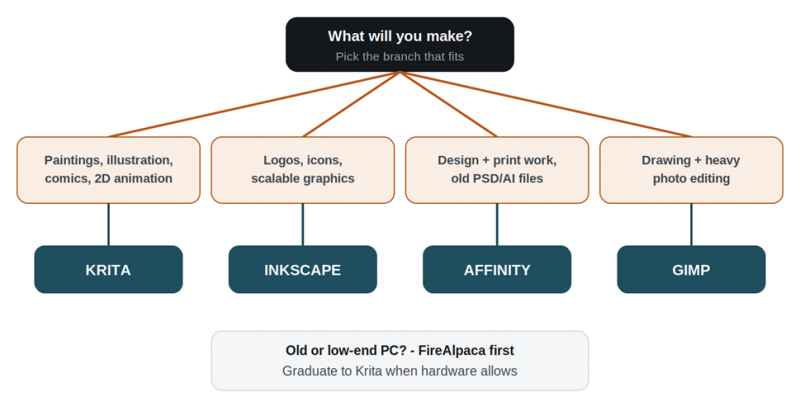
Fig 1. The 30-second decision path from use case to tool.
Still torn between two? Install both; every tool here costs nothing. Draw the same simple sketch in each and keep the one whose brushes and interface you fought less. Comfort predicts practice, and practice predicts progress. |
Final Verdict: Which Free Drawing Software Is Best?
For anyone who wants to draw or paint, the answer is Krita, and it isn't close. Nine brush engines, a real stabilizer, built-in animation, PSD interchange, and a GPL license that guarantees no future acquisition can paywall it. The dense interface is a one-weekend cost paid once for a tool with no ceiling; FireAlpaca exists precisely for the people not ready to pay that cost yet.
"Best" flips the moment the output changes. A logo drawn in Krita blurs on a billboard; that job belongs to Inkscape's scalable SVG paths. Work that mixes drawing with photo manipulation belongs to GIMP's editing depth and plugin ecosystem. Print jobs needing CMYK and old Adobe files belong to Affinity. The decision chart above settles it faster than any single ranking can.
The structural difference to watch is license, not features. Krita, GIMP, and Inkscape are GPL open source: permanently free by law, whoever owns what. Affinity and FireAlpaca are free by business decision (an account requirement and ads, respectively), and business decisions change. Build a casual habit on any of the five; build a paying pipeline preferentially on the GPL three.
Post Comment
Share your thoughts about this article.
Be the first to post a comment!





