Watch public Instagram stories without an account and without landing on anyone's viewer list. Here is how these tools really work, the scams to dodge, and five free ones compared.

Photo: “Instagram log mobile screen, location” by freestocks, CC0 1.0
| incognito anon-viewer.example/@username no login · no trace |
That is the whole idea: paste a public username into a website, watch, and never appear in the viewer list.
AnonyIG is a popular way to watch someone's public Instagram stories without logging in or showing up in their viewer list. It works, but plenty of people look for something else, usually over heavy ads, patchy reliability, or unease about the data it hands to advertisers. Good news: several free, no-login tools do the same job. The catch: this category is full of ad traps and outright scams, so how you use any of them matters more than which one you pick.
Why no login keeps you invisible
Every legitimate tool here works the same way. You paste a public username, the site fetches that account's story on its own servers, and you watch it in your browser. Because your account never touches the target account, you never appear in their list of viewers. That part is genuine.
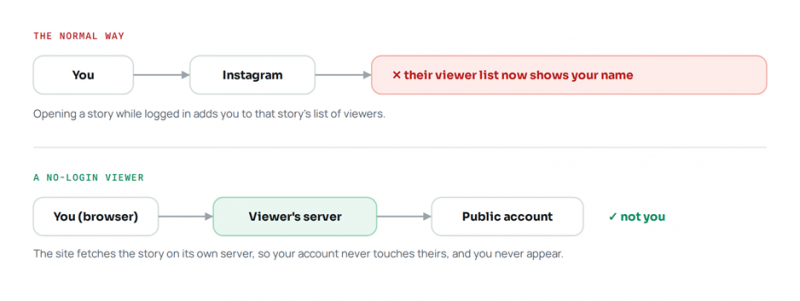
Fig. 1 - Logging in puts you on the list; a server-side viewer does not
Public accounts only No tool can open a private profile. Any that claims to view private accounts is a scam or malware. Private is private. |
Invisible to the owner, not the service The site fetches the content, so it can still log your IP address. Use a private window or a VPN if that matters to you. |
Enter a public username, watch, done. No account, no footprint in the viewer list. Photo: “Woman hand with smartphone. Fall background.” by Artem Beliaikin, CC0 1.0
What actually leaves a trace
Here is a fact worth knowing before you install anything: on Instagram, only story and live views are shown to the account owner. Viewing someone's posts, reels, or profile notifies no one. So these tools really exist to close one narrow gap, the story, plus to let you save content and browse without an account.
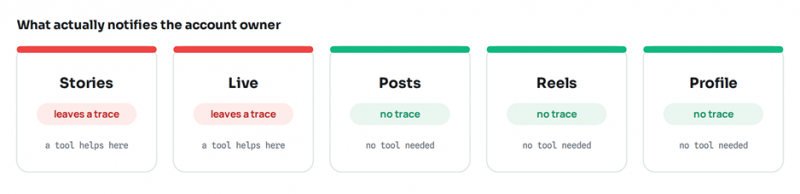
Fig. 2 - Only stories and live views appear to the owner
The rules that keep you safe
This category has more sketchy sites than almost any other. A few rules keep you out of trouble, whichever tool you choose.
Never enter your Instagram password. A real viewer never logs in as you, so it has no reason to ask. A password prompt is the single biggest red flag here. Close the tab. |
Treat “private account viewer” as fake. There is no legitimate way to bypass a private account. Those tools exist to farm surveys, ad clicks, or your data. |
Watch the monetization games. Survey walls, “wait 30 seconds” timers, and fake virus banners all signal a low-quality site. On a good tool, the button just works. |
Guard your own footprint. These sites can log your IP and searches. A VPN or private window adds a layer if you want one. |
Use them responsibly. These are for public content and ordinary reasons. They are not for stalking, harassing, or monitoring someone who does not want to be watched. |

Stick to well-known tools, and never hand any of them a password. Photo: “Social media” by Semtrio, CC BY 2.0
Five free, no-login alternatives
All five are free, need no account, and leave no trace in the viewer list. They differ mainly in reliability, ad load, and whether they do more than stories. Reliability swings month to month in this space, so it is worth knowing two or three as backups.
1. StoriesIG
Best for: the reliable default.
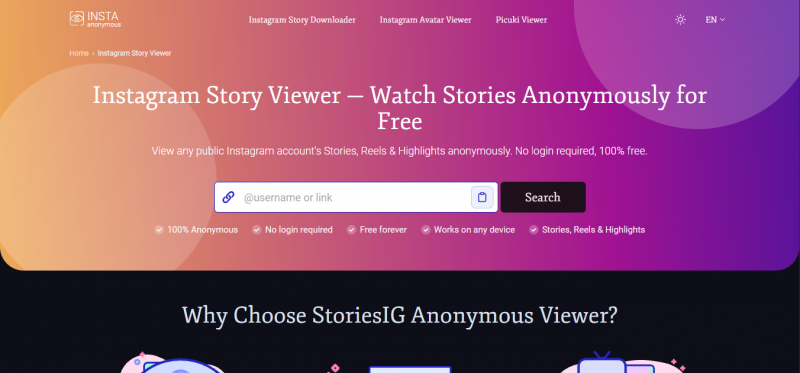
StoriesIG is the tool most people land on, and for good reason: across 2026 it has been the most consistently available and the least cluttered of the free viewers. Paste a public username and it pulls the account's active stories in a few seconds, and it also handles highlights and regular posts, with a download button for anything you want to keep. There is no account step, no watermark stamped across your saves, and the interface stays out of your way, which makes it the closest thing to AnonyIG's core function without the heavy ad load. The trade-off is that it is deliberately plain: no follow tracking, no analytics, no deep profile browsing. If you want one dependable place to watch a story right now, start here.
2. Imginn
Best for: browsing a whole profile.
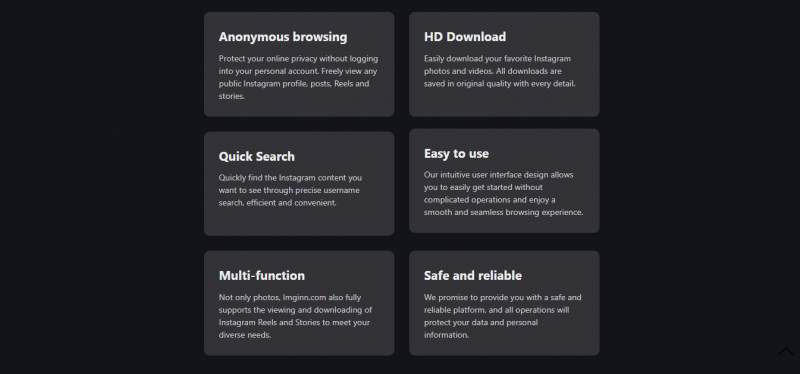
Where most tools are built around catching a single live story, Imginn is built for exploring. It presents a public account almost like a gallery, so you can scroll the full grid of posts and reels, open individual items, and download what you like, alongside story and highlight viewing. That makes it the better choice when you are researching an account properly, say a competitor's content history or a creator's back catalogue, rather than just checking today's story. The layout is cleaner than many rivals, though like everything here it only reaches public accounts and can slow down when Instagram changes something under the hood.
3. Picuki
Best for: the familiar all-rounder.
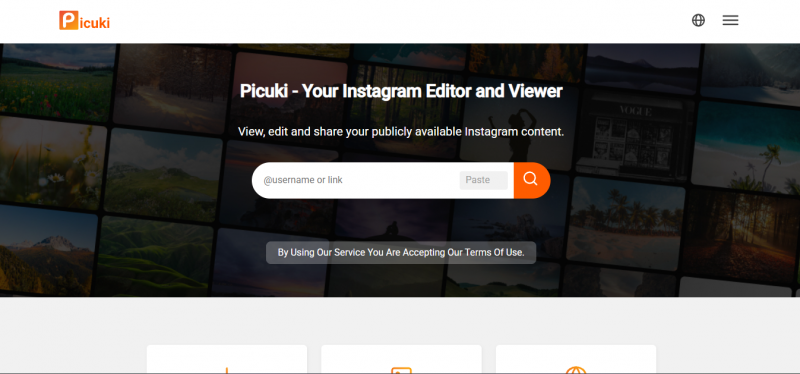
Picuki is one of the longest-running names in this space and a genuine all-rounder: view profiles, stories, highlights, and posts, search by username or hashtag, and even apply light image edits before you save. It sits in a comfortable middle ground, more capable than a bare story viewer but simpler than a full analytics suite, which is why it appears on so many shortlists. It is a reliable pick if you want a single familiar tool for everyday viewing and browsing. As always, private accounts are off-limits, and the ads are present but manageable.
4. Instanavigation
Best for: a fast, no-clutter backup.
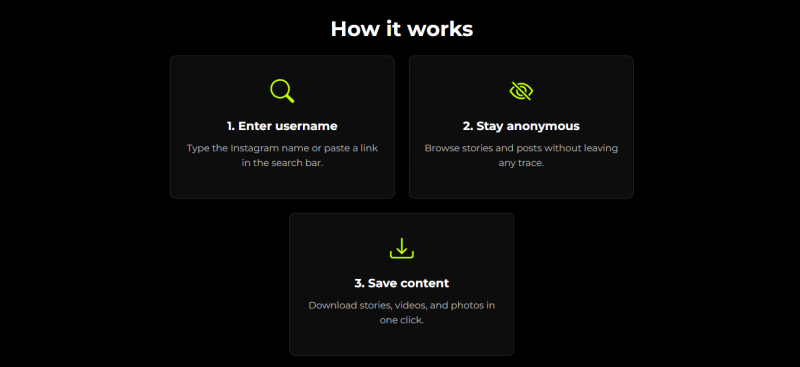
Instanavigation strips the idea back to its essentials. It is a fast, minimal story-and-highlight viewer with very little between you and the content: paste a username, watch, done. There is not much beyond that, no deep profile browsing or heavy download features, but the speed and the distraction-light interface make it a great backup to keep in your pocket for the days your main tool is being slow or unavailable. When you just need to see one story with the least possible friction, it delivers.
5. StoriesDown
Best for: a steady long-runner.
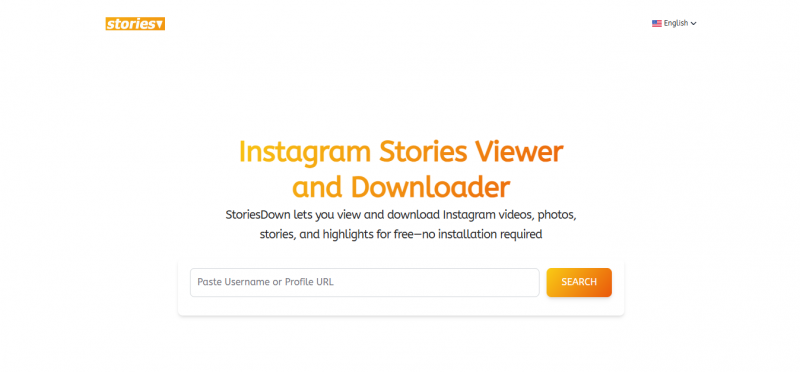
StoriesDown has been around long enough to earn a reputation for one specific thing: staying online. This category is notorious for tools that work brilliantly for six months and then vanish, and StoriesDown has weathered more of Instagram's changes than most. It covers stories and highlights, keeps its ad experience a little tidier than the noisiest sites, and generally just works. It is not the flashiest option and its feature set is modest, but if reliability and longevity are what you value, it is a sensible default to fall back on.
The five, side by side
| Tool | Best for | Stories | Highlights | Posts / reels | Download | Login |
|---|---|---|---|---|---|---|
| StoriesIG | Reliable one-off viewing | Yes | Yes | Yes | Yes | None |
| Imginn | Browsing a whole profile | Yes | Some | Yes | Yes | None |
| Picuki | General-purpose viewing | Yes | Some | Yes | Yes | None |
| Instanavigation | Fast, simple stories | Yes | Yes | Limited | Some | None |
| StoriesDown | A steady long-runner | Yes | Some | Limited | Some | None |
Availability, features, and ad levels change often here. A 2026 snapshot, so verify before relying on any one tool.
Worth Knowing
Not free, but fewer ads
If the ads wear you down or you want more than plain viewing, two paid options come up repeatedly. Treat them as upgrades you reach for only when a specific need justifies the cost.
| ViewIGStory. The same anonymous viewing with better reliability and no ads, sold as short paid sessions (around a dollar per 24 hours). Good for an occasional ad-free run rather than a subscription. |
| Lurk. Adds recent-follow tracking (seeing who an account recently followed or unfollowed) to anonymous viewing, from roughly a dollar a week. Only worth it if you specifically want that feature. |
How to choose in one line
• Just watch one public story, right now: StoriesIG.
• Browse and save a public account's whole grid: Imginn or Picuki.
• Want a fast, no-clutter backup: Instanavigation.
• Want a tool that is unlikely to disappear: StoriesDown.
• Fewest ads and best reliability, and will pay a little: ViewIGStory.
The Bottom File
Easy to replace, easy to misuse
Replacing AnonyIG is simple, because anonymous viewing of public accounts is essentially a commodity now. Any legitimate tool here clears the free, no-login, invisible-to-the-owner bar in about thirty seconds, so pick the cleanest one for you and keep a backup for the days a service goes down. Then let the safety rules do the heavy lifting: never type your password, ignore anything promising to open private accounts, and remember that anonymous stops at the account owner, not at the service logging your visit. Use these tools for public content and ordinary curiosity, and you are on solid ground.
Post Comment
Share your thoughts about this article.
Be the first to post a comment!





