Table of Content
- The Two Philosophies Behind AI Character Tools
- Quick Verdict
- Snapshot: AutoDraft AI
- Snapshot: Canva
- Feature Comparison Table
- Character Creation Workflow
- Pricing Breakdown
- Animation and Motion Capabilities
- Style Consistency Across Scenes
- Best Fit by User Type
- Pros and Cons
- Third-Party Ratings
- Final Recommendation
The Two Philosophies Behind AI Character Tools
The AI character generation market in 2026 has split into two visible camps. On one side sit dedicated animation platforms that treat the character as a performer ready to move, speak, and act. On the other side sit broad creative suites that treat the character as an image ready to design with. AutoDraft AI and Canva fit cleanly into these two categories.
AutoDraft AI, a Bengaluru-based animation startup, reports more than 150,000 creators on its platform and over 30 million assets generated. Its Character Animation Toolkit is built specifically around the end-to-end pipeline of designing, animating, and voicing 2D characters in the browser.
Canva, used by more than 190 million people worldwide, offers character creation as one feature inside the Magic Studio AI suite. The character tools live alongside templates, brand kits, photo editing, and scheduling, making Canva a horizontal platform rather than a vertical one.
This comparison is structured to surface the real trade-offs: which tool wins on animation depth, which wins on design integration, which delivers character consistency across scenes, and which fits specific creator profiles better. Each section ties back to current public documentation and recent independent reviews.
Quick Verdict
Pick AutoDraft AI for character animation, lip-sync, voiceover, prop integration, and serialized content where the same character needs to appear across multiple scenes. The custom model training feature is the standout advantage. Pick Canva for static character art that drops into broader design work such as social posts, presentations, marketing collateral, or merchandise. The template library, style variety, and overall design integration are unmatched at the price point. |
Snapshot: AutoDraft AI
AutoDraft AI launched with a focus on making 2D animation production accessible to solo creators and small teams. The platform converts text descriptions, sketches, flat color layouts, or storyboards into animation-ready characters and scenes.
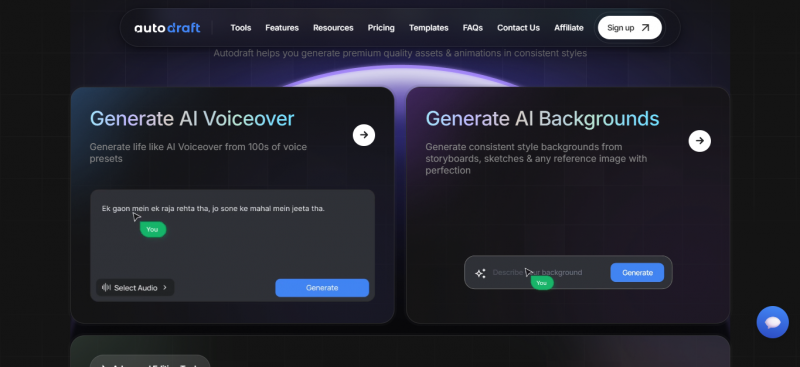
The Character Animation Toolkit, the platform's flagship feature set, runs the entire pipeline inside one browser tab. Characters generated through prompts can be edited part-by-part (eyes, hair, outfit, hands), assigned props such as swords, books, or guitars, voiced with one of 100+ AI presets, and lip-synced automatically to the narration.
Public documentation lists 1,000+ action presets covering walking cycles, gestures, idle poses, and combat sequences. Style templates cover Anime, Webtoon, Horror, and Semi-Realistic variants, with custom model training available on the Pro plan to lock in a character's look across hundreds of scenes.
Specs at a glance
| Headquarters | Bengaluru, India |
| Reported user base | 150,000+ creators, 30M+ assets generated |
| Platform type | Browser-based (no installation, desktop and mobile) |
| Core feature | Character Animation Toolkit with custom model training |
| Action library | 1,000+ action controls, 100+ facial expressions, automatic lip-sync |
| Voice library | 100+ AI voice presets with emotion controls |
| Free tier | Roughly 90% of features accessible, watermarked exports |
| Export quality | Up to 4K MP4 on paid plans |
Snapshot: Canva
Canva treats AI character creation as part of a much larger design suite. The character-specific generators sit inside Magic Studio, the umbrella that also houses Magic Media (text-to-image), Dream Lab (powered by Leonardo.AI), Magic Write, Magic Edit, Magic Eraser, and the Background Remover.
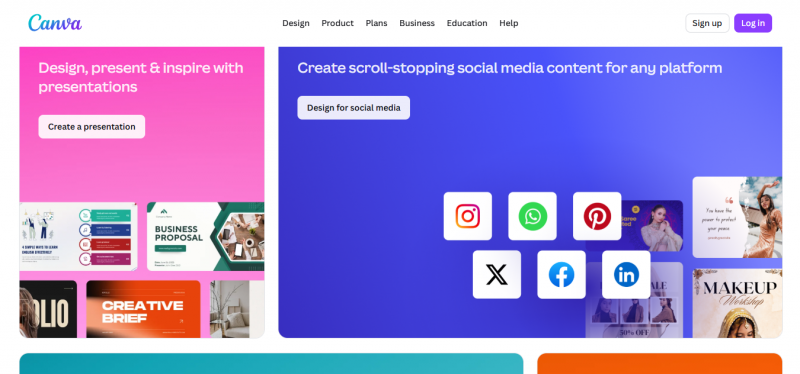
Three character-focused tools are publicly accessible on Canva: the AI Character Generator, the AI Fantasy Character Creator, and the 3D Character Creator. Each accepts a text prompt and outputs static character images that can then be styled with presets such as Watercolor, Filmic, Neon, Color Pencil, Retrowave, and Anime.
Canva does not offer native rigging, action presets, or lip-sync for AI-generated characters. Motion is handled through photo animation effects, or by exporting the generated image into Canva's video editor where animation is template-driven. For static character imagery that lives inside designs, however, the workflow is fast and the asset library is the deepest in the market.
Specs at a glance
| Headquarters | Sydney, Australia |
| Reported user base | 190+ million users worldwide |
| Platform type | Browser, desktop app, mobile (iOS and Android) |
| Character tools | Magic Media, Dream Lab, AI Character Generator, Fantasy Creator, 3D Creator |
| Style presets | Watercolor, Filmic, Neon, Color Pencil, Retrowave, Anime, Photo |
| Template library | 1.6M+ free templates, 141M+ premium assets |
| Free tier | ~50 AI credits per month, 5GB storage |
| Export quality | PNG and JPG (static images), MP4 via video editor |
Feature Comparison Table
The table below maps the core capabilities of both platforms against the most-asked features for AI character creation. Cells marked with a check sign indicate native support. Cells marked with a dash mean the feature is missing or accessible only through a workaround.
| Feature | AutoDraft AI | Canva |
| Text-to-character | Yes | Yes |
| Sketch-to-character | Yes | Limited (reference image only) |
| Storyboard-to-scene | Yes | No |
| Built-in animation timeline | Yes | No |
| Automatic lip-sync | Yes (100+ expressions) | No |
| Voice library | 100+ presets, in-app | Via separate Canva voice tool |
| Action and gesture library | 1,000+ presets | Not available |
| Prop attachment | Yes, auto-positioned | Manual layering only |
| Custom character model training | Yes (5 characters on Pro) | Reference image only |
| Style presets | Anime, Webtoon, Horror, Semi-real | Watercolor, Filmic, Neon, Anime, more |
| Template library size | 100+ character templates | 1.6M+ general templates |
| Export resolution | Up to 4K (paid) | Static images, variable |
| Mobile app | Browser only | Native iOS and Android |
| Commercial use rights | Yes, included | Yes, non-exclusive |
Character Creation Workflow
Workflow design reveals the fundamental difference between the two platforms more clearly than any feature list.
Workflow on AutoDraft AI
Creation begins with a prompt or sketch. The platform generates a base character, then opens up part-by-part editing for eyes, hair, outfit, hands, and accessories. The same session exposes a rig with prebuilt actions, allowing the character to walk, gesture, or interact with a prop. A voice is selected from the 100+ library, the script is typed in, and lip-sync runs automatically. The character is then dropped onto an AI-generated background through the green screen feature. The export is an MP4 video, up to 4K on paid plans.
The end-to-end loop happens inside a single browser tab. Designers do not need to leave the platform for animation, voice generation, or background creation.
Workflow on Canva
Creation begins inside Magic Media or Dream Lab. A prompt produces a static character image, typically with several variations shown side-by-side. The selected image enters the regular Canva editor, where it can be cropped, recolored, placed on a template, layered with text, or matched to a brand kit. To add motion, the image must be exported into Canva's video editor, where animation is template-driven rather than rig-driven.
The practical takeaway: AutoDraft treats the character as a puppet ready to perform. Canva treats the character as an image ready to design with. Both approaches are valid, but the right pick depends on what comes after generation.
Pricing Breakdown
Pricing is structured very differently on each platform. AutoDraft AI runs on a credit-based system tied directly to character and animation generation. Canva uses a subscription model with a pooled monthly AI credit allowance shared across every Magic Studio feature.
AutoDraft AI plans
| Plan | Monthly | Annual (effective) | Credits |
| Free | £0 | £0 | Limited, watermarked exports |
| Base | £10 | £8 / month (£96/yr) | 1,000 / mo or 12,000 / yr |
| Pro | £35 | £28 / month (£336/yr) | 4,000 / mo or 50,000 / yr |
Canva plans
| Plan | Monthly | Annual (effective) | AI Credits |
| Free | $0 | $0 | ~50 / month, shared |
| Pro | $15 | $10 / month ($120/yr) | 500 / month, shared |
| Teams | $10 per user | $300/yr min (3 users) | 500 per user, shared |
Important note on Canva credits: The 500 monthly AI credits on Pro are pooled across every Magic Studio feature, including Dream Lab image generation, Magic Write copywriting, Magic Eraser, Magic Expand, and Magic Edit. Independent reviews report heavy users can deplete the allotment by mid-month. There is no a la carte top-up option. Once exhausted, premium AI features pause until the next billing cycle.
Animation and Motion Capabilities
This is the clearest gap between the two platforms because the products target different outcomes.
AutoDraft AI ships with more than 1,000 action presets covering walking cycles, gestures, idle poses, combat sequences, and stage performance. Lip-sync runs automatically against any generated or uploaded voiceover, drawing from a library of 100+ voice presets with emotion controls. Props such as swords, books, or guitars attach to a character's hand with a single click, and the platform auto-positions them based on the hand orientation. The output is a full character performance, exportable as MP4 video up to 4K.
Canva does not offer character rigging, action presets, or lip-sync for AI-generated characters. Motion is limited to template-based photo effects such as fade, slide, and zoom, or to Magic Media's text-to-video output, which is capped at 4 to 8 seconds per clip. The 8-second cap, powered by Google's Veo model, restricts Canva to short snippets rather than complete character performances. Stitching multiple clips together is possible inside Canva's video editor, but it consumes monthly AI credits quickly.
For static social posts, presentation visuals, and marketing imagery, Canva's approach is fast and sufficient. For animated YouTube content, explainer videos, kids' content, or webtoon-style storytelling, AutoDraft AI's pipeline removes the need to stitch tools together.
Style Consistency Across Scenes
Maintaining a recognizable character across multiple images is widely considered the hardest problem in generative AI character work. Both platforms approach it differently, and the gap is significant.
AutoDraft AI offers Custom Model Training on the Pro plan. Up to five characters can be trained on sample images, locking in features, outfits, and proportions. Once trained, the same character can be regenerated across hundreds of scenes with consistent visual identity. Independent reviews specifically highlight this feature as the differentiator that places AutoDraft ahead of Midjourney and Canva for serialized video creators.
Canva's approach to consistency relies on reference image uploads inside Dream Lab. The platform can mirror style and rough composition but does not train a persistent character model. For a single illustration set this works adequately. For a recurring character across an animated series, the inconsistency is a documented limitation that creators consistently report in reviews.
Best Fit by User Type
Different creator profiles get different value from each platform. The table below maps common use cases to the stronger fit, with a one-line reason.
| User type | Better fit | Why |
| YouTube animation channels | AutoDraft AI | Lip-sync, voiceover, motion, character consistency |
| Webtoon and comic creators | AutoDraft AI | Custom model training, scene consistency, webtoon presets |
| Small business marketers | Canva | Templates, social formats, faster onboarding, brand kit |
| Social media managers | Canva | Asset library, schedule integration, multi-format export |
| Explainer video producers | AutoDraft AI | Animated characters, narration, scene control in one tab |
| Presentation designers | Canva | Slide templates, drag-and-drop, design system |
| Indie game prototypers | Either | Canva for concept art, AutoDraft for animated sprites |
| Educators and course creators | AutoDraft AI | Voiced explainers, lesson scenes, animated mascots |
| Print and merchandise designers | Canva | Print integration, vector tools, premium asset library |
Pros and Cons
AutoDraft AI
Strengths
• End-to-end character pipeline covering design, animation, voice, and export
• Custom model training keeps the same character consistent across hundreds of scenes
• 1,000+ action presets and automatic lip-sync remove the need for manual rigging
• Generous free tier with most features accessible (watermarked exports)
• 4K cloud export on paid plans without the need for local rendering
Limitations
• Generation speed can slow during peak hours, particularly on the free tier
• Customer support is email-only with no live chat or phone support
• Web-only platform with no offline desktop or mobile app
• Smaller stock asset and template library than general-purpose design tools
• Credit-based limits can feel opaque to new users without clear per-action cost breakdowns
Canva
Strengths
• Massive template and stock library covering 1.6M+ templates and 141M+ premium assets
• Familiar drag-and-drop interface with low onboarding friction
• Strong style variety across Watercolor, Filmic, Neon, Anime, and other presets
• AI features integrate tightly with design, scheduling, and print fulfillment
• 30-day Pro trial available without upfront credit card commitment in most regions
Limitations
• No native character rigging, action presets, or lip-sync for AI characters
• Character consistency across multiple generations is weak without manual effort
• 500 AI credits on Pro are pooled across all Magic Studio tools and deplete quickly
• Magic Media video output is capped at 4 to 8 seconds per clip
• No a la carte AI credit top-up; only options are tier upgrade or waiting for reset
Third-Party Ratings
Aggregated ratings from major review platforms provide a useful sanity check on user sentiment. The numbers below reflect the most current publicly available scores at the time of writing. Star ratings vary across regions and update frequently, so verification on each platform before quoting is advisable.
| Platform | AutoDraft AI | Source detail | Canva | Source detail |
| G2 | Not widely listed | Limited aggregator coverage | 4.7 / 5 | Based on 4,000+ verified reviews |
| Capterra | Not widely listed | Newer platform, fewer aggregated reviews | 4.7 / 5 | Based on 12,000+ reviews |
| Trustpilot | Mixed early reviews | Limited review volume | 4.4 / 5 | Mixed across regions and use cases |
| AI tool directories | 4.5 / 5 | Composite from Toolify and AiTechfy | 4.6 / 5 | Composite across major directories |
AutoDraft AI's smaller review footprint reflects its position as a newer, specialized platform. Sentiment in the reviews that do exist focuses on the speed of the pipeline and the value of custom model training. Canva's higher review volume is partly a function of its scale; the criticism that appears most often relates to AI credit limits and inconsistent generation quality.
Final Recommendation
The choice between AutoDraft AI and Canva for character creation comes down to a single question: is the output a character or a design?
For full character creation, animation, voiceover, and serialized storytelling, AutoDraft AI offers a tighter, purpose-built pipeline. The custom model training feature alone is reason enough for creators producing recurring characters across YouTube videos, webtoons, or educational series. The free tier is generous enough to validate the workflow before committing to a paid plan.
For character art that lives inside broader design work, Canva's familiarity, asset library, and integrated workflow are difficult to beat at the price point. The static image quality through Dream Lab is competitive, the style variety is wider, and the integration with templates, brand kits, and social scheduling is mature.
| Bottom line: AutoDraft AI is the dedicated character animation tool. Canva is the integrated design platform that happens to generate characters. The smartest workflows in 2026 often use both, with Canva for ideation and Canva for design integration, and AutoDraft AI for the actual animated character output. |
Post Comment
Share your thoughts about this article.
Be the first to post a comment!





