A no-code database builder lets you store, link, and manage business data without writing SQL. The newest versions add AI that does two jobs: it builds the database from a plain-language description, and it works inside your records to summarize, classify, and extract data.
This guide explains seven tools in detail, then compares them on the three points where they differ most. Product details were checked against vendor documentation in November 2026.
Quick comparison
| Tool | Best for | AI that builds | AI inside records | Self-hosting |
|---|---|---|---|---|
| Airtable | Teams running operations on relational data | Omni | Field Agents | No |
| Notion | Docs and databases in one workspace | Notion AI database creation | AI Autofill | No |
| Baserow | Open-source control and privacy | Kuma | AI field | Yes |
| NocoDB | A spreadsheet layer over SQL databases | NocoAI | Limited | Yes |
| Softr | Client portals and internal apps | AI Co-Builder | Database AI Agents | No |
| Google AppSheet | Google Workspace users | Gemini for App Creation | AI tasks in automations | No |
| Microsoft Power Apps | Microsoft 365 organizations | Copilot | Copilot in apps | No |
What to look for before you pick a tool
Every tool below claims AI features, but the label covers very different things. Use these five checks while you read the list.
- Schema generation. Can you describe a process and get tables, fields, and relationships back? This saves the most time on day one.
- Record-level AI. Can a field or agent read each row and fill in a summary, a category, or an extracted value? This saves the most time every day after that.
- Cost model. Most vendors meter AI through credits. A tool that looks cheap per seat can cost more once AI runs on thousands of rows.
- Data control. Check where your data is stored, whether you can self-host, and which AI models process it.
- Fit with your current tools. A database that connects to the apps your team already uses will get adopted faster than a stronger one that sits apart.
The 7 best no-code database builders with AI
1. Airtable
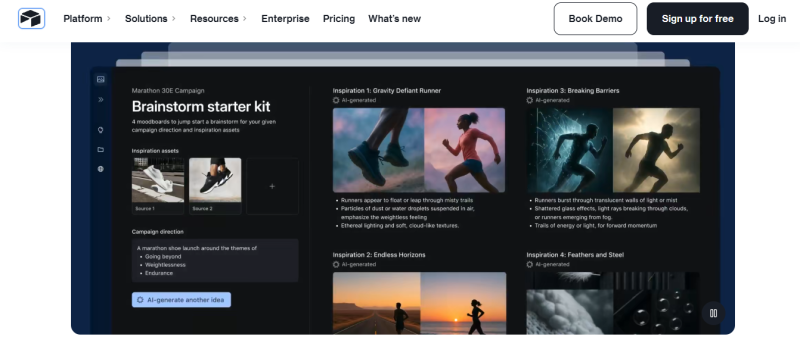
What it is. Airtable is a no-code platform that combines a spreadsheet interface with a relational database. It is used by more than 500,000 organizations. You can view the same data as a grid, Kanban board, gallery, or Gantt chart.
AI features.
- Omni is a conversational builder. You describe what you need and it configures tables, automations, and agents.
- Field Agents are AI-powered fields that retrieve, analyze, or generate data at the cell level. They can analyze documents, search the web, classify data, and extract insights.
- Chained fields. You can link AI fields, for example one that reads the sentiment of customer feedback and a second that drafts a reply in a matching tone.
Best for. Operations, marketing, and product teams that track linked data such as projects, campaigns, and requests.
Limits. AI in fields needs AI credits and must be enabled at the workspace level. AI admin controls are only on the Business plan or higher.
2. Notion
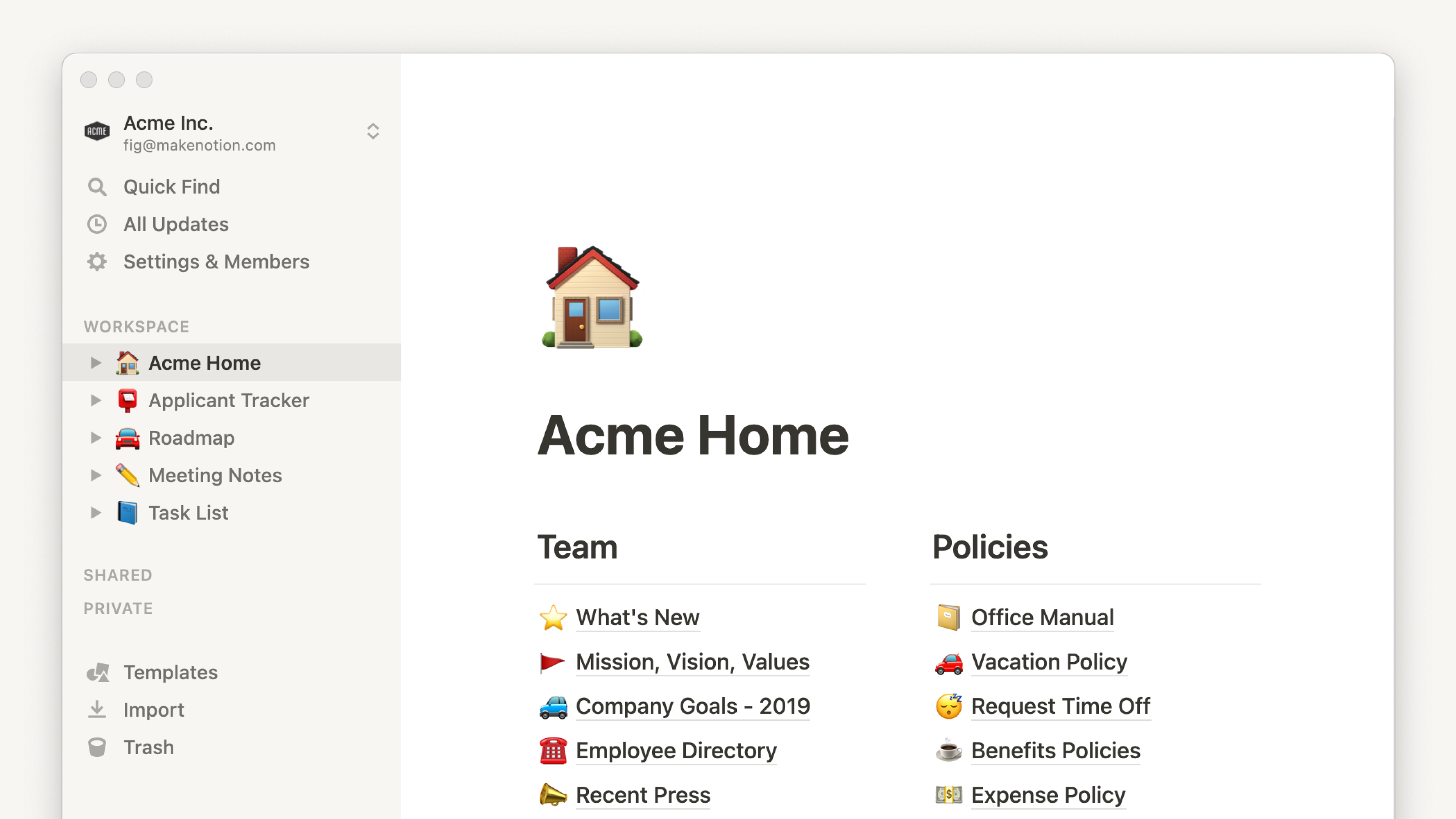
What it is. Notion is a workspace where documents, wikis, and databases live on the same pages. Its databases are lighter than a dedicated database tool, but they sit right next to your notes and project docs.
AI features.
- Database creation. Notion AI can create a database in seconds from a description.
- AI Autofill. It keeps rows current by enriching, extracting, and categorizing information.
- Custom Agents. These run on schedules or triggers without human input. One example is an agent that compiles daily user feedback from Slack and support tickets into a Notion database.
Best for. Teams that already write and plan in Notion and want structured data in the same place.
Limits. Notion AI cannot edit existing databases, and it cannot create database automations, forms, or charts. Custom Agents are available on Business and Enterprise plans.
3. Baserow

What it is. Baserow is an open-source no-code database that you can use in the cloud or host yourself. The code is public on Baserow's GitHub repository, where the project is distributed under the MIT license. It also includes an application builder for publishing apps and portals on your own domain.
AI features.
- Kuma is the AI assistant introduced in Baserow 2.0. You chat with it to create databases, write formulas, and build automations.
- AI field. It supports OpenAI, Anthropic, Mistral, and Ollama models. The field can also work with files.
Best for. Teams with strict privacy or compliance needs. The project lists GDPR, HIPAA, and SOC 2 compliance.
Limits. On self-hosted setups, the AI field stays disabled until you add an API key for a supported model. One independent comparison also notes that Baserow has no native mobile app.
4. NocoDB
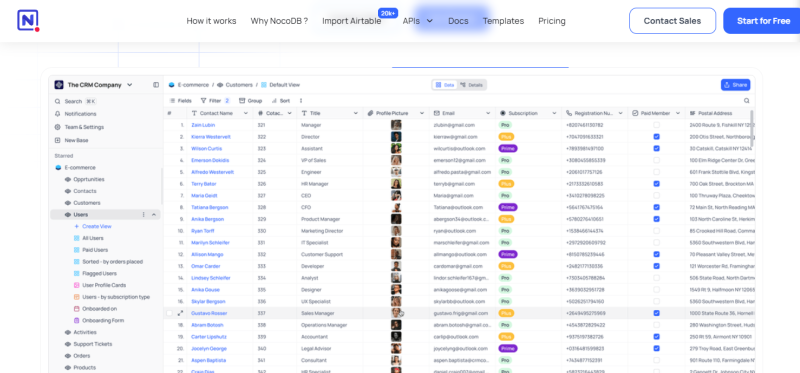
What it is. NocoDB turns MySQL, PostgreSQL, SQL Server, SQLite, and MariaDB databases into a smart spreadsheet. Your data stays in a standard SQL database while non-technical colleagues work with it through a familiar grid.
AI features.
- NocoAI generates bases, tables, fields, views, filters, formulas, and select options from natural language prompts.
- Field suggestions. In the field creation dialog, you can choose NocoAI to get suggested fields for a table.
- NocoDocs. A built-in document editor with an AI assistant.
Best for. Teams with developers who already run SQL databases and want a no-code layer on top.
Limits. AI base creation works only on NocoDB Cloud. One third-party listing reports a move from AGPL 3.0 to the Sustainable Use License as of version 0.301.0, so read the license if open source matters to you.
5. Softr

What it is. Softr is a platform for building business apps such as portals, dashboards, and internal tools. Softr Databases is its own relational database, built directly into the app builder. You can also connect more than 21 other data sources.
AI features.
- AI Co-Builder. You describe your use case and it creates tables, fields, and relationships.
- Database AI Agents. These are AI-powered fields that fill in, update, or research data. They can draft emails, tag tickets, and refresh product information.
- Ask AI. It answers questions about your data while respecting user permissions.
Best for. Agencies and small teams that need a client portal or internal app with role-based and row-level permissions.
Limits. Agent runs use the AI credits included in your plan, and those credits are shared with other AI features. The free plan is capped at 5 users and 5,000 database records.
6. Google AppSheet
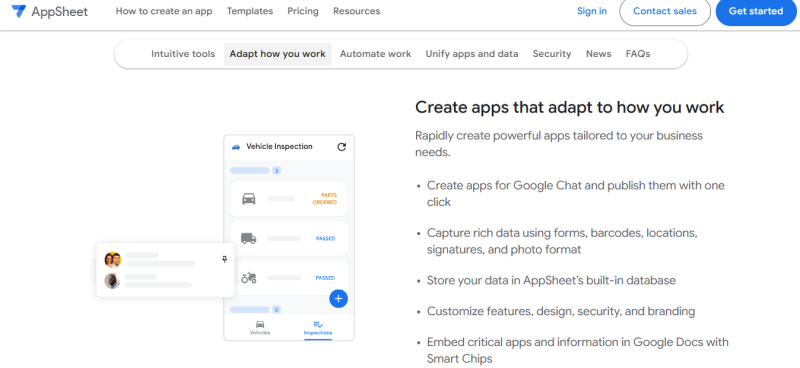
What it is. AppSheet is Google's no-code app platform. It suits teams that already work in Google Workspace. Google's guide to Gemini in AppSheet explains its AI features.
AI features.
- Gemini for App Creation. You describe a business process, AppSheet suggests tables and columns, and it can create the app with pre-built views and actions. You can review and edit the structure before the app is created.
- AI tasks in automations. These extract information from an image, PDF, or text, or categorize information.
Best for. Field teams and operations staff who need simple apps for tasks like inspections or inventory tracking.
Limits. AI tasks require the Enterprise Plus license and consume credits. Gemini in AppSheet does not support data residency outside the global region.
7. Microsoft Power Apps with Dataverse
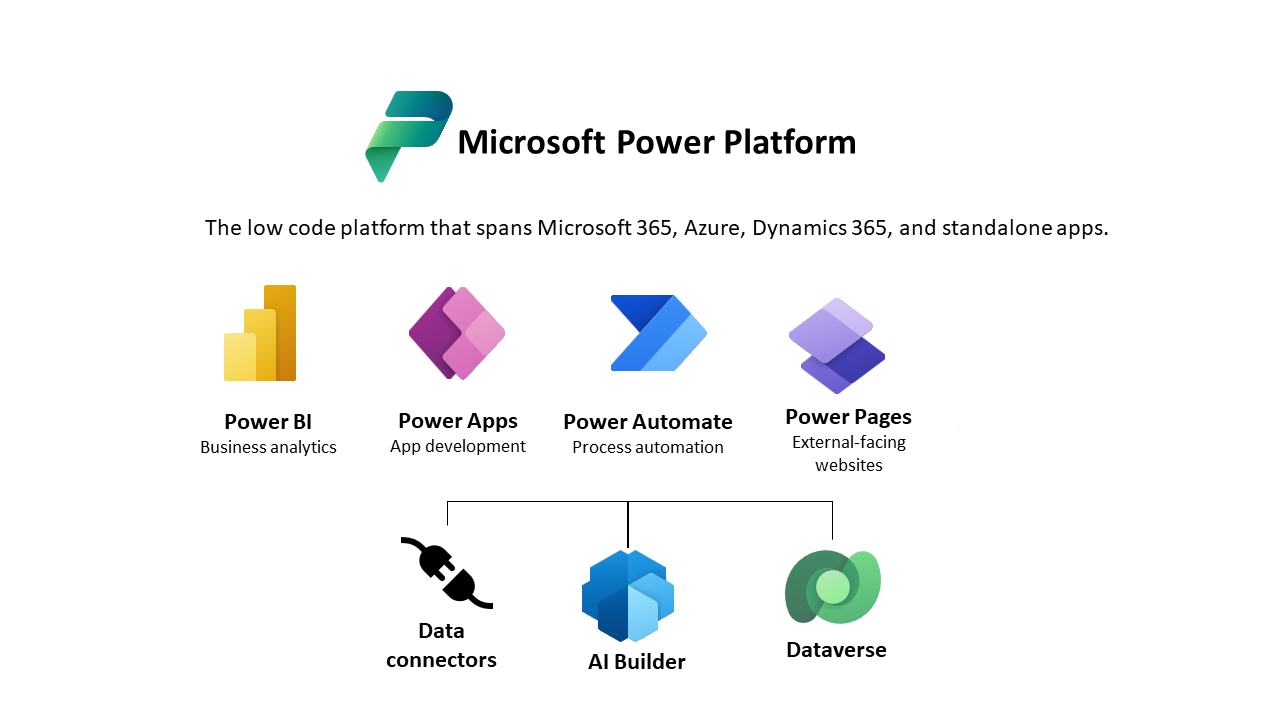
What it is. Power Apps is Microsoft's app builder, and Dataverse is the database behind it. Tables in Dataverse model and manage business data, and you can use standard tables, custom tables, or both. Microsoft's documentation on creating tables in Power Apps covers the setup.
AI features.
- Copilot for tables. It turns natural language descriptions into table structures, column definitions, and relationship suggestions.
- Refinement by conversation. You can ask Copilot to add several columns at once or remove a column.
- Visual designer. A table designer shows a diagram of your data and its relationships.
Best for. Organizations already standardized on Microsoft 365 that need governance and admin control.
Limits. You need an environment where Dataverse is already set up. Copilot availability varies by region.
Difference 1: What the AI builds for you
All seven tools create a database from a prompt, but the scope of what you get back varies.
| Tool | What the AI creates |
|---|---|
| Airtable | Tables, automations, agents, and interfaces |
| Notion | New databases only |
| Baserow | Databases, formulas, and automations |
| NocoDB | Bases, tables, fields, views, filters, formulas, and select options |
| Softr | Database structure, plus a working app with pages, user roles, and sample data |
| AppSheet | Tables and columns, plus an app with pre-built views and actions |
| Power Apps | Tables, columns, and relationships |
What this means for you: if you only need a clean schema, any of these will do. If you want the app or automation built in the same step, Airtable, Softr, and AppSheet go furthest.
Difference 2: How AI works inside your records
This is where the tools differ most in day-to-day use.
- Airtable. AI works in each cell and can search the web.
- Notion. Basic Autofill uses only the content of the specific row or page. Custom Agent Autofill can use web search or workspace search. You choose whether it runs manually, on page create, or on page edits.
- Baserow. Each cell in an AI field has a Generate button.
- NocoDB. According to a comparison published by competitor Teable, NocoAI mainly assists with database and view configuration, not record-level work.
- Softr. You configure each agent with a prompt, a trigger, and a model.
- AppSheet. AI runs as a task inside an automation, not as a column.
- Power Apps. An agent connected to the app's data lets users ask questions in natural language.
What this means for you: Airtable, Notion, Baserow, and Softr treat AI as a column in your table. AppSheet treats it as a step in a workflow. Power Apps treats it as a chat layer over your data.
Difference 3: AI pricing and plan access
AI is rarely included without limits. Check these points before you commit.
| Tool | Who gets AI | How AI is metered |
|---|---|---|
| Airtable | Omni on all plan types, Field Agents on all paid plans | AI credits. Building with Omni does not use credits |
| Notion | Basic Autofill on Business and Enterprise plans | Basic Autofill uses no credits. Custom Agent Autofill uses Notion credits, at about $10 per 1,000 |
| Baserow | One independent review reports Kuma on Premium and above, with no AI field on the free cloud tier | Requests draw from a shared automation credits pool, per the same review |
| NocoDB | Managed AI tokens on cloud from the Plus plan. Self-hosted needs your own AI integration on the Business plan and above | Managed tokens on cloud |
| Softr | Free plan available | AI credits included in your plan |
| AppSheet | App creation with Gemini on paid licenses. AI tasks on Enterprise Plus | AI tasks consume credits based on number and complexity |
| Power Apps | Requires a Microsoft 365 license or a free trial | Tied to your Microsoft licensing |
What this means for you: estimate how many records the AI will process each month. Credit-based pricing is cheap for small tables and adds up quickly on large ones.
Final thoughts
No single tool wins on every point, so the right choice depends on what you need the AI to do and where your team already works.
Start with your ecosystem. A tool that sits inside the software your team opens every day will see more use. That is the main case for AppSheet in Google Workspace, Power Apps in Microsoft 365, and Notion for teams that already plan and write there.
Decide how much control you need. If your data cannot leave your own servers, your shortlist is the two self-hosted options. If you use a cloud tool, check its AI settings. Airtable, for example, lets EU and GDPR customers choose whether to turn AI features on. Admin controls matter too: AppSheet lets administrators disable AI-assisted app creation.
Match the AI to the task. Schema generation is a one-time saving. Record-level AI is where the long-term value sits, because it removes repeated work such as tagging tickets, summarizing notes, and pulling values out of documents. If that is your goal, favor tools where AI is a field in the table.
Run a small test before you commit. A simple trial plan works well:
- Pick one repetitive task that has a clear input and output.
- Build it on a free plan or trial with 50 to 100 real records.
- Check the AI output by hand and note how often it is wrong.
- Track the credits used, then scale that number to your full data volume.
- Confirm that permissions, exports, and integrations meet your needs.
Keep people in the loop. AI-filled fields are drafts, not final records. Build a review step into any workflow where an error would cost money or trust.
Post Comment
Share your thoughts about this article.
Be the first to post a comment!