Caption writing eats hours every week. The right AI tool turns a blank box into a dozen on-brand options in seconds. We compared the nine best caption tools of 2026 on price, features, and real user ratings, so you can pick the one that fits how you actually post.
Captions do half the work of the post
A caption has to stop the scroll, sound like your brand, fit the platform, and drive action, often in under a minute, every day, across several networks. That is exactly the repetitive, high-volume job AI is good at.
2× more engagement on posts with optimized captions (HubSpot 2025 report) | 94% of marketers plan to use AI in content creation in 2026 (HubSpot) | 2–3 tools is the typical stack, no single tool wins everything |
We weighed caption quality, ease of use, pricing, languages, scheduling, and whether each tool produces publish-ready text or generic filler. The big takeaway up front: match the tool to your workflow, and a solo creator, a budget freelancer, and an agency should each pick a different one.
Best caption tool for every job
There is no single best, it depends on what you are optimizing for. Here are the standout picks by use case; full breakdowns follow below.
BEST FOR BRAND VOICE AT SCALE EDITOR’S PICK Jasper AI Train it once on your tone; every caption sounds like your team. Built for marketing teams and agencies. | BEST FREE OPTION Buffer Free, unlimited AI Assistant for captions plus scheduling for 3 channels. The most usable free tier. |
BEST BUDGET PAID Rytr Unlimited short-form generation at $9/mo, roughly a fifth of premium tools, with 30+ languages. | BEST ALL-IN-ONE ContentStudio Write, get hashtags, and schedule from one place at $19/mo, the middle ground between chatbot and enterprise. |
BEST FOR VISUAL POSTS Predis.ai & Canva Generate the caption and the carousel, reel, or graphic together, copy and design in one workflow. | BEST FOR AGENCIES Hootsuite OwlyWriter AI lives inside Hootsuite’s scheduling and analytics suite, ideal if your team is already there. |
All nine tools, compared
Pricing is monthly list in USD as of June 2026. “Starts at” shows the cheapest paid plan; free-tier availability is noted separately. Ratings are indicative G2 averages.
| TOOL | BEST FOR | FREE PLAN | STARTS AT | G2 |
|---|---|---|---|---|
| Jasper AI | Brand voice & marketing teams | Trial only | $49/mo | ★ 4.7 |
| Copy.ai | Fast, simple short-form copy | Free | $49/mo | ★ 4.7 |
| Rytr | Budget-conscious creators | Free | $9/mo | ★ 4.7 |
| Buffer | Free captions + scheduling | Free | $5/ch/mo | ★ 4.3 |
| Hootsuite | Agencies & larger teams | Trial only | $99/mo | ★ 4.2 |
| ContentStudio | All-in-one write + schedule | Trial only | $19/mo | ★ 4.6 |
| Predis.ai | Captions + carousels/reels | Free | $32/mo | ★ 4.6 |
| Canva (Magic Write) | Design-led creators | Free | $15/mo | ★ 4.7 |
| Writesonic | Conversion & performance copy | Free | $19/mo | ★ 4.7 |
Sources: official pricing pages plus 2026 reviews on G2, Capterra and Trustpilot. Buffer prices per connected channel (annual billing). Verify current pricing before purchase.
What you’ll actually pay
Entry pricing spans an enormous range, from Buffer at $5 per channel to Hootsuite at $99/mo. Five of the nine also have genuinely usable free tiers.
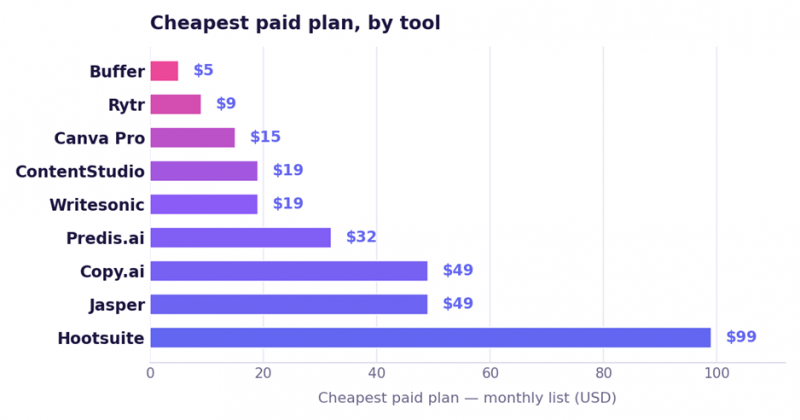
Buffer is priced per connected channel ($5/channel annual). Annual billing lowers most tools ~15–20%.
Where the value sweet spots are
Plotting each tool’s entry price against its user rating shows the value champions: high satisfaction without the high price. Tools toward the upper-left deliver the most for the least.
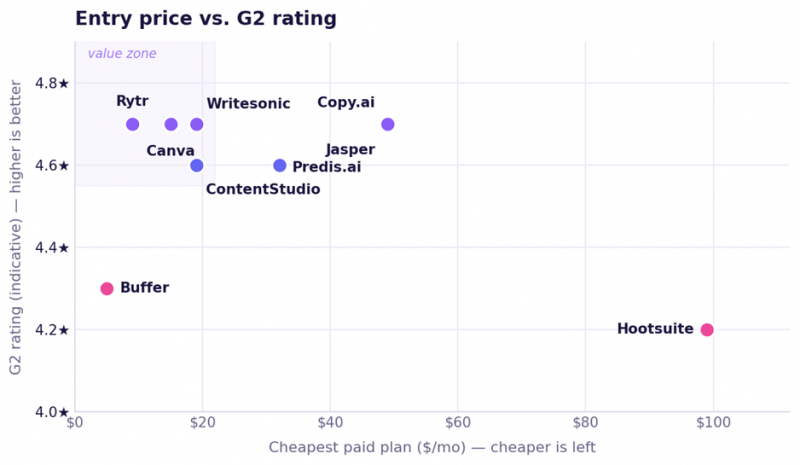
Ratings are indicative G2 averages and vary by source and date. Rytr, Canva, Writesonic and ContentStudio cluster in the value zone.
The capability matrix
Caption generation is table stakes; the real differences are scheduling, brand-voice training, built-in visuals, and free access. Here is who does what.
| TOOL | CAPTIONS | SCHEDULE | BRAND VOICE | VISUALS | HASHTAGS | LANGUAGES | FREE |
|---|---|---|---|---|---|---|---|
| Jasper AI | ✓ | – | ✓ | ✓ | ~ | ✓ | – |
| Copy.ai | ✓ | – | ✓ | – | ~ | ✓ | ✓ |
| Rytr | ✓ | – | ~ | ~ | ~ | ✓ | ✓ |
| Buffer | ✓ | ✓ | ~ | – | ✓ | ~ | ✓ |
| Hootsuite | ✓ | ✓ | ~ | ~ | ✓ | ✓ | – |
| ContentStudio | ✓ | ✓ | ~ | ✓ | ✓ | ✓ | – |
| Predis.ai | ✓ | ✓ | ✓ | ✓ | ✓ | ✓ | ✓ |
| Canva (Magic Write) | ✓ | ~ | ~ | ✓ | – | ✓ | ✓ |
| Writesonic | ✓ | – | ✓ | ✓ | ~ | ✓ | ✓ |
✓ Full feature ~ Partial / basic – Not available
Every tool, broken down
What each one is, who it is for, what it costs, and the honest trade-offs, ordered roughly from dedicated writing tools to all-in-one social suites.
Jasper AI
Best for brand voice at scale
$49/mo from (Creator) · 4.7★ G2
A mature AI writing platform built for teams that care about consistency. Train Jasper on your tone and terminology once, and every caption, ad, and campaign post comes out on-brand. It is a full marketing content tool, not just a caption box.
KEY FEATURES Brand Voice training · campaign workflows · 50+ templates · AI image generation · 30+ languages · team collaboration.
PROS Best-in-class brand-voice consistency Polished, on-brand B2B and B2C output Scales to multi-brand campaigns | CONS Premium price; Pro is $69/mo (5 seats) No native scheduling Overkill for casual posting |
Copy.ai
Best for fast, simple captions
Free paid $49/mo · 4.7★ G2
A popular, friendly caption generator known for speed and a clean interface. Its free plan is one of the most generous in the category, and it shines for short-form copy: captions, hooks, and product descriptions you can ship fast.
KEY FEATURES 90+ tools · tone controls · bulk variations · brand voice (paid) · workflow automation · multilingual.
PROS Very easy and fast Genuinely useful free plan Natural short-form output | CONS Weak on long-form Can feel generic without edits Confusing tiers ($49 to $1,000+) |
Rytr
Best budget pick
$9/mo from (Unlimited) · 4.7★ G2 · 4.6 Capterra
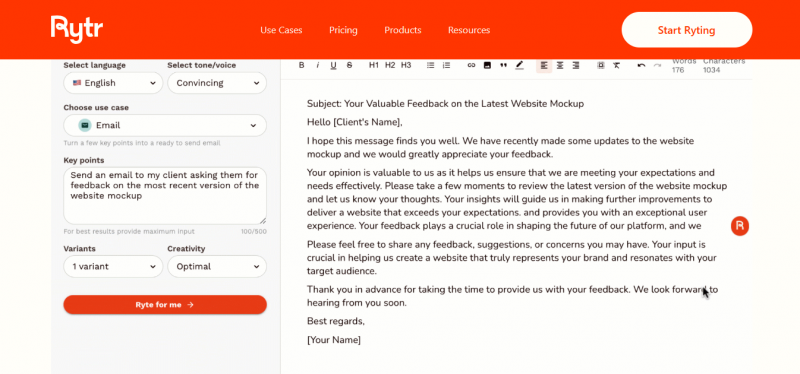
The value champion. At $9/mo for unlimited generation, Rytr undercuts premium tools by roughly five to one while covering 40+ use cases and 30+ languages. With 8M+ users, it is the go-to for solo creators and small businesses watching every dollar.
KEY FEATURES 40+ use cases · 20+ tones · 30+ languages · plagiarism checker · Chrome extension · custom use cases.
PROS Cheapest serious option ($9/mo) Fast (2–5s) and dead-simple Forever-free 10k-character tier | CONS Long-form quality trails rivals Thin integrations (no Zapier/WordPress) Cheapest plan is single-language |
Best free captions + scheduling
Free paid $5/ch/mo · 4.3★ G2 · 4.5 Capterra
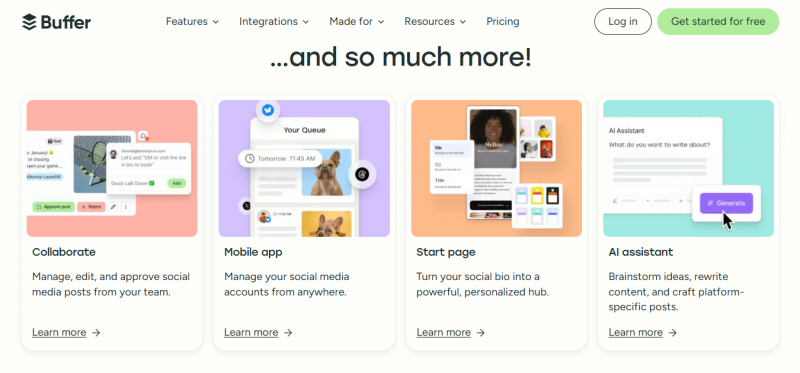
The cleanest scheduler in the category, with a free AI Assistant that generates and rewrites captions at no cost and no usage limit, on every plan including free. Perfect for solo creators who want to write and schedule in one tidy place.
KEY FEATURES free unlimited AI Assistant · 10+ platforms · hashtag manager · content calendar · first-comment scheduling.
PROS Unlimited free AI captions Simplest UI in the category Generous, usable free plan | CONS Per-channel pricing adds up fast No AI image generation AI is basic; light analytics |
Hootsuite (OwlyWriter AI)
Best for agencies & teams
$99/mo from (Professional) · 4.2★ G2
OwlyWriter AI generates platform-specific captions right inside Hootsuite’s scheduling, analytics, and social-listening suite. It even drafts from real social data and recycles top posts. The catch: it only makes sense if you are already paying for Hootsuite.
KEY FEATURES caption generation in-dashboard · content recycling · data-driven prompts · scheduling + analytics + listening.
PROS Write, schedule and analyze in one place Data-informed content prompts Strong for teams at scale | CONS Expensive for captions alone Per-user pricing climbs fast No free plan; dashboard is complex |
ContentStudio
Best all-in-one mid-tier
$19/mo from (Standard) · 4.6★ G2 · 4.7 Capterra
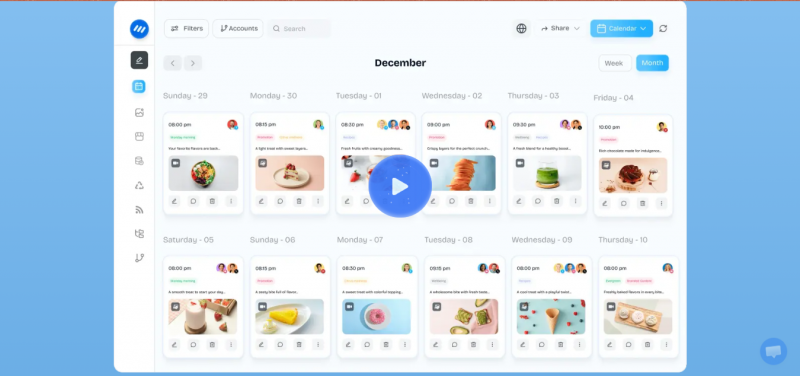
The sweet spot between a bare chatbot and enterprise pricing. ContentStudio generates platform-specific captions, suggests hashtags, makes AI images, and schedules, all from one $19/mo dashboard, in 25+ languages.
KEY FEATURES caption templates (IG/X/FB/LinkedIn) · hashtag suggestions · AI images · content discovery · scheduling · 25+ languages.
PROS Write + hashtags + schedule in one Affordable for the feature set Trend-aware content discovery | CONS AI words and images are capped Some learning curve No permanent free plan |
Predis.ai
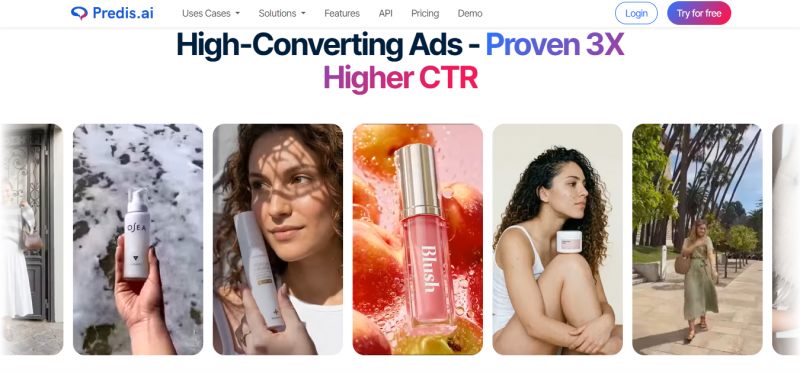
Best for visual posts + captions
Free paid $32/mo · 4.6★ G2
Generates the whole post, caption plus a designed image, carousel, or reel, from a single text prompt. If your bottleneck is making the visual and the copy together, Predis collapses both into one step, with competitor analysis and scheduling built in.
KEY FEATURES caption + designed visual/carousel/reel · competitor analysis · scheduling · e-commerce mode · multilingual.
PROS Copy + design generated together Carousels and reels from a prompt Useful competitor insights | CONS Credit limits on generation Output often needs refining Interface feels dated |
Canva (Magic Write)
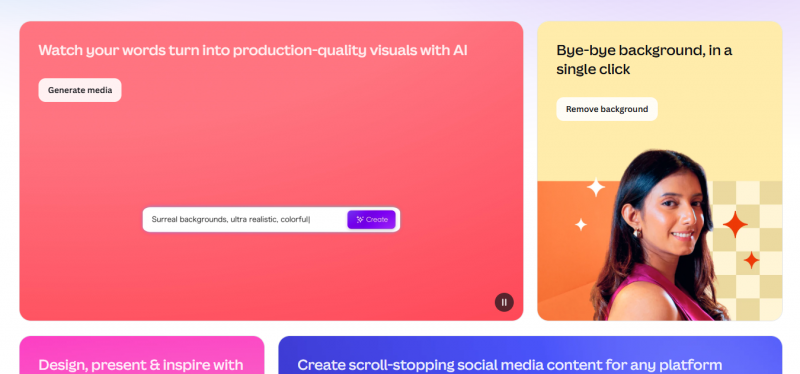
Best for design-led creators
Free Pro $15/mo · 4.7★ G2 · 4.7 Capterra
If you already design your posts in Canva, Magic Write puts caption generation right next to the artwork, then Magic Resize and the content planner help you adapt and schedule. Captions are a bonus on top of the best design tool in the category.
KEY FEATURES Magic Write (~500 uses/mo on Pro) · Magic Studio AI · content planner · Magic Resize · huge template/asset library.
PROS Design + copy in one workflow Excellent for non-designers Free Magic Write tier to try | CONS AI credits deplete quickly Caption AI is secondary to design Not a dedicated copy tool |
Writesonic
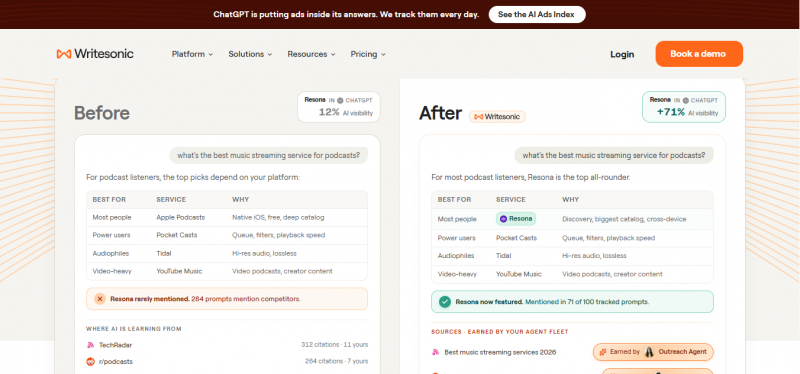
Best for conversion copy
$19/mo from (Individual) · 4.7★ G2
Writesonic blends social content with performance marketing. If your captions need to drive clicks, leads, or sales, ad-style hooks and CTAs, its conversion focus and brand voice stand out, with SEO tooling and AI images alongside.
KEY FEATURES performance-focused copy · brand voice · SEO tools · AI images · 25+ languages · chatbot.
PROS Strong for ads and CTAs Brand voice + SEO features Affordable entry at $19/mo | CONS Credit-based usage limits Interface can feel busy Output quality varies |
General AI assistants still hold their own
ChatGPT · Claude · Gemini For pure flexibility and price, a general assistant is hard to beat. With a specific prompt (audience, tone, platform, character limit) they produce excellent captions, and they are free to start (ChatGPT Plus and Claude Pro are about $20/mo). Claude in particular tends to write the most natural longer captions for LinkedIn, Facebook and Threads, while ChatGPT is a fast all-rounder. The trade-off: no scheduling, no analytics, and no persistent brand memory unless you re-supply your guidelines each time. They are the best “blank canvas”, just not an end-to-end posting workflow. Many creators pair one of these for ideation with a scheduler like Buffer for publishing. |
CHOOSE FAST · PICK BY YOUR SITUATION
So which should you pick?
Match the tool to how you work, not the other way around. Here is the quick call for the most common situations.
| IF YOU’RE A… | BEST PICK |
|---|---|
| You manage multiple clients with strict brand guidelines | → Jasper AI |
| You’re on a tight budget and post a few times a week | → Rytr ($9/mo) |
| You want to write and schedule for free, solo | → Buffer (free) |
| You want one tool to write, hashtag and schedule | → ContentStudio |
| You need the caption and the visual generated together | → Predis.ai / Canva |
| Your team already lives in a scheduling suite | → Hootsuite |
| Your captions must drive clicks and conversions | → Writesonic |
| You want maximum flexibility and lowest cost | → ChatGPT / Claude |
Post Comment
Share your thoughts about this article.
Be the first to post a comment!





