Before I trust any tool, I like to see what the people who already reviewed it are saying, and then find out for myself whether they are right. InDown.io is a perfect case for that. It is one of the most recommended Instagram downloaders around, and the review sites are full of confident claims about it: free, no login, original quality, perfectly safe. A few are less kind and warn that it barely works. So I did two things. First I pulled together what the most cited reviews really claim. Then I ran the tool myself and checked those claims one by one.
This is not a walkthrough, it is a fact check. Below is the picture the top reviews paint, followed by my own results, with screenshots, marking each claim as true, overblown, or flat out wrong. By the end it should be clear which reviews to trust and whether InDown.io lives up to its reputation.
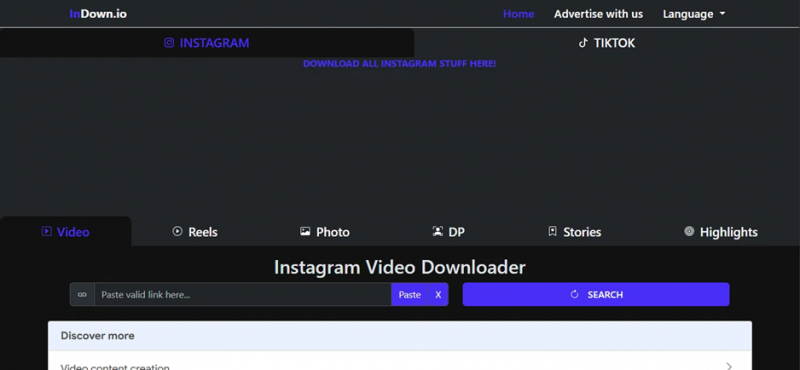
The InDown.io homepage, with Instagram and TikTok tabs and the six content downloaders below.
What the Top Review Sites Say About InDown.io
Reading through the better known InDown.io reviews, the same handful of points come up again and again. Most agree on the basics. The tool is free, runs entirely in the browser, and asks for no account, no email, and no Instagram login. It is built around a single idea, paste a public link and get the file, and it covers reels, feed videos, photos, Stories, Highlights, and profile pictures.
On quality, the reviews are consistent. They say downloads come back in the creator's original resolution with no watermark, and that a direct download beats a screenshot because it keeps the full file. On safety, the picture is reassuring without being airtight. Reviewers point to a clean record on malware scanners, an HTTPS connection, a domain registered since 2022, a respectable popularity ranking, and a linked iOS app rated around 4.6, with the no login design as the strongest point in its favor. The recurring caution is that the owner stays anonymous behind WHOIS privacy and that genuine user reviews are thin on the ground.
Then come the complaints, and they matter just as much. The most repeated one, and the entire basis of at least one widely shared review, is that the tool is inconsistent: instead of the reel, it often hands back the account's profile picture. Several reviews also mention ads, pop ups, or redirect tabs before the download appears, and most agree the so called private downloader either loops endlessly or simply does not work, and should be left alone.
Here are the main claims at a glance, before I put them to the test.
| Claim | The review consensus |
| Free, no login | Widely agreed: free, browser based, no account or password needed |
| Format coverage | Reels, videos, photos, Stories, Highlights, and profile pictures |
| Output quality | Original resolution, no watermark, better than a screenshot |
| Safety | Reassuring scanners and HTTPS, but an anonymous owner and thin user reviews |
| Consistency | The big complaint: often returns the profile picture instead of the reel |
| Ads | Several mention pop ups or redirects before the download appears |
| Private content | The private downloader is widely called unreliable and best avoided |
Now Let Me Check: Do These Reviews Hold Up?
Claims are easy. So I took each of the big ones and tested it against what the tool did in my own session. Here is how they held up, point by point.
Claim: It is free and needs no login
This one held up completely. I never hit an account wall, never gave an email, and was never asked for an Instagram login at any stage. The whole thing ran in the browser from a pasted link. Of every claim the reviews make, this is the one I am most comfortable confirming, and it is also the one that matters most for safety, since a tool that never sees a password cannot leak one.
Verdict: true.
Claim: It downloads reels, photos, and more
Mostly true, and better than I expected from some of the harsher reviews. I pasted a public reel link into the Reels tab and the video previewed in about two to three seconds, then downloaded cleanly. I pasted a profile link into the Photo and DP tab and it returned the profile picture at full size. So the core formats worked for me, with the consistency caveat I get to below.
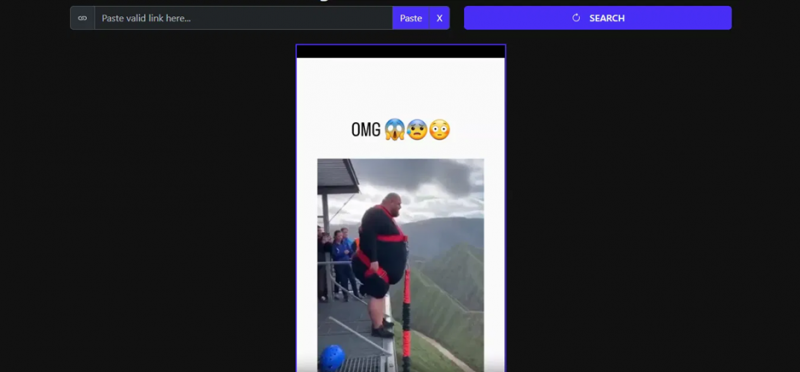
My reel link previewed in two to three seconds, exactly as the positive reviews claimed.
Verdict: true, with a catch.
Claim: Original quality and no watermark
True from what I saw. The profile picture came back as a real, measurable file, 1080 by 1080 pixels at 186.9 KB, and nothing I downloaded carried an InDown watermark. The video kept its audio in sync and did not look re-compressed. The one thing the reviews tend to skip is that there is no resolution menu at all, so the tool decides the quality and there is no way to override it.
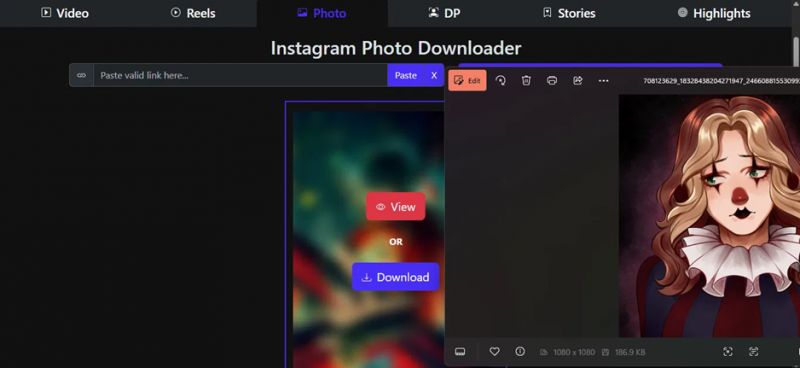
The profile picture came back at 1080 by 1080 and 186.9 KB, with no watermark.
Verdict: true, but there is no quality control.
Claim: It usually returns the profile picture instead of the reel
This is where I split hardest from the reviews, and especially from the one built entirely around this idea. It did not happen to me. My reel link gave me the reel in seconds, and my profile link gave me the profile picture, each on its matching tab. The glitch is real and well documented through 2026, but in my session it was not the default behavior, it was an occasional hiccup that a re-paste or a tab double check would fix. Calling it the tool's main function, the way one popular review does, overstates it.
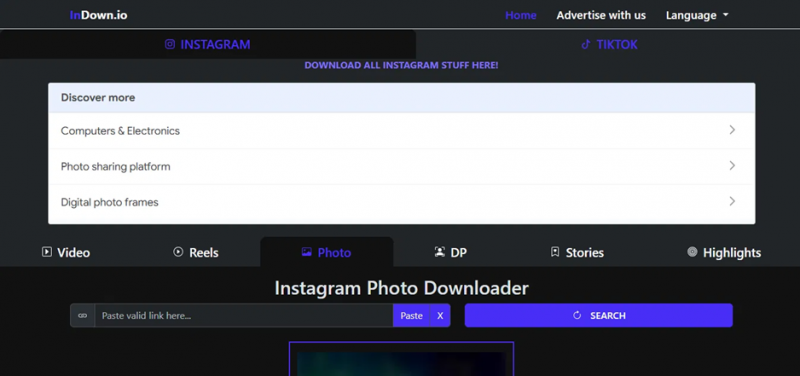
The Photo and DP tab, where a profile link reliably returned the profile picture for me.
Verdict: overblown.
Claim: It is buried in ads and pop ups
Not in my experience. I went in expecting the usual free downloader clutter, and there was none of it. No ads, no pop ups, no redirect tabs, just paste, preview, and a clean download from one of two servers. I will be fair and note that ad behavior on free sites shifts by region and by day, so the same cannot be promised for every visitor, but for the run I had, this complaint did not hold.

The download step in my session: two servers, an instant download, and not a single ad.
Verdict: not true for me, though it can vary.
Claim: It only handles Instagram, not other platforms
True, and I confirmed it the blunt way. I pasted in several YouTube links, including a live one, and every single time the tool threw up an Invalid Link message saying it does not provide downloading from this site. So it is strictly an Instagram and TikTok tool. Most reviews imply this but do not test it, so it is worth stating plainly.
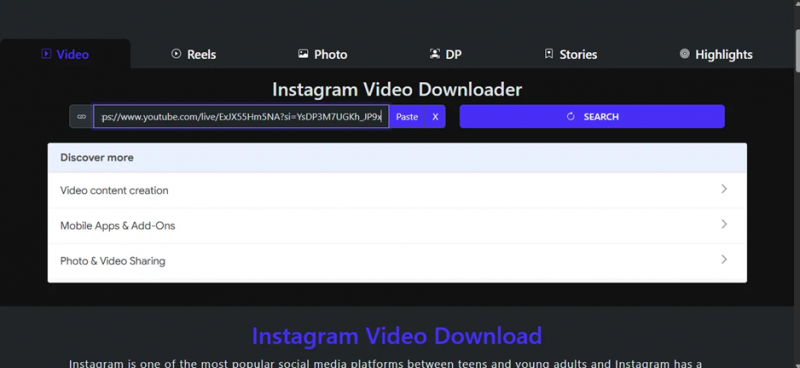
Testing the limits: I dropped a YouTube link into the Video tab to see what would happen.
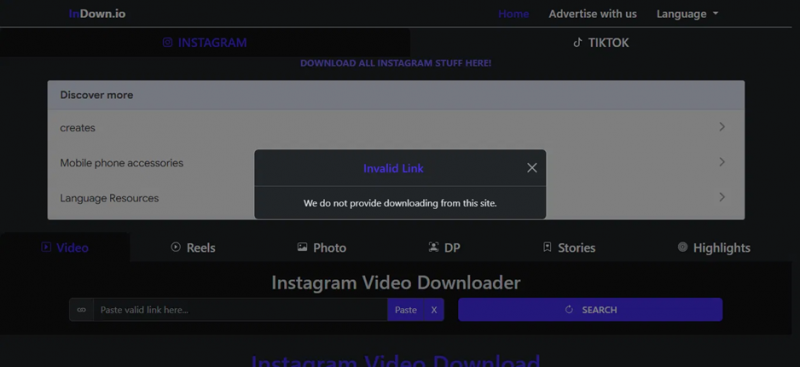
The answer to every YouTube link, which confirms InDown.io sticks to Instagram and TikTok.
Verdict: true.
Claim: It is safe and legit
Reasonable, with the same caveats the reviews raise. The no login design is the strongest point and it checks out, since the tool only ever needs a public URL. The external signals the reviews lean on, a clean scanner record, HTTPS, a 2022 domain, a decent popularity rank, an iOS app around 4.6, are real, but they are context, not a guarantee. The fair warnings also stand: the owner hides behind WHOIS privacy and there is not a deep pool of genuine user reviews. So I would call it safe enough for public content, as long as I keep the same habits I would use on any tool like this, never typing in a password and sticking to public accounts.
Verdict: fair, with caveats.
The Claims vs My Results, Scored
Pulling the whole fact check into one place, here is every major claim next to what I found.
| Claim | What reviews say | My verdict after testing |
| Free, no login | Free and no account | True |
| Format coverage | Reels, photos, Stories, and more | True, with an occasional retry |
| Quality, no watermark | Original quality, no watermark | True, but no quality control |
| Profile picture quirk | Often returns the DP, not the reel | Overblown, it was rare for me |
| Ads and pop ups | Cluttered with ads and redirects | Not true in my session |
| Instagram only | Mainly an Instagram tool | True, YouTube was rejected outright |
| Safe and legit | Reassuring but anonymous | Fair, with caveats |
So, Which Reviews Got It Right?
Putting it all together, the positive reviews were closer to my experience than the negative ones. The basics they push, free, no login, original quality, no watermark, all held up. Their safety read was fair. Where they slipped was on the two loudest complaints. The profile picture problem is real but rare, not the defining flaw one review makes it out to be, and the ad clutter never showed up for me at all. The reviews that treated InDown.io as a simple tool that mostly works were right. The one that wrote it off as little more than a profile picture viewer was, at least in my session, wrong.
My Final Verdict: 7.9 out of 10
My own verdict lands at 7.9 out of 10. It is a clean, fast, password free way to save public Instagram and TikTok content, the profile picture grab is its most polished trick, and the output quality is good even though there is no way to choose it. The fair limits are that it only touches Instagram and TikTok, it offers no resolution control, and it works on public content only. None of that surprised me after reading the reviews, and none of it is a dealbreaker for what the tool is for. The two rules I hold onto are simple: never put an Instagram password into it, and remember that downloading something is not the same as having the right to reuse it.
Post Comment
Share your thoughts about this article.
Be the first to post a comment!