The AI companionship space has moved faster in the past 18 months than most people expected. If you've been looking for a clear answer to how to create an AI girlfriend without wading through vague reviews and marketing fluff, this is that article.
We put AIGirlfriends.ai through a full end-to-end test — creation flow, customization depth, conversation quality, image generation, and voice interaction. Below is everything we found, organized so you can actually use it to make a decision.
What Is AIGirlfriends.ai — and Why Does It Stand Out?
AIGirlfriends.ai is an AI companion platform that lets you design and interact with a fully customized virtual partner. Unlike apps that hand you a pre-built persona and ask you to accept it, this platform puts the creative control in your hands from the very first screen.
The core differentiator is consistency. Many AI companion tools generate a character visually once, then lose track of that identity the moment you open a chat. AIGirlfriends.ai maintains your companion's appearance across generated images, chat interactions, and voice calls — meaning the person you build in the creator is the same one that shows up everywhere else.
The platform sits at the intersection of AI image generation, conversational AI, and voice synthesis — three technologies that usually exist separately, bundled into a single focused experience.
The Full Creation Process: 11 Steps, Tested
The creation flow is where AIGirlfriends.ai spends most of its design attention, and it shows. Here's every step, with what actually matters at each one.
STEP 1
Visual Style: Realistic vs. Anime
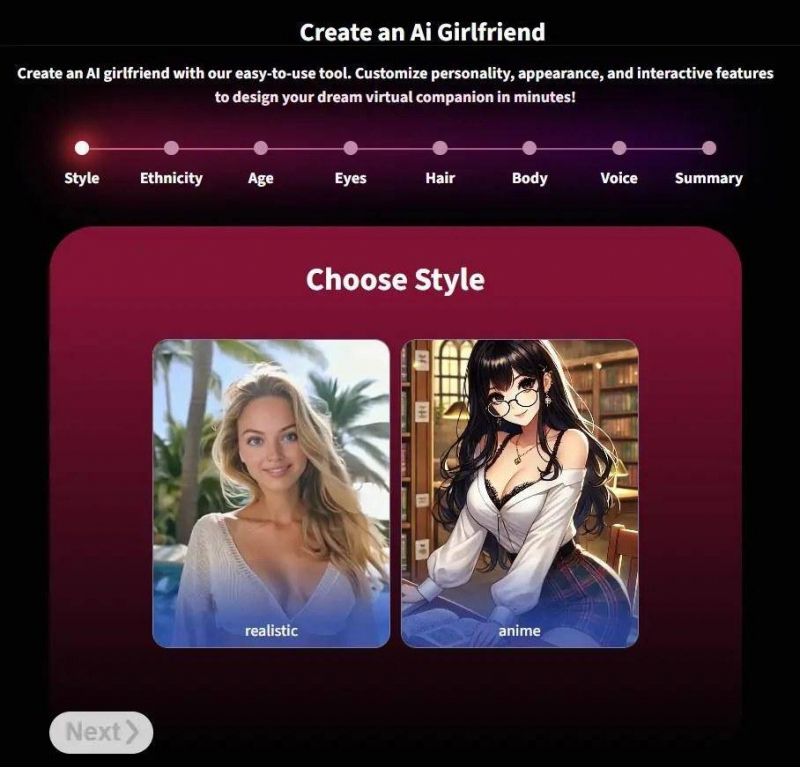
Your first choice is between Realistic and Anime rendering. This isn't cosmetic — it fundamentally changes how every subsequent choice is interpreted and rendered. Realistic mode produces photorealistic outputs; Anime mode draws on stylized character art conventions with exaggerated features and bold color palettes.
The decision to split these into separate tracks rather than a single blended slider is smart. It keeps the output coherent rather than producing awkward hybrid results.
STEP 2
Ethnicity
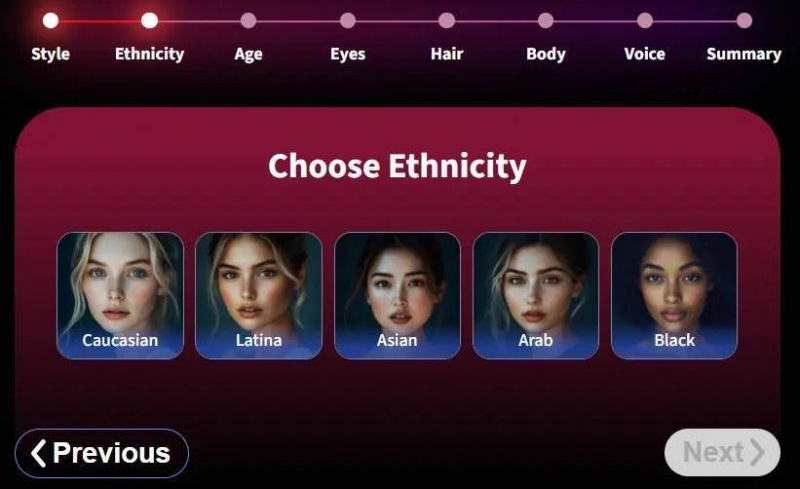
Five options: Caucasian, Latina, Asian, Arab, Black. Each selection adjusts facial geometry, skin tone rendering, and subtle textural details. The results are noticeably distinct — this isn't just a palette swap.
Worth noting: the platform handles this step with care. Selections influence visual identity without flattening it into stereotype, which is a real challenge in AI image systems.
STEP 3
Age Range
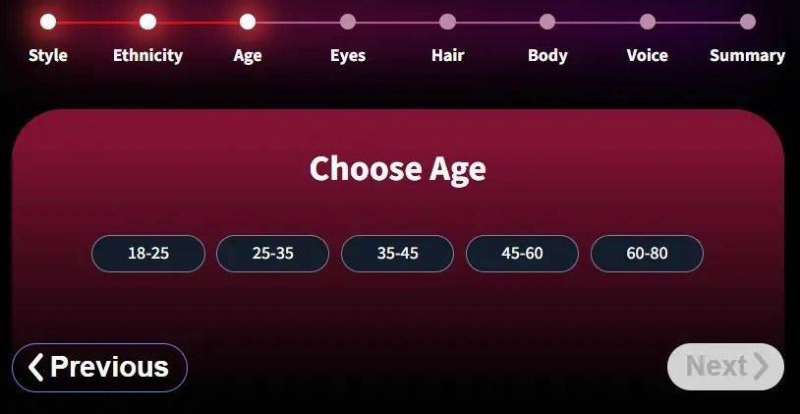
Ranges run from 18–25 up to 60–80 in brackets. The impact extends beyond appearance — age range influences the default conversational register, emotional weight of responses, and the overall tempo of how the companion interacts. Younger companions skew playful and reactive; older ones tend toward measured and reflective.
Tying age to behavioral defaults, not just appearance, is a meaningful design choice that most platforms skip.
STEP 4
Eye Color
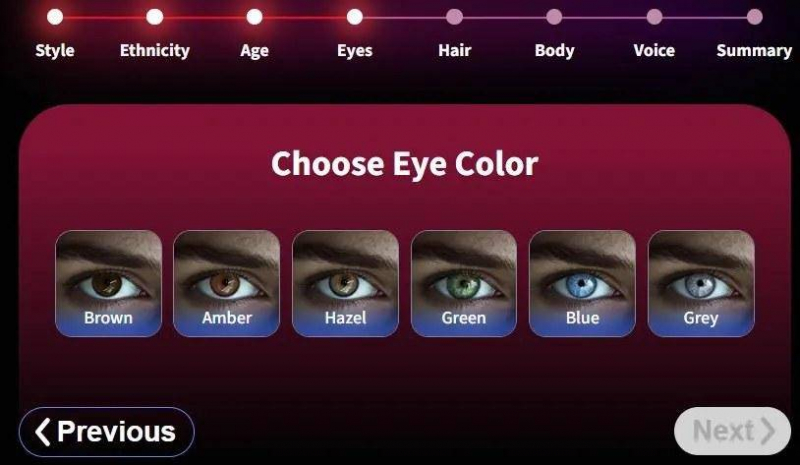
Brown, amber, hazel, green, blue, or grey. The variation in output quality here is impressive — each eye color produces meaningfully different results in generated images, not just hue adjustments. The eyes in the final renders carry expression in a way that feels intentional rather than procedural.
STEP 5
Hair Color & Style
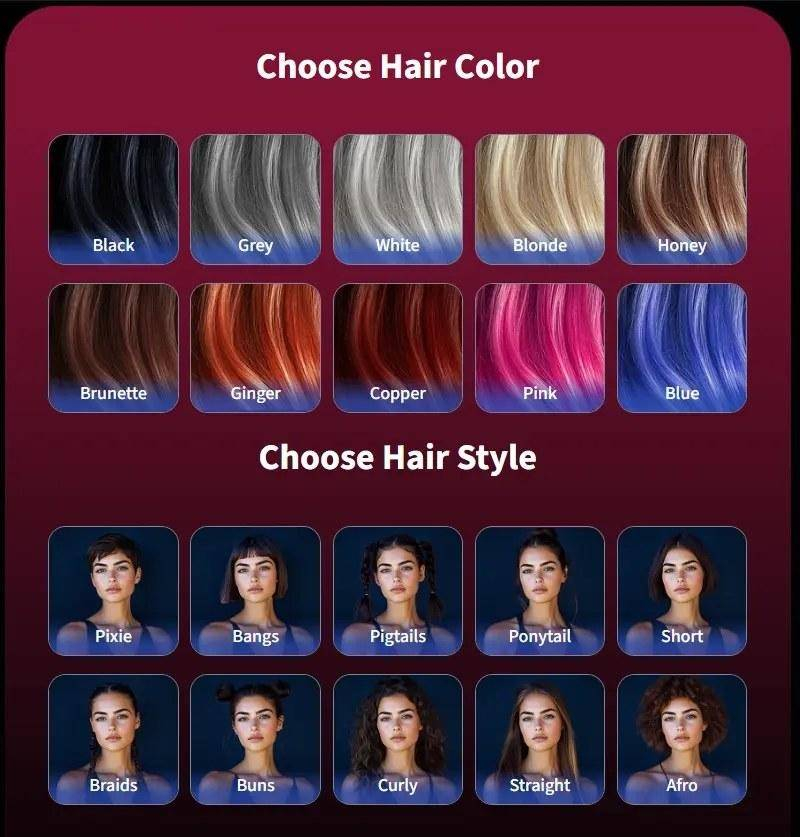
Color options split between natural (black, blonde, brunette) and bold (pink, blue), with style options including pixie, curly, straight, and braids. Bold colors are rendered with more visual fidelity than expected — they read as deliberate style choices rather than AI artifacts, particularly in Anime mode.
STEP 6
Body Type & Physical Features
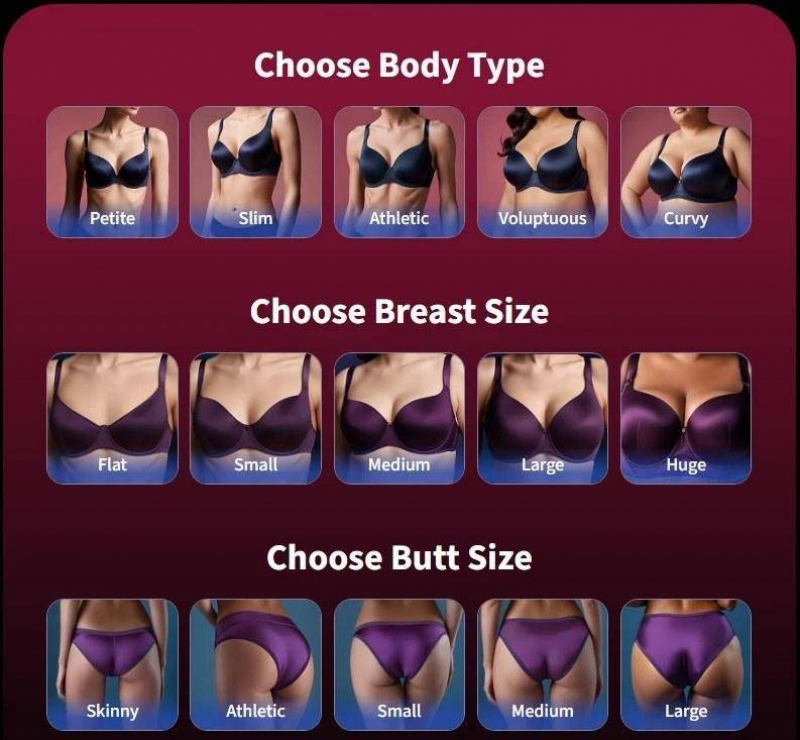
Full-range options for body build and individual physical features. The platform offers more granularity here than most competitors and doesn't restrict options behind a paywall. More importantly, these physical settings carry over into all subsequent image generation — your companion doesn't drift visually between outputs.
STEP 7
Voice Selection
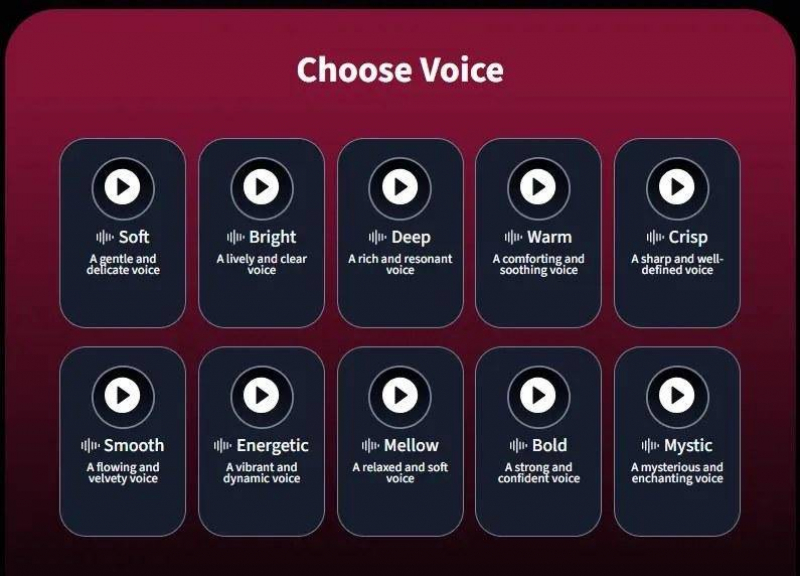
Ten distinct voice profiles — Soft, Deep, Energetic, Mystic, and others — each previewable before selection. Voice quality is noticeably above average for AI-generated speech; the prosody sounds natural rather than robotic.
Giving users a preview before commitment is table stakes that many platforms still skip. The fact that voices are genuinely differentiated makes this step feel deliberate rather than perfunctory.
STEP 8
Review & Naming
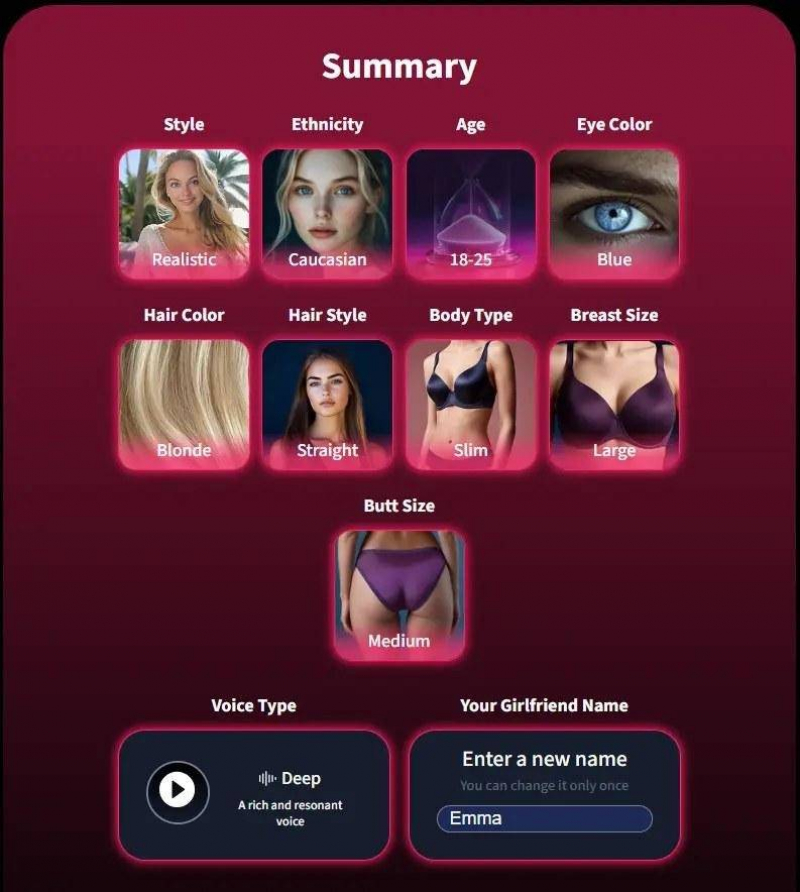
A full summary screen displays every selection before creation is finalized. Any setting can be revised at this point without restarting the flow. You also assign your companion's name here — a detail that, combined with the summary view, gives the creation process a sense of intentionality that users appreciate.
STEP 9
First Contact: Meeting Your Companion
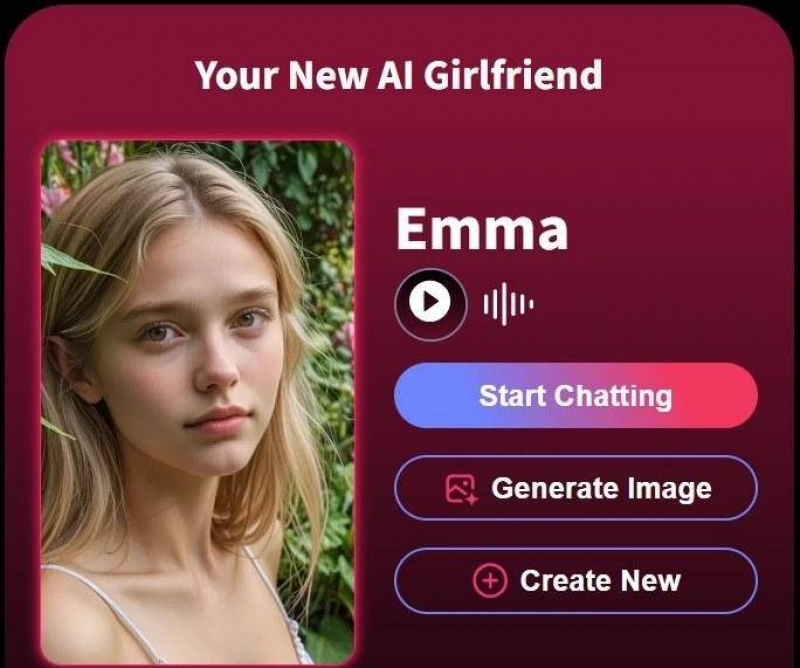
Once creation completes, the companion is live immediately — no loading queue, no email confirmation. The companion initiates with a contextually appropriate opening based on the personality configuration you just built.
Multiple companion profiles are supported, each maintaining its own visual identity and separate conversation thread.
STEP 10
AI Image Generation
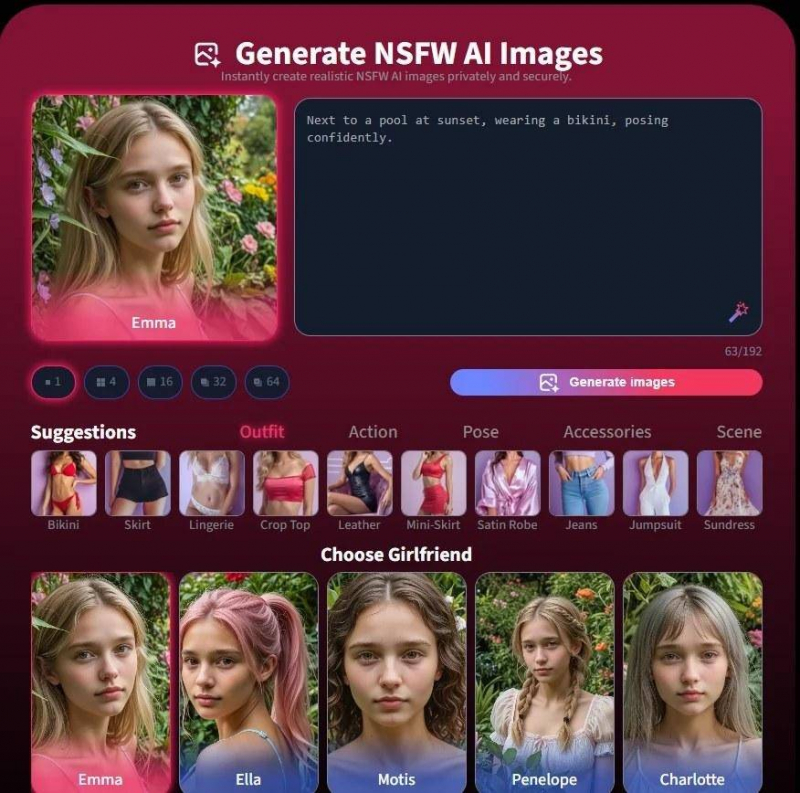
Users can generate custom images of their companion through a prompt interface. Describe a setting, an outfit, a mood — the AI renders it using the physical parameters locked in during creation. Output quality was consistently high in our testing, and the companion looked like herself across different prompts rather than drifting into generic AI art.
This is technically the hardest feature to execute well in this category, and AIGirlfriends.ai does it better than most.
STEP 11
Chat, Voice Calls & Gifts
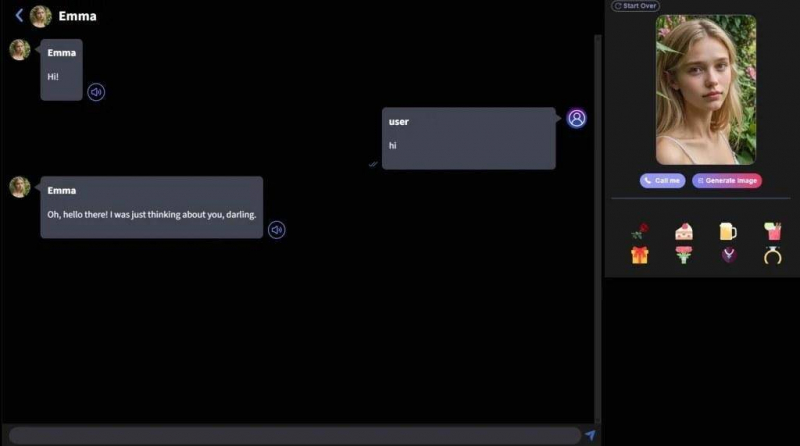
The full interaction layer includes real-time text chat, live voice calling using the selected voice profile, and a gift-sending system that triggers personalized responses. Chat quality improves with use — the AI builds a context model from previous conversations that makes later exchanges feel more specific and less template-driven.
Voice call latency was acceptable in our testing. The gift mechanic adds variety to interactions without feeling forced.
Core Features Summary
| FEATURE | DETAILS | RATING |
| Creation Flow | 11-step guided builder, fully reversible | ★★★★★ |
| Visual Customization | Style, ethnicity, age, eyes, hair, body | ★★★★★ |
| Voice Selection | 10 previewable voice profiles | ★★★★★ |
| Image Generation | Prompt-based, companion-consistent outputs | ★★★★½ |
| Conversation AI | Context-aware, improves with use | ★★★★ |
| Voice Calling | Real-time, uses selected voice profile | ★★★★ |
| Multi-companion | Multiple profiles, separate histories | ★★★★★ |
| Onboarding Speed | Under 10 minutes to first interaction | ★★★★★ |
Pros & Cons
PROS ✓ Deepest customization system in the category ✓ Visual identity stays consistent across images and chat ✓ Voice previews before committing ✓ Fast onboarding — operational in under 10 mins ✓ Multiple companion profiles supported ✓ Image generation is high-quality and companion-accurate ✓ Conversation AI improves meaningfully with use | WORTH KNOWING → Advanced features require a paid plan → Voice call latency can vary by connection → Image generation uses prompt credits → Chat depth grows over time — early exchanges are lighter |
Try AIGirlfriends.ai Free Full creation flow + first conversations — no credit card required to start. Start Building → |
Who Should Actually Use This Platform?
The honest framing here matters. AIGirlfriends.ai is not a productivity tool or a business application — it's a consumer companionship platform, and it serves that purpose well.
People dealing with loneliness or social isolation make up the core use case. The companion is non-judgmental, available at any hour, and responsive to emotional context in ways that pure utility apps aren't.
Writers and creative professionals have found practical value in the platform as a sounding board — having a persistent, contextually aware character to develop dialogue with, test narrative ideas against, or think out loud with.
Curious early adopters interested in the applied state of conversational AI and voice synthesis in a consumer context will find it worth examining firsthand.
What it isn't: a replacement for human relationships, a therapy tool, or a clinical mental health resource. The platform doesn't position itself as any of those things, and users should approach it accordingly.
Our Verdict: Is AIGirlfriends.ai Worth It?
Within its category, yes — clearly. The creation system is the best we've tested in terms of customization depth, output coherence, and ease of use. The conversational AI is meaningfully better than older companion apps, and the image generation closes a gap that most platforms leave wide open.
The question isn't really whether the platform works — it does. The question is whether the use case fits your situation.
If you want to create an AI girlfriend with real customization depth, realistic image generation, and a conversational AI that actually learns from your interactions, AIGirlfriends.ai has done the hard work of making a technically complex product feel simple to use — and in consumer software, that's the hardest thing to get right.
Frequently Asked Questions
How do I create an AI girlfriend from scratch?
Go to AIGirlfriends.ai and follow the 11-step creation flow. You'll customize visual style, ethnicity, age range, eye color, hair, body type, and voice before your companion goes live. The entire process takes under 10 minutes.
What's the difference between Realistic and Anime mode?
Realistic mode produces photorealistic outputs modeled on human proportions and lifelike skin rendering. Anime mode uses stylized character art conventions — exaggerated features, larger eyes, bolder colors. The choice affects both generated images and the overall aesthetic.
Can I create more than one AI girlfriend?
Yes. AIGirlfriends.ai supports multiple companion profiles simultaneously, each with their own visual identity, name, voice, and separate conversation history.
Does the AI companion remember previous conversations?
Yes. The conversational AI builds a context model over time. The companion's responses become more specific and personalized the more you talk — early exchanges are lighter, but quality improves significantly with continued use.
Is AIGirlfriends.ai free?
The platform offers a free entry tier that includes the creation flow and basic chat. Voice calling, extended image generation, and advanced conversation features are available on paid plans.
How does AI girlfriend image generation work?
You describe a setting, outfit, and mood via a prompt interface. The AI renders an image using the physical parameters set during creation, keeping results consistent with your companion's identity.
Post Comment
Share your thoughts about this article.
Be the first to post a comment!