For hybrid meetings where part of the team is in the conference room and the rest is on a video call, Plaud Note Pro is an AI note taker for hybrid meetings that captures both sides without sending a bot into the call. This review covers three things: the room, the remote side, and what you get once the meeting ends.
The device sits on the table and records the room, while remote voices come in through the room speakers or through Plaud Desktop on the laptop.
The short version
| Item | Plaud Note Pro |
| Price | $189 one-time (magnetic case and ring included) |
| Free transcription | 300 minutes/month (Starter Plan, per Plaud account, shared across bound devices) |
| Room pickup | Up to 16.4 ft in Enhance mode |
| Battery | Up to 30 hours in Enhance mode; up to 50 hours in Endurance mode |
| Remote participants | Recorded through room speakers, or with Plaud Desktop (beta) on the laptop |
| Meeting bot | Not needed |
| Best for | Hybrid meetings that mix a conference room with remote participants |
Why Hybrid Meetings Are Hard for an AI Note Taker
A hybrid meeting is really two meetings at once. A note taker built for the video call only catches one side, and that's the whole challenge for any AI note taker for hybrid meetings.
In the room, everyone shares a laptop recording. Whoever sits at the far end of the table sounds faint. When two people talk at once, the transcript can't sort out who's who.
Remote voices come through the room speakers. People in the room hear them fine, but a phone or laptop recording from across the table often catches them faint and echoey.
Meeting bots record whatever goes into the call: the room, as heard through that shared mic, plus remote voices on the line. Side conversations at the table typically don't make it in. You rarely walk away with a complete record of both sides.
What Matters Most When Using an AI Note Taker for Hybrid Meetings
For in-person and virtual meetings happening at once, the question is whether one tool can hear the room and the call and still tell people apart later. This review checks Plaud Note Pro on five points.
1. Room pickup: does it hear the far end of the table?
2. Remote audio: do call voices land in the same recording as the room audio?
3. Speaker separation: can it tell who said what?
4. Time to notes: how soon do summaries and action items show up?
5. Bots and consent: does anything join the call, and do people know they're being recorded?
That last point is the big split between hardware and software. Meeting bot apps join the call as a participant. Plaud Note Pro is an AI meeting assistant that sits on the table and stays out of the participant list.
How Plaud Note Pro Performs in a Real Hybrid Meeting
Plaud Note Pro handles each half of a hybrid meeting differently, so here's how each side plays out.
The room side: voices around the table
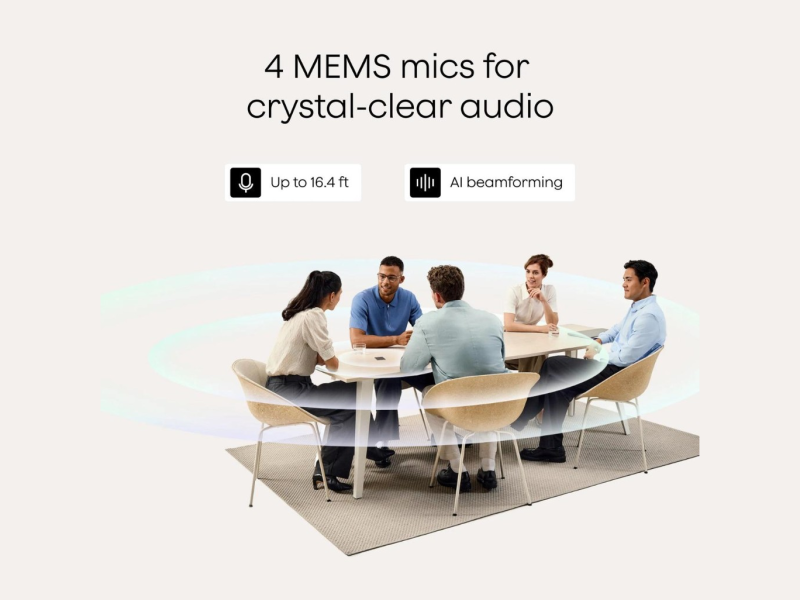
On the room side, Plaud Note Pro sits in the middle of the table and picks up room audio from up to 16.4 feet in Enhance mode. That's enough for the people at the far end of a typical conference table to show up in the transcript.
The device is credit-card sized, about 3 mm (0.12 in) thick, and weighs 30 g (1.06 oz). A 0.95-inch InstantView AMOLED screen shows recording status and battery, and one press starts recording.
During the meeting, four MEMS mics and a VPU use AI beamforming to pick up voices around the table. Enhance mode runs up to 30 hours per charge. Endurance mode stretches that to 50 hours, but pickup drops to about 9.8 ft (3 m), so Enhance is the better pick for a large conference room. A quick press marks a key moment while you record.
After sync, speaker labels split the transcript by voice, so you get speaker separation instead of one long block of text.
What works: one device in the middle covers a typical conference table.
What doesn't: background noise, soft voices, and placement all cut into that range, and on a long table, placement matters most.
The remote side: voices on video calls
The remote side is where hybrid meetings usually fall apart. Plaud Note Pro gives you two ways to handle it.
Option 1 is the room speakers. Run the call on the room display or a laptop with the speakers on, and the device records remote voices along with everyone in the room, so in-person and virtual meetings end up in one recording. How clear the call sounds depends on speaker volume and where the device sits.
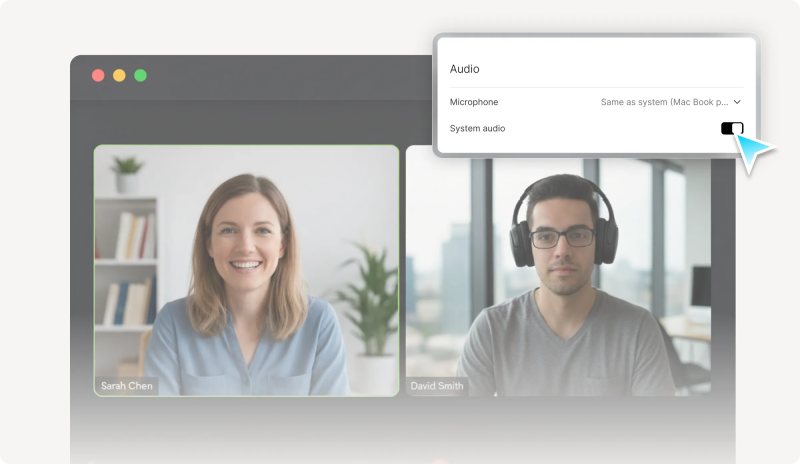
Option 2 is Plaud Desktop, a beta app for Windows and macOS that works with any Plaud device on your account. It can start recording on its own when a Zoom, Google Meet, or Microsoft Teams call begins, ask you first, or wait for a manual start. It records the computer's audio directly, even with headphones on, and nothing joins the meeting. Since the app is still in beta, run a test call before an important meeting.
Either way, recordings sync to the same Plaud account, so the room and the call are reviewed in one place. The device can also record phone calls through Smart Dual-Mode, though that matters less in a meeting room.
What works: remote participants get captured with no bot in the participant list.
What doesn't: quiet speakers hurt the remote side of the transcript, and Plaud Desktop, still in beta, depends on your computer's audio settings.
What Happens After the Hybrid Meeting Ends
After a hybrid meeting, what you want is one place where the room and the call sit together, with speakers separated and action items pulled out.
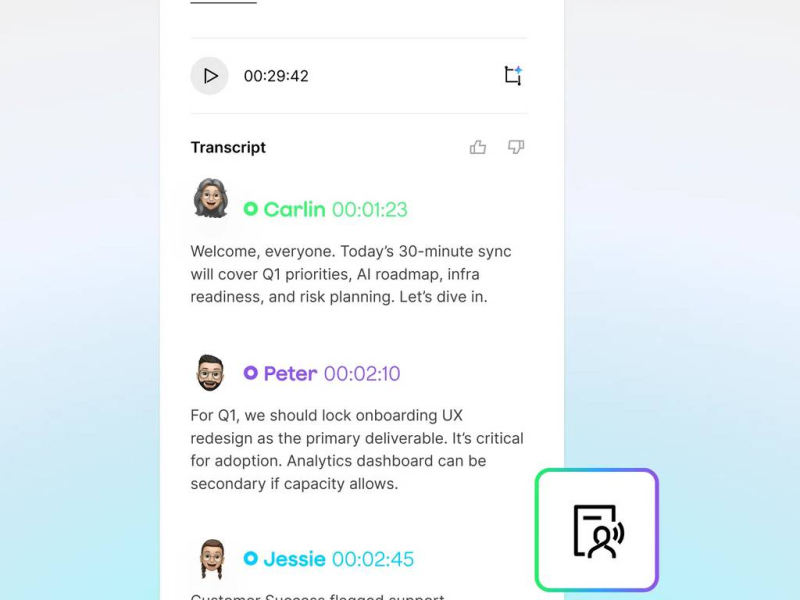
Once a recording syncs to the Plaud app, it's transcribed in the cloud, with support for 112 languages. Speaker labels give you speaker separation for both the people at the table and the remote voices.
Plaud then builds a summary from a meeting template, with more than 10,000 to choose from. You get decisions, action items, and follow-ups, plus a mind map for meetings that jump between topics.
Ask Plaud answers the questions people usually ask a coworker after the meeting, such as:
• What objections did the remote team raise about the timeline?
• Who owns each action item this week?
• What was decided about the budget before the remote team dialed in?
Answers link back to the source transcript. Notes can be shared by link or exported in more than 27 formats.
What doesn't: nothing shows up until the recording syncs and your phone or computer is online. Speakers are separated automatically, but by default you name them by hand for each recording.
Where Plaud Note Pro Works Best
Plaud Note Pro works best for teams whose meetings regularly mix a full conference room with people dialing in, and who want one record of both. That usually means:
• Team leads, project managers, and consultants who run meetings with part of the group in the room and part on the call, then need one set of notes to send out afterward.
• Teams in larger conference rooms, where a laptop recording comes out unclear for anyone not sitting near it, especially people at the far end of the table.
• Hosts of client or board meetings who don't want a note-taking bot showing up in the participant list.
For client and board meetings, security matters too. Plaud states compliance with ISO 27001 and 27701, SOC 2 Type II, GDPR, HIPAA, and EN 18031. Teams that need a formal Business Associate Agreement (BAA) should request one from Plaud's privacy team ([email protected]).
Where Plaud Note Pro Falls Short in Hybrid Meetings
The weak spots are on the remote side and around consent.
• Remote audio depends on the room. If the call plays through a quiet laptop speaker or the room echoes, remote voices come out muffled or incomplete in the transcript.
• Plaud Desktop is still in beta. It relies on your computer's audio permissions and the meeting app's settings, so results can vary from one setup to the next.
• Notes aren't instant. The device records offline, but you don't get a transcript or summary until the recording syncs over the internet.
• Ask for consent before recording. Let everyone in the room and on the call know before you start, since recording laws vary by state and country.
If you meet almost entirely online and your meeting software already takes notes, the extra hardware adds little value.
Is Plaud Note Pro Worth It for Hybrid Meetings?
If your meetings regularly mix a conference room with remote participants, Plaud Note Pro is worth its $189 as an AI note taker. Both sides of the meeting end up in one set of notes, with no bot in the call.
The $189 is a one-time price and includes a magnetic case, a magnetic ring, and a charging cable. The free Starter Plan includes 300 transcription minutes a month per Plaud account, shared across bound devices, plus Plaud Desktop. Paid plans add more:
• Pro: $99.99 a year or $17.99 a month for 1,200 minutes (20 hours) a month
• Unlimited: $239.99 a year or $29.99 a month for up to 24 hours of transcription a day
Unused minutes don't roll over. If you run out, only transcription pauses; the device keeps recording.
Your monthly meeting hours decide the plan:
• About five one-hour meetings a month fit within Starter.
• Two one-hour hybrid meetings a week come to a little under 9 hours a month, which fits Pro.
• A one-hour meeting every workday adds up to about 22 hours a month, past Pro's 20 hours, so Unlimited fits better.
| Area | What to expect |
| Room side | Picks up the whole table from the middle; speaker labels separate people in the room
|
| Remote side | Works through room speakers when the call is loud enough; Plaud Desktop captures the call audio directly on the laptop |
| After the meeting | Room and call recordings in the same Plaud account, with summaries and action items after sync |
| Privacy and consent | No bot in the call; participants on both sides still need to be told they are being recorded |
| Cost | $189 once; Starter's 300 minutes a month cover light use, heavier months need a paid plan |
For meetings with people at the table and on the call, a device makes more sense than a meeting bot app, since a bot only gets what the call's microphones pick up. If your team rarely shares a room, the meeting software you already use may be enough. Otherwise, start Plaud Note Pro on the free Starter Plan and upgrade once you know how many hours you record each month.
FAQs
What is the best AI note taker for hybrid meetings?
For meetings mixing a room and a call, Plaud Note Pro is a strong AI note taker for hybrid meetings. It picks up the room from up to 16.4 ft in Enhance mode, records remote voices through speakers or Plaud Desktop, and labels speakers. Online-only teams may not need it.
Can Plaud Note Pro capture remote participants in a hybrid meeting?
Yes. Remote voices played through the room speakers get recorded with everyone at the table. Plaud Desktop (beta) can also record Zoom, Google Meet, and Microsoft Teams calls on the computer, and both recordings sync to the same Plaud account. If the speakers are quiet, use Plaud Desktop.
Does Plaud Note Pro need a bot to join Zoom or Teams?
No. The device records the room from the table. The remote side comes through the room speakers or Plaud Desktop, which captures the computer's audio. Nothing joins the call or appears in the participant list. Teams that want a bot to auto-join meetings should use meeting software.
How much transcription comes with Plaud Note Pro?
The free Starter Plan includes 300 transcription minutes a month per Plaud account, shared across bound devices. Pro gives 1,200 minutes monthly for $99.99 a year or $17.99 a month. Unlimited costs $239.99 a year or $29.99 a month, up to 24 hours a day. Every plan includes Plaud Desktop.
Is it legal to record a hybrid meeting with Plaud Note Pro?
Plaud states compliance with ISO 27001, SOC 2 Type II, GDPR, and HIPAA for data security. Recording laws vary by state and country. Plaud encourages users to inform participants before recording, both in the room and on the call. Healthcare teams that need a BAA should request one from Plaud's privacy team ([email protected]).
Post Comment
Share your thoughts about this article.
Be the first to post a comment!