There is no universal winner. Each tool is built around a different priority, so we score all five on the same five axes, then break down the specific strengths and weaknesses that decide whether it fits your work. Figures come from each vendor's published free-tier terms, verified between March and June 2026. Free allowances shift often; treat exact numbers as a snapshot and the rights and caps as the durable facts.
The lineup at a glance
Before the deep dives, here is the whole field on one screen. Notice that the tool with the best voices has the stingiest free volume, and the tool you can use most freely is the one built into a browser you already own.
| Tool | Free allowance | Voices / langs | Free commercial? | Export | Setup |
|---|---|---|---|---|---|
| ElevenLabs | 10,000 chars / month | 5,000+ / 70+ | No - attribution | MP3 | Account |
| TTSMaker | 20,000 chars / week | 600+ / 100+ | Yes - no credit | MP3/WAV/OGG | None |
| NaturalReader | 10,000 chars / day* | 225+ / 40+ | No | None on free | Account |
| Kokoro-82M | No cap (local) | ~10 / mostly EN | Yes - Apache 2.0 | WAV/MP3 | Install |
| Edge Read Aloud | No cap | 400+ / many | No - personal | None native | None |
Table 1. The five free tools side by side. *NaturalReader's free tier is listen-only; the daily figure is for sampling, not export.
The five tools, in depth
| 1 | ElevenLabsThe realism leader - the voice you can't tell is synthetic |
Free / month 10,000 chars | Audio ~7-8 min | Commercial Paid only ($5) |
The pitch. ElevenLabs sets the ceiling for synthetic-speech realism. Its v3 model handles emotional delivery, dramatic pacing and multi-speaker dialogue, and its instant voice cloning produces a usable clone from roughly one minute of clean audio. The free tier hands you 10,000 characters a month, about seven to eight minutes of speech, which is a genuine trial of the real product rather than a watered-down demo.
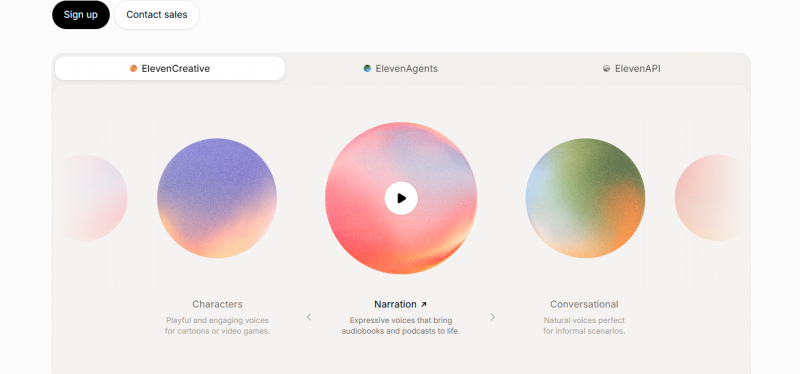
WHAT IT'S GREAT AT Unmatched naturalness. Captures emotional nuance and micro-pauses around punctuation that competitors flatten out. Fine performance controls. Stability, similarity and style sliders plus emotion tags actually change the read, unlike placeholder controls elsewhere. Full studio. Cloning, dubbing across 30+ languages, voice isolation and an API live in one place. | WHERE IT FALLS SHORT Tiny free quota. A single 10-minute script can exhaust the month; not enough for regular output. No free commercial rights. Free output requires attribution and bars monetization until the $5 Starter plan. Credit burn. Regenerating sections to fix glitches eats credits fast, so long-form gets expensive. |
Use it if you want to hear the best quality available and test cloning before committing money. Skip it if you need volume or free commercial output now.
| 2 | TTSMakerThe genuinely free workhorse - audio you're actually allowed to sell |
Free / week 20,000 chars | Commercial Free, no credit | Formats MP3/WAV/OGG |
The pitch. TTSMaker is the rare free tool whose output you can legally publish and monetize with no attribution. You get 20,000 characters a week (about 86,800 a month) across 600-plus voices in 100-plus languages, no signup needed, with downloads in MP3, WAV and OGG. For a creator who needs free voiceover for YouTube or a course, this is the practical default.
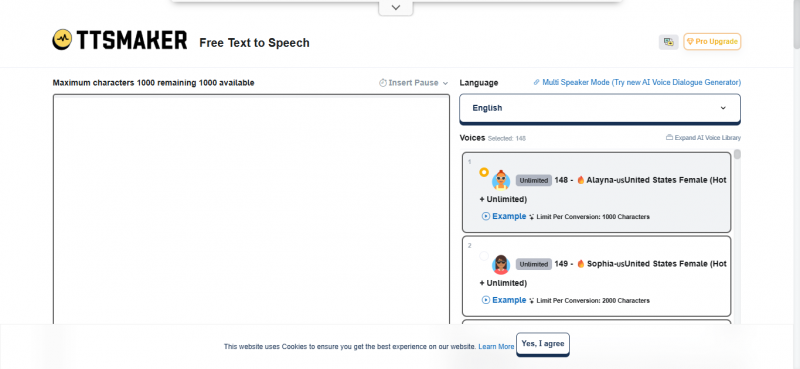
WHAT IT'S GREAT AT Free commercial use. The standout: publishable audio at zero cost, no credit line required. Huge language reach. 100+ languages and 600+ voices, with some voices marked unlimited. Zero friction. Browser-based, no account for basic use, multiple export formats including SRT. | WHERE IT FALLS SHORT Not top-tier realism. Voices can sound slightly robotic on complex or poorly punctuated text; fine for campy or utilitarian content, weaker for premium narration. Weekly cap interrupts. Quota does not roll over and a CAPTCHA plus ads appear on free conversions, slowing batch work. Features gated. Emotion control and API access sit behind the paid plan; free support can take up to a week. |
Use it if you need free, publishable voiceover and can live without studio-grade realism. Skip it if you are producing a polished audiobook or a premium brand read.
| 3 | NaturalReaderThe document reader - built for listening, not producing |
Free sampling 10,000 chars/day | Reads PDF/DOCX/ePub | Free export None |
The pitch. NaturalReader is designed around consuming written content as audio rather than producing files. It opens PDF, DOCX, TXT and ePub documents and web pages, with 225-plus AI voices across 40-plus languages, word highlighting and playback controls that help with dyslexia and study. Free users can sample voices up to 10,000 characters a day.
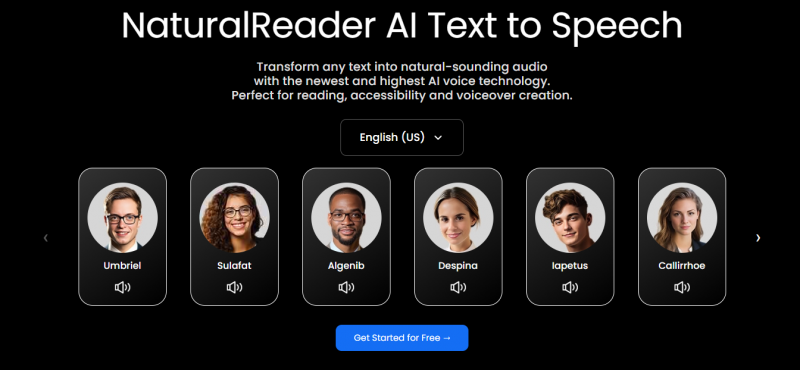
WHAT IT'S GREAT AT Reads real documents. Direct file and web-page support makes it ideal for textbooks, papers and long PDFs. Accessibility focus. Synchronized highlighting and reading controls reduce strain for studying and reading difficulties. Cross-device sync. A free account keeps your place and library across web, desktop and mobile. | WHERE IT FALLS SHORT Listen-only free tier. No MP3 export and advanced AI voices are capped at a few minutes a day, so it feels like a trial. No emotion or SSML control. You cannot direct delivery, which limits creative narration. Paywalled essentials. OCR, downloads and the commercial product require paid plans from about $9.92/month. |
Use it if you mainly want to listen to documents and articles. Skip it if you need to download or publish audio for free.
| 4 | Kokoro-82MThe open-source powerhouse - tiny, private, and yours forever |
Cap None (local) | License Apache 2.0 | Footprint <2 GB VRAM |
The pitch. Kokoro is an 82-million-parameter open-weight model under the Apache 2.0 license, free for personal and commercial use. It runs in under 2 GB of VRAM, even on CPU, and can run entirely inside a browser tab, so text never leaves your machine and there is no character cap. Despite its small size it ranks just below ElevenLabs on the Hugging Face TTS Arena leaderboard.
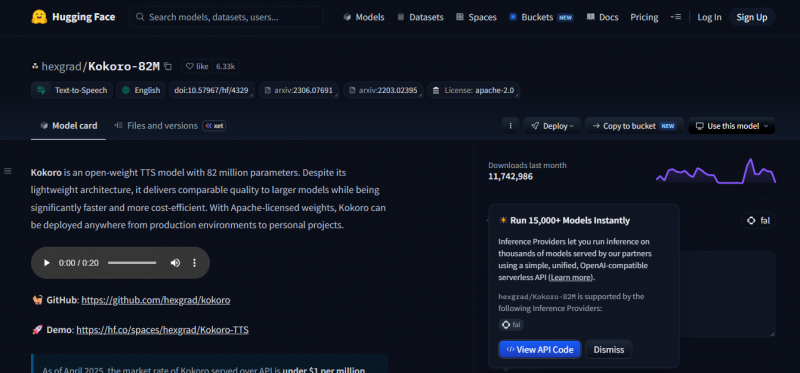
WHAT IT'S GREAT AT Truly unlimited and private. No quota, no upload; ideal for high volume and sensitive text. Free commercial rights. Apache 2.0 permits commercial use with zero licensing fees forever. Punches above its weight. A decoder-only design generates speech in one pass, fast even on a CPU, at near-premium quality. | WHERE IT FALLS SHORT Setup required. Heavier than opening a website; a browser build or local install is needed. Small voice set. Around ten voices, English-focused, with limited language coverage versus hosted tools. No built-in cloning. Voice cloning is not native; it relies on community extensions. |
Use it if you want unlimited, private, commercially-free audio or are building a product. Skip it if you want a one-click website or a huge multilingual voice library.
| 5 | Microsoft Edge Read AloudThe zero-setup choice - already installed, already free |
Cap None | Voices 400+ neural | Setup Nothing |
The pitch. Read Aloud is built into the Edge browser, so there is no account, no install and no character limit, with 400-plus neural voices across many languages. It is the fastest way on earth to hear any web page or PDF read aloud, and it costs nothing because you already have it.
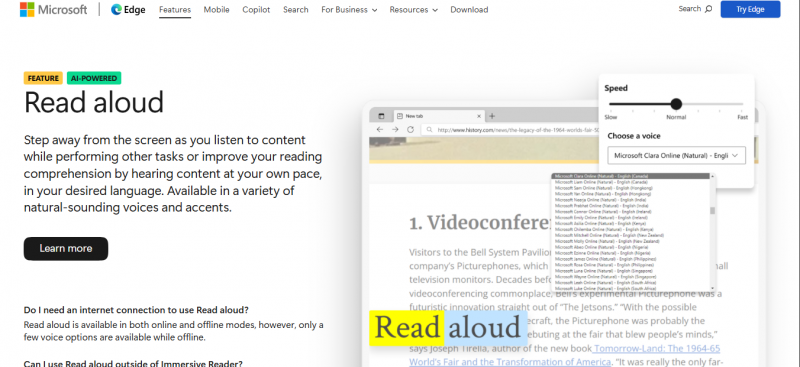
WHAT IT'S GREAT AT Instant and unlimited. Right-click, listen; no quota and decent neural quality. Wide voice and language set. Hundreds of voices covering many languages, all at no cost. Nothing to learn. Zero configuration; perfect for reading pages, drafts and PDFs aloud. | WHERE IT FALLS SHORT No audio export. It plays speech but cannot save a file natively, so it is for listening, not production. Personal use only. Not licensed for producing redistributable or commercial audio. Minimal control. No emotion direction, project editing or fine prosody tuning. |
Use it if you just want to hear something aloud right now. Skip it if you need a saved file or publishable audio.
Four ways to compare them
The profiles above explain the trade-offs in words. These four views show them at a glance.
1. Free volume
As a rule of thumb, 1,000 characters is roughly one minute of English audio. That puts ElevenLabs' free month at about a ten-minute ceiling, while the local and OS engines have no cap at all.
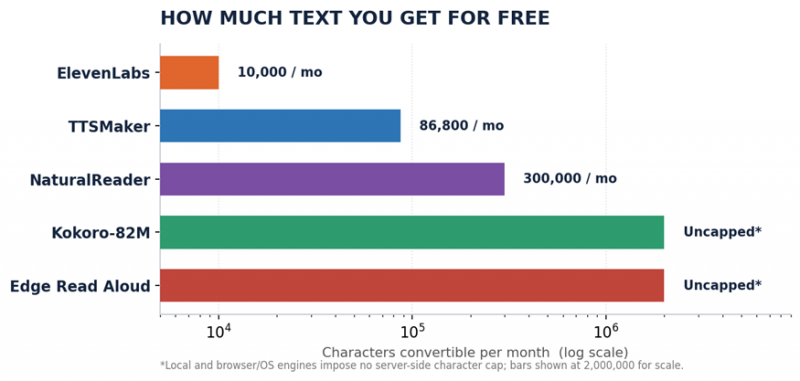
Figure 1. Characters convertible per month on the free tier, log scale.
2. Capability shape
Scored 0 to 5 on the five axes that decide most choices. The differing shapes are the whole story: ElevenLabs spikes on realism but collapses on free volume and free commercial use, while TTSMaker and Edge spread wide without ever reaching the realism peak.
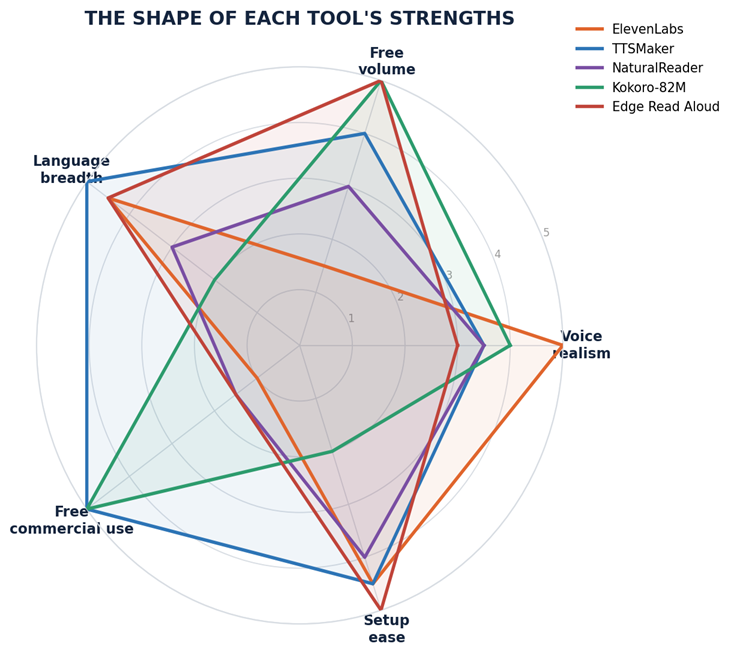
Figure 2. Capability profile, editorial scores grounded in the verified specs above.
3. The rights trap
Free to use is not the same as free to monetize. This is where many creators get caught: TTSMaker and Kokoro let you publish for nothing, ElevenLabs needs a $5 plan, and Edge is never licensed for redistribution.
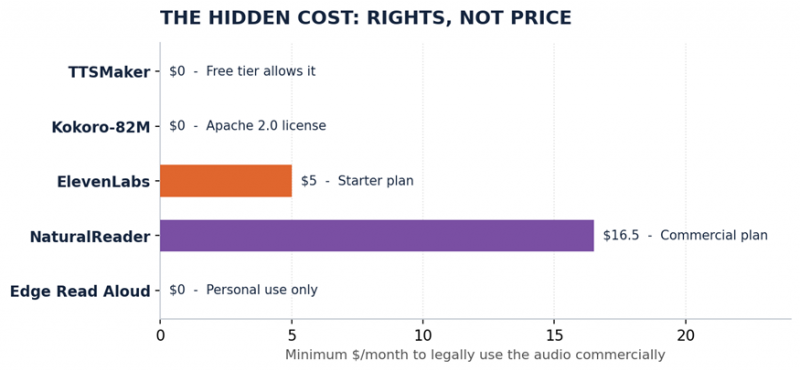
Figure 3. Minimum monthly cost to legally use the output commercially.
4. Voices vs languages
Voice count and language count move independently. ElevenLabs dominates raw voices, TTSMaker and Edge stretch widest across languages, and Kokoro proves a compact set can still rank near the top on quality.
Figure 4. Approximate voice count against languages supported, log scale.
The verdict
| If your priority is... | Pick | Because |
|---|---|---|
| Most realistic voice, testing only | ElevenLabs | Best quality on the market; 10k chars is enough to judge it |
| Free audio you can publish and sell | TTSMaker | Commercial rights on the free tier, no attribution |
| Listening to PDFs and articles | NaturalReader | Purpose-built reader with real document support |
| Volume, privacy, or building a product | Kokoro-82M | No cap, on-device, Apache 2.0, free for commercial use |
| Hearing a page aloud right now | Edge Read Aloud | Built in, unlimited, nothing to install |
Table 2. Match the tool to the constraint that binds you.
Bottom line. Quality, freedom and volume rarely live in the same free tool. For publishable free output, TTSMaker wins. For pure quality, ElevenLabs. For unlimited and private, Kokoro. For reading and listening, NaturalReader or Edge. Choose by the limit you cannot live with, not by the name you have heard most often.
Post Comment
Share your thoughts about this article.
Be the first to post a comment!





