FBDOWN.net is a free tool designed for downloading public Facebook videos for personal offline use. It is supported only on the desktop. It does not require users to install software or create accounts, making it accessible for casual and frequent users alike. Its primary value lies in its simplicity and reliability for public content, but it does not support private videos or Facebook Stories.
There is an important naming clarification for anyone searching for FBDOWN.net in 2026.
FBDOWN.net officially became FDOWN.net in July 2021. The service said the rebrand changed the name and domain without changing the core functionality of the downloader.
That means references to FBDOWN, FBDOWN.net, and FDOWN.net in older guides generally refer to the same service lineage rather than three separate Facebook downloaders.
FDOWN Is Still Being Updated in 2026
The service is not simply an abandoned legacy downloader.
FDOWN's official update log currently lists several recent changes:
- August 13, 2026: bug fixes plus speed and performance improvements.
- March 28, 2026: fixed recognition of
facebook.com/share/v/video links. - June 7, 2025: fixed detection problems affecting some Facebook Reels.
- March 18, 2025: fixed cases where Facebook videos were downloaded as audio files and improved site performance.
These updates are worth noting because Facebook regularly changes its URL formats and video delivery systems. A downloader that worked previously can temporarily stop recognizing certain links until its detection logic is updated.
This also means some limitations recorded earlier in this review should be read as a snapshot of the service when they were tested rather than permanent characteristics of FDOWN.
How Does FBDOWN.net Work?
Step 1: Copy the public Facebook video link using the “Copy link” feature on Facebook.
Step 2: Paste the link into the input bar.
Step 3: Choose the desired video quality (HD or SD) and download the file directly to your device.
Note: FBDOWN.net does not store user data or downloaded videos, which helps protect user privacy.
Mobile, Reels, Live Videos, and Supported Facebook Links
FDOWN's current functionality is broader than desktop-only public Facebook video downloading.
Does FDOWN Work on Android?
Yes.
FDOWN's current FAQ states that the browser downloader works on Android through Chrome. The process is essentially the same as on a computer:
- Open the Facebook video.
- Tap Share.
- Copy the video link.
- Open FDOWN.
- Paste the link.
- Select an available video format.
No dedicated Android application is required for this workflow.
Does FDOWN Work on iPhone and iPad?
FDOWN also maintains browser-based instructions for iPhone and iPad.
Its current guide tells iOS users to copy a Facebook video URL, paste it into FDOWN, select an available HD or SD format, and access the downloaded file through the Files app.
So describing FDOWN as desktop-only is no longer accurate for the current service.
Does FDOWN Support Facebook Reels?
Yes, at least for supported public Reels.
FDOWN first announced Reel detection in 2022 and reported another Reel-related detection fix in June 2025.
As with ordinary Facebook videos, individual Reels can still fail if Facebook changes the way a particular link or media file is exposed.
Can FDOWN Download Facebook Live Videos?
FDOWN says Facebook Live videos can be downloaded after the livestream has ended. It does not describe downloading an actively streaming broadcast through the normal downloader.
Interestingly, Facebook itself also provides a native option for creators to download their own Facebook Live video after the broadcast has ended.
Newer Facebook Share Links Are Supported
Facebook increasingly uses URLs containing formats such as facebook.com/share/v/.
FDOWN specifically reported fixing recognition of this URL type on March 28, 2026.
This matters because an older downloader may interpret a perfectly valid Facebook share URL as an unsupported or private video simply because it does not recognize the newer URL structure.
Process of Adding an Extension to your Chrome
- To add the FBDOWN.net Chrome extension:
- Open Google Chrome and go to the FBDOWN Video Downloader extension page.
- Click “Add to Chrome” and confirm by selecting “Add extension.”
- (Optional) Click the puzzle piece icon in your toolbar, then pin the FBDOWN extension for quick access.
To use it:
- Go to Facebook and find the video you want.
- Click the FBDOWN extension icon.
- Choose the video quality and click “Download.”
- If the video opens in a new tab, right-click and select “Save as…” to save it.
The extension works for public Facebook videos and is a quick way to download directly from your browser.
Video Downloader PLUS in 2026: What the Extension Changes
The browser extension linked by FDOWN is now called Video Downloader PLUS, rather than simply FBDOWN Video Downloader.
The Chrome Web Store currently lists it as version 6.5.5, offered by FDOWN, with more than one million users shown on the listing. The last listed extension update is July 26, 2024.
The Extension Does More Than Facebook
Video Downloader PLUS is broader than the main FDOWN website.
Its current Chrome Web Store description says it can:
- Detect media on supported websites
- Download multiple videos at the same time
- Detect different media types
- Record some online video streams
- Work with Facebook and several other video platforms
That distinction is useful because the normal FDOWN web interface is primarily a paste-a-Facebook-link downloader, whereas the extension operates while the user browses websites.
The Extension Has Different Privacy Considerations
Installing an extension also creates a different privacy situation from simply pasting a Facebook URL into a webpage.
The current Chrome Web Store disclosure says Video Downloader PLUS handles:
- Location
- Web history
- Website content
The extension's description also says anonymous information including URLs and browsing history may be collected, with user consent, to provide its functionality.
According to the developer's Chrome Web Store declarations, the data is not sold to third parties outside approved use cases and is not transferred for purposes unrelated to the extension's core functionality.
For users who only occasionally download a public Facebook video, the browser-based FDOWN tool therefore requires fewer browser privileges than installing an extension that interacts with pages while browsing.
Users considering the extension should review its latest Chrome Web Store privacy disclosures and requested permissions before installing it.
Key Features and Limitations
| Feature | Supported in 2025? |
| Download public Facebook videos | Yes |
| Download private/group videos | No |
| Download Facebook Stories/Reels | No |
| Batch downloads | No |
| Chrome extension for easier downloads | Yes |
| Users Data storage | No |
Recent Update (March 2025)
- Fixed an issue where some Facebook videos were incorrectly downloaded as audio files.
- Improved overall site performance.
- Enhanced page load speed for a better user experience.
What Real Users Are Saying
Reliable for Public Videos:
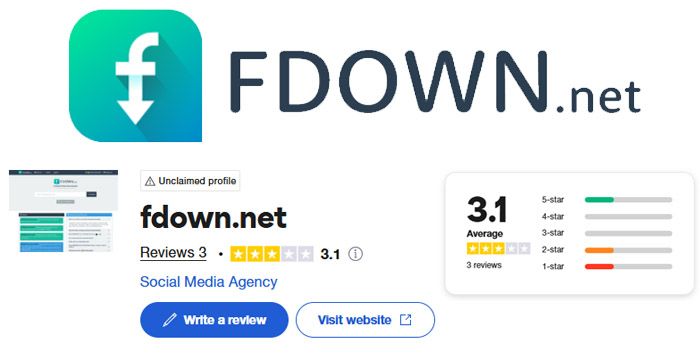
“The site did what I needed…, but too many ads; I thought it was a scam at first.”
— Trustpilot, April 2025
Frustration with Private Content:
“Feels like a trap. I tried FBDown.net to grab a short video from my own Facebook profile, but it kept telling me it was private.”
— Trustpilot, May 2025
Positive on Simplicity:
“FBDown.net looked kinda basic, but it worked on the first try. No installs, no spam, just pasted the link and bam—HD download in seconds.”
— Reddit, April 2025
Legal and Copyright Considerations
- Respect Content Ownership: Download only videos you own or have explicit permission to save. Downloading others’ content without consent may violate copyright law and Facebook’s terms of service.
- Facebook’s Copyright Policy: Facebook’s Copyright Policy and Rights Manager provide guidance and enforcement for video ownership and sharing.
- Uploader's Responsibility: Users are responsible for ensuring compliance with copyright and platform policies.
Privacy: No Download History Does Not Mean No Data Collection
The existing privacy point deserves more precision.
FDOWN states that it does not store copies of downloaded videos and does not maintain users' download histories. It says the actual video files remain hosted on Facebook's servers/CDNs.
However, that does not mean FDOWN collects no information whatsoever.
What FDOWN's Privacy Policy Says
FDOWN's current published Privacy Policy says users can visit anonymously, but it may collect personal information when a user voluntarily provides it.
It also says the website may automatically collect non-personal technical information including:
- Browser type
- Computer/device information
- Operating system
- Internet connection/provider information
- Similar technical data
Cookies and Advertising
The same policy says FDOWN may use browser cookies for record-keeping and user-experience purposes. It also discusses advertising cookies served through third-party advertising systems.
Therefore, the most accurate privacy summary is:
FDOWN says it does not store downloaded videos or maintain users' video-download histories, but ordinary website, cookie, technical, and voluntarily submitted information may still be processed under its Privacy Policy.
That distinction is more precise than simply stating that the service stores “no user data.”
The Extension Should Be Evaluated Separately
The Video Downloader PLUS extension has additional permissions and data disclosures.
Its Chrome Web Store page currently says the extension handles location, web history, and website content, while the developer says anonymous URLs and browsing information may be used to provide the service.
Users should therefore evaluate the website and extension separately from a privacy perspective.
Alternatives for Private or High-Quality Downloads
| Tool | Video Quality Supported | Private Video Support | Formats Offered | Key Features | Installation Needed | Ease of Use |
| FBDOWN | HD (Normal & High Quality) | No | MP4 | Fast, free, no install, simple interface | No | Very easy |
| FDownloader | Up to 4K Ultra HD | Yes (with page source) | MP4, MP3, WAV, FLAC | Multi-format, converts to audio, fast | No | Easy (extra steps for private) |
| Snapsave | HD, Full HD, 2K, 4K | Yes | MP4 | High quality, supports private, fast downloads | No | Very easy |
Frequently Asked Questions
Is FBDOWN.net legal to use?
Downloading public videos for personal use is generally allowed, but redistributing or downloading without permission can violate copyright laws and Facebook’s terms.
Does FBDOWN.net work for private videos?
No. The tool cannot download videos from private profiles, groups, or stories.
Is FBDOWN.net safe?
Generally, yes, but users should be cautious of pop-up ads and avoid installing any unsolicited browser extensions.
Final Thoughts
FBDOWN.net remains a practical, user-friendly solution for downloading public Facebook videos in 2025. Its limitations—especially regarding private content—are clearly defined, and users are encouraged to respect copyright and platform policies. For those needing to download private or high-quality videos, alternative tools or methods may be necessary, but always proceed with caution and legal awareness.
Post Comment
Share your thoughts about this article.
Recent Comments
Samantha Brooks
May 12, 2026I tried using FBdown.net to download videos from Facebook, and while it’s easy to use, I had some issues. The download speed was slower than expected, and the video quality wasn’t always as good as I hoped. I also ran into quite a few pop-up ads, which got frustrating. It works in a pinch, but I’ll probably look for other options next time.
Login to replyRachel White
May 12, 2026FBdown.net works just as expected. I’ve used it to download videos from Facebook, and it’s quick and simple. I like that there’s no need to install anything. Sometimes, the site gets a bit slow, but overall, it’s a reliable tool.
Login to reply