AI video tools all make the same promise: type an idea, get a finished clip. But after testing Dreamina AI and Runway side by side, I can tell you they deliver on that promise in very different ways, at very different price points, and with very different frustrations.
Dreamina AI is ByteDance's AI creative studio built into the CapCut ecosystem. It bundles text-to-image, image-to-video, text-to-video, AI avatars, and photo editing into one workflow. Runway is a New York based professional AI video platform, backed by Google and Nvidia, whose Gen-4.5 engine currently sits at the top of the Video Arena leaderboard for cinematic quality.
My question going in was simple: for a solo creator making short-form video, which one gets me from idea to usable clip faster, cheaper, and with less pain?
MY QUICK TAKE Dreamina AI A genuinely beginner-friendly creative studio. I got results within seconds on simple prompts, and the image-to-video animation felt seamless. Output consistency drops on complex prompts, and free daily credits run out fast. Best for social creators, marketers, and beginners. |
MY QUICK TAKE Runway The cinematic quality on display is on another level, and Multi-Shot Video from one prompt is genuinely exciting. But my free test hit a paywall the moment I clicked Generate, and the credit math is brutal for regular users. Best for filmmakers and pros where quality is non-negotiable. |
Spec sheet
The two tools side by side
Before the hands-on rounds, here is the factual picture. Notice how little these two actually overlap.
| DREAMINA AI | RUNWAY | |
|---|---|---|
| Maker | ByteDance, part of the CapCut ecosystem | Runway ML (New York, 2018), backed by Google and Nvidia |
| Category | All-in-one AI image and video studio | Professional AI video platform |
| Core outputs | AI images, animated visuals, short videos, avatars | Cinematic video up to 4K, 5 to 10 second clips |
| Flagship feature | One workflow from image to animated video, CapCut integration | Gen-4.5 engine, ranked number one on Video Arena, plus the Aleph editor |
| Free tier | Free plan with daily credits | 125 one-time credits, roughly 8 seconds of video |
| Paid entry | Low-cost credit packs and subscriptions | $12/mo Standard up to $76/mo Max, billed annually |
| Learning curve | Beginner-friendly EASIER | Intermediate to advanced |
| Realism ceiling | Strong stylized and social-ready visuals | Photoreal, cinematic motion HIGHER |
| Watch out for | Inconsistent results on complex prompts, restrictive daily credits | Credits vanish fast, no rollover on lower plans, failed generations still cost credits |
Compiled from my own testing plus published reviews and pricing pages, July 2026.
How I tested both tools
I kept the test honest and identical where possible. One creative brief: a dreamy, aesthetic anime scene of a girl walking through a rainy neon city at night. Then I ran each tool through its natural workflow, on a free account first, noting speed, quality, friction, and exactly where each platform asked for money.
For Dreamina, that meant walking its full creative pipeline: text-to-image, then image-to-video animation, then text-to-video. For Runway, that meant its Multi-Shot Video feature, which promises an entire multi-shot sequence from a single prompt.
Testing Dreamina AI
Dreamina positions itself as a compact creative environment: generate, tweak, animate, and export without ever leaving the platform.
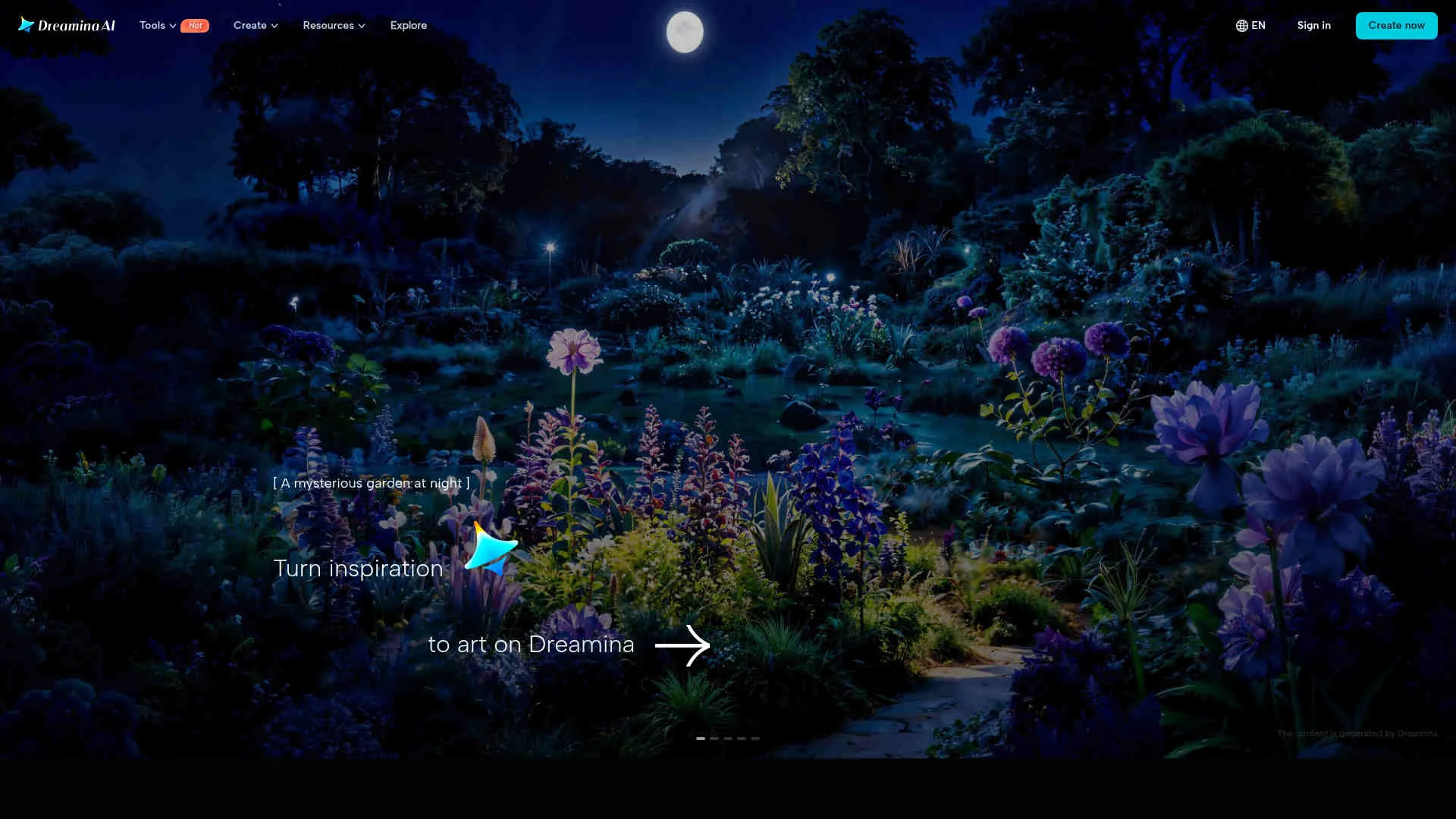
STEP 1 · SIGN IN AND PICK A MODE I signed in with my existing CapCut account, which took seconds. The dashboard puts generation modes front and center: text-to-image, image-to-video, text-to-video, and AI avatars. No tutorial wall, no forced onboarding survey. |
STEP 2 · TEXT-TO-IMAGE WITH MY ANIME PROMPT I typed my rainy neon-city anime prompt, picked an anime-leaning style, and hit generate. Results appeared within seconds, with four variations to choose from and a one-click regenerate if none landed. |
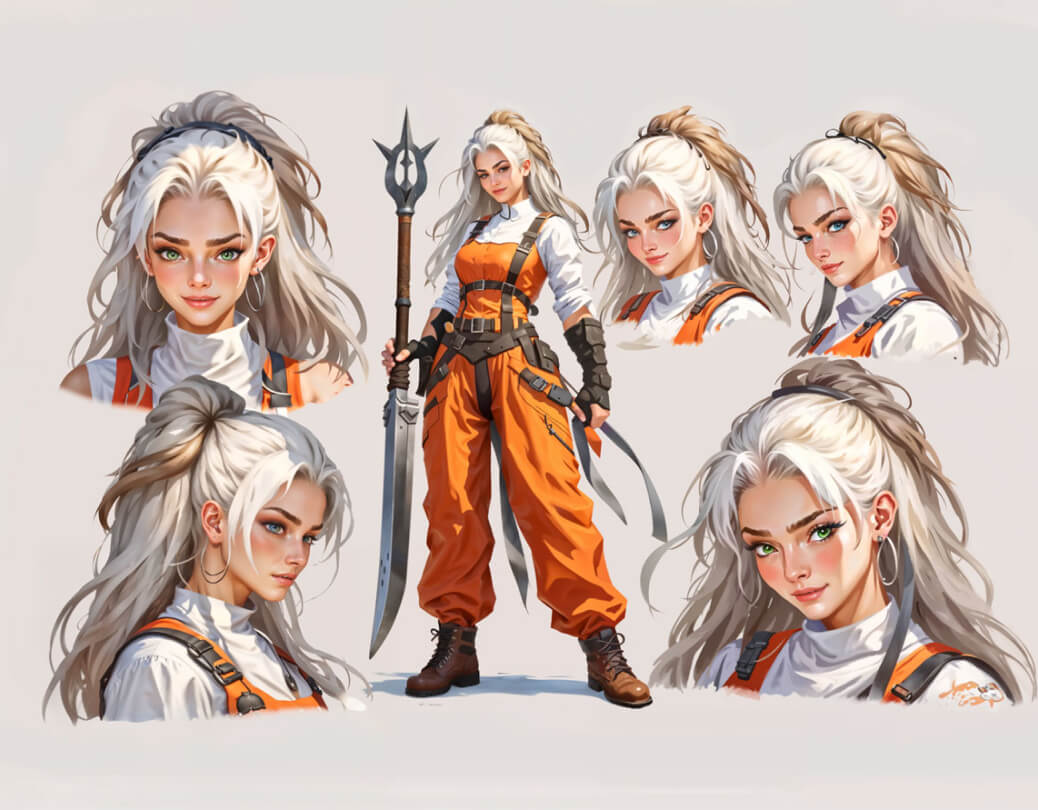
◆ MY OBSERVATION This is the least intimidating AI image tool I have used in a while. I did not need prompt engineering tricks, and even a plain one-line description produced something usable. The catch: when I pushed the prompt to be highly specific, with exact lighting and camera framing, consistency dropped and I needed two or three regenerations to get a keeper. Each regeneration eats credits, which matters on the free plan. |
STEP 3 · IMAGE-TO-VIDEO ANIMATION I took my best generated still and pushed it into image-to-video. You describe the motion you want, camera drift, rain falling, hair movement, and Dreamina animates the frame into a short clip. |
◆ MY OBSERVATION This was the highlight of my Dreamina session. Watching a static frame gain believable motion felt surprisingly seamless, and it happened inside the same workflow, no exporting or re-uploading. The motion is atmospheric rather than choreographed, so it suits mood pieces and social clips more than story scenes with deliberate action. |
STEP 4 · TEXT-TO-VIDEO AND AUDIO Finally I tried the direct text-to-video mode with the same scene. Dreamina generated animated visuals and automatically layered in music and synchronized audio to match the mood, which is a nice touch for short-form content. |
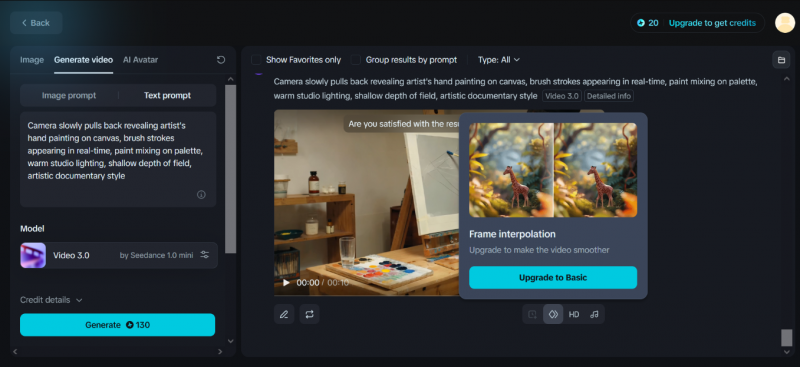
◆ MY OBSERVATION Text-to-video is the weakest of the three modes, decent for explainers and social storytelling, but not something I would call cinematic. Where Dreamina wins is the pipeline: I generated an image, animated it, and had it sitting in a CapCut timeline without touching a second tool. For a solo creator, that time saving is real. My frustration was the daily credit ceiling: experimenting with variations burned through my free allocation before I felt truly done. |
Testing Runway Multi-Shot Video
Runway is a different beast entirely. This is the platform filmmakers name-drop, and its Gen-4.5 model tops the Video Arena leaderboard. I went straight for the most ambitious feature: Multi-Shot Video, which generates an entire multi-shot sequence from a single prompt.
STEP 1 · OPEN MULTI-SHOT VIDEO AND CONFIGURE After logging in, I opened the Multi-Shot Video workspace and set my output to 16:9, 720p, 10 seconds, with audio enabled. The settings panel is clean but clearly aimed at people who already think in shots and aspect ratios. |
STEP 2 · WRITE A SHOT-BY-SHOT CINEMATIC PROMPT Multi-Shot Video rewards structured prompts, so I broke my anime scene into five explicit shots instead of one vague sentence. |
MY PROMPT · RUNWAY MULTI-SHOT VIDEO An anime girl walks alone through a rainy neon city at night, dreamy and cinematic. Shot 1: wide establishing view of the glowing street and wet reflections. Shot 2: close-up of rain hitting her umbrella. Shot 3: side profile as she passes lit shop windows. Shot 4: her calm face with neon color reflected in her eyes. Shot 5: she pauses under a streetlight as rain falls, a quiet closing frame. |
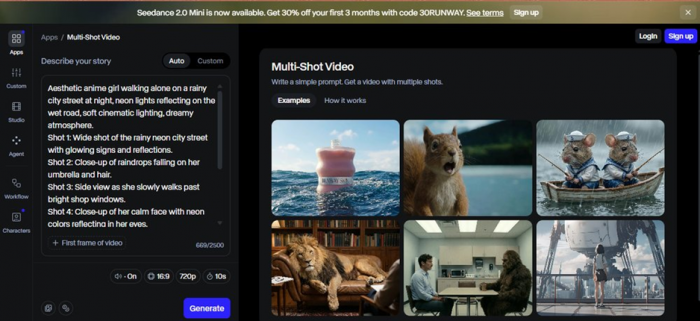
◆ MY OBSERVATION Writing for Runway feels like writing a shot list, and I mean that as a compliment. The interface treats you like a director, not a casual user. The example clips visible in the workspace look genuinely cinematic, with motion coherence that most competing tools cannot touch. My expectations were sky high at this point. |
STEP 3 · CLICK GENERATE Prompt written, settings locked, I clicked Generate. And instead of a rendering progress bar, I got a full-screen subscription page. |
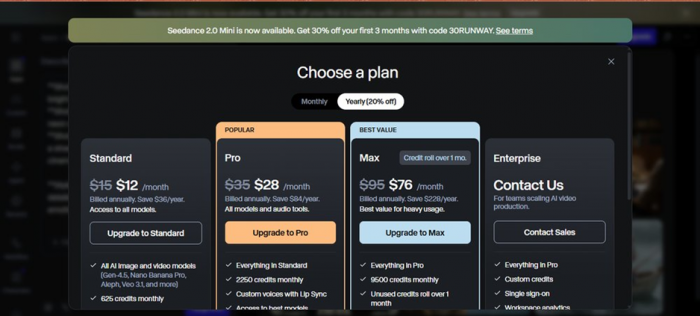
◆ MY OBSERVATION This stung. I invested real effort into a structured five-shot prompt and Runway stopped me at the exact moment of payoff. My free credits were effectively unusable for the feature I actually wanted to test. And the paid math deserves scrutiny: Gen-4 class generation runs around 12 credits per second, credits do not roll over on lower plans, and multiple user reports describe failed generations still consuming credits with refunds refused. The quality ceiling is the highest in the industry, but you pay for every attempt, including the bad ones. |
| The pattern worth noting: both platforms front-load a beautiful experience and delay the cost conversation until you are emotionally invested. Dreamina lets you create but rations you with daily credits. Runway lets you prepare everything and then charges you to press the button. Neither approach is dishonest, but know it going in so the wall does not catch you mid-project. |
The numbers: performance, cost, and user sentiment
Performance ratings from hands-on testing
Dreamina's scores below come from a full hands-on review cycle. Runway's rating reflects aggregated professional reviews, since its flagship generation sits behind the paywall. That asymmetry itself is a data point.
| CATEGORY | DREAMINA AI | RUNWAY |
|---|---|---|
| Ease of use | 9.0 / 10 WINNER | 7.0 / 10, built for pros |
| Image / visual quality | 8.5 / 10, strong prompt interpretation | 9.5 / 10, cinematic benchmark WINNER |
| Video generation | 8.0 / 10, impressive animation | 9.5 / 10, Gen-4.5 tops Video Arena WINNER |
| Editing tools | 7.5 / 10, still developing | 9.0 / 10, Aleph prompt-based editing WINNER |
| Free-tier usefulness | 7.0 / 10, daily credits, real output WINNER | 3.0 / 10, wall at Generate |
| Value for money | 8.5 / 10 WINNER | 6.0 / 10, credit burn is real |
Dreamina hands-on scores per my testing and the review cycle. Runway scores reflect my session plus aggregated 2026 professional reviews.
Overall strength profile
In the web version this is a bar chart; here is the same data as relative scores out of 100. A directional read from testing plus aggregated reviews, not a lab benchmark.
| DIMENSION | DREAMINA AI | RUNWAY |
|---|---|---|
| Beginner friendliness | 90 | 62 |
| Cinematic quality | 64 | 96 |
| Workflow breadth | 88 | 70 |
| Cost friendliness | 82 | 48 |
Relative scores out of 100.
Cost and credit reality check
| COST FACTOR | DREAMINA AI | RUNWAY |
|---|---|---|
| Free allocation | Daily credits, renewing | 125 credits one time, about 8 seconds of video |
| Paid entry point | Low-cost plans and credit packs | $12/mo Standard, annual billing |
| Top consumer tier | Modest, consumer-priced | $76/mo Max, annual billing |
| Generation burn rate | Multiple regenerations drain daily credits fast | Roughly 12 credits per second on Gen-4 class output |
| Failed generations | Retry within your daily pool | Reported to still consume credits, refunds often refused |
| Credit rollover | Daily reset model | No rollover on lower plans |
Pricing and credit behavior as of July 2026. Always verify current pricing before subscribing.
Which one should you pick?
| CHOOSE DREAMINA AI IF YOU | CHOOSE RUNWAY IF YOU |
|---|---|
| Make social media content, reels, or marketing visuals on a schedule | Produce film, ads, or client work where cinematic quality is the product |
| Already edit in CapCut and want AI generation inside that pipeline | Need character consistency across shots and frame-level prompt editing |
| Are a beginner who wants results without learning prompt engineering | Think in shot lists and are comfortable with a pro-grade workflow |
| Want one affordable tool covering images, animation, and quick videos | Have a real budget and the discipline to manage a credit system |
| Treat AI output as a fast first draft, not a final master | Cannot compromise on motion coherence and photorealism |
My VerdictTwo very good tools that are barely competing Here is my honest, personal read after living in both. Asking whether Dreamina or Runway is better is like asking whether a sketchbook or a cinema camera is better. It depends entirely on what you walked in to make. For me, testing on a free account with a single anime scene as the brief, Dreamina gave me actual finished output and Runway gave me a pricing page. That colors my verdict, and I think it should. Dreamina respects the experimenting creator: I typed, I generated, I animated, and I only felt the ceiling when I pushed hard. Runway showed me the most impressive example footage I have seen from any AI tool, then asked for my card before I could render a single frame of my own. But if the roles were reversed, if I were producing a paid client video where the motion had to look cinematic, I would grit my teeth, budget for the credits, and choose Runway without hesitation. Nothing else I have tested matches its ceiling. DREAMINA AI 8.3 /10 RUNWAY 8.0 /10 Dreamina, 8.3: fast, friendly, all-in-one visual creation for social and marketing content. Loses points for inconsistent complex-prompt output and tight daily credits. Runway, 8.0: the cinematic benchmark for AI video. Loses points for an unusable free tier and a credit system that charges you even when it fails. Scored against what each tool is built to do. My personal pick for everyday creation: Dreamina. My pick when quality pays the bills: Runway. |
Post Comment
Share your thoughts about this article.
Be the first to post a comment!