Viggle turned character animation into a one upload trick: drop in a photo, borrow a motion clip, post the result. In 2026 that trick is everywhere, and ten rivals now push it further with sharper physics, deeper control and real production pipelines. This guide compares them the way an animator would, frame by frame.
BEST OVERALL Kling AI 3.0 | PRO CHOICE Runway Gen-4.5 | FREE START Hailuo AI | ANIME AND STYLE DomoAI | 3D PIPELINE Krikey AI |
VIGGLE IS A GREAT TRICK. TEN TOOLS NOW OUTGROW IT.
Viggle still does its core job well. Its physics aware JST-1 model can fold almost any character into almost any dance clip, and a Discord community north of four million members keeps feeding it fresh templates. The complaints that push people elsewhere, though, are remarkably consistent.
REASON 01 Short leash on length Outputs stay brief, so multi scene stories have to be stitched together somewhere else. | REASON 02 Thin fine control You steer with references and presets rather than camera paths, expressions or per limb timing. |
REASON 03 One strong trick Motion transfer is the whole product. Restyling, editing, audio and 3D export live in other tools. | REASON 04 Workflow friction Much of the culture still runs through Discord style queues instead of a full creative dashboard. |
Five Things That Actually Separate These Tools
Every tool below was weighed on the same axes, using hands on reports and public documentation as of August 2026. Feature lists lie; usable output per dollar does not.
MOTION FIDELITY · CHARACTER CONSISTENCY · CONTROL DEPTH · COST PER USABLE CLIP · RIGHTS AND LICENSING
ALL TEN ALTERNATIVES, ONE GLANCE
Skim the sheet first, then jump into the close ups below. Entry prices are starting points, not full plan menus.
| TOOL | CORE TRICK | BEST FIT | FREE TIER | PAID ENTRY | WATCH OUT FOR |
|---|---|---|---|---|---|
| Kling AI 3.0 | Multi shot clips with lip sync | Cinematic character video on a budget | Daily credits with watermark | From $7.99 a month | Free tier blocks commercial use |
| Runway Gen-4.5 | Aleph edits after generation | Studio grade control and licensing | Limited starter credits | Credit plans near $0.15 per second | Premium cost at volume |
| Luma Dream Machine | Fast Ray clips with keyframes | Rapid iteration and 3D camera moves | Yes, with daily caps | Bundles that get cheap at volume | Clips stay short |
| Higgsfield | Preset cinematic camera moves | Punchy character content for feeds | Trial credits | Subscription tiers | Less granular manual control |
| Pika 2.5 | Pikaswaps and Pikaformance | Swaps, effects and lip synced bits | 480p, commercial use allowed | From $8 a month | 1080p and length need paid tiers |
| Hailuo AI 2.3 | Lifelike human micro expression | Natural people on a small budget | A few clips a day at 720p | From $9.99 a month | Slower render queue |
| DomoAI | Style true video restyling | Anime and stylized motion swap | Trial credits | Budget friendly plans | Not built for photorealism |
| Krikey AI | Full 3D editor with rigged casts | Editable 3D scenes and characters | Free to start | Paid upgrades | Learning curve beyond one click |
| DeepMotion | Markerless mocap from video | Game and 3D animation pipelines | Free minutes to start | Paid tiers by volume | Output is data, not finished video |
| Wonder Studio | CG character swap in real footage | Film and VFX shots | Trial via Autodesk | Autodesk plans | Overkill for quick memes |
ENTRY PRICING VERIFIED AUGUST 2026 FROM PUBLIC PRICING PAGES. PLANS AND LIMITS CHANGE OFTEN, SO CONFIRM BEFORE SUBSCRIBING.
Ten Frames, Three Reels
The list runs in three reels because these tools solve three different jobs. Each frame carries a deep read, a spec sheet and a direct Versus Viggle comparison, and a scored verdict settles the full ranking at the end of the document.
REEL 01 CINEMATIC GENERALISTS
Three engines that treat a character clip like a shot, not a sticker.
01 - KLING AI 3.0
The value benchmark for cinematic character video
Kuaishou's Kling has become the default answer to a very specific question: how do you get film looking character motion without film pricing. Version 3.0 generates multi shot sequences, holds a character's face and outfit across cuts, and lip syncs dialogue in six languages, all at a cost per second most rivals cannot touch. Where Viggle borrows motion from a reference clip, Kling directs the performance from your prompt and stills.
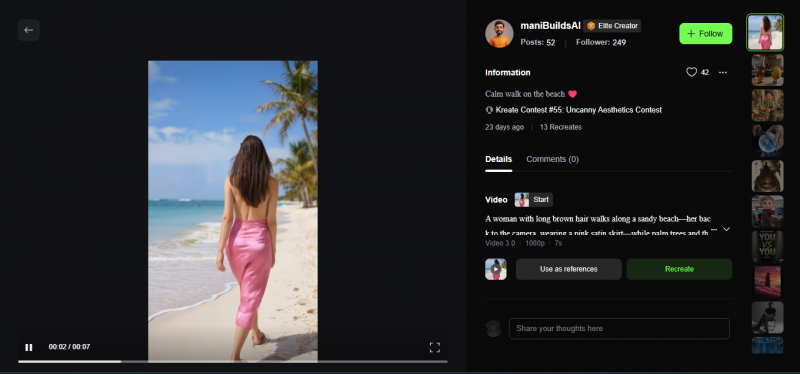
The workflow starts from text, a single image, or a start and end frame, with a professional mode that trades speed for extra fidelity. Character consistency is the headline: define a lead once and Kling keeps the same face, outfit and proportions as scenes change, which is the feature meme makers grow into once a running character becomes a series.
VERSUS VIGGLE Viggle copies choreography from a reference clip you upload. Kling invents the performance from your direction, then adds cuts, camera moves and spoken lines. Choose by input: got a dance video to mimic, stay with Viggle; got a script, move to Kling. |
BEST FOR Creators upgrading from meme motion to short film energy | FREE TIER Daily credits with a watermark |
PAID ENTRY From $7.99 a month, roughly $0.07 per generated second | NATIVE AUDIO Lip sync in six languages |
CLIP LENGTH Multi shot sequences with extendable takes | RESOLUTION 1080p class output |
PICK IT WHEN You want story beats, cuts and dialogue inside one tool. A tight budget still has to look expensive. | SKIP IT WHEN You need to copy a specific dance from a reference video. Your work demands commercial clearance on a free plan. |
02 - RUNWAY GEN-4.5
Professional control, and the only real post generation editor
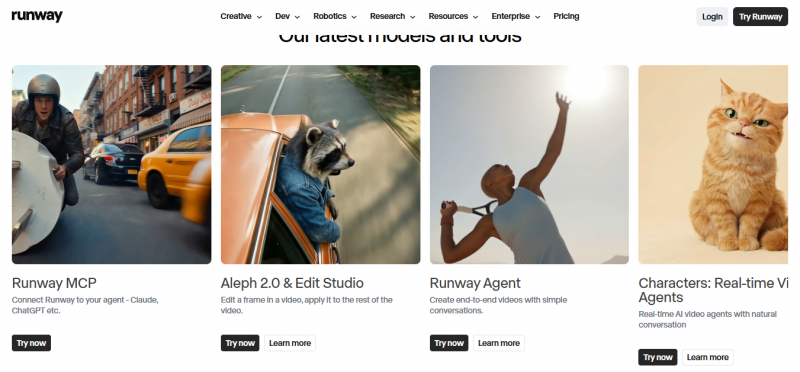
Runway remains the tool serious teams standardize on. Gen-4.5 pushes multi shot sequences up to sixty seconds, the motion brush steers movement at frame level, and Aleph lets you modify a clip after it renders instead of regenerating from zero. Performance transfer features map a recorded human take onto a character, which lands closest to what Viggle does, only with a colorist's toolkit wrapped around it. Editors also get direct paths into Premiere Pro and DaVinci Resolve.
The Act line of performance tools is the sleeper feature for Viggle refugees: record yourself on a webcam and Runway maps your expressions and delivery onto any character, keeping eye lines and lip movement intact. Add the 4K upscaler, background removal and an API for batch work and it reads less like a generator and more like a small post house.
VERSUS VIGGLE Both transfer a human performance onto a character. Viggle does it in one click from a template, while Runway does it from your own acting with facial nuance, then lets you regrade, retime and repair the shot afterward. You are paying for the toolkit around the trick. |
BEST FOR Agencies, VFX adjacent teams, anyone who bills clients | FREE TIER Limited starter credits |
PAID ENTRY Credit plans that work out near $0.15 to $0.20 per second | RIGHTS The clearest commercial ownership stance on paid plans |
CLIP LENGTH Up to 60 seconds across shots | RESOLUTION 4K available via upscale |
PICK IT WHEN Deliverables go to clients and licensing questions matter. You would rather fix a shot than reroll it. | SKIP IT WHEN You need volume output on a small budget. You only need a quick character swap for a joke. |
03 - LUMA DREAM MACHINE
The fast sketchbook with a physics brain
Luma's Dream Machine, now running its Ray line of models, is where ideas get tested. Generations come back fast, keyframes let you pin a start and an end image, and its grasp of weight, cloth and 3D space keeps characters from floating the way early AI video did. Clips stay short, so treat it as a concepting engine and a b-roll machine rather than a finishing tool.
The practical loop looks like this: sketch several variations at draft speed, promote the keeper to a higher quality pass, then use extend and loop tools to stretch the moment. Boards keep image and video generations on one canvas, which quietly makes Luma one of the better ideation spaces here, not just a renderer.
VERSUS VIGGLE Viggle needs a motion template to exist before your character can move. Luma needs nothing but a prompt or two keyframes, and its physics fills in believable motion between them. The tradeoff is authorship: you guide the movement, you cannot dictate it pose by pose. |
BEST FOR Rapid iteration, camera orbits, physical believability | FREE TIER Yes, with daily caps |
PAID ENTRY Credit bundles that get cheaper at volume | SIGNATURE MOVE Keyframe control between two images |
CLIP LENGTH Short Ray clips near 5 seconds | EXTRAS Extend, loop and board tools |
PICK IT WHEN You iterate twenty times before choosing a direction. Physics accuracy is what sells your shot. | SKIP IT WHEN You need long takes. You want deep per character controls. |
REEL 02 SOCIAL AND MEME ENGINES
Four tools tuned for the feed, where speed and personality beat resolution.
04 - HIGGSFIELD
Camera drama in one tap
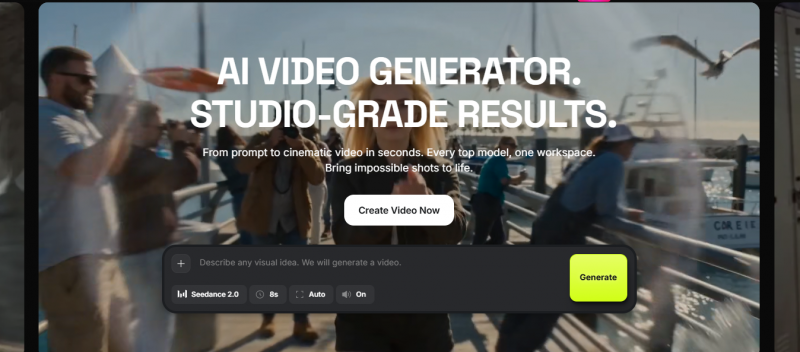
Higgsfield built its reputation on preset cinematic camera moves: crash zooms, dolly arcs and bullet time spins that wrap around a character. Point it at a still, choose a move, and it returns the kind of dramatic shot that stops a scroll. It has become a favorite of short form creators and ad teams who want a signature look per shot without ever touching a timeline.
It has also grown into a hub: alongside its own presets you can route a shot through several leading video models and keep whichever take lands best. That per shot model shopping suits feed native teams who care about the result on screen, not the vendor behind it.
VERSUS VIGGLE Viggle animates the character and leaves the camera static. Higgsfield often leaves the character nearly still and animates the camera around them instead. On a phone screen, the second trick frequently reads as the more expensive one. |
BEST FOR TikTok, Reels and Shorts with cinematic punch | FREE TIER Trial credits |
PAID ENTRY Subscription tiers, check current pricing | SIGNATURE MOVE A library of named camera presets |
MODEL ACCESS Routes shots through several top video models | RESOLUTION 1080p class output |
PICK IT WHEN The camera move itself is the content. You produce daily and need repeatable drama. | SKIP IT WHEN You need precise manual control. The project is long form or dialogue driven. |
05 - PIKA 2.5
The cheapest ticket to swaps, effects and performances
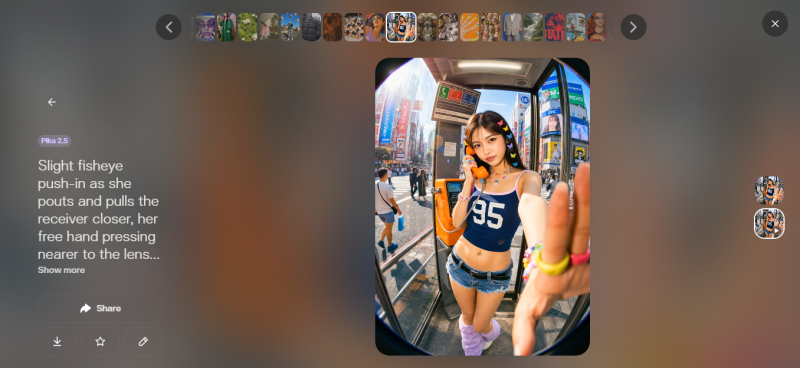
Pika is the most playful tool on this list and, at eight dollars a month, the cheapest paid entry. Pikaswaps drops a new character or object into existing footage, which is the closest one to one match for Viggle's party trick. Pikaformance takes an image plus an audio track and returns a lip synced performance, and the wider Pikaffects catalog covers the melt, inflate and explode style transformations that memes run on.
Pikaframes handles keyframe transitions between images, Pikadditions inserts new objects into real footage, and PikaStream pushes real time generation for interactive formats. None of it chases photorealism, and all of it chases the two second reaction a meme needs to survive the feed.
VERSUS VIGGLE Pikaswaps is the head on rival: both replace a character inside existing video. Pika edits your actual footage and layers effects on top, while Viggle re-renders the character over template motion. Pika also undercuts nearly everyone on price. |
BEST FOR Fast, funny, effect driven shorts | FREE TIER 480p, and it permits commercial use |
PAID ENTRY From $8 a month for 10 second 1080p clips | SIGNATURE MOVE Pikaswaps character and object replacement |
CLIP LENGTH Up to 10 seconds | EXTRAS Pikaframes, Pikadditions and PikaStream |
PICK IT WHEN Meme velocity matters more than fidelity. You want lip synced characters from a single image. | SKIP IT WHEN Cinematic realism is the goal. You need clips past ten seconds. |
06 - HAILUO AI 2.3
The people specialist on a pocket money budget
MiniMax's Hailuo has one clear edge: human beings. Faces blink, weight shifts, fabric follows the body, and micro expressions land in a way that usually costs several times more. The free tier hands out a few 720p clips a day, and paid plans stay among the cheapest per clip in the category. The tradeoff is patience, because the render queue runs noticeably slower than Kling or Runway.
Prompt level camera commands give you pans, zooms and tracking moves without a separate control panel, and the model's handling of cloth, water and hair is the quiet reason its clips feel alive. One practical note for client work: processing runs on MiniMax servers, which some teams will need to clear with legal first.
VERSUS VIGGLE Both obsess over believable human motion. Viggle borrows it from a real clip, and Hailuo synthesizes it, blinks and all, from a still. Hailuo wins on subtlety, Viggle wins on speed and on nailing one exact dance. |
BEST FOR Natural human motion and free experimentation | FREE TIER A few clips a day at 720p |
PAID ENTRY From $9.99 a month | WATCH Slower generation times |
CLIP LENGTH Roughly 6 to 10 seconds | PRIVACY Processing runs on MiniMax servers |
PICK IT WHEN Your characters are realistic humans. You want the best free playground before paying anyone. | SKIP IT WHEN Deadlines are tight. You need fine grained motion control. |
07 - DOMOAI
Restyle footage without losing the art
DomoAI approaches character animation from the opposite direction. Instead of generating motion from scratch, it restyles real footage into anime, comic, sketch or 3D looks while keeping the original movement intact. For VTubers, anime artists and anyone whose brand is a drawing style, that respect for the source art is the whole point, and community rankings keep crowning it the value pick for stylized work.
Beyond restyling, a move library can pose your character through preset dances and gestures, and the same engine restyles gameplay captures, vlogs and animation reference alike. It stays deliberately stylized: push it toward photorealism and the seams show fast.
VERSUS VIGGLE Feed Viggle a character image and it borrows someone else's motion. Feed DomoAI your own footage and it repaints every frame in a new style while your motion survives. If you can act the movement yourself, DomoAI gives the more personal result. |
BEST FOR Anime and stylized motion swap | FREE TIER Trial credits |
PAID ENTRY Budget friendly plans, check current pricing | SIGNATURE MOVE Video to video style transfer that keeps motion |
STYLES Anime, comic, sketch and 3D presets | INPUT Works from footage you film yourself |
PICK IT WHEN The art style is non negotiable. You already shoot your own reference footage. | SKIP IT WHEN You need photorealistic output. You want text to video from nothing. |
REEL 03 3D AND PIPELINE PROS
Three tools for when the character has to leave the video file and enter a real production.
08 - KRIKEY AI
A real 3D studio wearing an AI interface
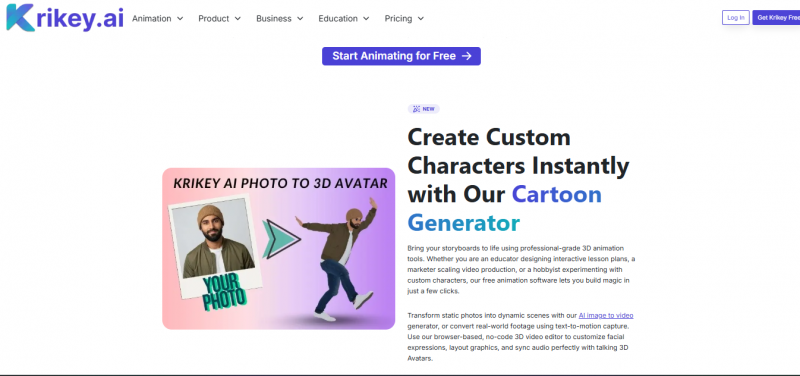
Krikey is less a generator and more an animation editor. You get fully rigged 3D characters, controllable cameras, adjustable facial expressions and hand gestures, plus scenes you can view from any angle and refine on a timeline. Where Viggle outputs a flat clip, Krikey outputs a scene you still own and can keep editing, which is why it keeps landing at the top of alternative rankings for creators who outgrow presets.
You can generate a base animation from a text prompt, then override any part of it: swap the camera path, retime a gesture, change the expression on frame forty. Finished work leaves as rendered video or travels onward toward game engines and 3D suites, so nothing you build stays trapped inside the tool.
VERSUS VIGGLE Viggle sells a finished clip, and Krikey sells a scene. The clip is faster today, but the scene is reusable tomorrow, from any angle, with any line reading. Creators with recurring characters eventually feel that difference in their schedule. |
BEST FOR Editable 3D scenes and recurring characters | FREE TIER Free to start |
PAID ENTRY Paid upgrades unlock more | SIGNATURE MOVE Cinematic cameras plus expression and gesture editing |
EDITOR Timeline with camera, face and gesture control | OUTPUT Video renders plus reusable scenes |
PICK IT WHEN You want to direct, not just prompt. Your characters recur across projects. | SKIP IT WHEN You need a result in ninety seconds. The job is 2D meme content only. |
09 - DEEPMOTION
Turn any video into motion capture data
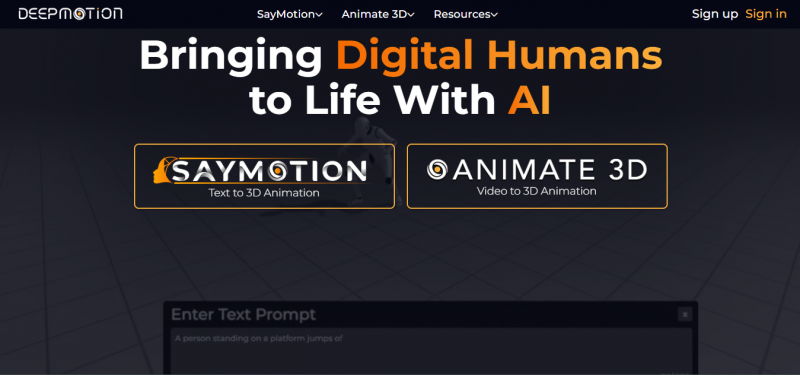
DeepMotion's Animate 3D solves the other half of the problem: it extracts the motion itself. Feed it ordinary video and it returns markerless motion capture as FBX, BVH or GLB files ready for Blender, Unity or Unreal. Pair that with any character and the dance from a reference clip becomes reusable animation data instead of a single baked video, which is the grown up version of what most Viggle users are actually reaching for.
Accuracy scales with your footage: clean framing, decent light and a full body in frame come back looking close to studio mocap, while optional face and hand tracking capture the detail budget rigs miss. SayMotion adds text to motion generation for the moments when there is no reference to film at all.
VERSUS VIGGLE Viggle bakes motion into pixels you can only post. DeepMotion hands you the skeleton underneath, so one captured dance can drive a game character, a film rig and a VTuber avatar for years. It is the difference between a clip and an asset. |
BEST FOR Game developers and 3D animators | FREE TIER Free minutes to start |
PAID ENTRY Paid tiers scaled by capture volume | OUTPUT Animation files, not finished video |
TRACKING Body, with optional face and hands | EXTRAS SayMotion text to motion generation |
PICK IT WHEN The destination is a game engine or 3D suite. You want motion you can reuse forever. | SKIP IT WHEN You never open 3D software. You want a shareable clip today. |
10 - WONDER STUDIO
The VFX department in a browser tab
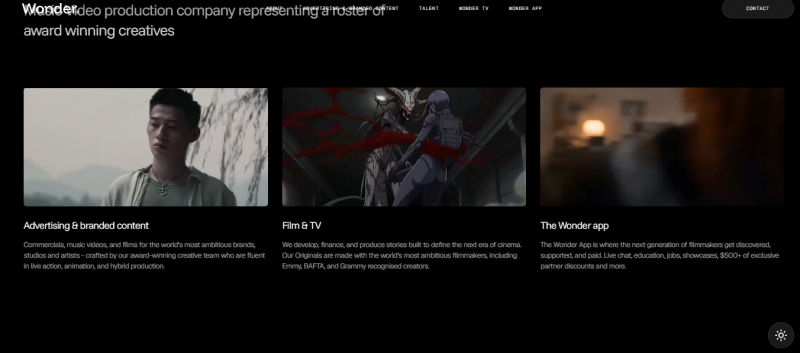
Now under Autodesk, Wonder Studio automates the hardest trick on this page: replacing a filmed human with a CG character across an entire live action shot. It tracks the actor, transfers the performance, relights the character and composites the result, then hands back the individual elements, including motion data and clean plates, for finishing in Blender or Maya. It is the only tool here aimed squarely at filmmakers.
A shot moves through it like a miniature pipeline: upload footage, assign a character from the library or your own rig, let it track, animate, light and composite, then download either the finished frames or every element separately. Render times and pricing both assume real production stakes.
VERSUS VIGGLE Viggle swaps a character into a clip for the joke. Wonder Studio replaces an actor across a whole scene for the final edit, then hands over the mocap, plates and passes to polish it. Same idea, separated by an entire industry. |
BEST FOR Live action character replacement | FREE TIER Trial through Autodesk |
PAID ENTRY Autodesk plans priced for production | OUTPUT Finished shots plus editable VFX elements |
ELEMENTS Mocap data, clean plates and camera track | RENDER Cloud rendering, plan for wait times |
PICK IT WHEN A short film or spot needs a CG lead. You want VFX elements, not just renders. | SKIP IT WHEN The job is social content on a deadline. The budget sits below production scale. |
Six Specs That Decide It
Feature lists blur together, so here are the same ten tools reduced to the differences that change what you can actually ship. Treat every figure as an entry point, since plans shift monthly.
| TOOL | MOTION SOURCE | CLIP LENGTH | TOP OUTPUT | NATIVE AUDIO | WHAT YOU EXPORT | FREE COMMERCIAL |
|---|---|---|---|---|---|---|
| Kling AI 3.0 | Prompt and image directed | Multi shot, extendable | 1080p class | Lip sync in six languages | MP4 video | No |
| Runway Gen-4.5 | Prompt, image and acted takes | Up to 60 seconds | 4K via upscale | Pair an audio tool | MP4 video and pro handoff | No |
| Luma Dream Machine | Prompt and keyframe images | Near 5 second Ray clips | 1080p class | No | MP4 video | No |
| Higgsfield | Image plus preset camera paths | Short social lengths | 1080p class | Varies by routed model | MP4 video | Trial only |
| Pika 2.5 | Prompt, image and your footage | Up to 10 seconds | 1080p on paid tiers | Lip sync via Pikaformance | MP4 video | Yes, at 480p |
| Hailuo AI 2.3 | Prompt and image directed | Roughly 6 to 10 seconds | 720p free, higher paid | No | MP4 video | No |
| DomoAI | Your footage plus a style | Matches short source clips | Stylized HD | No | MP4 video | Trial only |
| Krikey AI | Directed rigged 3D characters | As long as your timeline | Rendered 3D scenes | Lip sync from uploaded audio | Video plus editable scenes | Free to start |
| DeepMotion | Any real video you film | Bound by plan minutes | Motion data, no pixels | Not applicable | FBX, BVH and GLB files | Free minutes to test |
| Wonder Studio | Your live action footage | Full shots and sequences | Production renders | Keeps your footage audio | Shots plus VFX elements | Trial only |
MOTION SOURCE IS THE DEEPEST DIFFERENCE OF ALL: IT DECIDES WHETHER YOU DIRECT, ACT, FILM OR BORROW THE MOVEMENT.
Five Matchups People Actually Agonize Over
Viggle VS Kling AI
Keep Viggle for reference driven dance transfers, where uploading a motion clip is the fastest path. Move to Kling the moment your video needs cuts, dialogue or a consistent lead character across shots.
Runway VS Kling AI
The honest split is money against control. Kling wins on cost per second and social output volume. Runway wins on editability, licensing clarity and handoff into professional editing suites.
Pika VS DomoAI
Both can swap a character into footage. Pika is faster, cheaper and funnier for photoreal or generic content. DomoAI is the one that will not flatten a hand drawn style, so illustrators should start there.
Luma VS Hailuo
Same budget tier, opposite temperaments. Luma returns drafts in moments and invites iteration, while Hailuo makes you wait and then hands back the more lifelike human. Sketch in Luma, finish people in Hailuo.
Krikey VS DeepMotion
One builds the scene, the other extracts the motion. Krikey suits creators directing original characters from scratch, and DeepMotion suits teams who already film reference and need clean data for a rig they own.
Match the tool to the job
| You post daily meme edits | HIGGSFIELD OR PIKA |
| Your lead character is a realistic human | HAILUO OR KLING |
| The clip needs dialogue and cuts | KLING |
| A client is paying for the output | RUNWAY |
| The style is anime or hand drawn | DOMOAI |
| You need files for Unity or Unreal | DEEPMOTION |
| You want a scene you can keep editing | KRIKEY |
| The shot is going in a film | WONDER STUDIO |
| You iterate fast and choose later | LUMA |
Five Names Worth a Bookmark
- ALT - Seedance 2.0
ByteDance's multimodal model turns text, image and audio into HD video in one pass, with lip sync localized across more than ten languages.
- ALT - Google Veo 3.1
Native audio plus a small free allowance inside Google's apps make it the easiest premium model to taste test.
- ALT - Sora 2
OpenAI's audio native clips live inside the ChatGPT ecosystem, strongest when your workflow is already there.
- ALT - HeyGen
The specialist for when your character mostly needs to talk straight to camera in many languages.
- ALT - Wan 2.6
The open source route for teams who want self hosting, fine tuning and zero per clip cost.
Final Verdict
PICTURE LOCK: THE SCOREBOARD AND THE WINNERS
Scores below total each frame's Motion, Control and Value meters out of fifteen. Frames group tools by job, so this board is where the actual ranking lives. Ties break on strength inside a tool's own category.
| RANK | TOOL | FRAME | SCORE | ONE LINE VERDICT |
|---|---|---|---|---|
| 01 | Kling AI 3.0 | FR 01 | 14 of 15 | Cinema grade character video at social media prices |
| 02 | Runway Gen-4.5 | FR 02 | 13 of 15 | The professional pick when control and licensing pay the bills |
| 03 | Krikey AI | FR 08 | 13 of 15 | The deepest character control in this guide |
| 04 | Wonder Studio | FR 10 | 13 of 15 | Untouchable for film shots, unnecessary for feeds |
| 05 | Luma Dream Machine | FR 03 | 12 of 15 | The fastest route from idea to moving draft |
| 06 | Hailuo AI 2.3 | FR 06 | 12 of 15 | The most human free tier in the category |
| 07 | Pika 2.5 | FR 05 | 12 of 15 | The most fun per dollar and the closest swap to Viggle |
| 08 | DeepMotion | FR 09 | 12 of 15 | The only pick that turns motion into a permanent asset |
| 09 | Higgsfield | FR 04 | 11 of 15 | Instant camera drama with limited hands on control |
| 10 | DomoAI | FR 07 | 11 of 15 | Unbeatable for style survival, stylized only |
A HIGH SCORE MEANS THE TOOL MOVES THE MOST CREATORS FORWARD PER DOLLAR, NOT THAT IT WINS EVERY NICHE.
WINNER KLING AI 3.0 Kling takes the overall verdict because it moves the most creators forward for the least money. It covers the whole arc from a single animated still to a multi shot scene with a consistent lead and synced dialogue, at a per second price that makes practice affordable. It cannot mimic a reference dance the way Viggle can, but for every other kind of character video it is the strongest default of 2026. |
RUNNER UP RUNWAY GEN-4.5 Runway is the verdict for professionals. Nothing else pairs performance capture with a genuine edit suite, post generation fixes and clean commercial licensing. If the output pays your invoices, the premium is the point. |
SPECIALIST RULE IGNORE THE RANKING IN YOUR LANE If your work is anime, 3D or film, the generalist scoreboard matters less than the lane. DomoAI, Krikey, DeepMotion and Wonder Studio each beat every tool above them inside their own specialty. |
BEST BUDGET Pika 2.5 Eight dollars a month buys swaps, effects and lip sync. | BEST FREE TIER Hailuo AI 2.3 Daily 720p clips of the most lifelike humans, no invoice. |
BEST FOR ANIME DomoAI The only restyler that treats your line work as sacred. | FASTEST ITERATION Luma Dream Machine Drafts land while rivals are still in the queue. |
BEST FOR SOCIAL Higgsfield One tap camera drama built for the vertical feed. | BEST 3D CONTROL Krikey AI Direct every joint, glance and camera path yourself. |
BEST MOCAP VALUE DeepMotion Turns any filmed movement into a reusable asset. | BEST FOR FILM Wonder Studio A VFX department that fits in a browser tab. |
| Viggle earned its place by making character animation feel like a prank you could pull in thirty seconds, and for pure reference driven motion transfer it is still hard to beat. But 2026 has split the category. Kling turned the same idea into affordable cinema. Runway wrapped it in a professional pipeline. Krikey, DeepMotion and Wonder Studio carried it into real 3D production. The winning move is not loyalty, it is a shortlist: pick the two tools that match your lane, run the same character through both on free credits, and let the results argue. |
Post Comment
Share your thoughts about this article.
Be the first to post a comment!





