Here's an uncomfortable truth: your SEO work can be excellent and your client can still walk.
Why? Because they never saw the win. They saw a messy PDF with someone else's logo on it.
That is the problem white-label reporting solves. The report carries your brand, not the software vendor's.
And clients are asking tougher questions now. In a 2026 survey of 494 agency professionals, 55% said the question they hear most from clients is whether marketing performance can be connected to revenue.
The upside: 79% of agencies save five or more hours a week using AI, and reporting is where they say it pays off most.
So the right reporting tool does two jobs. It makes you look bigger, and it gives you your week back.
We checked the current price of seven of them on each vendor's own pricing page (November 2026). A few spoilers:
- One feature that roundups still recommend no longer exists
- One "free" tool comes with four catches
- One tool charges nothing extra for white label, even on its $44 plan
Pick Your Tool in 10 Seconds
| If this sounds like you | Go with | Starts at |
|---|---|---|
| "My clients want their own login" | AgencyAnalytics | $20 per client/mo, billed annually |
| "I want one bill for SEO tools and reports" | SE Ranking | $103.20/mo plus $69 Agency Pack |
| "We already live in Semrush" | Semrush | $117.33/mo plus $20 per Pro Report |
| "I need a branded report by Friday" | DashThis | $44/mo, billed yearly |
| "We have 15+ clients and real budget" | Whatagraph | From €699/mo, billed annually |
| "I have zero budget" | Data Studio | Free for creators and viewers |
| "My clients are local businesses" | BrightLocal | $31/mo, billed annually, one location |
The Pricing Trap That Catches Most Agencies
Sticker prices lie.
Every tool on this list bills in a different unit: per client, per report, per dashboard, per data source or per location. Pick the wrong unit for how your agency works, and the cheap-looking tool becomes the expensive one as you grow.
Keep that in mind. We run the numbers for a real 10-client agency further down, and the gap between tools is bigger than you'd guess.
1. AgencyAnalytics
The $20 Portal That Makes a Small Agency Look Huge
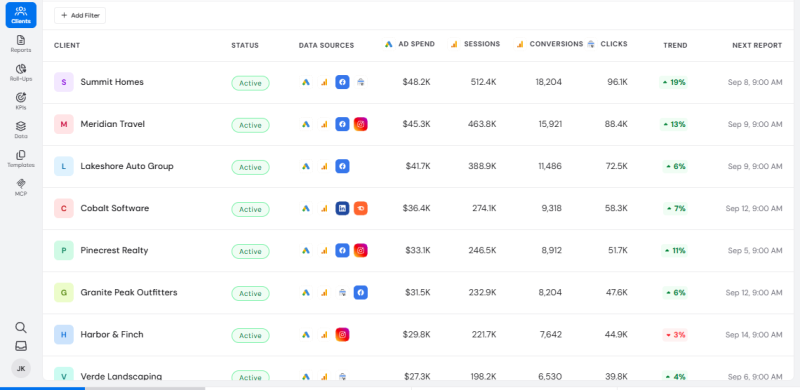
Picture this. Your client types in your domain, logs in, and sees live dashboards with your logo on every screen. No vendor name anywhere.
That's the AgencyAnalytics pitch, and the pricing is refreshingly simple. One plan. No tiers to decode.
Every client you add gets:
- Unlimited data sources, reports and dashboards
- Unlimited staff accounts
- 90+ marketing integrations
- A white-labeled client portal, with custom domain and custom email included
The catch nobody mentions: rank tracking is an add-on at $41.67 a month per 500 keywords. For an SEO agency, that's hardly optional.
Do the math: 10 clients cost $200 a month. Add 500 tracked keywords and you're at $241.67.
Versus the rest: DashThis caps your dashboards and sources, while AgencyAnalytics caps nothing and bills by client. But SE Ranking and Semrush generate their own SEO data. AgencyAnalytics mostly displays data from elsewhere.
Insider tip: pay annually. The annual rate is 20% lower, which takes each client from $25 down to $20. On 10 clients, that's $600 a year back in your pocket. And once you manage 25 or more clients, you can ask for discounted volume pricing.
Zero-risk test: 14-day free trial, no credit card, plus a 30-day money-back guarantee.
2. SE Ranking
The One-Bill Setup That Replaces Two Subscriptions
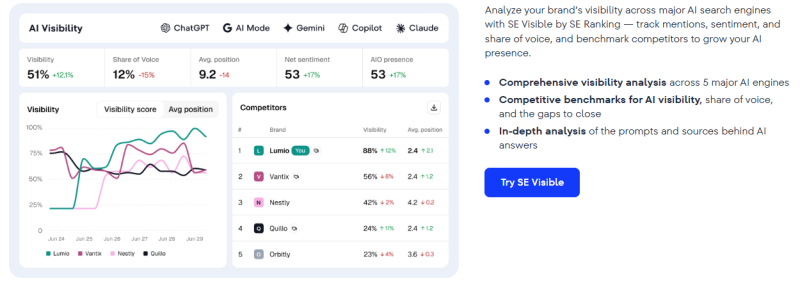
Most agencies pay twice. Once for an SEO tool. Again for a reporting tool.
SE Ranking rolls both into one. Here's what $172.20 a month buys on annual billing:
- The Core plan at $103.20, with 10 projects
- Around 2,000 keywords tracked daily and 250,000 pages audited a month
- The Agency Pack at $69, adding 30 client seats and white label for both the platform and reports
- Unlimited scheduled reports with AI summaries
And the white label goes deeper than a logo swap. You can personalize the interface and send reports from your own SMTP server.
The sneaky-good bonus: a Lead Generator widget. It sits on your site and gives visitors a technical health report for a page in exchange for their email. Your reporting tool just became a sales tool.
Why it beats the big names on price: Semrush charges for white label per report. SE Ranking charges one flat fee, however many reports you send. And unlike AgencyAnalytics, your bill doesn't jump with every new client until you outgrow your project limit.
Try-before-you-buy trick: trial accounts get access to the Agency Pack too, and the 14-day trial needs no credit card. So brand the platform, send yourself a white-label report and judge it like a client would. All before you spend a cent.
Read the fine print: the Agency Pack can only be added to an annual subscription.
3. Semrush
The Feature Everyone Recommends Is Gone. Here's What Replaced It
Open almost any "best agency tools" list and you'll find the Semrush Agency Growth Kit.
One problem. Semrush has discontinued it, and the Client Portal and CRM were retired along with it.
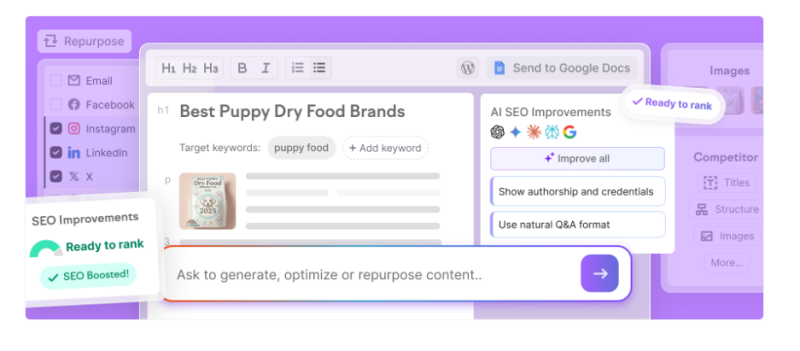
So what do you get now? A pay-per-report tool called My Reports:
- Base Report, $10 a month: data from 20+ Semrush tools, Google Analytics and Search Console, scheduling and PDF export
- Pro Report, $20 a month: adds branding and white-labeling, 20+ external integrations, AI-generated summaries and link sharing
You still need a base plan. On annual billing, SEO is $117.33 a month for 5 websites and Pro+ is $248.17 for 15 websites and 1,500 keywords.
| Your agency | Plan | White-label reports | Monthly total | Per client |
|---|---|---|---|---|
| 5 clients | SEO, $117.33 | 5 × $20 | $217.33 | $43.47 |
| 15 clients | Pro+, $248.17 | 15 × $20 | $548.17 | $36.54 |
The big draw is the data. Your reports pull straight from Semrush's own keyword, backlink, audit and AI visibility tools, with no connectors to set up.
Possible dealbreakers: there's no client login portal anymore, which AgencyAnalytics and BrightLocal both offer. And it's the only tool here that bills white label per report, so every new client adds $20.
Money-saving move: not every report needs your logo. Use the $10 Base Reports for internal tracking and save the $20 Pro Reports for what clients see. Across a dozen reports, that halves the bill on everything that never leaves your team.
4. DashThis
Full White Label for $44 a Month. Yes, on the Cheapest Plan
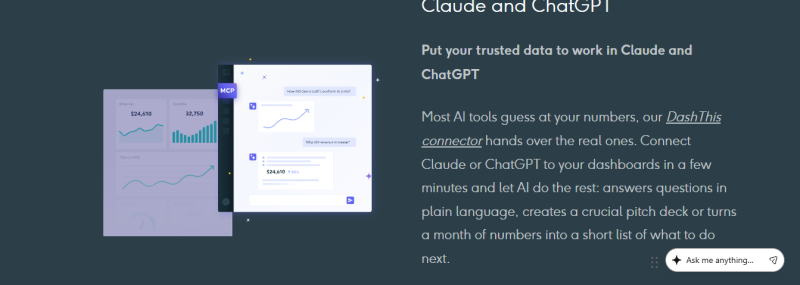
Most tools make you upgrade to remove their logo. DashThis doesn't play that game.
Removal of DashThis branding, a custom domain and a custom sender email are included on every plan. So are unlimited users and every integration.
The only thing that changes is volume:
| Plan | Price (billed yearly) | Dashboards | Sources |
|---|---|---|---|
| Individual | $44/mo | 3 | 15 |
| Professional | $139/mo | 10 | 40 |
| Business | $279/mo | 25 | 100 |
Quick translation: a dashboard is one marketing report, and most users build one per client. A source is one connected account, like a single Google Analytics property.
Real example: 10 SEO clients, each with GA4, Search Console and a Google Business Profile. That's 10 dashboards and 30 sources, which lands on Professional at $139.
Know before you buy: DashThis doesn't create SEO data. It displays what you connect, so you still need a rank tracker. And unlike Whatagraph, you can skip the sales call: the 14-day trial gives you 10 dashboards free.
The hack that keeps you on a cheaper plan: audit your sources before you upgrade. A source only counts once it's added to a dashboard, and it stops counting when you remove it from all of them. Clear out old client accounts and you may slide back under your limit.
Heads up: pricing switched to a source-based model on March 30, 2026, so older reviews are quoting the wrong limits.
5. Whatagraph
The €699 Tool That's Either a Steal or a Mistake
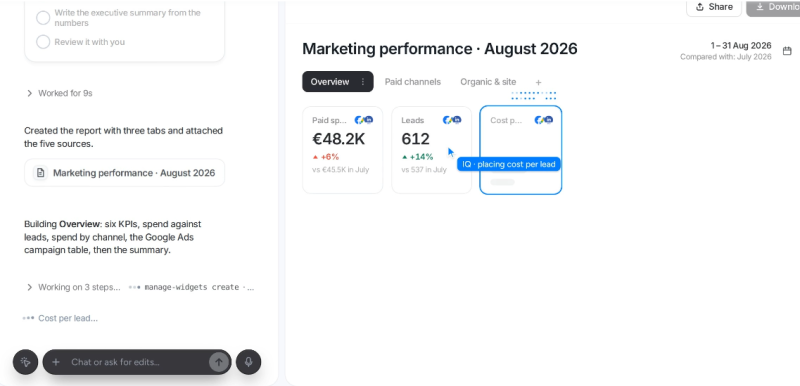
No middle ground here. Whatagraph went upmarket, and it now sells just two plans: Max from €699 a month and Prime at custom pricing, both billed annually. Both start with a demo, not a signup button.
It's a steal if:
- You run 15+ clients across SEO, paid and social
- You want AI doing the grunt work. Its IQ Agents set up your sources, build your data blends and ship your reports
- You like having a human to call. Max includes a dedicated success manager, unlimited users and unlimited reports
It's a mistake if:
- You have five clients. Max starts at 50 source credits, where one credit is one connected data account, and you won't use them
- You expect a custom report domain at this price. It's not on Max, and it's an add-on on Prime
The math that makes it work: 15 clients with three sources each use 45 credits. That fits inside Max, at about €46.60 per client.
The trade-off: DashThis and AgencyAnalytics hand you a custom domain at their entry price. Whatagraph doesn't. What you get instead is automation and blending depth the cheaper tools can't match.
Do this before the demo: count every ad account, analytics property and profile you'd connect. That number is your credit count. You can buy extra credits until you hit the next plan threshold, so walk in knowing your total and ask what extra credits and a custom domain will cost.
6. Data Studio
It Costs $0. So What's the Catch? (There Are Four)
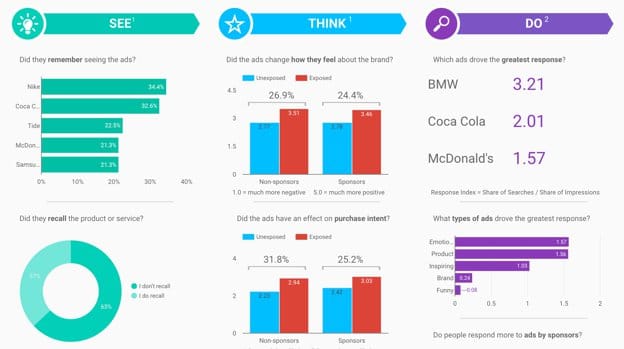
First, a plot twist. Looker Studio is gone, sort of. Google has brought back the Data Studio name for the product formerly known as Looker Studio, in an announcement dated April 10, 2026. Your old reports still work.
The headline is true: it's free for both report creators and viewers. Google's own connectors, like Search Console and GA4, cost nothing either.
Now the four catches:
- Outside data costs money. Third-party connectors require payment, and they can run from $30 to over $500 a month each
- The branding is thin. There's no true white-labeling and no custom domain
- Blending hits a wall. You can blend five sources at most, on both the free and Pro tiers
- You're on your own. The free version gives you one scheduled delivery per report and community support only
Want team features? Data Studio Pro is $9 per user per project per month.
The real cost: every other tool here gives you ready-made templates and vendor support. With Data Studio, you build and maintain everything yourself. Free in dollars, expensive in hours.
The free workaround: send your outside data to Google Sheets first. Sheets plugs into the tool through a free native connector, so you skip the paid connector. Do your joining and blending in the sheet as well, and the five-source cap stops being a problem.
7. BrightLocal
The $31 Secret Weapon for Local Clients
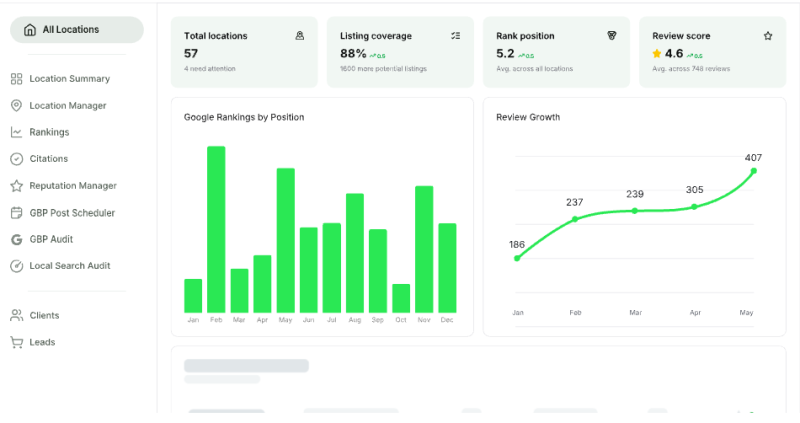
Meet your client: a dental group with three clinics.
They don't care about national rankings. They care about one thing. When someone nearby searches "dentist near me," does their clinic show up?
General SEO tools struggle to answer that. BrightLocal was built for it. The Track plan lets you:
- Monitor local rankings for up to 100 keywords and four competitors
- See rankings on a geo-grid map
- Check citation accuracy and audit Google Business Profiles
- Track visibility across ChatGPT, Google AI Mode and Google AI Overviews
For that three-clinic client? $47 a month on annual billing for 2 to 5 locations.
The white-label part: all paid plans let you remove BrightLocal branding and add your own logo and colors. Each client can get their own dashboard login.
The part that wins you clients: the Agency Lead Generator. A prospect enters their business details on your site, gets a branded local SEO audit, and you get their contact info.
Two limits: pricing is per location, so one client with 20 branches costs more than 10 single-location clients. And the platform only works in the USA, UK, Canada and Australia.
Steal this sales pitch: open your next prospect call with the Local Search Grid. Many agencies use it as their main hook, because a red-and-green map showing where competitors are winning tends to persuade better than a keyword list. One screenshot can do the selling for you.
The Price Shock Table: Same Agency, 7 Very Different Bills
Same agency every time: 10 clients, one website and one location each, three data sources per client, annual billing.
| Tool | Setup | Monthly bill |
|---|---|---|
| Data Studio | Free tier | $0 plus your build time |
| BrightLocal | Track, 6 to 10 locations | $62 |
| DashThis | Professional | $139 |
| SE Ranking | Core plus Agency Pack | $172.20 |
| AgencyAnalytics | 10 clients × $20 | $200 |
| Semrush | Pro+ plus 10 Pro Reports | $448.17 |
| Whatagraph | Max | From €699 |
Five of the seven come in at $200 or less. But don't just grab the cheapest. SE Ranking and Semrush include full SEO research tools. AgencyAnalytics excludes rank tracking at that price. BrightLocal covers local SEO only.
The Final Verdict: What We'd Do With Our Own Money
If we were launching an SEO agency tomorrow, here is how we would spend.
Our winner for most SEO agencies is SE Ranking. In our 10-client example, it is the only tool that covers SEO research, rank tracking and white-label reports for under $200 a month. One login, one bill, and a lead capture widget thrown in. For an agency that sells SEO first, that is hard to beat.
The runner-up is AgencyAnalytics. If your clients expect to log in and explore their own numbers, nothing else on this list feels as polished. At $20 per client, your bill only grows when your revenue does. Just budget for the rank tracking add-on from day one.
The budget hero is DashThis. Getting a custom domain and full white label for $44 a month is the best deal here for a small team that already has its SEO data sorted.
And three special cases. If your clients are local businesses, skip the debate and go with BrightLocal. If your team already pays for Semrush, add Pro Reports before buying anything new. If you are past 15 multi-channel clients with budget to spare, book the Whatagraph demo.
As for Data Studio, start there if money is tight. Just set a reminder to move on the day your reports start eating your weekends.
Post Comment
Share your thoughts about this article.
Be the first to post a comment!