It's a question that comes up constantly, especially among traders who are just finding their feet — or experienced ones switching brokers and starting fresh. The honest answer is that there's no single "best" app for everyone. What works brilliantly for a scalper running multiple positions during the London open will feel like overkill for someone managing a handful of swing trades from their phone. The right platform depends entirely on how you trade, what you trade and what you actually need it to do.
That said, a handful of platforms consistently rise to the top across all categories, and understanding what makes each one tick will save you a lot of time and frustration.
What Makes a Trading App Worth Using?
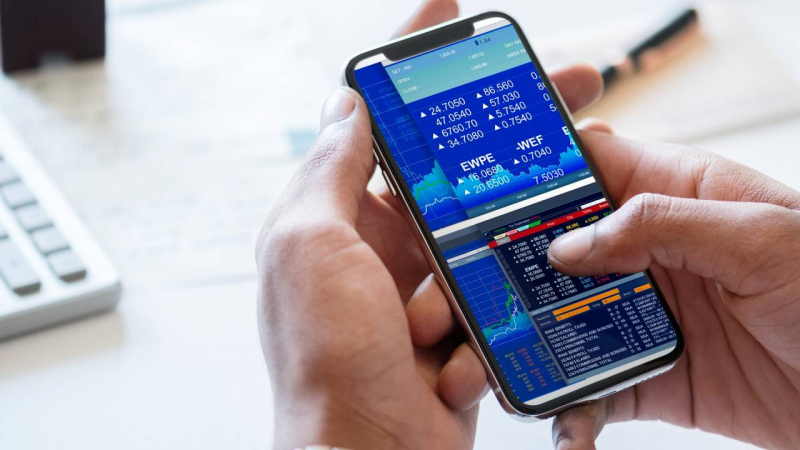
Before getting into specifics, it's worth being clear about what separates a genuinely good trading app from a mediocre one. Execution speed matters enormously — slippage on a fast-moving pair can wipe out your edge before you've even settled into the trade. Chart quality, the depth of technical indicators, order management flexibility and how reliably the app behaves during high-volatility moments are all critical. So is the user interface. An app that takes six taps to close a position is a liability, not a tool.
Regulation and security go without saying. If the broker behind the app isn't regulated by the FCA, CySEC or another reputable authority, move on.
MetaTrader 4 — The Old Faithful
MT4 has been around since 2005 and it still commands an enormous share of the retail trading world. That longevity isn't nostalgia — it's earned. The platform is rock solid, highly customisable and supports Expert Advisors (EAs) for automated trading. Its library of technical indicators is vast, and because it's been around so long, the community support is second to none. If something's gone wrong or you want a custom script built, someone's probably already written about it online.
MT4 is a good choice for mobile trading precisely because the mobile app mirrors the desktop experience cleanly without stripping out the features traders actually use. Watchlists, charts, one-click trading and trade management all carry across well on both iOS and Android. It's not the flashiest interface in 2026, but it does the job reliably, which counts for a lot when markets are moving fast.
MetaTrader 5 — The Logical Upgrade
MT5 is the natural successor and it addresses several of MT4's limitations. More timeframes, more order types, a built-in economic calendar and broader multi-asset support make it the better choice for traders who go beyond forex into indices, commodities and stocks. The mobile app is equally well-built, and execution quality is strong across the board.
If you're starting fresh and haven't built years of custom EAs on MT4, MT5 is probably the smarter long-term choice. The two platforms aren't backwards compatible though, so traders with existing automated setups will need to factor in migration time.
cTrader — The Modern Alternative
cTrader from FxPro has built a serious reputation among traders who want a more modern, transparent trading environment. The interface is cleaner and more intuitive than the MetaTrader suite, the charting tools are genuinely excellent and the platform handles Level II pricing — showing full depth of market — which is something MT4 simply doesn't offer. For traders who care about understanding exactly where their orders are sitting in the queue, that transparency is a real advantage.
The cTrader mobile app is one of the best-designed trading apps available right now. It's quick, responsive and doesn't feel like a stripped-down version of the desktop platform. You get access to full charting, pending orders, partial close functionality and a clean account summary — all without the app feeling cluttered. It also supports copy trading natively through cTrader Copy, which is a nice addition for those who want to follow other traders or make their own strategy available to others.
TradingView — Best for Analysis
TradingView occupies a slightly different space. It's primarily a charting and analysis platform rather than a pure execution tool, though its broker integrations have improved considerably. If your trading workflow involves a lot of technical analysis — drawing levels, running custom indicators, backtesting ideas — TradingView's interface is hard to beat. The mobile app is genuinely excellent for reviewing charts and monitoring positions on the go.
The main limitation is that execution quality and available instruments depend entirely on which broker you've connected to it. It's a layer on top of a broker rather than a standalone solution, so it works best as part of a wider setup.
Proprietary Apps — Hit and Miss
Several brokers have built their own proprietary trading apps, and the quality varies wildly. Some are genuinely polished products with real thought behind the UX. Others feel like they were designed to look impressive in screenshots rather than perform under actual trading conditions. If you're considering a broker's own app, spend proper time on a demo account before committing. Pay attention to how it handles during a major news release, not just during quiet market conditions.
So, Which Should You Choose?
For most active traders in 2026, the answer comes down to your specific situation. If you want reliability and a huge ecosystem of tools and add-ons, MT4 or MT5 will serve you well. If you want a cleaner, more modern experience with superior charting and full depth of market, cTrader is the strongest option on the market right now. If technical analysis is your primary focus and you're happy to manage execution separately, TradingView is worth serious consideration.
The key is to actually test each platform properly — not just flick through the interface but run it through its paces during live market hours, place real orders, and see how it handles under pressure. Most brokers offer demo accounts, and there's genuinely no excuse for committing to a platform before you've properly kicked the tyres.
Post Comment
Share your thoughts about this article.
Be the first to post a comment!