Table of Content
- Low-Code Platforms for Building Applications: Are They Worth the Hype?
- What Are Low-Code Platforms?
- Why Low-Code Platforms Are Booming
- Top Low-Code Platforms (2025)
- Pricing at a glance
- Low-Code vs. No-Code: What’s the Difference?
- What Can You Build with Low-Code?
- Should You Use a Low-Code Platform?
- Limitations and Pitfalls
- The Future of Low-Code in 2025 and Beyond
- Final Thoughts
Low-Code Platforms for Building Applications: Are They Worth the Hype?
What if your business could build a customer portal, automate an approval process, or launch an internal mobile app without spending months writing every component from scratch?
That is the promise of low-code development.
Low-code platforms provide visual interfaces, reusable components, workflow builders, integrations, and AI-assisted development tools that reduce the amount of manual programming required to create an application.
They are now used by startups validating product ideas, enterprises modernizing outdated systems, professional developers accelerating delivery, and business teams digitizing manual processes.
However, low-code does not eliminate the need for technical planning. Applications still require secure architecture, reliable data, testing, governance, maintenance, and integration with existing systems.
The real question is therefore not whether low-code platforms can build applications. They can.
The more useful question is whether a low-code platform is the right technical and commercial choice for the application your organization needs to create.
This updated guide explains how low-code development works, why adoption continues to grow, which platforms stand out in 2026, what businesses can build, and which limitations should be considered before choosing a platform.
What Are Low-Code Platforms?
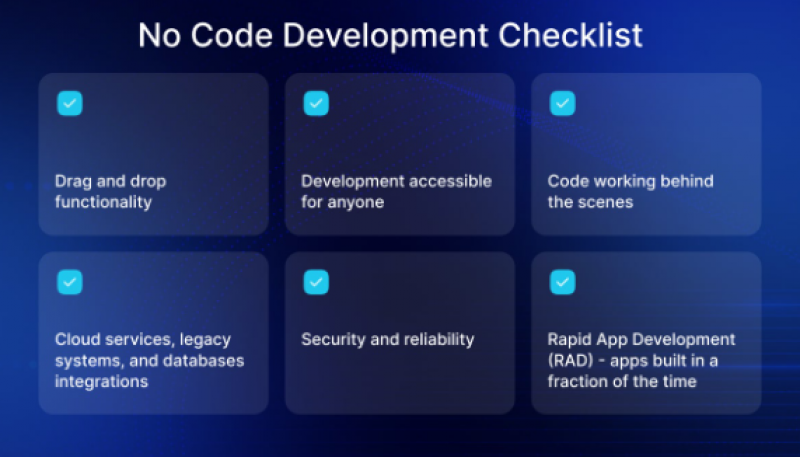
Low-code platforms are software-development environments that allow users to create applications using visual tools and prebuilt components instead of manually writing every line of code.
Most platforms provide some combination of:
- Drag-and-drop interface design
- Visual workflow modelling
- Reusable application components
- Database and data-modelling tools
- Prebuilt connectors
- API integrations
- Authentication and access controls
- Testing and deployment tools
- Application monitoring
- AI-assisted code or workflow generation
- Custom-code extension points
Low-code does not always mean no code.
Developers may still need to write JavaScript, Java, C#, SQL, APIs, formulas, or platform-specific logic when an application requires unusual functionality, complex integrations, performance optimization, or custom user experiences.
The purpose of low-code is to reduce repetitive development work—not to remove software engineering entirely.
SAP defines low-code as visual application development that minimizes traditional programming while still allowing pro-code development when greater control is needed. No-code goes further by allowing nontechnical users to build applications without writing code.
How we tested these platforms
To move this guide beyond spec-sheet comparisons, we built the same reference application on each of the five platforms below: a simple internal expense approval tool with a submission form, an approval workflow, a reporting dashboard, and one third-party integration (email notifications). Each build was done on the platform's free or trial tier by one reviewer with intermediate development experience, capped at two working days per platform.
For each platform we scored four things: how long it took to get a working prototype, how far we got before hitting a paywall or a feature ceiling, how much actual code we had to write, and how easy it was to export or migrate what we built. The per-platform testing notes below come from those builds, not from vendor marketing material.
But how do they work?
Most platforms offer drag-and-drop interfaces, reusable templates, logic editors, and third-party integrations. You still write code when needed, but you build faster and with less overhead.
Who uses them?
- Developers to accelerate delivery.
- Startups to get MVPs off the ground.
- Enterprise teams to digitize workflows.
- Non-tech teams (like marketing or HR) to build internal tools.
Why Low-Code Platforms Are Booming
Organizations are expected to deliver more digital services while controlling development time, cost, and complexity.
At the same time, many companies still depend on spreadsheets, email chains, paper forms, disconnected databases, and legacy applications.
Low-code platforms are growing because they can shorten the path between identifying a business problem and delivering a working solution.
| Reason | Potential Impact |
|---|---|
| Faster development | Reusable components can reduce repetitive coding |
| Lower initial effort | Smaller teams may be able to produce an early version |
| Rapid prototyping | Ideas can be tested before committing to full custom development |
| Easier iteration | Teams can change screens and workflows visually |
| Business–IT collaboration | Subject-matter experts can participate more directly |
| Legacy modernization | Manual processes can be replaced without rebuilding every system |
| Integration | Connectors can link existing applications and data |
| AI assistance | Natural-language prompts can accelerate initial development |
| Centralized governance | Enterprise platforms can manage environments, permissions, and deployments |
The market is also expanding beyond basic drag-and-drop application builders.
Gartner projects that the worldwide low-code development technologies market will reach $58.2 billion by 2029, representing a compound annual growth rate of 14.1%. Gartner identifies agentic AI, citizen development, and operational efficiency as important adoption drivers.
Speed alone, however, should not determine whether a platform is appropriate.
A rapidly produced application can still become expensive or risky when it lacks proper governance, documentation, testing, security, and ownership.
Top Low-Code Platforms (2025)
So which platforms are leading the pack in 2025? Here’s a breakdown of the top contenders and what they offer.
1. OutSystems
Best for: Large organizations building complex, mission-critical applications and AI-enabled systems.
Key capabilities:
- Full-stack application development
- Web and mobile application delivery
- Workflow and process development
- AI-assisted screen, logic, and data-model generation
- Reusable components
- API and enterprise-system integrations
- DevSecOps and application lifecycle management
- Security, scalability, and governance controls
- Support for custom code
OutSystems is aimed primarily at enterprises that need the speed of low-code without giving up professional development controls.
Its platform supports custom applications and AI agents while allowing developers to refine generated logic, extend functionality, and govern the final implementation. OutSystems also promotes integrated DevSecOps and connectors to more than 400 systems.
Why it stands out: It combines visual development with enterprise architecture, governance, and custom-code extensibility.
Consider before choosing: Enterprise capabilities can involve greater licensing, implementation, and platform-management complexity than lightweight no-code tools.
2. Mendix
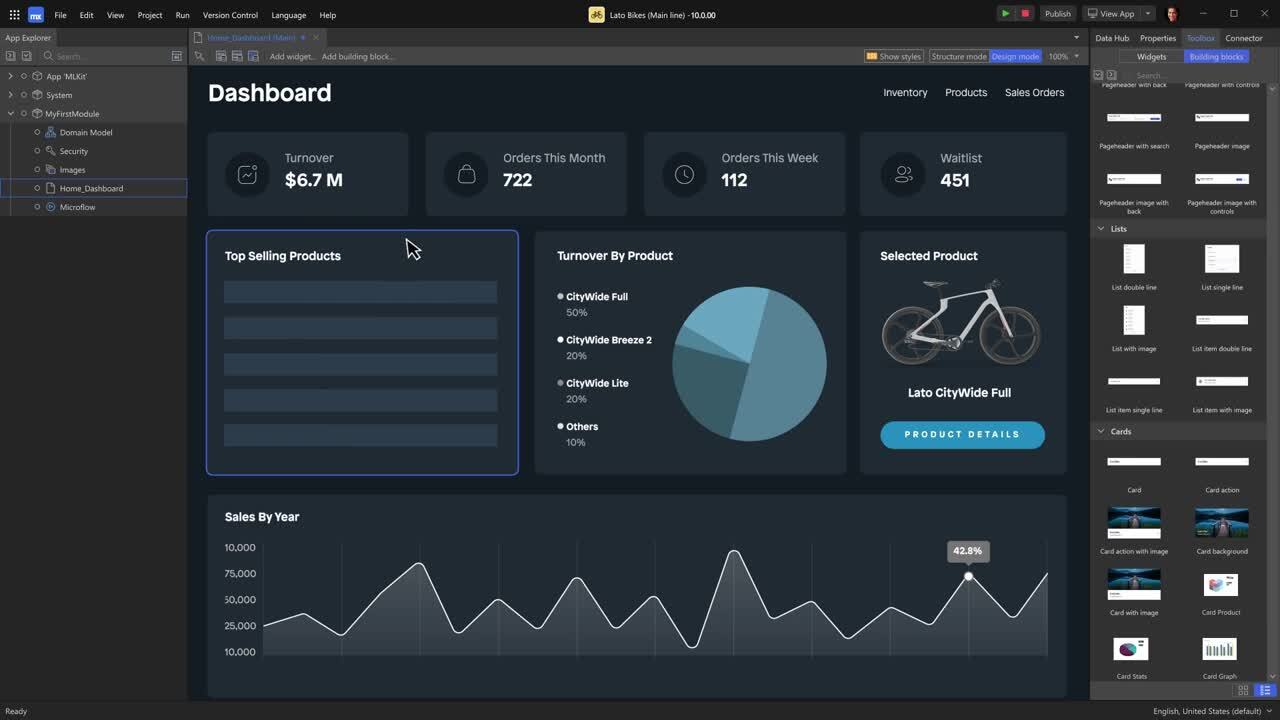
Best for: Enterprises developing governed applications, workflows, and AI-enabled business systems across multiple departments.
Key capabilities:
- Model-driven application development
- Reusable application components
- Workflow automation
- Web and mobile applications
- Data and system integrations
- Collaboration between business and technical teams
- Application lifecycle management
- Governance controls
- AI-assisted development
- Cloud deployment options
Mendix is positioned around enterprise application development and the coordination of applications, people, data, and AI-supported workflows.
It is particularly relevant to organizations that want business analysts and professional developers to work within the same governed development environment.
Why it stands out: It offers a collaborative development model for complex enterprise processes.
Consider before choosing: Teams still need platform expertise, architecture standards, and strong governance when deploying applications across a large organization.
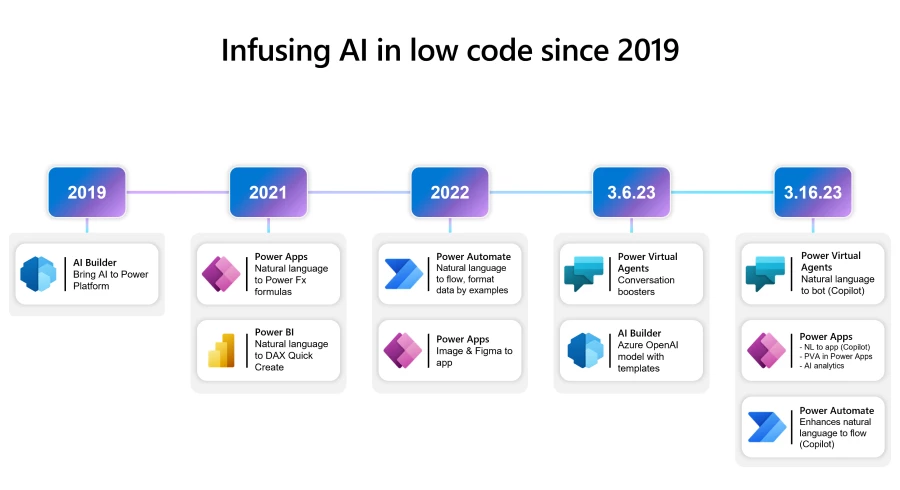
3. Microsoft Power Apps
Best for: Organizations already using Microsoft 365, Teams, SharePoint, Dynamics 365, Azure, or Dataverse.
Key capabilities:
- Canvas applications
- Model-driven applications
- Browser and mobile deployment
- Microsoft Dataverse
- Power Automate integration
- Microsoft 365 and Dynamics connectivity
- Custom connectors
- Azure integration
- Copilot-assisted application creation
- Professional developer extensions
Power Apps allows users to create responsive business applications that run in browsers and on mobile devices.
Professional developers can extend Power Apps using custom connectors, server-side logic, Azure functions, JavaScript, webhooks, and other development tools. Microsoft Copilot can also create an initial application design from a natural-language description.
Why it stands out: It fits naturally into organizations that already rely heavily on Microsoft business software and data.
Consider before choosing: Licensing can become difficult to estimate when applications require premium connectors, Dataverse capacity, automation, portals, or access for many users.
4. Bubble
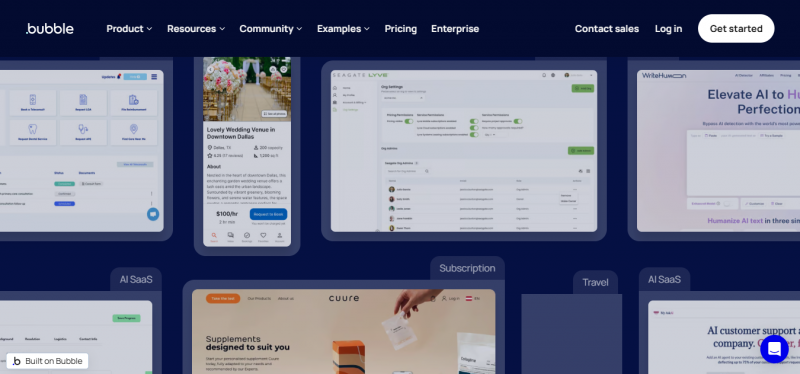
Best for: Startups, founders, SaaS products, marketplaces, customer-facing web applications, and teams without a traditional engineering department.
Key capabilities:
- Visual interface development
- Built-in databases
- Visual workflows
- AI-assisted application generation
- Web application development
- Native mobile application development
- Plugin marketplace
- Hosting and backend services
- Responsive design
- API integrations
Bubble is more accurately described as a no-code visual development platform than a traditional enterprise low-code platform.
It allows users to generate an initial application with AI and then refine its pages, workflows, database, privacy rules, and interface through a visual editor. Bubble currently supports web development and native mobile application publishing for iOS and Android.
Why it stands out: It provides founders and nontechnical teams with an accessible route from an idea to a functional product.
Consider before choosing: Applications can become difficult to maintain when workflows, database queries, plugins, and privacy rules are not designed systematically from the beginning.
5. Appgyver (now part of SAP Build Apps)
Best for: Organizations using SAP systems that need to extend business applications, automate processes, or create internal digital workspaces.
Key capabilities:
- Low-code application development
- Process automation
- Digital workspaces
- AI-assisted development
- SAP data and process integration
- Pro-code development options
- Java, JavaScript, TypeScript, and ABAP development
- Governance and role management
- Workflow and robotic process automation
- Enterprise extensions
The previous version of this article recommended AppGyver, later known as SAP Build Apps.
That recommendation is now outdated.
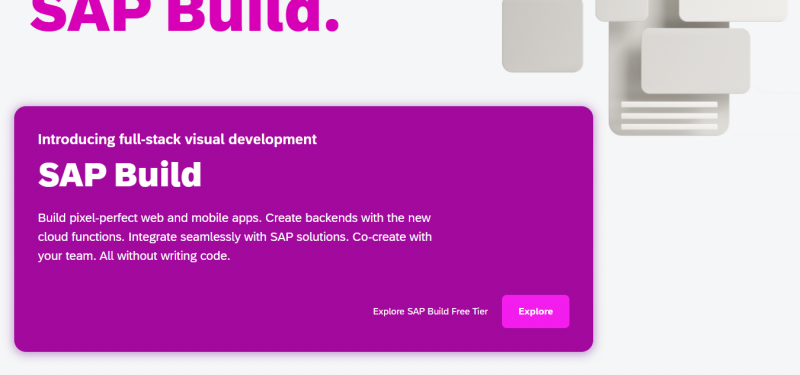
SAP deprecated SAP Build Apps as a standalone product on March 23, 2026. New projects are being directed toward the unified SAP Build offering, while existing SAP Build Apps customers can continue using the older product for the duration of their contracts.
The unified SAP Build platform combines low-code, code-first, automation, and generative AI capabilities. It supports application development, business-process automation, and digital workspaces within SAP and connected environments.
Why it stands out: It is designed to extend SAP business processes while maintaining governance and alignment with the wider SAP architecture.
Consider before choosing: It is most compelling for organizations already invested in SAP. Teams looking for an independent startup-focused visual builder may find other platforms more accessible.
Pricing at a glance
| Platform | Free tier | Entry paid price | Watch out for |
|---|---|---|---|
| OutSystems | Yes (1 dev) | Custom, mid five figures/yr | No affordable middle tier |
| Mendix | Yes | ~$75/month | Steep jump to ~$998/month Standard |
| Power Apps | Via M365 basics | ~$20/user/month | Dataverse, AI Builder, premium connector add-ons |
| Bubble | Yes (dev only) | ~$29/month | Workload-unit overages as the app grows |
| SAP Build Apps | Yes | Custom (BTP capacity units) | Opaque pricing outside SAP agreements |
Prices checked against vendor pricing pages in July 2026 and rounded. Always confirm current pricing with the vendor before committing.
Low-Code vs. No-Code: What’s the Difference?
People often confuse low-code with no-code. Let’s clear that up.
| Feature | Low-Code | No-Code |
|---|---|---|
| Code Required | Sometimes | Never |
| Target User | Developers & IT | Business users |
| Flexibility | High | Medium |
| Use Cases | Complex apps, integrations | Forms, dashboards, internal tools |
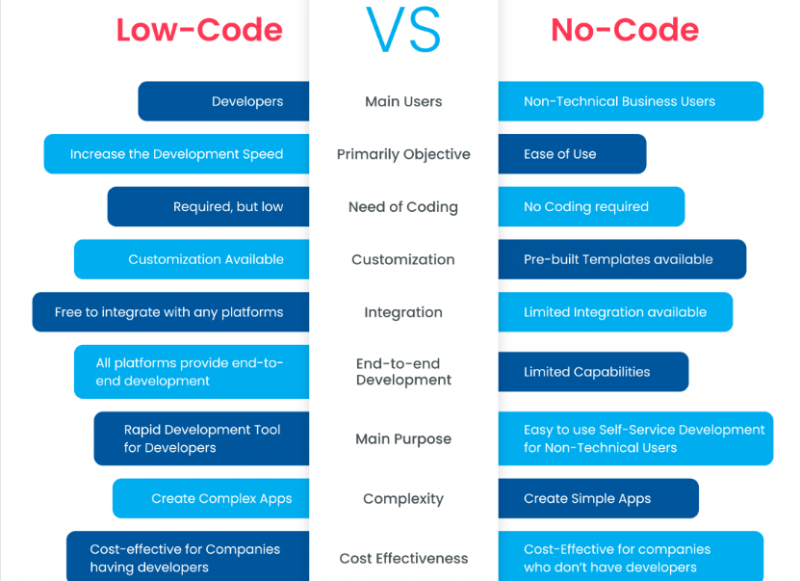
If you want some technical control, go low-code. If you want to avoid code entirely, explore no-code instead.
What Can You Build with Low-Code?
Low-code platforms can support both internal and customer-facing applications.
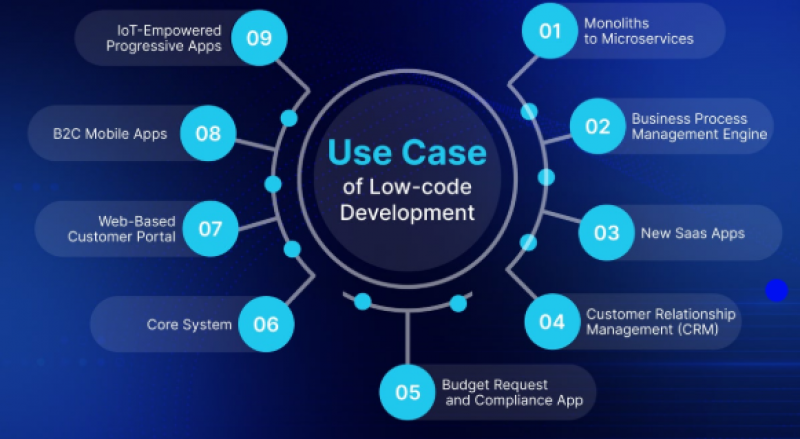
Common use cases include:
- Customer and supplier portals
- Employee onboarding systems
- Inventory-management applications
- Internal CRM systems
- Expense and purchase-approval workflows
- Appointment-scheduling tools
- Field-service mobile applications
- Inspection and audit applications
- Case-management systems
- Claims-processing workflows
- E-commerce MVPs
- IoT monitoring dashboards
- Data-entry and reporting applications
- Document-approval systems
- Help-desk applications
- Compliance-tracking tools
- Legacy-system interfaces
- AI-enabled knowledge applications
- Business-process automation
- Departmental dashboards
The best low-code projects usually have:
- A clearly defined business process
- Known users and permissions
- Accessible and reliable data
- Measurable success criteria
- Manageable integration requirements
- An identified application owner
- Appropriate IT oversight
Highly specialized real-time software, safety-critical systems, operating systems, graphics-intensive games, and applications with unusual performance requirements may still require traditional custom development.
Should You Use a Low-Code Platform?
Ask yourself:
- Do you need to build an app fast?
- Is your dev team stretched thin?
- Do you lack in-house engineers?
- Do you need to prototype before investing in custom code?
If you answered “yes” to at least two of those, low-code might be your best option.
But it’s not for everyone.
Limitations and Pitfalls
Despite the benefits, low-code platforms come with risks.
1. Vendor Lock-In
If your entire app is built on a platform’s proprietary system, moving it elsewhere can be hard or impossible.
2. Customization Limits
Advanced features like complex animations, AI integration, or custom APIs may require manual coding or workarounds.
3. Scalability Concerns
Not all platforms scale well with high-traffic apps. You’ll need to vet this based on your product roadmap.
The Future of Low-Code in 2025 and Beyond
Low-code isn’t a trend. It’s the future of digital transformation.
In 2025:
- AI is powering auto-code generation inside low-code editors.
- Platforms are integrating native DevOps tools.
- Citizen developers are reshaping how IT teams work.
IDC predicts the global low-code market will reach $46.4 billion by 2026.
Final Thoughts
Low-code platforms are not merely shortcuts for people who cannot program.
Used correctly, they can help professional developers work faster, allow business teams to participate more meaningfully, replace manual processes, modernize legacy workflows, and shorten the time required to deliver useful applications.
The strongest options in 2026 serve different needs:
- OutSystems is suited to complex enterprise applications and governed AI systems.
- Mendix supports collaborative enterprise application and workflow development.
- Microsoft Power Apps is a natural choice for Microsoft-focused organizations.
- Bubble is accessible to startups and nontechnical teams building web or mobile products.
- SAP Build is best aligned with organizations extending SAP applications and processes.
The most important decision is not which platform has the most features.
It is which platform fits your application requirements, data architecture, security standards, development skills, existing systems, expected scale, governance model, and long-term budget.
Begin with a real proof of concept, test the most difficult requirements, calculate the full production cost, and establish ownership before expanding low-code development across the organization.
Low-code can significantly accelerate application delivery—but only when speed is supported by sound architecture, professional oversight, and responsible governance.
Post Comment
Share your thoughts about this article.
Be the first to post a comment!