Downloading a Facebook video for offline viewing is not always as straightforward as saving an image or document. Facebook provides tools for exporting content you have uploaded yourself, but it does not provide a universal download button for every public video you encounter.
That gap is where third-party tools such as FDown.net come in.
FDown.net is a browser-based Facebook video downloader designed to turn supported Facebook video links into downloadable files. It works without requiring users to create an FDOWN account or install desktop software for ordinary public-video downloads.
The service, previously known as FBDown.net, has existed for years and continues to receive compatibility fixes as Facebook changes its video URLs, Reels system, and delivery infrastructure.
This guide explains how FDown.net works, what video formats and qualities it can provide, how to use it on desktop and mobile devices, its Chrome extension, privacy and safety considerations, known limitations, and how it compares with other Facebook video downloaders.
What Is FDown.net, and How Does It Work?
FDown.net is a web-based Facebook video downloader. It allows users to download public Facebook videos by pasting a video link into its interface and selecting an available quality option.
Key points about how it works:
- No registration or login required
- No software installation
- Videos are fetched directly from Facebook’s servers
- FDown.net does not host or store downloaded files
In simple terms, it acts as a bridge between a Facebook video URL and a downloadable file format.
FDOWN.net, formerly known as FBDown.net, is a free browser-based tool for saving Facebook videos and Reels to a computer or mobile device. It does not require a Facebook password, an FDOWN account or a software installation for ordinary public-video downloads.
The basic workflow is simple: copy a Facebook video or Reel link, paste it into FDOWN and choose one of the quality options the service can detect. FDOWN does not host Facebook’s video library. It retrieves downloadable media links from Facebook’s content delivery network and presents them through its own download page.
The service currently works with public videos, Facebook Reels, completed Live videos and some private videos that the user already has permission to view. Private downloads use a different process and may require copying page information while remaining signed in to Facebook in the same browser.
Supported Formats and Download Quality
FDOWN normally provides a downloadable video file that can be played on common desktop and mobile devices. The exact resolution, file size, audio configuration, and format available depend primarily on the versions Facebook makes available for the original video.
For normal public-video downloads, FDOWN's current instructions describe two common choices:
- Normal or standard-quality video
- HD video, when an HD version is available
FDOWN's older extension updates have also advertised support for additional formats and resolutions reaching as high as 4K.
That does not mean every Facebook video uploaded at 2K or 4K will automatically produce an equivalent FDOWN download option. The downloader can only work with the media streams it can detect and access for a particular Facebook URL.
Facebook may maintain multiple versions of the same video for different devices, bandwidth conditions, and playback situations. High-resolution video and audio may also be delivered as separate streams.
As a result, FDOWN may sometimes need to process or combine media streams before producing a playable downloaded file.
The most accurate way to describe the service is that FDOWN attempts to retrieve the best compatible version it can detect; it cannot guarantee a specific resolution, codec, bitrate, or file size for every Facebook link.
How to Download Facebook Videos with FDown.net
Steps for Desktop Users
Step 1: Open Facebook and find the video you want to download.
Step 2: Select Share and then choose Copy Link.
Step 3: Open the FDown.net homepage in your browser.
Step 4: Paste the Facebook video URL into the download field and select Download.
Step 5: Choose your preferred quality, such as Standard/Normal or HD when available.
FDOWN's official instructions currently follow essentially this three-stage process: copy the Facebook link, submit it to FDOWN, and choose the available normal- or HD-quality download.
Steps for Mobile Users: iPhone and Android
Step 1: Open the Facebook app and locate the video.
Step 2: Tap Share, followed by Copy Link.
Step 3: Open a mobile browser such as Safari or Chrome and visit FDown.net.
Step 4: Paste the URL into the downloader and tap Download.
Step 5: Choose the available video quality and save the file to your device.
On iPhone and iPad, FDOWN's current instructions note that downloaded files may appear in the Files app → iCloud Drive → Downloads, depending on browser and device settings.
What If the Video Opens Instead of Downloading?
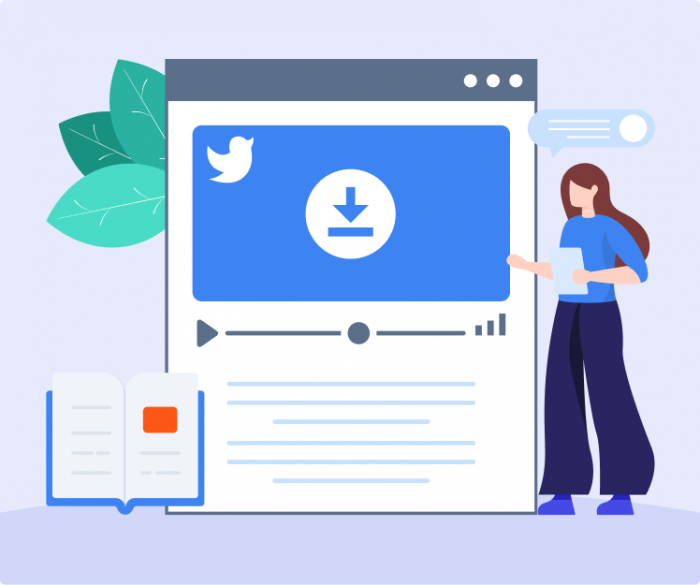
Sometimes selecting the download link opens the video directly in the browser rather than saving it.
If that happens:
- On desktop, right-click the download link and choose Save Link As or Save As.
- On a mobile browser, long-pressing the link may expose a download or save option depending on the operating system and browser.
FDOWN itself recommends the right-click-and-save method when a browser plays the file instead of downloading it.
Downloading Private Videos from Facebook
FDown.net also provides a way to download private Facebook videos shared within your Facebook network:
- Step 1: Log into Facebook and open the private video.
- Step 2: Right-click the video and select "Copy Video URL."
- Step 3: Visit the "Private Video Downloader" section of FDown.net.
- Step 4: Paste the copied link and follow the provided instructions to generate a secure download link.
- Step 5: Click the generated link to save the private video.
Keep in mind that you must already have access to the private video (e.g., being part of the group or friend list). Downloading content without permission can raise privacy and copyright issues.
Chrome Extension Available
For users seeking quicker access, FDown.net offers a Chrome browser extension:
- Step 1: Visit FDown.net’s Chrome extension page.
- Step 2: Click "Add to Chrome" to install.
- Step 3: After installation, find a Facebook video and click on the extension icon.
- Step 4: Select your preferred video quality to start the download.
The extension also supports downloading videos from other popular websites, not only Facebook.
_1745993408.png)
Key Features of FDown.net
- No registration required: 100% web-based.
- Supports multiple languages: English, Spanish, German, French, Italian, Portuguese.
- HD downloads: Quality up to 1080p, 2K, or 4K when available.
- Cross-device support: Desktop and mobile friendly.
- Privacy-focused: Downloads are pulled directly from Facebook’s CDN, not stored by FDown.net.
- Regular updates: Fixes and improvements to maintain functionality.
FDown.net Chrome Extension
For people who frequently download online videos, FDOWN also promotes a Chrome extension called Video Downloader PLUS.
The basic workflow is:
- Open FDOWN's Chrome extension page.
- Select Add to Chrome.
- Visit a Facebook video.
- Open the extension.
- Select an available format or quality to begin downloading.
The extension is not limited exclusively to Facebook and advertises support for media from other websites.
As of the current Chrome Web Store listing, FDOWN's Video Downloader PLUS is version 6.5.5, has more than 1 million users, and was last listed as updated in July 2024. The extension's store page says it can detect multiple types of online media and specifically lists Facebook among supported websites.
FDOWN's own historical update log says version 6.1.9 added support for Reels, Facebook Stories and private videos in December 2022, while an earlier 2020 update advertised additional Facebook formats reaching up to 4K.
Chrome Extension Privacy Consideration
The extension deserves a separate privacy note from the ordinary FDOWN website.
Its current Chrome Web Store disclosure states that the extension handles categories including:
- Location
- Web history
- Website content
The extension listing also says anonymous URLs and browsing-history data may be collected as part of providing its functionality.
Users should therefore review extension permissions before installing it, particularly because a browser extension can potentially have broader access than a website opened in an ordinary browser tab.
Important 2026 Status Note on Private Downloads
FDOWN's own pages currently provide conflicting information about this feature.
Its private-video instructions still describe how the process works. However, the current Private Video Downloader page also displays a notice saying that the private downloader has been disabled since mid-2019 because of privacy concerns.
Therefore, users should not assume private-video downloading is currently reliable simply because instructions remain available on the site.
This also explains why private Facebook videos are one of the most inconsistent areas for third-party downloaders: authenticated page structures and privacy protections can change independently of public-video URLs.
Does FDown Reduce Video Quality?
FDOWN states that it retrieves available Facebook video streams rather than automatically reducing every video to a lower resolution.
In practical terms:
- Video files are obtained from versions available through Facebook.
- Available quality depends on the original video and Facebook's accessible media streams.
- A 720p source can remain 720p when that version is available.
- A 4K source may provide a 4K download when FDOWN can detect a compatible 4K stream.
Choosing a Standard or Normal-quality option instead of an HD option can result in a lower-resolution download.
It is still important not to interpret this as a universal guarantee. Different Facebook streams may use different encodes, bitrates or audio/video arrangements even when they represent the same original upload.
Does FDown Add Watermarks?
Videos downloaded using FDOWN are intended to:
- Have no FDOWN-added watermark
- Preserve the available source quality
- Correspond to a Facebook-delivered media stream
In other words, FDOWN is not designed like a video editor that renders a new branded watermark onto the content.
Is FDown.net Safe to Use?
Generally, FDown.net can be used with precautions.
For ordinary public-video downloading, the web tool does not normally require users to:
- Enter Facebook login credentials into FDOWN
- Install desktop software
- Create an FDOWN account
- Provide personal details merely to paste a public-video URL
However, the original article also identifies several potential usability and safety concerns:
- The site can be ad-heavy.
- Advertisement layouts may make unrelated buttons look like download controls.
- Pop-ups or redirects may lead to third-party pages.
Safer Ways to Use FDOWN
Users can reduce risk by following basic browser-safety practices:
- Make sure you are visiting the legitimate FDown.net domain.
- Avoid unrelated banners or pop-up download buttons.
- Do not enter your Facebook password into a third-party downloader page.
- Check the destination before allowing a redirect.
- Review browser-extension permissions before installing anything.
- Keep your browser and operating system updated.
- Use browser security features or reputable content-blocking tools where appropriate.
Used carefully, the ordinary FDOWN web tool can be a convenient downloader, but users should not treat any third-party video-download website as completely risk-free.
FDown.net and Privacy Concerns: What You Should Know
Even though FDown.net doesn’t store your videos or data, there are privacy considerations:
- Downloading private videos without consent can violate user privacy.
- Facebook’s own terms prohibit third-party downloaders.
- Ads and popups can sometimes lead to unsafe external redirects.
Users should treat FDown.net as a convenience tool—safe when used carefully, but not risk-free.
Why FDown.net Sometimes Stops Working
Common issues include:
- Invalid or private video links.
- Updates to Facebook’s backend that break downloader functionality.
- Ad blockers interfering with download scripts.
- Cluttered ads making it hard to find the correct button.
Switching browsers, disabling blockers temporarily, or using alternatives often solves the issue.
Limitations of FDown.net
Despite its strengths, FDown.net has limitations:
- No reliable support for Facebook reels or stories.
- Private video downloads can fail if Facebook changes its structure.
- Ads and popups make navigation cluttered.
- No mobile app, only browser-based access.
If you need advanced features like reel downloads or cleaner interfaces, tools like SnapSave.io or Getfvid.com may be better.
FBDown vs Alternatives: Feature Comparison Table
| Feature / Tool | FBDown (Fdown.net) | SnapSave.io | Getfvid.com | SaveFrom.net |
|---|---|---|---|---|
| Private Video Support | Not supported | Supported (via source code method) | Supported | Not supported |
| HD Video Quality | Available | Available | Available | Available |
| Facebook Reels/Stories | Not reliable | Supported | Partially supported | Not consistent |
| Ads & Popups | Heavy ads | Minimal ads | Moderate ads | Frequent popups |
| Ease of Use (UI) | Simple but cluttered | Clean and intuitive | Easy to use | Slightly cluttered |
| Browser Extension | Available (Chrome) | Not available | Available (Chrome) | Available |
| Mobile Compatibility | Mobile-friendly | Mobile-friendly | Mobile-friendly | Mobile-friendly |
| App Availability | No app | No app | No app | Android app available |
| Best For | Public videos, basic use | Private videos, reels, clean UI | Private videos, fast access | General video downloading |
Conclusion
FDown.net is a quick, convenient, and free tool to download Facebook videos for personal use. It works well for:
- Public videos
- Educational content
- Offline viewing
However, heavy ads, unreliable private downloads, and limited support for reels/stories mean it’s best as a basic downloader, not a professional tool.
For creators, pairing FDown with AI content tools (Udio AI, Pippit AI, etc.) is the smarter workflow.
Commonly Asked Questions
1. Does FDown.net work with Facebook Live videos after they end?
Yes, once a Facebook Live stream has ended and is posted on the platform, FDown.net can download it like any other video.
2. Can FDown.net download Facebook videos in 4K quality?
Yes, FDown.net supports HD, 1080p, 2K, and 4K downloads when the original video is uploaded in those resolutions.
3. How do I fix the “Video not found” error on FDown.net?
This error usually happens with private, expired, or region-restricted videos—try refreshing the link, checking privacy settings, or using the private video downloader.
4. What is the difference between FDown.net and FBDown.net—are they the same?
Yes, FDown.net and FBDown.net are the same service; both URLs redirect to the same Facebook video downloader.
5. Why do some videos download without sound on FDown.net?
This happens when Facebook stores video and audio separately; selecting a combined HD option usually fixes the issue.
Post Comment
Share your thoughts about this article.
Recent Comments
Amelia
Feb 15, 2026So I have years of videos on Facebook from family trips and stuff, and I wanted to back them up before deleting my account. I tried about four different downloader sites, and FDown was the only one that actually worked consistently on mobile. The others either wanted me to install sketchy apps or just failed halfway through.
Login to reply