The modern web changes all the time. It is not like old HTML pages that stayed the same. Today, websites use many scripts that run on your computer to load the content. When you go to an online store, a travel booking page, or a social network, what you see first is just a simple frame. Then, JavaScript starts to run in your browser. It gets data from the website itself and builds up what you see on the page right then. For old web scraping tools, this change is a big problem.
Moving Beyond Static HTML Extraction
Standard HTTP request libraries are made to get raw HTML code right from a server. This way is very fast and good for old, plain sites. But it does not work on new single-page applications (SPAs) that use frameworks like React, Angular, or Vue.js. If your data tool cannot run scripts, it will only pull out placeholder tags and loading pictures.
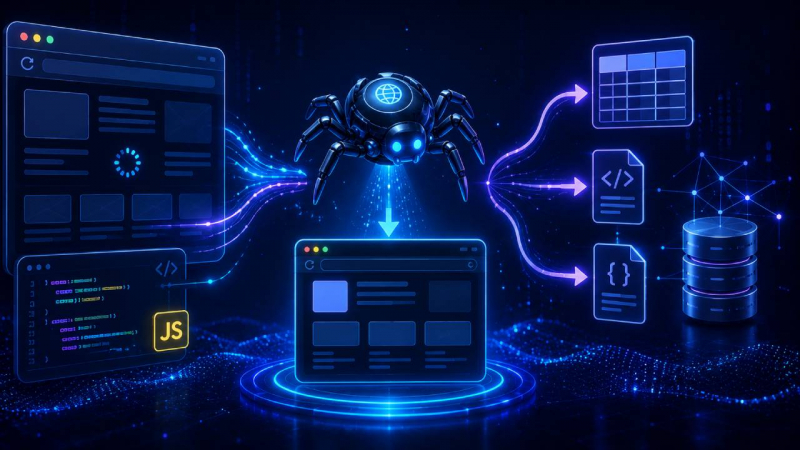
To fix this, developers in the past had to handle heavy browser tools like Puppeteer or Selenium. These tools needed a lot of power to work. Now, using a cloud-based scraper api makes things much easier. The heavy browser work is now done on another system, so developers do not have to work with browsers on their own machines. They just make a simple API call and get all the web data they need, ready to use.
Technical Capabilities Needed for Modern Data Extraction
To get data from sites that use many scripts, your process must act just like a normal web browser. A good and big web scraping system should have some key features:
- Headless Browser Execution: The system needs to use a browser engine so that scripts can load and fill in the page the right way.
- Custom Wait Times: It should wait to collect data until a certain DOM part, table, or product list is fully loaded.
- User Interaction Simulation: The system should scroll, click, and fill out forms on its own. This helps to load pictures or content that is not seen at first.
- Asynchronous Request Handling: It can deal with more than one stream of data at the same time by running them in more than one browser. This will not make the system stop or use too much memory.
Overcoming the Resource and Cost Bottleneck
Managing a group of local headless browsers can use up a lot of resources in a company’s system. Headless Chrome uses a lot of CPU and RAM. This can make costs go up when more data is needed.
When you move to a managed cloud endpoint, you don’t have to handle the workload yourself. The API provider takes care of the server, memory, and makes sure browsers restart when needed. This change means enterprise development teams can grow their data streams at the same time without trouble. Instead of dealing with a big problem, it becomes a simple job with predictable costs.
Optimizing Scripts for Infinite Scroll and AJAX
Many modern target sites now hide their data using scrolling that goes on and on, or by loading new data through AJAX again and again. When a scraper tries to get data from these pages, it has to scroll down or click on page buttons by code to make the site load more data.
- Scroll-to-Bottom Triggers: When you scroll down, it moves the view to the bottom by itself to turn on hidden scripts, so you see more pages.
- XHR Request Interception: It watches requests from the web right at the source. This way, you get the raw JSON data before it shows up in the browser.
- Prerendered HTML Delivery: It sends the full final page all at once. This means you do not need any extra scripts to read the data on your own device.
Conclusion
As the web grows to be more interactive for users, old ways of collecting data do not work as well. Simple HTTP scripts are not enough now because today's web apps are much harder to work with. For your business to get the right data all the time, you need to update your tools and match how new web software works. When you use API endpoints that can handle cloud-based javascript rendering, your automated tools can get good, complete data from even tough web pages. This happens without using too much computer power.
Post Comment
Share your thoughts about this article.
Be the first to post a comment!