
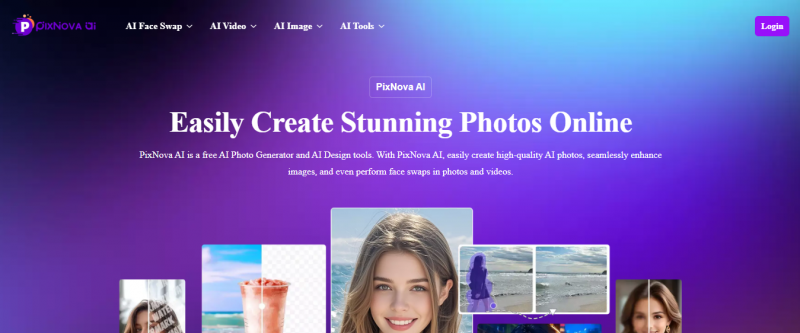
PixNova AI combines multiple photo and video tools from face swaps to anime conversions under a unified web interface. Users can access most features for free without creating an account, with optional credit‑based plans to unlock enhanced video and image generation capabilities, Built for creators, social media users, and visual storytellers looking to generate and edit images with AI in one place.
PixNova AI runs entirely in a web browser: users upload an image or enter a text prompt, choose the desired AI tool (e.g., image generator, face swap, enhancer), and let the AI process the input to deliver outputs within seconds.
Web-based; no install, works on phone and desktop
Clean, playful UI; feels like “creative playground”
Lots of tools: headshots, anime, baby, makeovers, extender
Free tools with no-login, no-watermark modes advertised
Complex prompts give inconsistent or soft details
Not ideal for print‑ready or agency‑grade design work
Limited fine control over style beyond presets
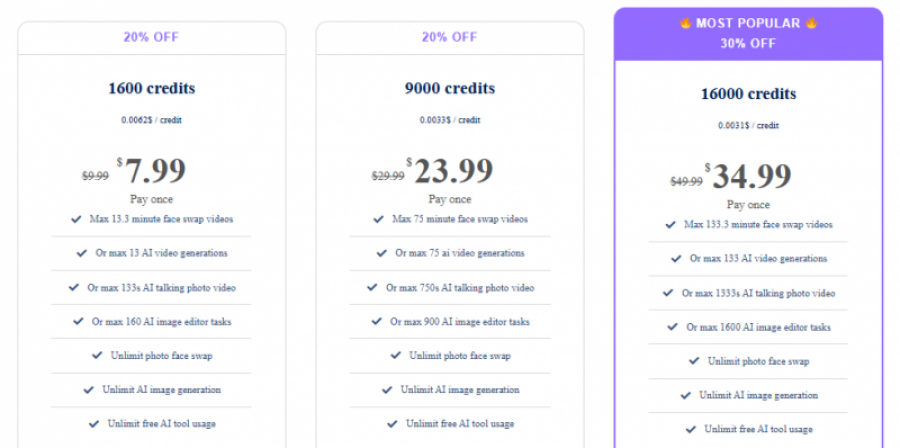
*The price might have been changed, check the current pricing on the vendor's website.
Clients yet to be updated!
| Logo | Software Name | Rating | Reviews | Starting Price | Trial |
|---|---|---|---|---|---|
 |
Blender | 3.9 | 94 | 0 USD ($) | 1-7 Days |
 |
GoPlay | 3.9 | 47 | 1 USD ($) | 1-7 Days |
 |
Clideo | 3.9 | 36 | 9 USD ($) | No |
 |
VideoProc Converter | 3.8 | 37 | 0 USD ($) | 30 Days |
 |
Filmora | 3.8 | 86 | 0 USD ($) | 0 Days |

Honestly expecting it to fail. Instead, the headshot generator gave me polished portraits with better lighting and backgrounds in minutes,
Seattle, Washington, United States
Verified
The UI is simple and the tools fire up fast crazy setup. But sometimes the AI misreads the prompt and I get weird backgrounds or soft details. Not bad for quick fun edits, but not a professional replacement
Seattle, Washington, United States
Verified
Super easy, outputs looked great, and I actually enjoyed it.
Philadelphia, Pennsylvania, United States
Verified
I’m a small business owner and was looking for a quick way to spruce up product photos without paying for fancy software. Tried first thing I noticed was you can use almost everything without logging in and there’s no watermark, which is rare these days. The upscaler did a nice job on low‑res pics and the object remover cleaned up distractions nicely.
Mesa, Arizona, United States
Verified

Free, open source, cross-platform video editor.
Video Enhancer, Converter, Downloader

Video Download | Record | Convert - VideoPower RED
The Free and Open Source 3D Creation Software
Edit Video as a Pro
Free and Open Source Video Editor