Popular: CRM, Project Management, Analytics

Home > Software Directory > Filmora
Filmora

Filmora

Edit Video as a Pro

Filmora Overview

Wondershare Filmora is a consumer-focused video editing software designed to help users create polished videos with minimal technical complexity. Based on its official website, Filmora enables users to edit videos using a drag-and-drop interface, apply visual effects and transitions, enhance audio, and export content in multiple formats, including 4K. The software incorporates AI-assisted features to simplify tasks such as caption generation and background removal.

More About Filmora

How the Tool Works:

Filmora uses a timeline-based editing system where users import media, arrange clips, apply effects from a built-in library, adjust audio and visuals, and export finished videos using preset or custom settings.

Key Use Cases and Applications:

  • YouTube and social media video creation
  • Marketing and promotional videos
  • Educational and tutorial content
  • Personal and hobbyist video projects.
  • Screen recording and webcam capture
  • Audio editing with noise reduction and audio effects
  • Support for 4K video editing and export
  • Preset export formats for social media platforms

Competitive Advantages:

  • Lower learning curve compared to professional editors
  • Integrated AI tools for automation and speed
  • Large built-in asset library

Pros & Cons

Pros:

Short learning curve, friendly interface for newbies.

Plenty of effects, titles, and stock assets.

Good 4K/8K, HDR, vertical‑video support.

Integrated screen recording and direct platform uploads.

Strong AI tools for quick stylized edits.

Cons:

Auto‑renewal and refund disputes reported.

Performance slows on big, complex timelines.
Software Trial

0 Days

Free Version

No

Licensing Type

Proprietary

Filmora Starting Price

Free

Vendor Pricing Page

See Pricing

Filmora Software Features

3D Editing Audio Tools Frame Accuracy HDR Support Media Library Speed Adjustment Split/Merge Video Capture Video Stabilization Video Titling

Filmora Specification

Starting Price

Free

Price Type

Flat Rate

Currency

USD ($)

Subscription

Annually , One-Time

Deployment Type

  • Cloud Hosted

Supported Platforms

  • Web-Based
  • iPhone/iPad
  • Android
  • Windows
  • Mac

Technical Support

  • Email
  • Phone

Training Resources

  • Documentation
  • Blogs
  • Help Guides
  • In-Person Training
  • Videos

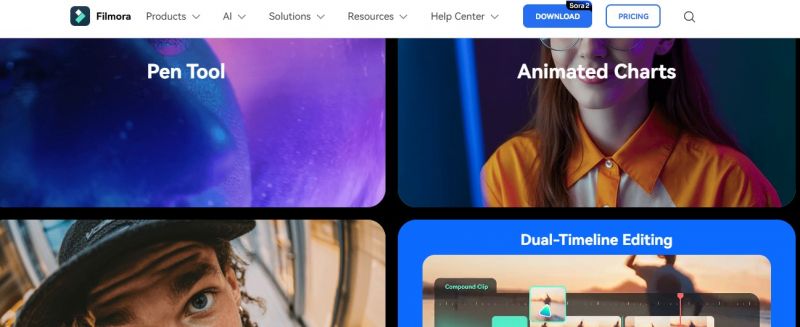
Software Demo & Screenshots

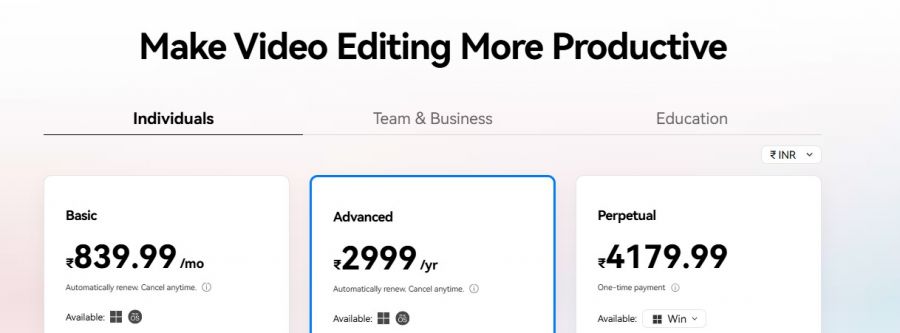
Filmora Pricing

Filmora Pricing Screenshot

*The price might have been changed, check the current pricing on the vendor's website.

Filmora Customers

Clients yet to be updated!

Top Competitors of Filmora

Logo Software Name Rating Reviews Starting Price Trial
Blender Logo Blender 3.9 94 0 USD ($) 1-7 Days
GoPlay Logo GoPlay 3.9 47 1 USD ($) 1-7 Days
Clideo Logo Clideo 3.9 36 9 USD ($) No
VideoProc Converter Logo VideoProc Converter 3.8 37 0 USD ($) 30 Days
Kdenlive Logo Kdenlive 3.8 73 0 USD ($) 1-7 Days

Filmora Reviews

Login to see more reviews of Filmora.

Software Category

Explore Other Top Video Editing Software