Table of Content
Browser automation behaves perfectly until it meets production. A script that collected a few hundred pages on your laptop starts returning empty bodies, CAPTCHAs, or altered HTML the moment it runs on a schedule. The cause is almost never the code. It is that every request now leaves from a single IP, and the target site has noticed.
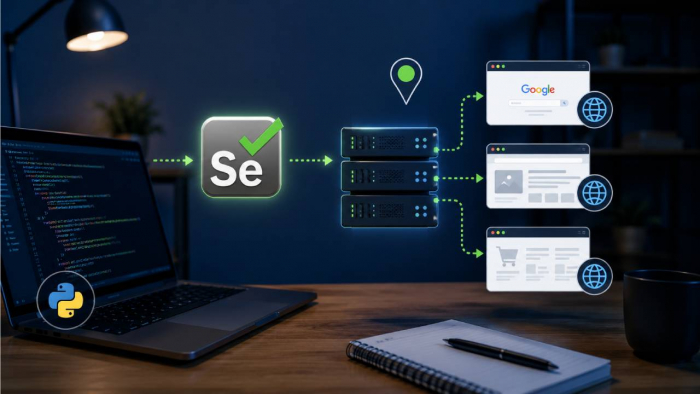
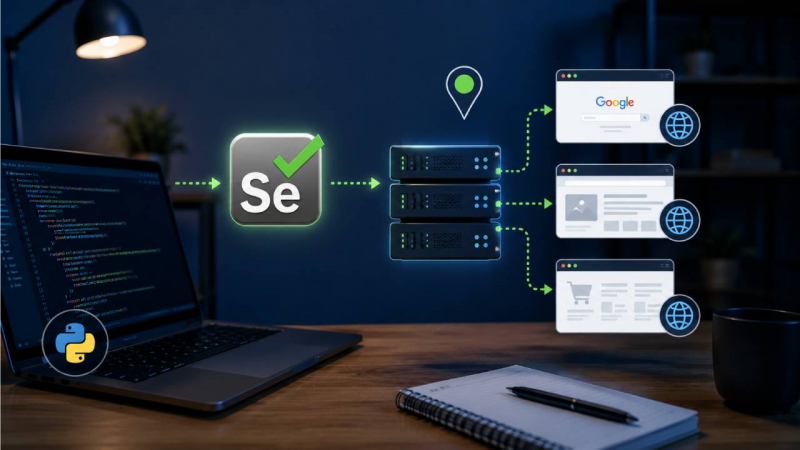
Routing the browser through an intermediary IP is the standard answer, and learning how to use a Selenium proxy server correctly is the difference between a scraper that survives a week and one that survives a quarter. This guide walks through the configuration that actually works in Selenium 4, the authentication problem that traps most people, rotation, and the leaks that quietly defeat an otherwise correct setup.
Why route Selenium through a proxy
There are three engineering reasons, and they rarely overlap with the marketing version of the story.
The first is request distribution. Most sites track frequency per IP, and a headless browser firing requests back to back looks nothing like a human. Spreading that traffic across multiple addresses keeps per-IP request rates inside the envelope a site tolerates, which is the practical way to avoid rate-limit throttling during large data-collection or SEO-monitoring jobs.
The second is location-accurate testing. E-commerce pages render different prices, currencies, and inventory depending on where the visitor appears to be. Routing Selenium through an IP in a specific country lets QA and analytics teams verify how a page actually renders for users in that region – the foundation of ad verification and localization testing.
The third is throughput. Each proxy lets you run another browser instance in parallel without all of them sharing one fingerprinted source. A job that takes ten hours single-threaded can finish in well under an hour across twenty workers, provided the proxies hold up.
The base case: an unauthenticated proxy
Selenium 4 dropped the old DesiredCapabilities proxy approach. The current, browser-native way is a single Chrome argument. This works cleanly when the proxy authorizes you by IP rather than by credentials.
from selenium import webdriver
from selenium.webdriver.chrome.options import Options
proxy = "198.51.100.23:8080"
options = Options()
options.add_argument(f"--proxy-server=http://{proxy}")
options.add_argument("--headless=new") # optional, works fine with a proxy
driver = webdriver.Chrome(options=options)
driver.get("https://httpbin.org/ip")
print(driver.find_element("tag name", "body").text)
driver.quit()
For a SOCKS5 endpoint, only the scheme changes:
options.add_argument("--proxy-server=socks5://198.51.100.23:1080")
SOCKS5 is worth preferring when the provider offers it, because it carries any TCP traffic the page generates rather than just HTTP. One caveat that catches people: confirm DNS is resolved through the proxy and not your local resolver. A misconfigured SOCKS setup can leak DNS queries from the host machine even while web traffic flows through the proxy, which partially defeats the point.
Handling proxy authentication: the 407 problem
The moment you switch to a credential-protected proxy, the simple approach breaks. Chrome silently ignores the user:pass@host:port form passed through --proxy-server, and the browser stalls on an authentication dialog or returns 407 Proxy Authentication Required. This is the single most common failure when people first learn how to use a Selenium proxy server with a paid plan.
There are three working routes, and the right one depends on whether you are prototyping or shipping.
The most common code-only fix is Selenium Wire, which intercepts the browser's traffic and injects credentials for you:
from seleniumwire import webdriver # pip install selenium-wire
seleniumwire_options = {
"proxy": {
"http": "http://user:[email protected]:8080",
"https": "http://user:[email protected]:8080",
"no_proxy": "localhost,127.0.0.1",
}
}
driver = webdriver.Chrome(seleniumwire_options=seleniumwire_options)
driver.get("https://httpbin.org/ip")
Selenium Wire is convenient, but be honest about the trade-off: its maintenance has slowed considerably, and the request-interception layer adds overhead and occasional TLS friction on hardened targets. For prototyping it is fine. For long-running production jobs, many teams move to a generated Chrome extension that handles onAuthRequired natively (the selenium-authenticated-proxy package builds one for you), or – cleaner still – they avoid the problem entirely with IP whitelisting.
IP whitelisting is the quiet winner for fixed infrastructure. You pre-authorize your server's outbound IP on the provider dashboard, drop the credentials, and fall back to the plain --proxy-server=http://host:port form. No 407, no extension, no interception overhead. The constraint is that it only suits machines with a stable source IP, which describes most CI runners and cloud workers but not a laptop on changing networks.
Rotating proxies for jobs that run long
A single IP, however clean, has a ceiling. Past a few hundred requests to the same host, even a well-behaved scraper starts drawing attention. Rotation spreads the load.
The mechanically simplest pattern is one fresh driver per proxy per session:
import random
from selenium import webdriver
from selenium.webdriver.chrome.options import Options
pool = ["198.51.100.23:8080", "203.0.113.12:8080", "192.0.2.44:8080"]
for url in target_urls:
options = Options()
options.add_argument(f"--proxy-server=http://{random.choice(pool)}")
driver = webdriver.Chrome(options=options)
try:
driver.get(url)
# scrape here
finally:
driver.quit()
The non-obvious lesson from doing this at volume: rotation only helps if the IPs are genuinely diverse. Cheap datacenter pools often sit on a handful of subnets, so a site that blocks one /24 effectively blocks your whole "rotation." Diversity of network origin matters more than the size of the list.
Diagnosing failures: a field reference
When a Selenium proxy job misbehaves, the symptom usually points straight at the cause. This table reflects the errors that actually show up in logs, not the theoretical ones.
| Symptom / status | Likely cause | Practical fix |
| 407 Proxy Authentication Required | Chrome ignored user:pass@ in the proxy URL | Use Selenium Wire, an auth extension, or switch the account to IP whitelisting |
| ERR_PROXY_CONNECTION_FAILED | Wrong port, dead proxy, or firewall blocking the egress port | Verify host:port, test the proxy with curl -x, open the port on the runner |
| 403 / 429 after a few good requests | Per-IP rate limit or flagged datacenter range | Slow the cadence, add jitter, move to ISP/residential IPs, rotate sooner |
| Slow loads, frequent timeouts | Oversubscribed shared proxy or distant exit node | Use dedicated IPs, pick an exit closer to the target, raise page-load timeout |
| Page renders for the wrong country | Exit IP geolocates elsewhere than expected | Choose a provider with reliable country targeting; verify with a geo-IP check |
| Your real IP appears in results | DNS or WebRTC leak, not a proxy failure | Confirm remote DNS; disable WebRTC in the browser profile |
That last row deserves its own section, because it is the failure people misdiagnose most often.
The leaks that quietly break automation
A proxy changes the IP your HTTP requests originate from. It does not, by itself, change everything a modern site can read about you. Two leaks routinely undo a correct proxy setup.
WebRTC can expose the machine's real local and public IP through the browser's media stack, entirely separate from the proxied HTTP path. If a target correlates the WebRTC-reported address against your "proxied" traffic, the mismatch is a clean bot signal. The proxy is working; the browser is betraying it. Disable WebRTC in the Chrome profile or block the relevant APIs before you trust the session.
The second is fingerprint and headless detection. --headless=new is far less detectable than the legacy headless mode, but the IP type still carries weight: datacenter ranges are pre-classified by most anti-bot vendors, while ISP and residential IPs read as ordinary users. No amount of clever Selenium code compensates for an IP that is already on a reputation blacklist.
Before trusting a proxied session in production, verify the basics:
● The exit IP reported by httpbin.org/ip matches the proxy, not your host.
● A DNS-leak check resolves through the proxy's network, not your local ISP.
● WebRTC reports no real address, or is disabled.
● The geolocation of the exit IP matches the region you intended to test.
Choosing the right proxy for the job
The hard truth after all the code is that proxy quality decides success far more than proxy configuration. Three variables matter: IP type, pricing model, and authentication options. IP type sets your block rate, the pricing model sets your cost ceiling, and the auth method determines whether you ever fight the 407 problem at all.
Pricing models split into two camps. Per-GB residential billing scales with traffic, which punishes browser automation specifically – Selenium loads full pages with images, fonts, and scripts, so a headful session burns bandwidth fast. Per-IP monthly billing, by contrast, gives a fixed cost and unmetered traffic on that address, which suits persistent, session-heavy automation and localized testing far better. The figures below were current in mid-2026; always confirm on the provider's live page.
| Provider | Pricing model | Entry price | SOCKS5 | Auth methods | Best fit for Selenium |
| Proxys.io | Per IP / month, dedicated | Foreign IPv4 from $1.47/IP; residential from $3.60/IP; IPv6 from $0.13 | Yes | IP whitelist + user:pass | Persistent localized sessions, account-stable automation, unmetered headful scraping |
| IPRoyal | Per IP (DC/ISP) + per GB (residential) | DC from $1.39/IP; ISP from $2.40/IP; residential from $7→$1.75/GB | Yes | IP whitelist + user:pass | Mixed residential and ISP workloads |
| Webshare | Per IP (DC) + per GB (residential) | DC from ~$0.03/IP at volume; residential from $0.99/GB | Yes | IP whitelist + user:pass | High-volume open-web scraping on a tight budget |
For Selenium specifically, two columns matter most. SOCKS5 support keeps non-HTTP traffic on the proxy path, and IP-whitelist authentication removes the 407 problem before it starts. A dedicated per-IP model such as Proxys.io fits the common automation case – a stable address you can whitelist once, with unmetered traffic so a heavy headful page does not quietly inflate the bill – across data-center, ISP, and residential tiers.
You have likely outgrown your current proxies when:
● Block rates climb on targets that worked last month, despite no code changes.
● A bandwidth-billed plan is costing more than the data is worth because full-page renders dominate usage.
● "Rotation" stops helping because the pool clusters on a few subnets.
Putting it together
Knowing how to use a Selenium proxy server is less about a single snippet and more about a chain that has to hold end to end: the right --proxy-server configuration, an authentication path that does not trip the 407, rotation across genuinely diverse IPs, and a browser profile that does not leak around the proxy you just set up.
Get the IP type right for the target, whitelist where you can to keep the setup simple, and verify the exit before you trust the run. The teams whose scrapers survive are not the ones with the cleverest code – they are the ones who treated the proxy as infrastructure rather than an afterthought.
For a deeper walkthrough of the authentication and verification steps in code, see the companion guide on using a proxy with Selenium.
Post Comment
Share your thoughts about this article.
Be the first to post a comment!