Table of Content
- TL;DR
- Why Users Are Leaving Otter AI
- What to Look for in an Otter AI Alternative
- #1. Bluedot - Best Otter AI Alternative Overall
- #2. Krisp AI - Great for Bot-Free AI Summaries
- #3. Fireflies AI - Best for CRM Integrations and Sentiment Analysis
- 4. tl;dv - Best for Async Teams and Video Highlights
- #5. Fathom - Best Free Plan for Individual Users
- #6. Grain - Best for Video Clips and Sales Enablement
- #7. Avoma - Best for Enterprise Sales Teams
- How We Chose These Otter AI Alternatives
- Why Bluedot Is the Best Otter AI Alternative
Otter AI was one of the first tools to make real-time transcription accessible to everyday professionals. For a while, it felt like a no-brainer. But fast forward to 2026, and a growing number of users are actively looking for a way out — frustrated by privacy concerns, aggressive marketing behavior, shrinking usage limits, and transcription quality that hasn't kept up with the competition.
If you're one of them, you're in the right place.
In this guide, we compare the 7 best Otter AI alternatives based on four criteria that matter most: data privacy, transcription accuracy, features (especially bot-free recording and language support), and pricing value. No filler — just the tools worth switching to, and the honest reasons why.
TL;DR
● Otter AI is losing users due to privacy lawsuits, aggressive spam tactics, shrinking usage limits, and poor transcription accuracy.
● Bluedot is the #1 Otter AI alternative: bot-free recording, 100+ languages, private transcripts by default, and full video recording support.
● Krisp AI is great for noise cancellation and bot-free summaries, but limited to 16+ languages and requires a desktop app for video.
● Fireflies AI excels at CRM integrations and sentiment analysis, but uses an intrusive bot and has billing transparency issues.
● tl;dv is a solid pick for async teams who need video highlights and affordable pricing, but its AI features on the free plan are extremely limited.
● Fathom offers the most generous free plan for individuals, but relies on a visible bot and caps AI summaries at 5 per month on the free tier.
● Grain shines for video clip creation and sales enablement workflows, but is bot-based and primarily built around HubSpot.
● Avoma is a powerful enterprise-grade platform with deal intelligence and pipeline analytics, but it's complex and expensive for smaller teams.
Why Users Are Leaving Otter AI
Despite being one of the category's pioneers, Otter AI has accumulated a serious list of complaints. Here's an honest look at what's driving people away.
1. It may misuse your data
Otter AI is the only AI note-taker to face a class-action lawsuit over its handling of user data, as of 2026. According to its Privacy & Security page, Otter trains its AI models on transcriptions and recordings made with the tool. While the company claims to "de-identify" data before training, the lawsuit alleges that personal information from user meetings is still being used.
For teams handling sensitive client conversations, this alone is a dealbreaker.
2. It spams your colleagues
Otter is notorious for its aggressive growth tactics. Many users report that the moment they sign up and connect a Google account, Otter begins sending invitation emails to their entire organization — without explicit permission.
"It's like a worm virus now which I have to try and prevent proliferating through our org." — Reddit user
The Otter bot also joins meetings automatically by default — including calls the user isn't even attending.
"Invades every meeting I have access to on my calendar, whether or not I am an attendee." — G2 review
3. It auto-shares transcripts with external clients
By default, Otter sends meeting transcripts to all participants, including external contacts. For customer-facing teams, this creates a real risk of leaking internal strategy, pricing discussions, or prospect notes.
"It started emailing transcripts directly to our clients, again without my consent." — G2 review
"You risk accidentally sending meeting notes from BEFORE someone joined to them after the call." — G2 review
4. It misuses account permissions
Users consistently report feeling tricked during onboarding. Otter asks for access to Google Calendar and contacts — and then uses that access to enroll colleagues in the platform without their knowledge.
"Everyone at my company somehow automatically had an account created... Support couldn't tell me why this happened." — G2 review
Even more troublingly, multiple users report that Otter continues joining meetings even after being removed from a Google account.
5. It's too expensive for what you get
Otter's pricing has undergone what many users call "shrinkflation" — the service has gotten more expensive while the actual limits have been slashed. Monthly transcription limits reportedly dropped from 6,000 minutes to 1,200 minutes, with tighter caps on file uploads.
"Their service went through a 'shrinkflation' — you're getting less monthly minutes allowance for what you pay for compared to the past." — Reddit user
As of 2026, Otter Pro costs $8.33/month (billed annually) or $16.99/month, with the Business plan at $20/month annually — and many users feel pushed into higher tiers just to get basic functionality back.
6. It only supports 4 languages
Otter AI supports English, French, Spanish, and Portuguese. Compared to tools like Bluedot (100+ languages) or Fireflies (30+ languages), this is a significant gap for global teams and international organizations.
7. It doesn't support video recording
While most Otter AI alternatives support native video recording on platforms like Google Meet, Zoom, and Teams, Otter AI does not. You can import video files from other tools, but there's no built-in recording option — a glaring omission in 2026.
8. Its transcription is often inaccurate
The most consistent user complaint is that Otter's transcripts require extensive manual editing to be usable.
"Otter.ai's transcriptions are absolute garbage... I always have to go in and spend a frustrating amount of time changing speakers and manually transcribing chunks of dialogue." — Reddit user
"It might miss the mark for sections of the conversation and just transcribe total gibberish." — Reddit user
What to Look for in an Otter AI Alternative
Before diving into the list, here's the evaluation framework we used — and what you should keep in mind when making your decision:
Data privacy: Does the tool train AI models on your conversations? Are transcripts private by default?
Bot-free recording: Does a visible bot join your meetings as an extra participant — or does the tool record discreetly in the background?
Transcription accuracy: How well does it handle multiple speakers, accents, and technical terminology?
Language support: How many languages are supported for transcription and AI summaries?
Video recording: Can it record full video — not just audio — of your meetings?
Integrations: Does it connect with your CRM (Salesforce, HubSpot), Slack, Notion, and other tools in your workflow?
Pricing value: Does the free plan offer real functionality? Are paid plans fairly priced without hidden shrinkflation?
#1. Bluedot - Best Otter AI Alternative Overall
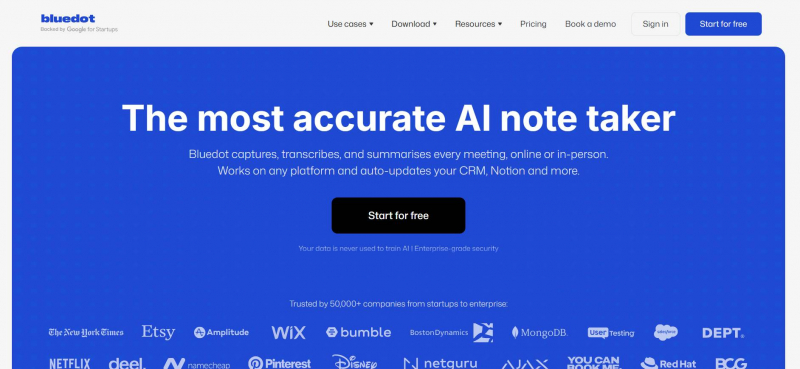
Bluedot is a bot-free AI note taker that works through a Chrome extension or desktop/mobile apps (macOS, Windows, iOS, Android). It records, transcribes, and summarizes your meetings without ever appearing as a participant in the attendee list — making it the most privacy-conscious and least disruptive option on this list.
Bluedot vs. Otter AI
If Otter's biggest problems are privacy, intrusiveness, and missing features — Bluedot solves all three, and then some.
No bot, no awkward attendee. Bluedot records entirely on your end via a Chrome extension. Your meeting participants never see an extra bot join the call. For client-facing teams or anyone recording sensitive discussions, this is the single most important differentiator.
Transcripts are private by default. Unlike Otter, Bluedot does not automatically share transcripts with participants. You decide who sees what, every time. There's no risk of meeting notes accidentally landing in a prospect's inbox or an internal strategy doc reaching the wrong hands.
100+ languages. Bluedot supports transcription and AI summaries in over 100 languages — from Hindi and Japanese to German, Portuguese, Ukrainian, and dozens more. Otter supports four. For global teams, this isn't a nice-to-have; it's essential.
Full video recording. Bluedot supports video recording on Google Meet, Microsoft Teams, Zoom, and other major platforms — something Otter AI still doesn't offer natively.
High transcription accuracy and clean summaries. Bluedot generates structured, well-organized meeting notes with minimal editing required. It also includes an AI chatbot that lets you ask questions about past meetings, search across recordings, and extract specific details without scrolling through full transcripts.
No misuse of calendars or contacts. Bluedot doesn't spam your colleagues, send unauthorized invites, or continue joining meetings after you've disconnected it. Users report zero of the account permission issues that plague Otter.
Straightforward pricing. Bluedot offers a free plan (limited to 5 lifetime meetings), with paid tiers that provide unlimited transcriptions without the minute caps or shrinkflation that characterize Otter's offering.
Bluedot Pricing
Bluedot's free plan gives you 5 lifetime meetings to test the product. Paid plans provide unlimited meetings, video recording, full language support, and access to the AI chatbot and integrations. Unlike Otter, paid tiers don't impose monthly minute limits, making Bluedot a significantly better value for teams with high meeting volume.
Bluedot Pros and Cons
| ✅ Pros | ❌ Cons |
| Bot-free recording via Chrome extension — never appears in the attendee list | Free plan is limited to 5 lifetime meetings (no recurring monthly allocation) |
| Transcripts are private by default; full control over sharing | Requires Chrome extension or desktop app (no purely browser-based option) |
| 100+ languages for transcription and summaries | |
| Supports video recording on Google Meet, Teams, Zoom, and more | |
| No misuse of calendar or contacts permissions | |
| AI chatbot for querying past meetings | |
| Available on Chrome, macOS, Windows, iOS, and Android |
#2. Krisp AI - Great for Bot-Free AI Summaries
Krisp AI is best known as a noise-cancellation tool, but it has evolved into a full AI meeting assistant with transcription, summaries, and bot-free recording. Like Bluedot, it records without joining as a visible participant — which is a significant advantage for teams who find bots disruptive.
Krisp AI vs. Otter AI
Krisp avoids the most egregious Otter problems. It doesn't send unauthorized invites to your contacts, and you don't have to worry about it continuing to join meetings after you've disconnected it. The recording is done locally on your device, giving you more control over what's captured.
In terms of features, Krisp AI offers solid transcription, accurate AI summaries, and useful premium features like AI agendas — which generate prep notes from past meetings before your next call with the same contact.
Krisp supports video recording, but only through its desktop app — not via a browser extension. This is a step below Bluedot's seamless Chrome-based experience, but still a major upgrade over Otter, which doesn't support native video recording at all.
The language gap is more notable. Krisp supports 16+ languages beyond English, which is better than Otter's four — but still significantly behind Bluedot's 100+. If your team works across languages outside the major European set, Krisp may not cover your needs.
Mobile apps on Krisp are also restricted to paid users, which limits its usefulness for in-person meeting recording without an upgrade.
Krisp AI Pricing
Krisp's free trial lasts 7 days, after which you need to move to a paid plan. Individual paid plans start at around $16/month. There's no permanently free tier with meaningful functionality, making it a less accessible entry point than Fathom or Bluedot for users who want to evaluate the product before committing.
Krisp AI Pros and Cons
| ✅ Pros | ❌ Cons |
| Bot-free setup — never joins meetings as a visible participant | Supports only 16+ languages (vs. 100+ in Bluedot) |
| No unauthorized invites or calendar permission abuse | Mobile apps are only available on paid plans |
| Strong noise cancellation — best in class | Video recording requires the desktop app (not available via browser) |
| Solid transcription accuracy and clean AI summaries | No permanently free tier — 7-day trial only |
| AI agendas: prep notes based on past calls with the same contact |
#3. Fireflies AI - Best for CRM Integrations and Sentiment Analysis
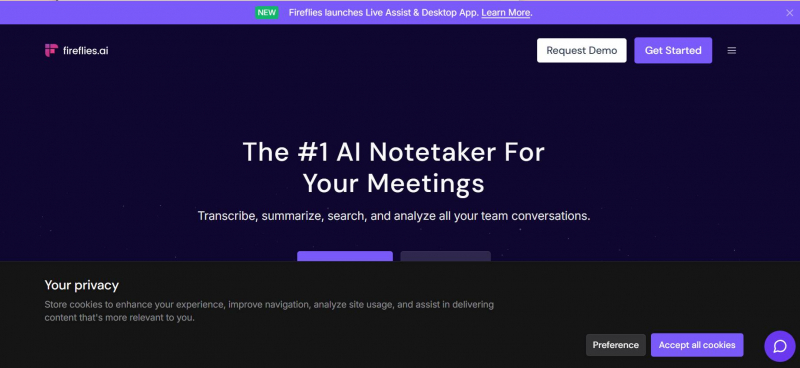
Fireflies AI is an AI meeting assistant built for sales and customer success teams. It records meetings via a bot, generates transcripts and summaries, and integrates natively with Salesforce, HubSpot, Notion, Slack, Asana, and 30+ other tools. It's also one of the only tools on this list with dedicated sentiment analysis — providing a post-call summary of each participant's mood and engagement level.
Fireflies AI vs. Otter AI
Fireflies solves several problems that drive users away from Otter. Most importantly, Fireflies publicly states that it never uses your meeting content to train AI models — a direct contrast to Otter's approach and a major reassurance for teams handling confidential conversations.
Fireflies supports transcription in 30+ languages — well ahead of Otter's four, though still behind Bluedot's 100+. Its transcription quality is generally more reliable than Otter's, though some users report issues with accents and fast speakers.
The CRM workflow is where Fireflies genuinely shines. If your team lives in Salesforce or HubSpot and needs meeting insights to flow automatically into deal records and contact notes, Fireflies makes that seamless. Sales and CS teams find real value in the automated action item extraction and CRM sync.
The main drawback is the bot. Unlike Bluedot and Krisp, Fireflies joins your meetings as a visible participant. For sensitive client calls or external meetings where professionalism is paramount, this can feel awkward or intrusive — and some clients push back on being recorded by an AI bot they didn't consent to.
Some users have also reported issues with deceptive billing practices on plan changes, so it's worth reviewing the subscription terms carefully before committing.
Fireflies AI Pricing
Fireflies offers a free plan with limited storage and monthly transcription caps. Paid plans (Pro starting at $10/seat/month annually) unlock unlimited transcription, advanced AI features, and CRM integrations. The best features — like deeper CRM automation and advanced analytics — require the higher-tier Business plan.
Fireflies AI Pros and Cons
| ✅ Pros | ❌ Cons |
| Strong native CRM integrations (Salesforce, HubSpot, Notion, Slack, 30+ more) | Relies on a meeting bot, which some clients find intrusive |
| Does not train AI models on your meeting data | Some users report issues with accents and technical terminology |
| Sentiment analysis: post-call mood and engagement insights | Advanced features (unlimited storage, deep CRM sync) require higher-tier plans |
| Supports 30+ languages — significantly better than Otter | Reports of confusing billing practices on plan changes |
| Generally more reliable transcription than Otter |
4. tl;dv - Best for Async Teams and Video Highlights
tl;dv (short for "too long; didn't view") is an AI meeting recorder built around the idea that most meeting content should be shareable and digestible after the fact. It supports recording on Zoom, Google Meet, and Teams, generates AI summaries, and lets users create timestamped clips of key moments — making it popular with async-first teams, UX researchers, and product teams who need to share context across time zones.
tl;dv vs. Otter AI
tl;dv addresses several of Otter's core weaknesses. Transcription quality is more reliable, language support extends to 30+ languages, and there's no history of the kind of spam and permission abuse that plagues Otter.
Like most tools on this list, tl;dv uses a bot participant — so it's not a bot-free option. But the clip-and-share workflow is genuinely well-executed. If your team regularly needs to share "here's what the client said" moments without asking someone to watch a full recording, tl;dv makes that fast and easy.
The free plan is technically generous on recordings, but the 10 lifetime AI-powered summaries cap is a significant constraint. In practice, most users who rely on AI notes professionally will need to upgrade to Pro ($10/month annually) quickly.
One limitation worth noting: tl;dv has no native mobile app, which makes in-person meeting recording impossible — a gap if your team mixes virtual and in-person calls.
tl;dv Pricing
tl;dv's free plan includes unlimited recording but only 10 AI-powered summaries for the lifetime of the account. Pro costs around $10/month (annually), and the Business plan (which adds sales intelligence features comparable to Gong) jumps to $59/month — a significant price gap between tiers.
tl;dv Pros and Cons
| ✅ Pros | ❌ Cons |
| Excellent clip creation and async sharing workflow | Bot-based recording — visible in attendee list |
| Affordable Pro plan ($10/month) | Free plan limited to 10 lifetime AI summaries (not per month — ever) |
| 30+ language support | No native mobile app — in-person meetings not supported |
| Strong for product research and UX teams | Interface can feel cluttered for new users |
| Good CRM integrations on Business plan | Large price jump from Pro ($10) to Business ($59) |
#5. Fathom - Best Free Plan for Individual Users
Fathom is an AI meeting assistant with one of the most generous free tiers in the category. It provides unlimited recording, unlimited transcription, and unlimited storage for individual users at no cost — a compelling offer for freelancers, consultants, and professionals who just want to stop taking notes manually. AI summaries are capped at 5 per month on the free plan, but the core recording functionality has no time limits or monthly caps.
Fathom vs. Otter AI
Fathom's free plan immediately outshines Otter's. Where Otter caps free users at 300 minutes of transcription per month with a 30-minute per conversation limit, Fathom imposes no such restrictions on the recordings themselves.
Transcription quality is solid — the platform claims around 95% accuracy, and user reviews generally confirm it handles clear audio well. Summaries arrive within 30 seconds of a call ending, which is among the fastest in the category.
Like most tools, Fathom uses a bot participant named "[Your Name]'s Fathom Notetaker." It's more personalized than a generic "AI Notetaker," but it's still a visible extra attendee. On higher plans, users can rename and rebrand the bot, but it remains visible.
For teams, Fathom requires upgrading from the free individual tier. Team plans start at $15/user/month (annually), and CRM sync with Salesforce and HubSpot is gated behind the Business plan ($25/user/month annually). The free plan also doesn't include a mobile app, so in-person meetings aren't supported without an upgrade.
Fathom Pricing
Free plan: unlimited recordings and transcriptions, 5 AI summaries/month. Premium: $16/month (annually) for unlimited AI summaries. Team: $15/user/month (annually). Business: $25/user/month (annually), adds CRM field sync and coaching analytics.
Fathom Pros and Cons
| ✅ Pros | ❌ Cons |
| Best-in-class free plan for individuals: unlimited recording and storage | Free plan caps advanced AI summaries at 5 per month |
| Fast AI summaries — delivered within ~30 seconds of meeting end | Visible bot joins every call (cannot be removed entirely) |
| Solid transcription accuracy for clear, English-language audio | No mobile app — in-person meetings not supported on any plan |
| Good selection of AI summary templates (15+ templates) | CRM integration (Salesforce/HubSpot field sync) requires Business tier |
| SOC 2, GDPR, and HIPAA compliant | Limited language support (28 languages vs. 100+ in Bluedot) |
#6. Grain - Best for Video Clips and Sales Enablement
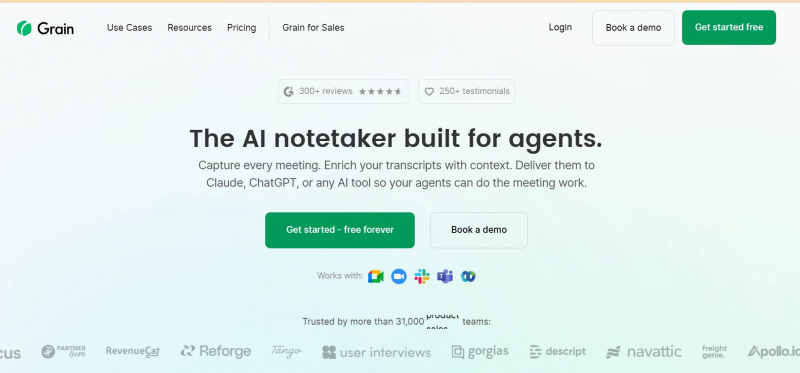
Grain is an AI meeting recorder built specifically for sales, customer success, and product teams who need to capture, organize, and share customer moments. Its standout feature is a best-in-class video clip workflow: users can select any part of a transcript, turn it into a shareable video clip, and push it directly to HubSpot deal records or share it with colleagues via organized playlists and "stories."
Grain vs. Otter AI
Grain addresses Otter's reliability problems with more consistent transcription and a much stronger post-meeting workflow. AI summaries are generated automatically, action items are identified, and follow-up emails can be drafted with one click.
Language support has expanded significantly — Grain now supports 100+ languages for AI transcription and notes, matching Bluedot and putting it well ahead of Otter's four.
Like Fireflies and Fathom, Grain uses a bot participant. There's no bot-free option, which remains a limitation for teams where client-facing discretion matters.
The pricing is reasonable for what you get. A free plan includes unlimited recordings and basic AI summaries, though the highlight cap (3 hours of AI highlights per month) will push active sales teams toward the Starter plan at $15/seat/month. The Business plan at $33/seat/month adds deeper analytics and custom branding.
One notable issue flagged in user reviews: Grain locks you out of your own recordings if you downgrade your plan. Several users report being unable to export meeting transcripts without paying for an upgraded tier first — a data ownership concern worth factoring in.
Grain Pricing
Free plan: unlimited recordings, basic AI summaries, 3 hours of AI highlights/month. Starter: $15/seat/month — unlocks unlimited AI highlights, HubSpot sync, and shareable clips. Business: $33/seat/month — adds coaching features, deeper analytics, and custom branding.
Grain Pros and Cons
| ✅ Pros | ❌ Cons |
| Best-in-class video clip creation and sharing workflow | Bot-based recording — visible in attendee list |
| 100+ languages for transcription | Users report being locked out of recordings on plan downgrades |
| Strong HubSpot integration with auto CRM sync | Salesforce users have fewer native sync options |
| Unlimited recordings on all plans (including free) | No mobile app — in-person meetings not supported |
| Solid for sales enablement, coaching libraries, and customer story capture | Limited advanced analytics compared to Gong or Avoma |
#7. Avoma - Best for Enterprise Sales Teams
Avoma is the most feature-rich platform on this list — an end-to-end AI meeting assistant and revenue intelligence platform designed for sales-driven organizations. It combines automated recording and transcription with conversation intelligence (talk-ratio analysis, topic tracking, coaching scorecards) and revenue intelligence (deal risk scoring, pipeline forecasting, CRM automation). Think of it as a mid-market alternative to Gong at a fraction of the price.
Avoma vs. Otter AI
Avoma and Otter AI are playing in very different leagues. Where Otter tries to be a general-purpose note-taker, Avoma is purpose-built for revenue teams that need structured data flowing from every customer conversation into their CRM and pipeline reviews.
The transcription quality is solid, and Avoma's AI summaries are structured around specific sales methodologies — MEDDIC, BANT, SPICED, and custom frameworks — which makes post-call analysis actionable rather than generic. Managers get coaching scorecards, deal risk alerts, and rep performance data without manually reviewing recordings.
The trade-off is complexity and cost. Avoma's pricing is modular: a base AI Meeting Assistant plan ($19/user/month, Startup tier) is required for all users, with add-on modules for Conversation Intelligence ($29/seat) and Revenue Intelligence ($39/seat). For a small team just looking for a clean note-taker, this is significant overkill.
Avoma also uses a bot participant and currently only supports English — a notable gap for international teams. Users praise the customer support and the value compared to Gong, but some note that the interface has a learning curve and that advanced analytics dashboards could be more flexible.
Avoma Pricing
Startup (base): $19/user/month. Organization: higher tier with advanced collaboration and automation. Enterprise: custom pricing. Add-on modules: Conversation Intelligence ($29/seat/month), Revenue Intelligence ($39/seat/month). 14-day free trial available with all features included.
Avoma Pros and Cons
| ✅ Pros | ❌ Cons |
| Powerful deal intelligence: risk scoring, pipeline forecasting, win/loss analysis | Complex pricing structure — modules stack quickly |
| AI coaching scorecards with MEDDIC/BANT/SPICED support | Currently only supports English — significant gap for international teams |
| Significantly cheaper than Gong for comparable revenue intelligence features | Uses a bot participant (not bot-free) |
| Strong CRM automation: auto-updates fields, flags deal risks proactively | Overkill for small teams or individual users |
| Integrates with Salesforce, HubSpot, Pipedrive, and more | Some users report contract flexibility issues and bugs |
| 14-day free trial with full feature access | Steep learning curve for the full platform |
How We Chose These Otter AI Alternatives
To build this list, we didn't just rely on feature pages and pricing tables. We evaluated each platform against the specific pain points that drive users away from Otter — because a tool that solves different problems isn't actually an alternative.
Data privacy and trust was our first filter. Any tool that trains AI models on user meeting data without clear, explicit opt-out mechanisms was deprioritized. Transparency about data handling — especially for teams with sensitive client conversations — is non-negotiable.
Intrusiveness was the second filter. Otter's aggressive onboarding, automatic bot behavior, and unauthorized email sending have eroded user trust significantly. We prioritized tools with clean permission models and no history of contact-list abuse.
Value for money was evaluated in context. We looked not just at sticker price, but at what you actually get for each dollar — especially given how aggressively Otter has cut features while raising prices.
Transcription accuracy and reliability was tested across multiple languages and audio conditions, with user reviews from G2, Reddit, and Capterra used to triangulate real-world performance.
Finally, we evaluated features that Otter lacks: native video recording, multilingual support (especially beyond 4 languages), and bot-free recording options.
Why Bluedot Is the Best Otter AI Alternative
When you stack every tool in this list against the core reasons users leave Otter, Bluedot wins across the board — not on one or two metrics, but on every axis that matters.
It's bot-free, so your meetings stay professional and your clients never see an unexpected AI participant. Transcripts are private by default, so you control who sees your meeting notes — no accidental sharing to prospects, no internal discussions leaking to external contacts. It supports 100+ languages, making it the only tool on this list that genuinely works for global teams of any composition. And it supports full video recording on all major platforms: Google Meet, Zoom, Microsoft Teams, and more.
Unlike Otter's ever-tightening limits, Bluedot's pricing is transparent and doesn't punish loyal users with shrinkflation. And unlike tools that require complex enterprise onboarding, Bluedot works immediately via a Chrome extension or desktop app — with zero meeting disruption.
If you're looking for an AI meeting assistant that works quietly in the background, keeps your data private, and actually delivers accurate notes without making your colleagues uncomfortable — Bluedot is the clear choice.
Post Comment
Be the first to post comment!