
QuickBooks Desktop Pro organizes accounting tasks through automated bookkeeping that learns categorization of income and expenses to match and record transactions. It handles invoicing with payment reminders, expense tracking, bill pay, payroll scheduling, time tracking, and inventory management. Users access sales tax automation, project cost tracking, and lending options. The software supports bank feeds for reconciliation, receipt capture, and reports on cash flow and profitability. Desktop installation enables local data management with features like advanced processing power and document uploads via mobile app.
Automates bank reconciliation with advanced matching rules[2]
Receipt capture simplifies expense tracking[2]
Smart Help directs to relevant resources quickly[2]
64-bit processing improves performance[3]
Requires local installation without native cloud access
Advanced inventory features limited to Enterprise version[2]
Setup of bank feed rules demands initial time investment[2]
Some features like customer prepayments exclusive to Enterprise[5]
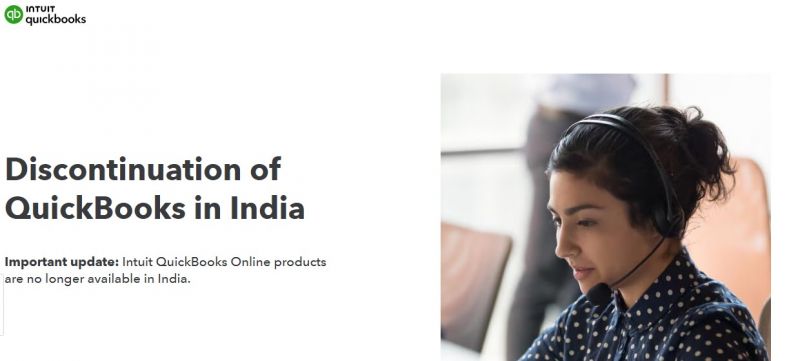
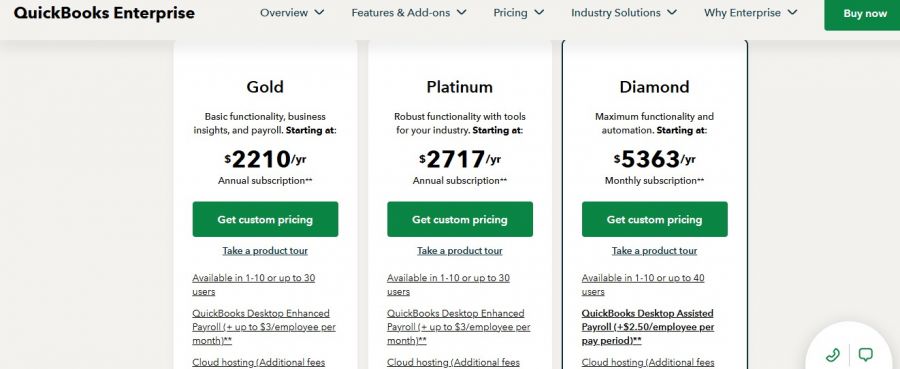
*The price might have been changed, check the current pricing on the vendor's website.
Clients yet to be updated!
| Logo | Software Name | Rating | Reviews | Starting Price | Trial |
|---|---|---|---|---|---|
 |
RentRedi | 4.4 | 78 | 19 USD ($) | 7 Days |
 |
Kashoo | 4.1 | 11 | 30 USD ($) | 14 Days |
 |
Botkeeper | 4.1 | 63 | 0 USD ($) | 0 Days |
 |
Xero | 4 | 9 | 2 USD ($) | 30 Days |
 |
GTS Services | 4 | 9 | 70 USD ($) | No |

NetSuite Cloud Accounting Software

Free Online Accounting Software

Simple and Fast Accounting Software

Smart Tools. Better Business.

All-in-one accounting: invoices, expenses, time tracking & more.
Accounting software to do your to-do.