Popular: CRM, Project Management, Analytics

Home > Software Directory > OBS Studio
OBS Studio

OBS Studio

Free and open-source software for live streaming and recording.

OBS Studio Overview

OBS Studio is a free and open-source application for capturing, compositing, encoding, recording, and streaming video content. Written in C/C++ and built with Qt, it provides real-time scene composition and supports multiple streaming protocols including RTMP, HLS, SRT, RIST, and WebRTC. The software can stream to any RTMP-supporting destination such as YouTube, Twitch, Instagram, and Facebook. OBS Studio runs on Windows, Linux, and macOS, with no watermarks added to recordings or broadcasts. It supports multiple video codecs (H.264, H.265, AV1) and audio formats (AAC, Opus), making it suitable for both simple screen captures and complex multi-source productions with overlays and transitions.

More About OBS Studio

How the tool works:

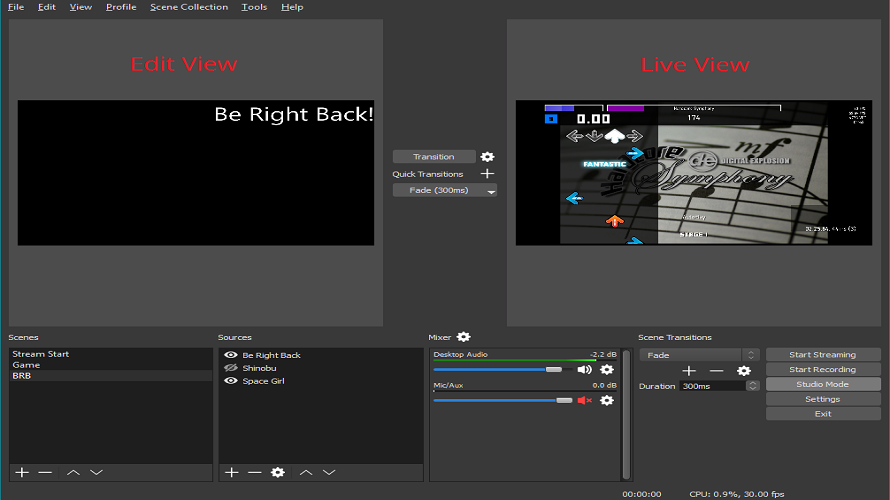
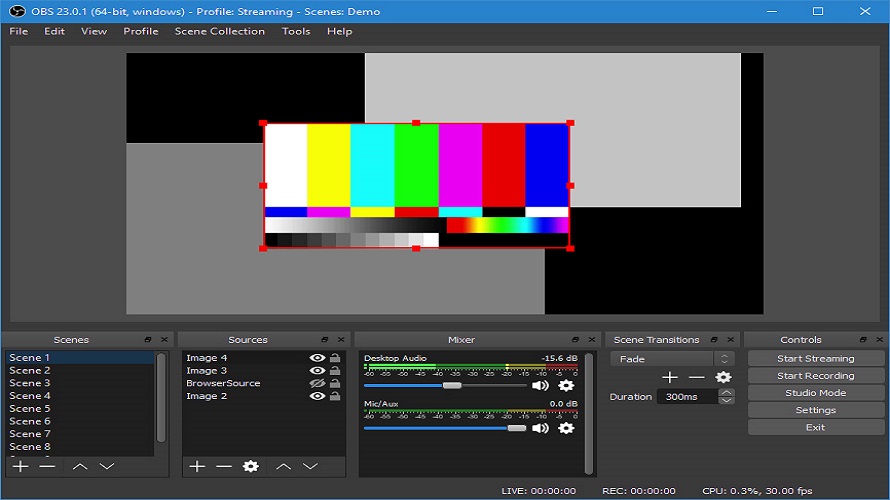
OBS Studio captures video and audio sources from a user’s system, arranges them into scenes, and encodes the output for live streaming or local recording. Users manage scenes, transitions, audio levels, and output settings through a desktop interface.

unique features:

  • Fully free and open source
  • High level of customization via plugins and scripts
  • Broad platform compatibility (Windows, macOS, Linux)
  • High-quality local video recording
  • Scene-based video composition with multiple sources
  • Audio mixing with per-source controls and filters
  • Real-time video and audio capture from cameras, microphones, screen, and applications
  • Studio Mode for previewing scenes before going live
  • Extensive plugin and extension support
  • Cross-platform support for Windows, macOS, and Linux

Pros & Cons

Pros:

Free, open‑source, no watermark or time limits

Highly customizable scenes, multiple inputs and overlays

Great for multi‑camera, pro‑looking live streams

Strong audio mixer with filters, sync, noise gate

Huge plugin ecosystem and active support community

Cons:

Demands powerful hardware; can overheat weak PCs

No native cloud sync, mobile remote control yet​

Many advanced features buried deep in settings
Software Trial

1-7 Days

Free Version

Yes

Licensing Type

Proprietary

OBS Studio Starting Price

Free

Vendor Pricing Page

See Pricing

OBS Studio Software Features

Access Control Audio Mixer Multiviewer Session Recording Streaming Production Customizable Branding Video Capture Export & Social Sharing Recording Timer Subtitle Editing Video Editing Video Effects Audio Tools Digital Effects Frame Accuracy Image/Text Overlay Media Library Speed Adjustment Split/Merge Video Stabilization Video Titling Collaboration Tools Privacy Options Social Sharing Text Overlay Text to Video

OBS Studio Specification

Starting Price

Free

Price Type

Free

Currency

USD ($)

Subscription

N/A

Deployment Type

  • On Premises

Supported Platforms

  • Web-Based
  • Windows
  • Mac
  • Linux

Technical Support

  • Email

Training Resources

  • Documentation
  • Help Guides
  • In-Person Training

Software Demo & Screenshots

OBS Studio Pricing

Pricing yet to be updated!

OBS Studio Customers

Clients yet to be updated!

Top Competitors of OBS Studio

Logo Software Name Rating Reviews Starting Price Trial
Webex Logo Webex 3.8 49 0 USD ($) 30 Days
GoToWebinar Logo GoToWebinar 3.8 97 0 USD ($) 7 Days
Eyeson Logo Eyeson 3.8 95 0 USD ($) 14 Days
Vimeo Logo Vimeo 3.8 94 0 USD ($) 30 Days
LiveReacting Logo LiveReacting 3.8 43 0 USD ($) 1 month

OBS Studio Reviews

Login to see more reviews of OBS Studio.

Software Category

Explore Other Top Live Streaming Software