Popular: CRM, Project Management, Analytics

Home > Software Directory > Inkscape
Inkscape

Inkscape

Professional vector graphics

Inkscape Overview

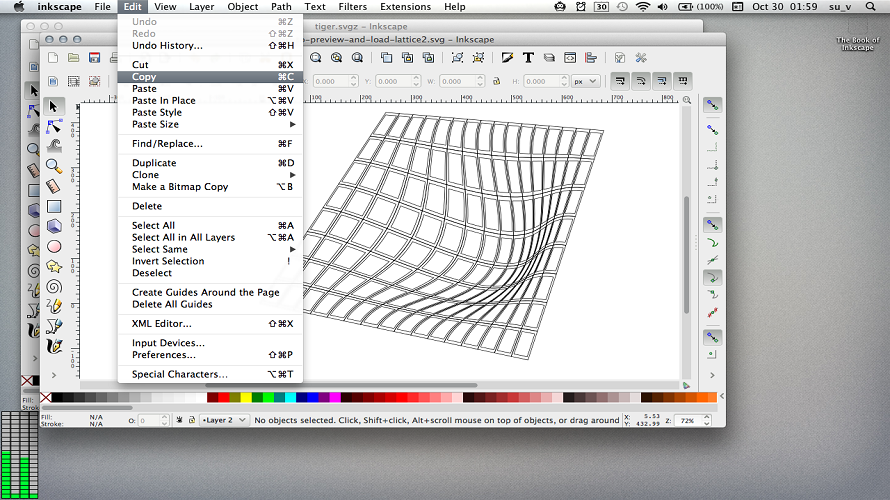
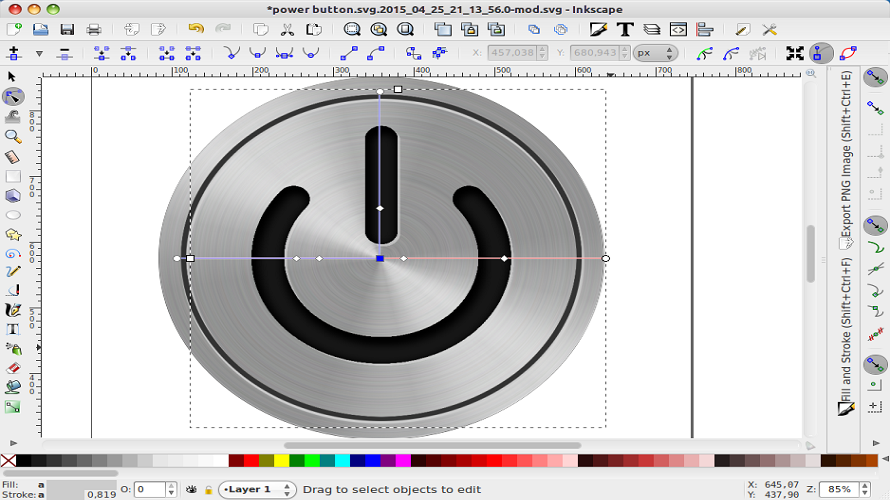
Inkscape provides a free and open-source vector graphics editor for creating illustrations, diagrams, flowcharts, logos, and technical drawings. It supports object creation with tools for paths, shapes, text, and clones. Users manipulate objects through transformations, grouping, layers, alignment, and path operations. Fill and stroke options include gradients, patterns, dashes, and markers. The editor handles SVG format editing, XML tree viewing, and extensions for additional functions. It renders scalable vector graphics unbound by pixel resolution.

More About Inkscape

  • Object creation: pencil, pen (Bézier curves), calligraphy, rectangles, ellipses, stars/polygons, spirals, text
  • Object manipulation: moving, scaling, rotating, skewing, grouping, layers, alignment, distribution
  • Fill and stroke: color selector (RGB, HSL, CMYK), gradient editor, pattern fills, dashed strokes, path markers
  • Path operations: Boolean (union, difference, intersection), node editing, live path effects
  • Text support: multi-line, kerning, text on path
  • File formats: SVG compliant generation and editing, XML editor
  • Clones, bitmap tracing, filters, extensions

Pros & Cons

Pros:

Free and open-source with no licensing costs

Cross-platform support on Windows, macOS, Linux

Full SVG standard compliance for scalable graphics

Extensive toolset matching commercial editors like Illustrator

Cons:

Performance lags on large, complex documents

Limited native 3D capabilities beyond basic boxes
Software Trial

1-7 Days

Free Version

Yes

Licensing Type

Proprietary

Inkscape Starting Price

Free

Vendor Pricing Page

See Pricing

Inkscape Software Features

Collaboration Data Import/Export Diagram Layouts Drawing Tools Organizational Charting Shapes and Graphics Auto Shapes Blending Clip Arts & Symbols Color Management Custom Brushes Dimensioning Export Freehand Tools Paint Tools Diagramming Drag & Drop Interactive Elements Publishing / Sharing Text to Chart Image Editor Artboards Drag and Drop Filtering Image Database Symbols/Styles Multiple Pages Batch Editor Blur Image Collage Maker Contrast Change & Brightening Crop Photo Image Merging Image Slicing Noise Reduction Photo Frames Resize Image Storage Animation Import/Export Logo Creation Object Creation Object Manipulation Special Effects

Inkscape Specification

Starting Price

Free

Price Type

Free

Currency

USD ($)

Subscription

N/A

Deployment Type

  • On Premises

Supported Platforms

  • Web-Based
  • Windows
  • Mac
  • Linux

Technical Support

  • Email

Training Resources

  • Documentation
  • Help Guides
  • In-Person Training
  • Videos

Software Demo & Screenshots

Inkscape Pricing

Pricing yet to be updated!

Inkscape Customers

Clients yet to be updated!

Inkscape Reviews

Login to see more reviews of Inkscape.

Software Category