
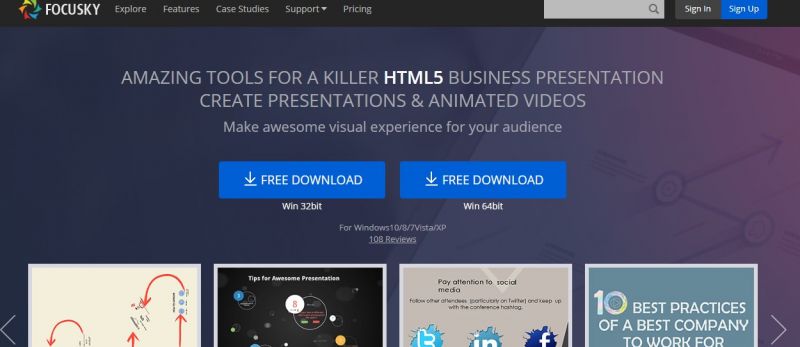
Focusky enables creation of HTML5 presentations and animated videos through a user-friendly interface with drag-and-drop on an unlimited canvas. It focuses on mind-mapping style workflows, replacing slide-to-slide patterns with zooming, panning, and 3D camera effects for cinematic output. Presentations incorporate multimedia like video backgrounds, WordArt, animated characters, charts, SVG icons, and interactive elements. Content imports from PPT files, supports whiteboard animations, voiceover recording, and exports to HTML, MP4, EXE, APP, or cloud hosting for multi-device access. Unlike traditional tools, it emphasizes path-based discovery and rich media integration for visual engagement.
| Plan / Detail | Price (approx.) | Key Notes |
|---|---|---|
| Base subscription | About $10/month | Mentioned by G2 user as their active paid subscription.Plan-Price-Notes.csv |
| Free version | $0 | Can use online, but offline download and narration blocked. |
| Paid (general) | Higher than rivals | Some users feel it’s “a bit pricey” vs. Powtoon, others. |
| Export options (paid) | Included | EXE, video, GIF, HTML5, ZIP exports available on paid. |
3D zooming canvas feels visually dynamic.
Rich animations, audio and video support.
Large built‑in content and template library.
Works offline after desktop app install.
Visual style underwhelming for Prezi‑used audiences.
Needs strong hardware for smooth video rendering.
Embedding or streaming videos can be unreliable.
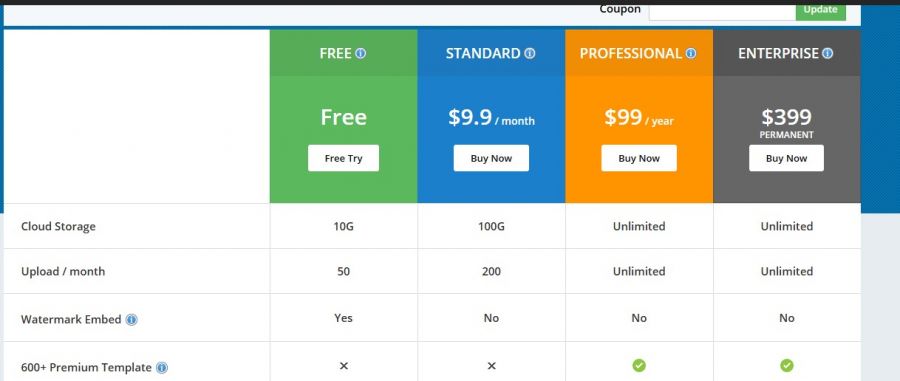
*The price might have been changed, check the current pricing on the vendor's website.
Clients yet to be updated!
| Logo | Software Name | Rating | Reviews | Starting Price | Trial |
|---|---|---|---|---|---|
 |
Visme | 3.9 | 12 | 12 USD ($) | 1-7 Days |
 |
Hypersay | 3.9 | 36 | 0 USD ($) | More than 30 days |
 |
Glance Screen Share | 3.9 | 99 | 0 USD ($) | 7 Days |
 |
Webex | 3.8 | 49 | 0 USD ($) | 30 Days |
 |
Slidebean | 3.8 | 96 | 0 USD ($) | 7 Days |
Video Conferencing and Webinar solutions
Speak Loudly. Speak Visually.
AI Pitch Deck Creator + Pitch Deck Design Agency

AI presentations that engage your audience in minutes

Easy to presentation maker

FlowVella: Interactive Presentation App | Presentation Software