
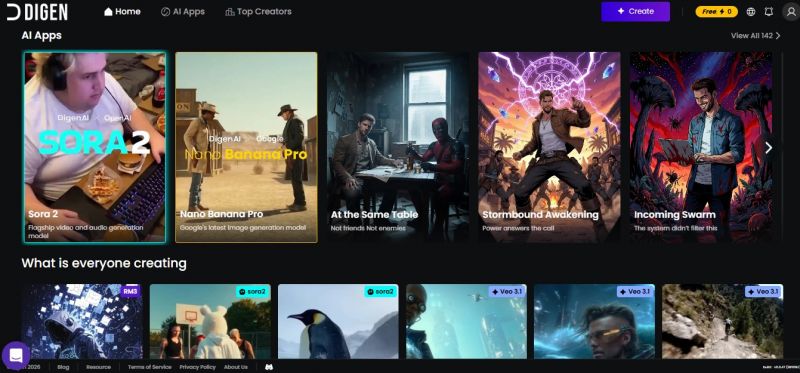
Digen AI can use text, images, or scripts to create a video. The AI adds motion, voice, and visuals automatically, so you don’t need any editing skills. It supports 50+ voice avatars across multiple languages, real-time conversion, and downloadable audio formats. Users can customize pitch, speed, and intonation for professional-quality results. The platform also integrates with APIs for workflow automation.
Multiple voice narration language options
Templates with brand color customization
Continuous learning model improves outputs
Text + image multimodal generation support
Payment can get stuck after canceling

*The price might have been changed, check the current pricing on the vendor's website.
Clients yet to be updated!
| Logo | Software Name | Rating | Reviews | Starting Price | Trial |
|---|---|---|---|---|---|
 |
Vidtoon 2.0 | 3.8 | 73 | 0 USD ($) | 30 Days |
 |
GIMP | 3.8 | 63 | 0 USD ($) | 1-7 Days |
 |
Meshy | 0 | 0 | 20 USD ($) | N/A |

Curious about yet another AI tool for my workflow, but I’ll be honest, I couldn’t really figure out what to do once I landed there. The idea sounds promising some sort of AI-powered experience but between slow loading and not much clear onboarding, I never hit that oh this is what it’s for moment. I clicked around for a bit, waited for things to load, and eventually just closed the tab because I didn’t see a straightforward way to try an actual feature or demo.
San Francisco, California, United States
Verified
The avatars deliver lines naturally, and the final video looked polished enough to share. I had a small wait during rendering, but nothing frustrating. Pricing seems reasonable for what you get.
Phoenix, Arizona, United States
Verified
Best explainer animated video software.
GIMP - GNU Image Manipulation Program
AI-Powered 3D Creation from Ideas to Reality