Popular: CRM, Project Management, Analytics

Home > Software Directory > DesignSpark Mechanical
DesignSpark Mechanical

DesignSpark Mechanical

Free CAD Design & 3D Modelling Software

DesignSpark Mechanical Overview

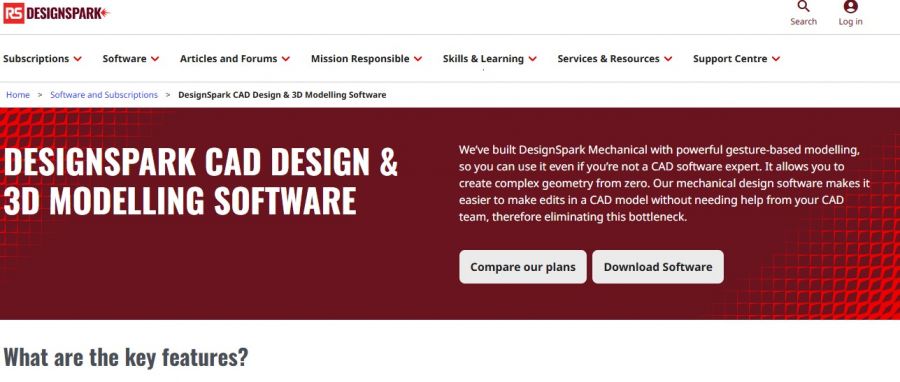
DesignSpark Mechanical provides 3D CAD modeling using direct modeling technology. It enables rapid prototyping and reverse engineering of physical objects through tools like Pull, Move, Fill, and Combine. The software supports geometry creation, equation-driven and constraint-based sketching, and analysis for mass properties, draft angles, and curvature. Users access a 3D catalog with tens of thousands of models from component manufacturers. Built-in help text, quick guide tutorials, and example designs assist model development. Version updates incorporate user feedback for features like custom views, rendering, and shortcuts. It operates on Windows systems with specified hardware requirements.

More About DesignSpark Mechanical

Core Capabilities

  • Direct modelling tools (Push, Pull, Fill, Combine) for intuitive geometry creation.
  • 3D model editing and modification in a solid‑geometry environment.
  • Import/export support for formats like STL, SKP, OBJ & DXF (varies by plan).
  • Access to large component model libraries via TraceParts/RS catalog.
  • File export for 3D printing (STL, etc.).
  • Customisable interface and productive modelling options.

Who It’s For

  • Product designers & engineers needing accessible 3D CAD tools.
  • Hobbyists & makers prototyping 3D objects.
  • Educators & students learning mechanical modelling.
  • Small firms/startups avoiding expensive CAD licensing.

Pros & Cons

Pros:

Direct modeling feels natural for non-CAD users.​

Interface avoids icon-cluttered tool ribbons.​

Precise dimensioning even in “simple” workflow.​

Great for quick 3D-printable part sketches.​

Handles STEP import plus post-editing reliably.

Cons:

Lacks many features for industrial main CAD.​

Custom BOM templates difficult to configure.​

Software Trial

0 Days

Free Version

No

Licensing Type

Proprietary

DesignSpark Mechanical Starting Price

Free

Vendor Pricing Page

See Pricing

DesignSpark Mechanical Software Features

2D Models 3D Models Annotations Bill of Materials Component Library Data Import/Export Layer Management Simulation Textures Design Automation Flexible Modeling Graphic Design Parametric Modeling Procedural Workflows Sculpting

DesignSpark Mechanical Specification

Starting Price

Free

Price Type

Contact Vendor

Currency

USD ($)

Subscription

Quote Based

Deployment Type

  • On Premises

Supported Platforms

  • Web-Based
  • Windows

Technical Support

  • Email

Training Resources

  • Documentation
  • Blogs
  • Help Guides
  • In-Person Training
  • Videos

Software Demo & Screenshots

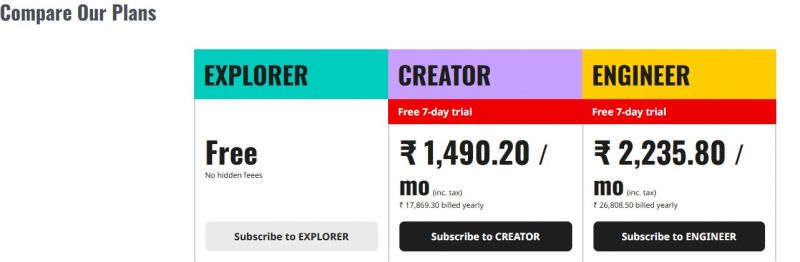
DesignSpark Mechanical Pricing

DesignSpark Mechanical Pricing Screenshot

*The price might have been changed, check the current pricing on the vendor's website.

DesignSpark Mechanical Customers

Clients yet to be updated!

Top Competitors of DesignSpark Mechanical

Logo Software Name Rating Reviews Starting Price Trial
FreeCAD Logo FreeCAD 3.9 63 0 USD ($) 1-7 Days
Tekla Structures Logo Tekla Structures 3.9 64 0 USD ($) 0 Days
SelfCAD Logo SelfCAD 3.8 64 0 USD ($) 7 Days
Solid Edge Logo Solid Edge 3.8 63 0 USD ($) More than 30 days
SketchUp Logo SketchUp 3.7 85 0 USD ($) 1-7 Days

DesignSpark Mechanical Reviews

Login to see more reviews of DesignSpark Mechanical.

Software Category

Explore Other Top 3D CAD Software